Of course! This is a classic and powerful technology stack for building and deploying web applications. Let's break down what each component does, how they work together, and how to set them up.
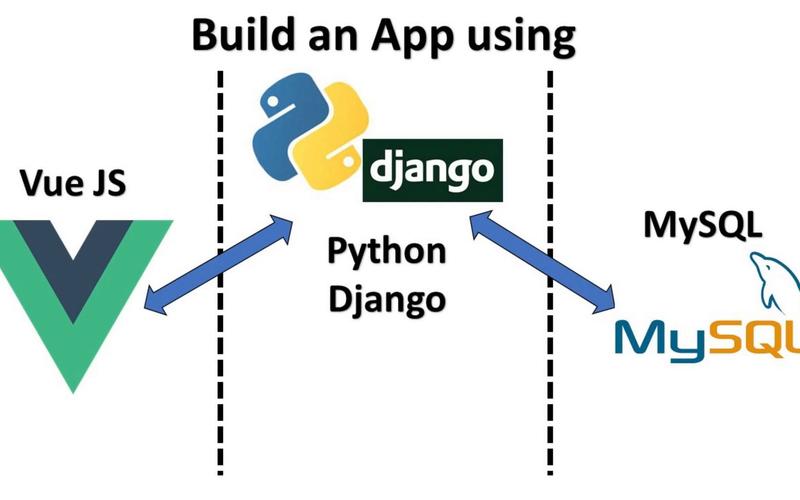
The Big Picture: What is the "Django Nginx Gunicorn" Stack?
This stack is a production-ready, high-performance, and secure way to deploy a Django web application.
- Django: The web application framework written in Python. It handles the logic, database interactions, and dynamic content generation.
- Gunicorn (Green Unicorn): An application server. It's a program that runs your Django code, listens for incoming connections, and processes web requests. Django's development server (
runserver) is not designed for production traffic. - Nginx (Engine-X): A high-performance web server and reverse proxy. It sits in front of Gunicorn and handles tasks it's much better at, like serving static files (CSS, JavaScript, images), handling SSL/TLS for HTTPS, and load balancing.
Why This Stack? (The Roles Explained)
Think of it like a restaurant:
| Component | Role in the Stack | Analogy in a Restaurant |
|---|---|---|
| Nginx | The Maître d' / Receptionist | Greets customers (web requests). Takes orders (static files like CSS/JS), handles reservations (caching), and directs complex orders to the kitchen (Gunicorn). It doesn't cook the food itself. |
| Gunicorn | The Head Chef / Kitchen | Takes the order from the Maître d' (the request), coordinates the sous-chefs (Django workers), and prepares the main course (the dynamic HTML response). It's focused on one thing: cooking the food. |
| Django | The Recipe & Sous-Chefs | Provides the recipes (the code), manages the pantry (database), and prepares the ingredients (queries the DB, runs business logic) to create the final dish (the HTML). |
How They Work Together: The Request Flow
Here is the step-by-step process of what happens when a user visits your website:
- User's Browser: A user types
yourdomain.comin their browser and hits Enter. - Nginx (The Web Server):
- Nginx is the first to receive the request.
- Static File Request: If the request is for a static file (e.g.,
/static/css/style.css), Nginx serves it directly and extremely quickly. It doesn't bother Gunicorn or Django. - Dynamic Request: If the request is for a dynamic page (e.g.,
/blog/2025/my-first-post/), Nginx acts as a reverse proxy. - SSL Termination: If the request is HTTPS, Nginx handles the encryption/decryption and passes the request to Gunicorn over a local, secure connection.
- Gunicorn (The Application Server):
- Nginx forwards the request to Gunicorn, which is listening on a specific port (e.g.,
0.0.1:8000). - Gunicorn takes the request and passes it to one of its "worker" processes, which is an instance of your Django application.
- Nginx forwards the request to Gunicorn, which is listening on a specific port (e.g.,
- Django (The Framework):
- Django receives the request.
- It looks up the correct URL in its
urls.pyfile, finds the corresponding view function. - The view function interacts with the database, runs business logic, and prepares the data.
- It renders a template (HTML) with the data.
- Django sends the final HTML response back to Gunicorn.
- The Response Journey (Backwards):
- Gunicorn receives the HTML response from Django.
- Gunicorn passes the response back to Nginx.
- Nginx takes the response and sends it back to the user's browser.
Step-by-Step Setup Guide (Ubuntu/Debian)
This is a practical guide to getting the stack running on a fresh server.
Prerequisites
- A server running Ubuntu 22.04 or similar.
- A domain name pointing to your server's IP address.
sudoprivileges.
Step 1: Install System Dependencies
sudo apt update
sudo apt install -y python3-pip python3-dev python3-venv nginx curl
Step 2: Set Up the Django Project
Let's assume you have a Django project ready. If not, you can create one.
# Create a project directory
sudo mkdir -p /var/www/myproject
sudo chown $USER:$USER /var/www/myproject
cd /var/www/myproject
# Create and activate a virtual environment
python3 -m venv venv
source venv/bin/activate
# Install Django and Gunicorn
pip install django gunicorn
# Create a sample Django project (if you don't have one)
django-admin startproject myproject .
# Note: The '.' creates it in the current directory
Step 3: Configure Gunicorn
Let's test if Gunicorn can run our project.
# Run Gunicorn, binding to port 8000 on localhost
gunicorn --bind 127.0.0.1:8000 myproject.wsgi
You should see output indicating Gunicorn is running. You can test it by visiting http://your_server_ip:8000 in your browser. Press Ctrl+C to stop it.
Now, let's create a Gunicorn service file so it can run as a background process.
sudo nano /etc/systemd/system/myproject.service
Paste the following configuration. Important: Adjust User, Group, and Path to match your project details.
[Unit]
Description=Gunicorn instance to serve myproject
After=network.target
[Service]
User=your_user
Group=www-data
WorkingDirectory=/var/www/myproject
Environment="PATH=/var/www/myproject/venv/bin"
ExecStart=/var/www/myproject/venv/bin/gunicorn --workers 3 --bind unix:/run/gunicorn.sock myproject.wsgi:application
[Install]
WantedBy=multi-user.target
Explanation of the ExecStart line:
--workers 3: The number of worker processes. A good starting point is(2 x CPU cores) + 1.--bind unix:/run/gunicorn.sock: Binds Gunicorn to a Unix socket. This is more efficient and secure than using a TCP port for communication with Nginx.myproject.wsgi:application: Tells Gunicorn where to find the WSGI application object.
Now, start and enable the service:
sudo systemctl start myproject
sudo systemctl enable myproject
# Check its status
sudo systemctl status myproject
Step 4: Configure Nginx
Nginx will act as a reverse proxy for our Gunicorn socket.
First, let's ensure the directory for the socket exists.
sudo mkdir /run/gunicorn
sudo chown www-data:www-data /run/gunicorn
Now, create an Nginx server block configuration file.
sudo nano /etc/nginx/sites-available/myproject
Paste the following configuration:
server {
    listen 80;
    server_name your_domain.com www.your_domain.com;
    location = /favicon.ico { access_log off; log_not_found off; }
    location /static/ {
        root /var/www/myproject;
    }
    location / {
        include proxy_params;
        proxy_pass http://unix:/run/gunicorn.sock;
    }
}
Explanation:
listen 80;: Listens for standard HTTP traffic.server_name your_domain.com;: Replace with your domain.location /static/ { ... }: Tells Nginx to look for static files directly in the/var/www/myprojectdirectory. You must runpython manage.py collectstaticto gather all static files into this directory.location / { ... }: For all other requests, it passes them to the Gunicorn socket.include proxy_params;: Includes standard proxy headers likeHost,X-Real-IP, etc.proxy_pass http://unix:/run/gunicorn.sock;: Forwards the request to the Gunicorn socket.
Now, enable this site by creating a symlink from sites-available to sites-enabled.
sudo ln -s /etc/nginx/sites-available/myproject /etc/nginx/sites-enabled/
Test the Nginx configuration for syntax errors and then restart it.
sudo nginx -t
sudo systemctl restart nginx
Step 5: Final Steps
-
Configure Firewall:
# Allow HTTP and HTTPS traffic
sudo ufw allow 'Nginx Full'
-
Collect Static Files:
# Activate your virtual environment if you're not already in it
source /var/www/myproject/venv/bin/activate
python manage.py collectstatic
-
Visit Your Site! Open your web browser and navigate to
http://your_domain.com. You should see your Django application running!
Next Steps & Best Practices
- Set up HTTPS: Use Certbot to get free SSL certificates from Let's Encrypt and automatically configure Nginx to use them.
sudo apt install certbot python3-certbot-nginx
sudo certbot --nginx -d your_domain.com -d www.your_domain.com
- Use Environment Variables: Never hardcode secrets like database passwords or API keys. Use environment variables with a tool like
python-decoupleordjango-environ. - Use a Process Manager: For production, consider a process manager like Supervisor or systemd (which we already used) to manage Gunicorn, ensuring it restarts if it crashes.
- Logging: Configure Django and Gunicorn logging to write to files, not just the console. This is crucial for debugging issues in production.