Of course! Let's dive deep into Python's float type, which is the standard implementation for double-precision floating-point numbers.
What is a float in Python?
In Python, the float data type is used to represent real numbers (numbers with a decimal point). It's the go-to type for any kind of scientific, financial, or general-purpose calculation that requires fractional values.
The name "float" comes from the concept of a "floating point," which means the decimal point can "float" to different positions to represent a wide range of values.
Key Characteristic: Python's float is implemented as a double-precision floating-point number, as defined by the IEEE 754 standard. This is the most common format for floating-point numbers in modern computing.
- Single-Precision (
float32): Uses 32 bits (1 for sign, 8 for exponent, 23 for fraction). Less precise, smaller memory footprint. - Double-Precision (
float64): Uses 64 bits (1 for sign, 11 for exponent, 52 for fraction). More precise, larger memory footprint. This is what Python uses.
Creating and Using Floats
You can create a float in several ways:
# By using a decimal point
price = 99.95
pi = 3.14159
# By converting other types
integer_to_float = float(100)  # Result: 100.0
string_to_float = float("123.45") # Result: 123.45
# Scientific notation
large_number = 1.23e10  # 1.23 * 10^10 = 12300000000.0
small_number = 5.67e-3  # 5.67 * 10^-3 = 0.00567
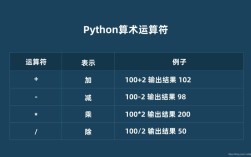
You can perform all the standard arithmetic operations:
a = 10.5
b = 2.0
print(a + b)  # Addition: 12.5
print(a - b)  # Subtraction: 8.5
print(a * b)  # Multiplication: 21.0
print(a / b)  # Division: 5.25
print(a ** 2) # Exponentiation: 110.25
print(a % b)  # Modulo: 0.5 (the remainder of 10.5 / 2.0)
The Most Important Thing: Precision and Rounding Errors
This is the most critical concept to understand about floating-point numbers. Due to their binary nature, they cannot perfectly represent some decimal fractions, leading to small precision errors.
Why Does This Happen?
Computers store numbers in binary (base-2). Just like the fraction 1/3 is 333... in decimal (base-10) and can't be written perfectly, many simple decimal fractions cannot be written perfectly in binary.
For example, the decimal number 1 is a repeating fraction in binary:
1 (decimal) = 00011001100110011... (binary)

Since a computer has a finite number of bits (52 for the fraction in a float), it has to round this infinite sequence. This stored value is extremely close to 1, but it's not exactly 1.
Demonstrating the Problem
# This is the classic example
print(0.1 + 0.2)  # Output: 0.30000000000000004
# Another example
print(0.1 + 0.1 + 0.1 - 0.3) # Output: 5.551115123125783e-17 (a tiny number, not zero)
This is not a Python bug; it's a fundamental limitation of how floating-point arithmetic works in virtually all programming languages and hardware.
How to Deal with Precision Issues
You have several strategies to handle floating-point inaccuracies, depending on your use case.
Strategy 1: Don't Compare for Equality
Never use to check if two floats are exactly equal. Instead, check if they are "close enough" by seeing if their difference is within a small tolerance.
a = 0.1 + 0.2
b = 0.3
# Don't do this:
# if a == b:
#     print("They are equal!") # This will be False
# Do this:
tolerance = 1e-9  # A very small number
if abs(a - b) < tolerance:
    print("They are close enough!") # This will be True
Strategy 2: Use the math.isclose() Function (Recommended)
Python's math module provides a convenient and robust function for this.
import math
a = 0.1 + 0.2
b = 0.3
if math.isclose(a, b):
    print("math.isclose() says they are close!") # This is the recommended way
math.isclose() is smart because it handles relative and absolute tolerances well, and it even has special handling for comparing to zero.
Strategy 3: Rounding for Display
If the problem is just with how the number is printed, you can round it for display purposes.
Warning: Rounding is for display only! The underlying imprecise value is still stored in the variable. Do not use it for calculations that require precision.
result = 0.1 + 0.2
print(f"The raw result is: {result}") # Output: 0.30000000000000004
# Round to 2 decimal places for display
print(f"The rounded result is: {round(result, 2)}") # Output: 0.3
Strategy 4: Use the decimal Module for Financial Calculations
For applications where precision is paramount, like financial or monetary calculations, Python's decimal module is the perfect tool. It performs decimal-based arithmetic (like you learned in school) and avoids the binary floating-point errors.
from decimal import Decimal
# Use strings to initialize Decimal objects to avoid float conversion issues
a = Decimal('0.1')
b = Decimal('0.2')
# The calculation is exact
result = a + b
print(result)  # Output: 0.3 (as a Decimal object)
# You can convert it to a float if needed, but why lose the precision?
print(float(result)) # Output: 0.3
Strategy 5: Use the fractions Module
If you are working with rational numbers (fractions), the fractions module can represent them exactly.
from fractions import Fraction
# Represent 1/3 exactly
one_third = Fraction(1, 3)
print(one_third)  # Output: 1/3
# Add it to itself
result = one_third + one_third
print(result)  # Output: 2/3
# It can even handle floats by converting them to fractions first
float_val = 2.5
fraction_val = Fraction(float_val).limit_denominator()
print(fraction_val) # Output: 5/2
Special Float Values
Python's float type also includes special values to represent mathematical concepts:
-
inf(Infinity): Represents a value larger than any other number.positive_inf = float('inf') print(positive_inf > 1e100) # True -
-inf(Negative Infinity): Represents a value smaller than any other number.negative_inf = float('-inf') print(negative_inf < -1e100) # True -
nan(Not a Number): Represents an undefined or unrepresentable value, often the result of an invalid operation like0/0orinf - inf.nan_val = float('nan') print(nan_val) # Output: nan # Important: nan is not equal to itself! print(nan_val == nan_val) # Output: False # To check for nan, use math.isnan() import math print(math.isnan(nan_val)) # Output: True
Summary: When to Use What
| Scenario | Recommended Type | Why? |
|---|---|---|
| General purpose, scientific, or graphics programming | float |
Fast, efficient, and standard for most numerical computing. Be aware of precision limitations. |
| Financial, accounting, or currency calculations | decimal.Decimal |
Provides exact decimal representation, avoiding floating-point rounding errors that can accumulate. |
| Symbolic or rational number math | fractions.Fraction |
Represents numbers as exact fractions (numerator/denominator). |
| Checking if two floats are "equal" | math.isclose() |
The robust, standard way to handle floating-point comparison safely. |