- Python 原生列表 的类型转换
- NumPy 数组 的类型转换
- 列表 与 NumPy 数组 之间的转换
Python 原生列表 的类型转换
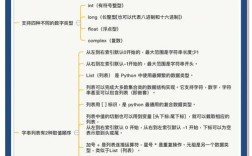
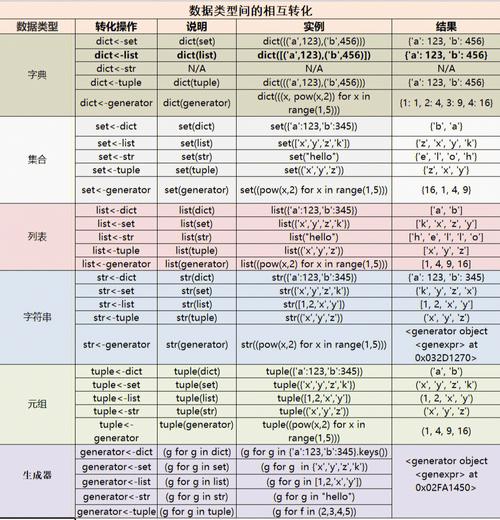
Python 列表本身是动态类型的,可以存储不同类型的数据([1, 'a', 3.14]),当我们说“转换列表的数据类型”时,通常指的是将列表中的所有元素转换为统一的、指定的数据类型,如整数、浮点数或字符串。
(图片来源网络,侵删)
使用列表推导式
这是最 Pythonic、最常用且最高效的方法。
场景: 将一个包含数字字符串的列表转换为整数列表。
# 原始列表:字符串类型的数字
str_list = ['1', '5', '8', '10']
# 使用列表推导式转换为整数列表
int_list = [int(x) for x in str_list]
print(f"原始列表: {str_list}, 类型: {[type(i) for i in str_list]}")
print(f"转换后列表: {int_list}, 类型: {[type(i) for i in int_list]}")
输出:
原始列表: ['1', '5', '8', '10'], 类型: [<class 'str'>, <class 'str'>, <class 'str'>, <class 'str'>]
转换后列表: [1, 5, 8, 10], 类型: [<class 'int'>, <class 'int'>, <class 'int'>, <class 'int'>]
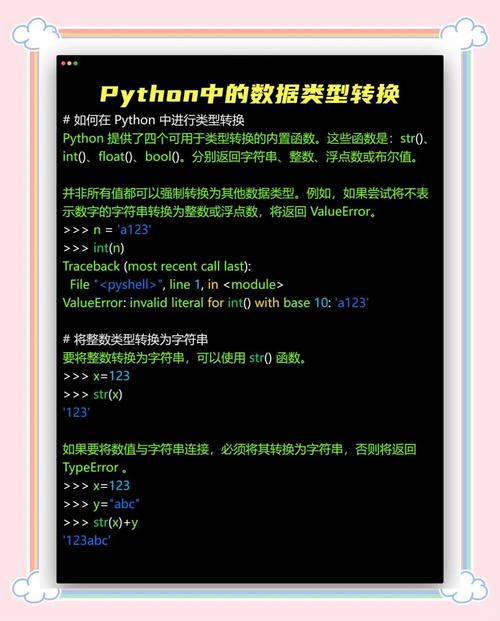
其他类型转换示例:
(图片来源网络,侵删)
# 转换为浮点数
float_list = [float(x) for x in str_list]
print(f"浮点数列表: {float_list}")
# 转换为字符串
mixed_list = [1, 2, 3.14]
str_mixed_list = [str(x) for x in mixed_list]
print(f"混合列表转字符串: {str_mixed_list}")
使用 map() 函数
map() 函数会对一个可迭代对象(如列表)中的每个元素应用一个指定的函数,并返回一个 map 对象,这个对象需要被转换回列表。
str_list = ['1', '5', '8', '10']
# map() 函数返回一个迭代器,需要用 list() 转换
int_list_map = map(int, str_list)
int_list = list(int_list_map)
print(f"使用 map 转换后的列表: {int_list}")
map() vs 列表推导式:
- 列表推导式:通常更易读,是 Python 首选的风格。
map():在处理非常复杂的函数或需要与函数式编程风格结合时,可能更清晰,在 Python 2 中,map()的性能通常优于列表推导式,但在 Python 3 中,列表推导式在大多数情况下性能相当甚至更好。
处理转换失败的情况
如果列表中包含无法转换的元素(例如字母),程序会抛出 ValueError,你可以使用 try-except 来处理这种情况。
str_list_with_error = ['1', '5', 'eight', '10']
try:
    # int_list = [int(x) for x in str_list_with_error] # 这会报错
    # 安全的转换方式
    safe_int_list = []
    for x in str_list_with_error:
        try:
            safe_int_list.append(int(x))
        except ValueError:
            print(f"警告: 无法将 '{x}' 转换为整数,已跳过。")
            # 或者可以指定一个默认值,0
            # safe_int_list.append(0)
    print(f"安全转换后的列表: {safe_int_list}")
except ValueError as e:
    print(f"发生错误: {e}")
NumPy 数组 的类型转换
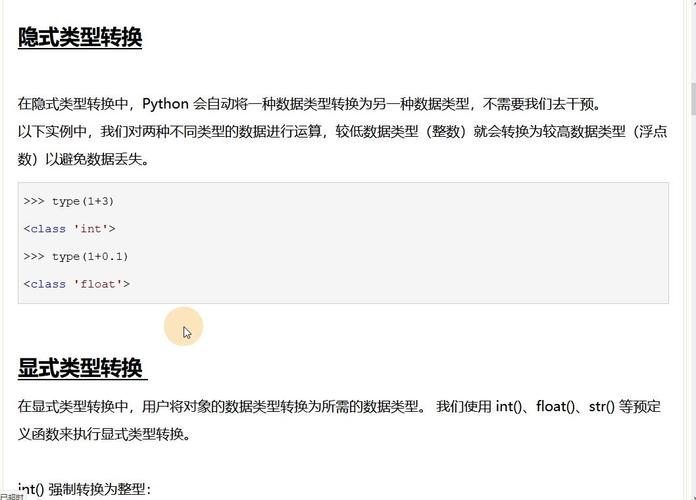
NumPy 数组是用于科学计算的核心数据结构,它要求所有元素必须是相同的数据类型,NumPy 提供了非常方便和高效的类型转换方法。
(图片来源网络,侵删)
使用 astype() 方法
这是最常用、最推荐的方法,它会创建一个新的数组,并将数据类型转换为你指定的类型。
import numpy as np
# 创建一个浮点型数组
float_arr = np.array([1.1, 2.5, 3.7, 4.2])
print(f"原始数组: {float_arr}, 数据类型: {float_arr.dtype}")
# 使用 astype() 转换为整型
# 注意:这会直接截断小数部分,而不是四舍五入
int_arr = float_arr.astype(np.int32)
print(f"转换为 int32 后的数组: {int_arr}, 数据类型: {int_arr.dtype}")
# 转换为字符串类型
str_arr = float_arr.astype(str)
print(f"转换为 str 后的数组: {str_arr}, 数据类型: {str_arr.dtype}")
输出:
原始数组: [1.1 2.5 3.7 4.2], 数据类型: float64
转换为 int32 后的数组: [1 2 3 4], 数据类型: int32
转换为 str 后的数组: ['1.1' '2.5' '3.7' '4.2'], 数据类型: <U32
NumPy 的数据类型代码:
int,np.int,np.int32,np.int64float,np.float,np.float32,np.float64bool,np.bool_str,np.str_complex,np.complex_
使用 numpy.astype() 函数
这与 astype() 方法功能完全相同,只是调用方式不同。
int_arr_alt = np.array([1.1, 2.5, 3.7]).astype(np.int)
print(f"使用函数方式转换: {int_arr_alt}")
使用 numpy.round() 和 astype() 组合
如果你想在转换时进行四舍五入,需要先使用 np.round() 函数。
float_arr = np.array([1.1, 2.5, 3.7, 4.2])
# 先四舍五入,再转换类型
rounded_int_arr = np.round(float_arr).astype(int)
print(f"四舍五入后转换的数组: {rounded_int_arr}")
输出:
四舍五入后转换的数组: [1 2 4 4]列表 与 NumPy 数组 之间的转换
在数据处理中,经常需要在 Python 的原生列表和 NumPy 数组之间进行切换。
列表 转 NumPy 数组
使用 np.array() 函数,可以非常轻松地将列表转换为 NumPy 数组,如果需要指定数据类型,可以在 np.array() 中使用 dtype 参数。
my_list = [10, 20, 30, 40, 50]
# 默认转换
arr_from_list = np.array(my_list)
print(f"从列表转换的数组: {arr_from_list}, 类型: {arr_from_list.dtype}")
# 指定转换类型
float_arr_from_list = np.array(my_list, dtype=float)
print(f"指定为 float 的数组: {float_arr_from_list}, 类型: {float_arr_from_list.dtype}")
NumPy 数组 转 列表
使用 tolist() 方法,可以将 NumPy 数组转换回 Python 的原生列表。
import numpy as np
my_array = np.array([[1, 2, 3], [4, 5, 6]], dtype=int)
# 转换为列表
list_from_arr = my_array.tolist()
print(f"从数组转换的列表: {list_from_arr}")
print(f"转换后列表的类型: {type(list_from_arr)}")
print(f"列表中元素的类型: {type(list_from_arr[0])}")
输出:
从数组转换的列表: [[1, 2, 3], [4, 5, 6]]
转换后列表的类型: <class 'list'>
列表中元素的类型: <class 'list'>
总结与对比
| 转换目标 | 转换方法 | 示例 | 说明 |
|---|---|---|---|
| 列表元素类型转换 | 列表推导式 | [int(x) for x in my_list] |
Pythonic, 推荐, 高效 |
map() 函数 |
list(map(int, my_list)) |
函数式风格, 返回迭代器需 list() 包装 |
|
| NumPy 数组类型转换 | .astype() |
my_array.astype(np.int32) |
推荐, 创建新数组, 高效 |
np.astype() |
np.array(my_list).astype(float) |
与 .astype() 功能相同 |
|
| 列表 → NumPy 数组 | np.array() |
np.array(my_list) |
最常用, 可指定 dtype |
| NumPy 数组 → 列表 | .tolist() |
my_array.tolist() |
最常用, 递归转换多维数组 |
最佳实践建议
- 如果只是处理少量数据,不需要复杂的数学运算,请使用 Python 原生列表,使用列表推导式进行类型转换。
- 如果需要进行大量的数值计算、线性代数、统计分析等科学计算任务,请务必使用 NumPy 数组,使用
.astype()方法进行类型转换,因为它非常高效。 - 在纯 Python 代码和 NumPy 代码之间传递数据时,熟练掌握
np.array()和.tolist()的转换。