
Of course! The term "decodebuffer" isn't a single, built-in Python function, but it refers to a very common and important operation: decoding a buffer of bytes into a string.

Let's break this down. The process involves two main steps:
- Getting a Buffer of Bytes: This is the raw data you have, which could come from a file, a network socket, an API response, or another source. In Python, this data is represented as a
bytesobject. - Decoding the Bytes: You need to convert this
bytesobject into astr(string) object. To do this correctly, you must specify the character encoding (like UTF-8, ASCII, etc.), which is the "language" that the bytes use to represent characters.
The Core Concept: bytes.decode()
The primary method for this task is the .decode() method available on any bytes object.
Syntax
bytes_object.decode(encoding='utf-8', errors='strict')
Parameters
encoding(optional): The character encoding to use. The most common and recommended one is'utf-8'. If you don't specify it,utf-8is used by default.errors(optional): How to handle decoding errors. The default is'strict', which means aUnicodeDecodeErrorwill be raised if it encounters an invalid byte sequence. Other useful options include:'ignore': Silently ignores any bytes that can't be decoded.'replace': Replaces any invalid bytes with the Unicode replacement character .
Practical Examples
Let's walk through a complete workflow.
Example 1: The Standard Case (UTF-8)
This is the most common scenario. You have a bytes object and you want to decode it to a string.
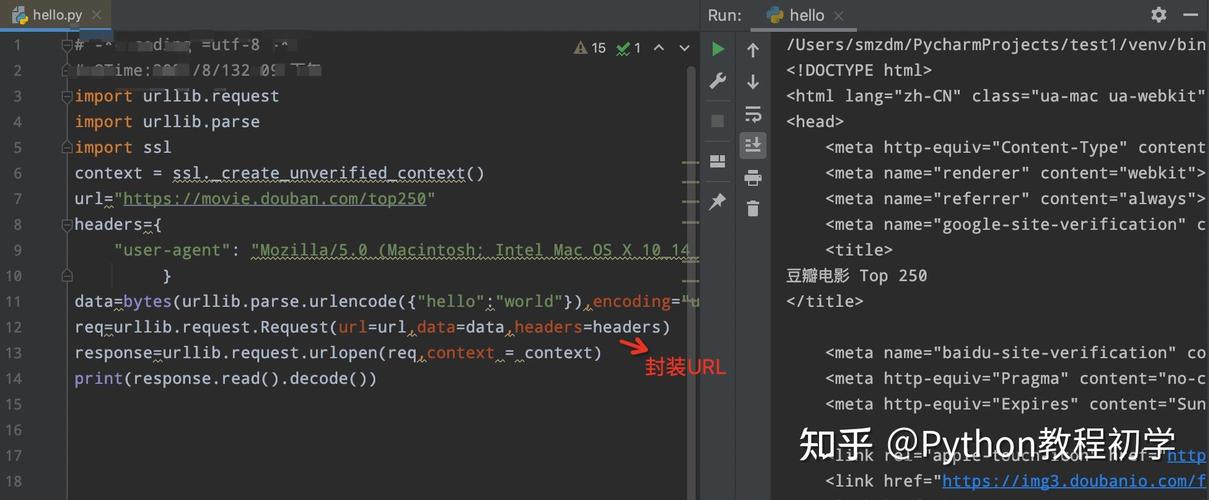
# 1. Imagine you have a buffer of bytes.
# This is what you might read from a file or get from a network.
# The string "Hello, 世界!" encoded in UTF-8.
my_buffer = b'Hello, \xe4\xb8\x96\xe7\x95\x8c!'
# 2. Decode the buffer into a string.
# We explicitly state the encoding is 'utf-8'.
my_string = my_buffer.decode('utf-8')
# 3. Print the result.
print(f"Original bytes object: {my_buffer}")
print(f"Decoded string:       {my_string}")
print(f"Type of decoded data: {type(my_string)}")
Output:
Original bytes object: b'Hello, \xe4\xb8\x96\xe7\x95\x8c!'
Decoded string:       Hello, 世界!
Type of decoded data: <class 'str'>
Example 2: Reading from a File
A very real-world use case is reading a text file. When you open a file in binary mode ('rb'), you get bytes. When you open it in text mode ('r'), Python automatically decodes it for you using the specified encoding.
# Let's create a dummy file first
sample_text = "This is a test file with an umlaut: ä"
with open("my_file.txt", "w", encoding="utf-8") as f:
    f.write(sample_text)
# --- Now, let's decode it manually ---
# 1. Open the file in binary mode to get a bytes buffer
with open("my_file.txt", "rb") as f:
    file_buffer = f.read() # f.read() returns a bytes object
print(f"Raw bytes from file: {file_buffer}")
# 2. Decode the buffer
file_content = file_buffer.decode('utf-8')
print(f"Decoded file content: {file_content}")
Output:
Raw bytes from file: b'This is a test file with an umlaut: \xc3\xa4'
Decoded file content: This is a test file with an umlaut: ä
Note: You could have just opened the file with open("my_file.txt", "r", encoding="utf-8") and read it directly. This example shows what's happening "under the hood".
Example 3: Handling Decoding Errors
What happens if your buffer contains invalid data for the specified encoding?
# A buffer with a byte sequence that is not valid UTF-8 (0xFF is invalid)
bad_buffer = b'This has an invalid byte: \xff'
try:
    # This will fail because the byte \xff is not valid UTF-8
    bad_buffer.decode('utf-8')
except UnicodeDecodeError as e:
    print(f"Error with 'strict' mode: {e}")
# --- Now, let's use different error handling strategies ---
# 1. 'ignore': Just drop the bad byte
decoded_ignore = bad_buffer.decode('utf-8', errors='ignore')
print(f"'ignore' result: '{decoded_ignore}'")
# 2. 'replace': Put a placeholder character where the bad byte was
decoded_replace = bad_buffer.decode('utf-8', errors='replace')
print(f"'replace' result: '{decoded_replace}'")
Output:
Error with 'strict' mode: 'utf-8' codec can't decode byte 0xff in position 24: invalid start byte
'ignore' result: 'This has an invalid byte: '
'replace' result: 'This has an invalid byte: �'
Common Encodings
| Encoding | Description | When to Use |
|---|---|---|
utf-8 |
Unicode Transformation Format - 8-bit. A variable-width encoding that can represent every character in the Unicode standard. It's backwards-compatible with ASCII. | The default and recommended choice for almost everything. Web content, files, APIs. |
ascii |
American Standard Code for Information Interchange. A 7-bit encoding that represents only 128 characters (basic English letters, numbers, symbols). | Only when you are certain the data contains only standard English characters. Very limited. |
latin-1 |
(Also known as iso-8859-1). A 1-byte encoding that covers Western European languages. It maps each byte value directly to a character. |
Older systems or data that is known to be in this specific format. It will never throw a decoding error, but it might interpret the data incorrectly. |
utf-16 |
A variable-width 16-bit encoding for Unicode. | Common in Windows environments and some programming language internals (like Java). Less common for general web/text files than UTF-8. |
Key Takeaways
- "Decodebuffer" means
bytes.decode(). You are taking abytesobject and turning it into astrobject. - Encoding is Crucial: You must know the encoding of your byte buffer to decode it correctly. If you use the wrong one, you'll get garbled text (called "mojibake") or an error.
utf-8is Your Default: Unless you have a specific reason to believe otherwise, always assume the encoding isutf-8.- Handle Errors Gracefully: Be prepared for
UnicodeDecodeError. Decide if you shouldignorebad data orreplaceit with a placeholder, depending on your application's needs.


