Of course! This is a fundamental concept in Python networking. Let's break down how to handle encoding and decoding with sockets.
The Core Problem: Bytes vs. Strings
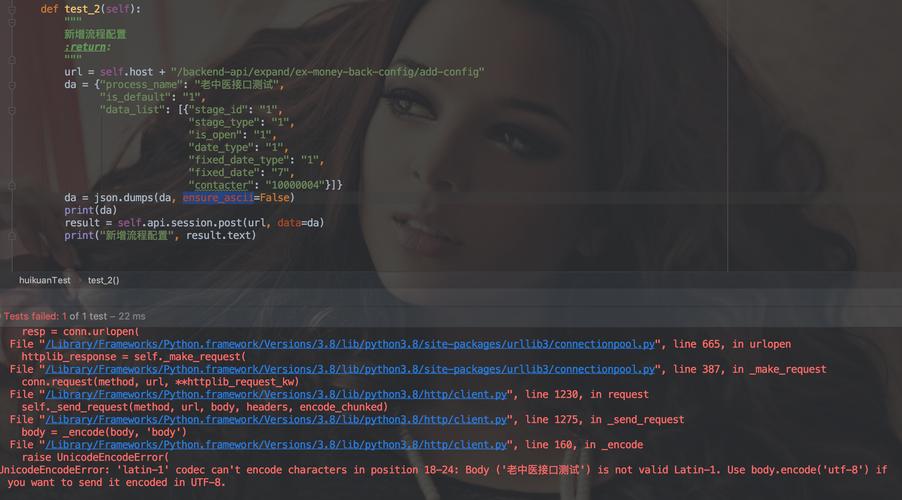
Sockets operate at a low level and can only send and receive bytes. However, in Python, we typically work with high-level strings (Unicode text).
The socket methods send() and recv() work with bytes, not strings. Therefore, you must encode your strings into bytes before sending them and decode the bytes back into strings after receiving them.
- Encoding: Converting a
strtobytes. (e.g.,"hello"->b'hello') - Decoding: Converting
bytesto astr. (e.g.,b'hello'->"hello")
The Golden Rule
- Before Sending:
your_string.encode() - After Receiving:
received_bytes.decode()
Choosing an Encoding
The most common and recommended encoding for web and general-purpose applications is UTF-8.
- Why UTF-8? It can represent every character in the Unicode standard (like emojis, accented characters, Chinese, Arabic, etc.). It's also backwards-compatible with ASCII.
- How to use it:
my_string.encode('utf-8')
Other encodings exist, like 'ascii' (limited to English characters) or 'latin-1', but UTF-8 is the modern standard you should use unless you have a specific reason not to.

Complete Client-Server Example
This is the best way to see encoding in action. We'll create a simple server that receives a message, capitalizes it, and sends it back.
The Server (server.py)
The server will:
- Create a socket.
- Bind it to an address and port.
- Listen for connections.
- Accept a connection from a client.
- Receive bytes from the client.
- Decode the bytes into a string.
- Process the string (capitalize it).
- Encode the new string back into bytes.
- Send the bytes back to the client.
# server.py
import socket
# Use a high port number (> 1024) to avoid needing root privileges
HOST = '127.0.0.1'  # Standard loopback interface address (localhost)
PORT = 65432        # Port to listen on
# Create a socket object (IPv4, TCP)
with socket.socket(socket.AF_INET, socket.SOCK_STREAM) as s:
    s.bind((HOST, PORT))
    s.listen()
    print(f"Server listening on {HOST}:{PORT}")
    # accept() blocks and waits for an incoming connection.
    # It returns a new socket object to communicate with the client
    # and the address of the client.
    conn, addr = s.accept()
    with conn:
        print(f"Connected by {addr}")
        while True:
            # 1. Receive data from the client (up to 1024 bytes)
            data = conn.recv(1024)
            # If recv() returns an empty object, the client has closed the connection
            if not data:
                break
            # 2. Decode the received bytes into a string
            message_from_client = data.decode('utf-8')
            print(f"Received from client: {message_from_client}")
            # 3. Process the data
            response_message = message_from_client.upper()
            # 4. Encode the response string back into bytes
            response_bytes = response_message.encode('utf-8')
            # 5. Send the encoded bytes back to the client
            conn.sendall(response_bytes)
            print(f"Sent back to client: {response_message}")
print("Server closed.")
The Client (client.py)
The client will:
- Create a socket.
- Connect to the server.
- Encode a user-provided string into bytes.
- Send the bytes to the server.
- Receive bytes back from the server.
- Decode the bytes into a string.
- Print the result.
# client.py
import socket
HOST = '127.0.0.1'  # The server's hostname or IP address
PORT = 65432        # The port used by the server
# Create a socket object (IPv4, TCP)
with socket.socket(socket.AF_INET, socket.SOCK_STREAM) as s:
    s.connect((HOST, PORT))
    print(f"Connected to server at {HOST}:{PORT}")
    # Get input from the user
    message_to_send = input("Enter a message to send to the server: ")
    # 1. Encode the string into bytes
    message_bytes = message_to_send.encode('utf-8')
    # 2. Send the encoded bytes to the server
    s.sendall(message_bytes)
    print(f"Sent to server: {message_to_send}")
    # 3. Receive data from the server (up to 1024 bytes)
    response_bytes = s.recv(1024)
    # 4. Decode the received bytes into a string
    response_from_server = response_bytes.decode('utf-8')
    # 5. Print the decoded string
    print(f"Received from server: {response_from_server}")
print("Client closed.")
How to Run It
- Open two terminal windows.
- In the first terminal, run the server:
python server.py
You'll see:
Server listening on 127.0.0.1:65432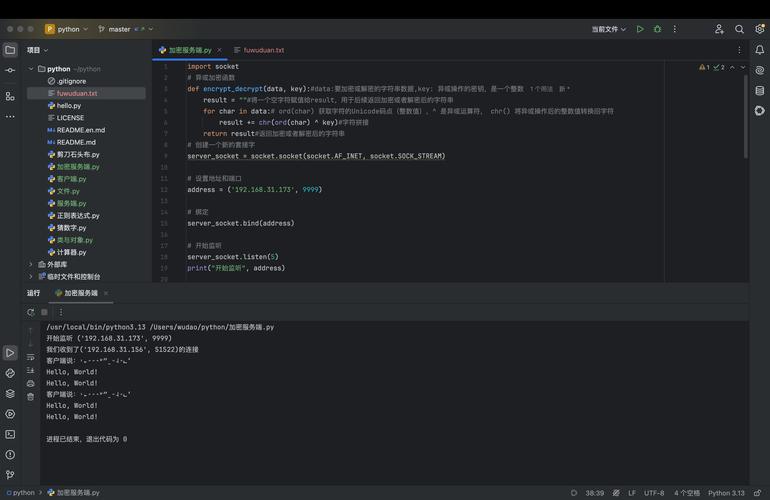 (图片来源网络,侵删)
 - In the second terminal, run the client:
python client.py
The client will prompt you for input. Type a message and press Enter.
Example Interaction:
Terminal 1 (Server):
Server listening on 127.0.0.1:65432
Connected by ('127.0.0.1', 54321)
Received from client: hello world!
Sent back to client: HELLO WORLD!
Server closed.
Terminal 2 (Client):
Connected to server at 127.0.0.1:65432
Enter a message to send to the server: hello world!
Sent to server: hello world!
Received from server: HELLO WORLD!
Client closed.
Common Pitfalls and Best Practices
Pitfall 1: Forgetting to Encode/Decode
This is the most common mistake. You'll get a TypeError.
# --- WRONG ---
message = "hello"
s.send(message)  # Raises: TypeError: a bytes-like object is required, not 'str'
received = s.recv(1024)
print(received) # Prints: b'hello' (not very useful)
# --- WRONG ---
Pitfall 2: Not Handling Disconnections
The conn.recv(1024) call will block until it receives data. If the client disconnects, recv() will return an empty byte string (b''). You must check for this to avoid an infinite loop.
# GOOD PRACTICE
data = conn.recv(1024)
if not data:
    print("Client disconnected.")
    break # Exit the loop
Pitfall 3: Not Handling Encoding Errors
What if the client sends bytes that are not valid UTF-8? The decode() method will raise a UnicodeDecodeError.
To handle this gracefully, you can provide an errors argument.
# Handle errors by replacing invalid characters
data = conn.recv(1024)
try:
    message = data.decode('utf-8')
except UnicodeDecodeError:
    message = data.decode('utf-8', errors='replace') # Replaces bad chars with �
    print("Warning: Received malformed UTF-8 data.")
Other error handling options:
'ignore': Silently drops invalid bytes.'strict'(default): Raises an error.
Summary
| Action | Method | Example |
|---|---|---|
| Send a String | string.encode(encoding) |
s.send("Hello".encode('utf-8')) |
| Receive Bytes | socket.recv(size) |
data = conn.recv(1024) |
| Convert Bytes to String | bytes.decode(encoding) |
message = data.decode('utf-8') |
| Best Practice Encoding | 'utf-8' |
Always use this unless you have a specific reason. |