
核心概念
简单理解一下 WebService 的几种主流风格:
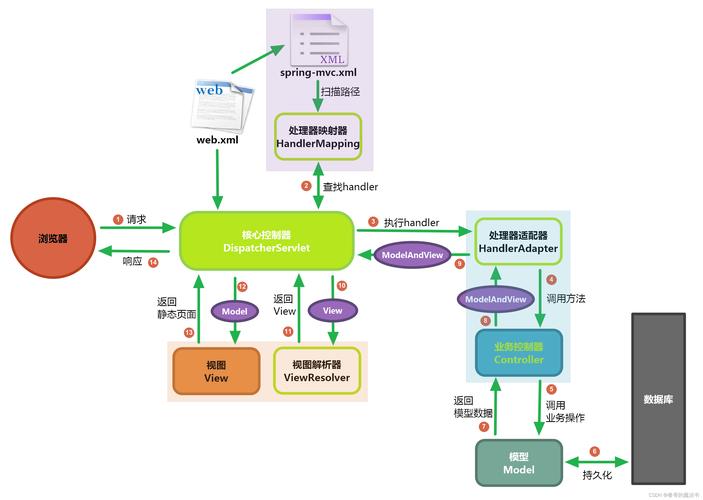
- SOAP (Simple Object Access Protocol): 一种基于 XML 的协议,它格式严格、功能强大、内置安全机制,早期的企业级应用广泛使用,它通常通过 WSDL (Web Services Description Language) 文件来描述其接口(有哪些方法、参数、返回值等)。
- REST (Representational State Transfer): 一种更轻量级的架构风格,通常使用 JSON 作为数据格式,通过 HTTP 的 GET、POST、PUT、DELETE 等方法来操作资源,现在更流行,更易于使用和扩展。
下面我们将分别介绍如何调用这两种风格的 WebService。
使用 JAX-WS (调用 SOAP WebService)
JAX-WS (Java API for XML Web Services) 是 Java 官方提供的用于创建和调用 SOAP WebService 的标准 API,对于传统的、有 WSDL 文件的 SOAP 服务,这是最标准、最强大的方式。
步骤 1:获取 WSDL 文件
任何 SOAP 调用的第一步都是获取服务的 WSDL 文件,它就像一个“说明书”,告诉客户端如何与服务通信。
WSDL 文件通常是一个 URL,http://www.webxml.com.cn/webservices/weatherwebservice?wsdl
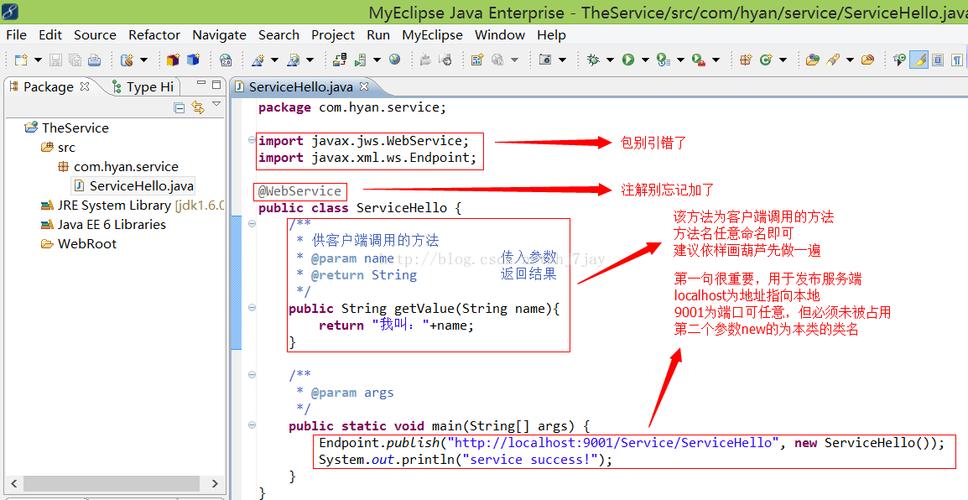
步骤 2:使用 JDK 自带的 wsimport 工具生成客户端代码
wsimport 是 JDK 自带的一个命令行工具,它可以根据 WSDL 文件自动生成一系列 Java 类(客户端存根),这些类封装了所有与服务交互的细节。
打开你的命令行(CMD 或 PowerShell),执行以下命令:
# -p: 指定生成的包名
# -d: 指定生成的 .class 文件存放目录
# -keep: 保留生成的源代码文件
# -s: 指定生成的 .java 文件存放目录
wsimport -p com.example.weather.client -d . -s . http://www.webxml.com.cn/webservices/weatherwebservice?wsdl
执行后,会在你指定的目录下生成一堆 .java 和 .class 文件,最重要的是:
WeatherWS.java: 服务接口。WeatherWS_Impl.java: 服务实现。WeatherWSSoap.java: 核心的 SOAP 接口,里面包含了所有可调用的方法(如getWeather)。- 以及其他一些辅助类(如
GetWeather、GetWeatherResponse等,它们对应 SOAP 请求和响应的 XML 结构)。
步骤 3:在 Java 代码中调用服务
现在你可以在你的 Java 项目中使用这些生成的类来调用远程服务了。
示例代码:
import com.example.weather.client.WeatherWS;
import com.example.weather.client.WeatherWS_Impl;
import com.example.weather.client.WeatherWSSoap;
public class JaxwsClient {
    public static void main(String[] args) {
        try {
            // 1. 创建服务实例 (Service)
            WeatherWS weatherWS = new WeatherWS_Impl();
            // 2. 获取服务端点接口 (PortType),这是真正包含方法调用的接口
            WeatherWSSoap port = weatherWS.getWeatherWSSoap();
            // 3. 调用远程方法
            // 假设 WSDL 描述的方法是 getWeather,参数是城市代码
            String cityCode = "北京"; // 注意:实际参数类型和名称需要根据生成的类来定
            // 根据生成的 GetWeather 类,参数通常是一个对象
            com.example.weather.client.GetWeather getWeather = new com.example.weather.client.GetWeather();
            getWeather.setTheCityCode(cityCode);
            com.example.weather.client.GetWeatherResponse response = port.getWeather(getWeather);
            // 4. 处理返回结果
            if (response != null && response.getGetWeatherResult() != null) {
                String result = response.getGetWeatherResult();
                System.out.println("获取到的天气信息:");
                System.out.println(result);
            } else {
                System.out.println("获取天气信息失败。");
            }
        } catch (Exception e) {
            e.printStackTrace();
        }
    }
}
优点:
- 标准化:Java 官方标准,兼容性好。
- 类型安全:编译时就能检查类型错误。
- 功能强大:支持 WS-Security、WS-Addressing 等企业级特性。
缺点:
- 代码冗余:需要先生成客户端代码,增加了构建步骤。
- 学习曲线:对于初学者,理解生成的类和调用方式有一定门槛。
- 性能:基于 XML,解析相对较重。
使用 Apache CXF (更灵活的 SOAP 框架)
Apache CXF 是一个开源的、功能强大的 WebService 框架,它既支持 SOAP,也支持 REST,它比 JAX-WS 更灵活,提供了更多的功能和更好的集成能力。
步骤 1:添加 Maven 依赖
在你的 pom.xml 文件中添加 CXF 的依赖。
<dependencies>
    <!-- CXF 核心依赖 -->
    <dependency>
        <groupId>org.apache.cxf</groupId>
        <artifactId>cxf-rt-frontend-jaxws</artifactId>
        <version>3.4.5</version> <!-- 使用最新稳定版 -->
    </dependency>
    <!-- CXF 的 Jetty 服务器依赖(如果需要客户端,可以不加,但加上更完整) -->
    <dependency>
        <groupId>org.apache.cxf</groupId>
        <artifactId>cxf-rt-transports-http-jetty</artifactId>
        <version>3.4.5</version>
    </dependency>
</dependencies>
步骤 2:使用 CXF 的 wsdl2java 工具生成客户端
CXF 也提供了自己的代码生成工具,功能和 wsimport 类似,但有时能处理更复杂的 WSDL。
下载 CXF 发行包,将 bin 目录添加到系统 PATH 中,然后执行:
wsdl2java -p com.example.weather.cxf.client -d . -server http://www.webxml.com.cn/webservices/weatherwebservice?wsdl
参数和 wsimport 类似,生成的代码结构也类似。
步骤 3:在 Java 代码中调用服务
CXF 的调用方式比纯 JAX-WS 更简洁一些,它提供了 JaxWsProxyFactoryBean。
示例代码:
import com.example.weather.cxf.client.WeatherWSSoap;
import org.apache.cxf.jaxws.JaxWsProxyFactoryBean;
public class CxfClient {
    public static void main(String[] args) {
        // 1. 创建工厂实例
        JaxWsProxyFactoryBean factory = new JaxWsProxyFactoryBean();
        // 2. 设置服务接口 (WSDL 中定义的 PortType)
        factory.setServiceClass(WeatherWSSoap.class);
        // 3. 设置 WebService 的地址 (WSDL 的地址,但去掉 ?wsdl 后缀)
        factory.setAddress("http://www.webxml.com.cn/webservices/weatherwebservice.asmx");
        // 4. 创建客户端代理
        WeatherWSSoap weatherWS = factory.create(WeatherWSSoap.class);
        // 5. 调用方法
        com.example.weather.cxf.client.GetWeather getWeather = new com.example.weather.cxf.client.GetWeather();
        getWeather.setTheCityCode("上海");
        com.example.weather.cxf.client.GetWeatherResponse response = weatherWS.getWeather(getWeather);
        // 6. 处理结果
        if (response != null && response.getGetWeatherResult() != null) {
            System.out.println("使用 CXF 获取到的天气信息:");
            System.out.println(response.getGetWeatherResult());
        }
    }
}
优点:
- 灵活性强:支持多种数据绑定(如 Aegis, JAXB),易于扩展。
- 功能丰富:内置了大量的特性,如拦截器、数据格式转换等。
- 优秀的集成:和 Spring 框架集成得非常好。
使用 RestTemplate (调用 RESTful WebService)
对于现代的 RESTful API,我们通常不使用 SOAP 的那一套,Spring 框架提供的 RestTemplate 是调用 REST 服务的经典工具。
步骤 1:添加 Maven 依赖
确保你的项目有 Spring 的核心依赖。
<dependencies>
    <dependency>
        <groupId>org.springframework.boot</groupId>
        <artifactId>spring-boot-starter-web</artifactId>
        <version>2.7.0</version> <!-- 或其他版本 -->
    </dependency>
</dependencies>
步骤 2:编写 Java 代码调用
假设有一个公开的 REST API,例如


