Of course! Let's dive deep into the ArrayList.add() method in Java.
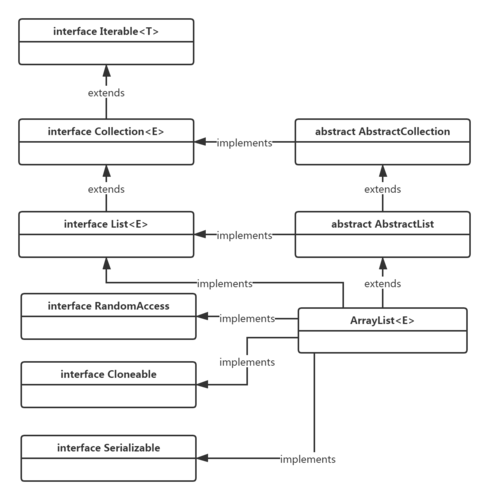
Overview
The ArrayList class in Java is part of the java.util package. It's a resizable array implementation of the List interface. The add() method is one of its most fundamental operations, used to insert elements into the list.
There are two primary overloaded versions of the add() method:
add(E element): Appends an element to the end of the list.add(int index, E element): Inserts an element at a specific position in the list.
add(E element) - Appending to the End
This is the simplest way to add an element. It places the new element at the end of the ArrayList.
Syntax
public boolean add(E e)
e: The element to be appended to the list.- Return Value: It always returns
true. (The return type isbooleanto satisfy theCollectioninterface contract, but forArrayList, it's alwaystrue).
Example
import java.util.ArrayList;
public class AddExample {
    public static void main(String[] args) {
        // Create an ArrayList of Strings
        ArrayList<String> fruits = new ArrayList<>();
        // Add elements using the add() method
        fruits.add("Apple");
        fruits.add("Banana");
        fruits.add("Cherry");
        // Print the ArrayList
        System.out.println("Fruits list: " + fruits);
        // Output: Fruits list: [Apple, Banana, Cherry]
    }
}
Key Characteristics
- Time Complexity: O(1) amortized. This is a crucial point.
- On average, adding an element to the end is very fast because it just places it in the next available slot.
- However, if the underlying array is full, the
ArrayListneeds to create a new, larger array (usually 1.5x the size) and copy all the old elements over. This copying operation is O(n), wherenis the number of elements. - Because this expensive operation happens infrequently, the average time complexity over many additions is considered O(1).
add(int index, E element) - Inserting at a Specific Position
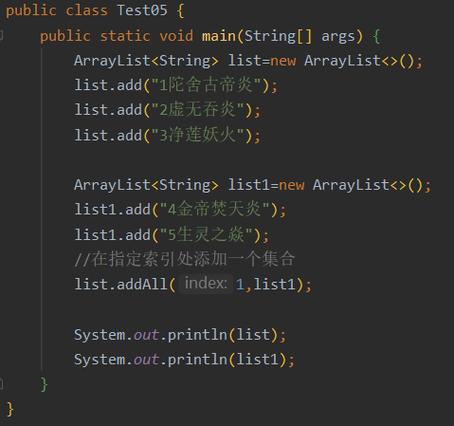
This method allows you to insert an element at any given index. All elements currently at that index or later are shifted one position to the right to make space.
Syntax
public void add(int index, E element)
index: The index at which the specified element is to be inserted.element: The element to be inserted.
Example
import java.util.ArrayList;
public class AddAtIndexExample {
    public static void main(String[] args) {
        ArrayList<String> colors = new ArrayList<>();
        colors.add("Red");
        colors.add("Green");
        colors.add("Blue");
        System.out.println("Original list: " + colors);
        // Output: Original list: [Red, Green, Blue]
        // Add "Yellow" at index 1
        colors.add(1, "Yellow");
        System.out.println("After adding 'Yellow' at index 1: " + colors);
        // Output: After adding 'Yellow' at index 1: [Red, Yellow, Green, Blue]
        // Add "Purple" at the end (index 3, which is the last position)
        colors.add(3, "Purple");
        System.out.println("After adding 'Purple' at index 3: " + colors);
        // Output: After adding 'Purple' at index 3: [Red, Yellow, Green, Purple, Blue]
    }
}
Key Characteristics
- Time Complexity: O(n). This is because all elements from the specified
indexto the end of the list must be shifted one position to the right. The number of shifts is proportional to the number of elements in the list.
Important Considerations
Index Bounds
- For
add(int index, E element), theindexmust be in the range0tosize()(inclusive).index == size(): This is allowed and appends the element to the end of the list, just likeadd(E element).index < 0orindex > size(): This will throw anIndexOutOfBoundsException.
Example of IndexOutOfBoundsException
import java.util.ArrayList;
public class BoundsExample {
    public static void main(String[] args) {
        ArrayList<Integer> numbers = new ArrayList<>();
        numbers.add(10);
        numbers.add(20);
        // This will work because index 2 is equal to the current size (2)
        numbers.add(2, 30); // Result: [10, 20, 30]
        // This will throw IndexOutOfBoundsException
        try {
            numbers.add(5, 50); // Index 5 is greater than size (3)
        } catch (IndexOutOfBoundsException e) {
            System.out.println("Caught exception: " + e);
            // Output: Caught exception: Index: 5, Size: 3
        }
    }
}
Null Elements
ArrayList allows you to add null elements as a valid value.
ArrayList<String> list = new ArrayList<>();
list.add("Hello");
list.add(null);
list.add("World");
System.out.println(list); // Output: [Hello, null, World]
Type Safety
ArrayList is a generic class. The type you specify (e.g., String, Integer) is enforced at compile time. You cannot add elements of a different type.
ArrayList<String> names = new ArrayList<>();
names.add("Alice");
names.add("Bob");
// This line will cause a COMPILE-TIME ERROR
// names.add(123); // Error: incompatible types: int cannot be converted to String
Summary Table
| Method Signature | Description | Time Complexity | Example Usage |
|---|---|---|---|
add(E element) |
Appends the element to the end of the list. | O(1) (amortized) | list.add("new item"); |
add(int index, E element) |
Inserts the element at the specified index, shifting subsequent elements. | O(n) | list.add(0, "first item"); |