Of course! It looks like you're asking about Python on three different operating systems: Linux, Windows, and the typo "linnx" (which I'll assume is Linux).
Here’s a comprehensive breakdown of how to get started with Python on each platform, covering installation, running code, and managing packages.
Python on Windows
Windows is a very common platform for Python development, especially for beginners and in the data science field.
A. Installation (Recommended Method)
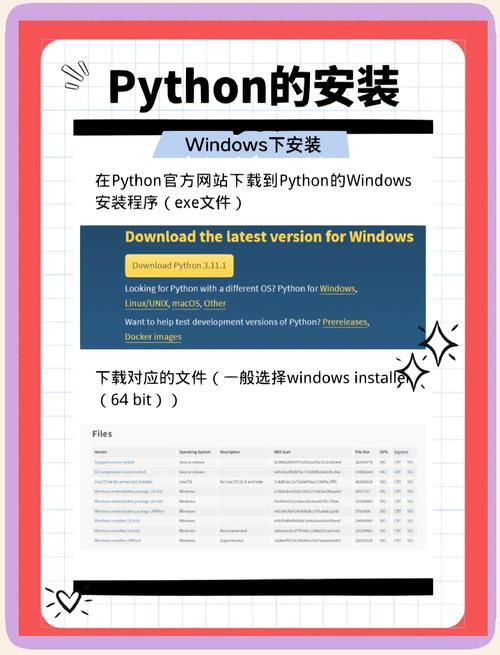
The easiest and most recommended way to install Python on Windows is by using the official installer from the Python website.
-
Download the Installer:
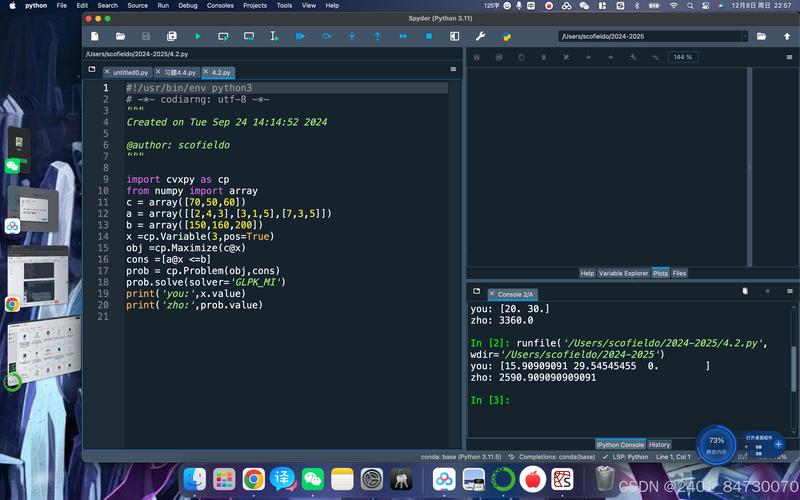 (图片来源网络,侵删)
- Go to the official Python website: https://www.python.org/downloads/windows/
- Click the "Download Python X.X.X" button. This will download the latest stable version.
-
Run the Installer:
- Open the downloaded
.exefile. - CRITICAL STEP: Check the box at the bottom that says "Add Python to PATH". This is the most common mistake for beginners. Without this, you won't be able to run
pythonfrom the Command Prompt or PowerShell. - Click "Install Now". This will install Python with default settings.
- Open the downloaded
-
Verify Installation:
- Open Command Prompt or PowerShell.
- Type the following command and press Enter:
python --version
- You should see the installed Python version (e.g.,
Python 3.11.4).
B. Running Python Code
There are two main ways to run Python code on Windows:
-
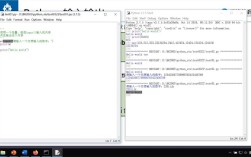
Interactive Interpreter (REPL):
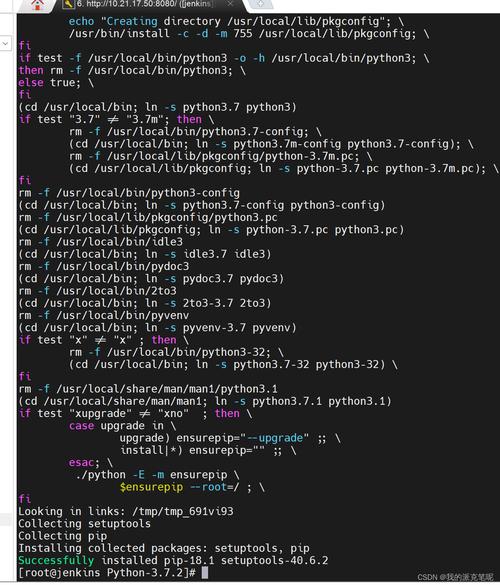 (图片来源网络,侵删)
- In Command Prompt or PowerShell, simply type
pythonand press Enter. - You'll see a
>>>prompt, where you can type Python commands directly. - To exit, type
exit()or pressCtrl+Zfollowed by Enter.
C:\Users\YourUser> python Python 3.11.4 (tags/v3.11.4:d2340ef, Jun 7 2025, 05:45:37) [MSC v.1934 64 bit (AMD64)] on win32 Type "help", "copyright", "credits" or "license" for more information. >>> print("Hello, Windows!") Hello, Windows! >>> 2 + 2 4 >>> exit() C:\Users\YourUser> - In Command Prompt or PowerShell, simply type
-
Python Script File (.py):
-
Create a new file named
hello.pyusing a text editor (like Notepad, VS Code, or Sublime Text). -
Add the following code to the file:
print("Hello from a script!") -
Save the file.
-
In Command Prompt or PowerShell, navigate to the directory where you saved the file and run it:
# Navigate to the folder (example)
cd C:\Users\YourUser\Documents
# Run the script
python hello.py
-
Output:
Hello from a script!
-
C. Using a Code Editor (Highly Recommended)
While you can use Notepad, a proper code editor like Visual Studio Code (VS Code) is highly recommended. It provides syntax highlighting, autocompletion, and debugging tools.
- Install VS Code from https://code.visualstudio.com/.
- Install the official Python extension from the marketplace within VS Code.
- You can then open your
.pyfiles, write code, and run them directly from the editor using the "Run Python File in Terminal" button.
Python on Linux
Linux is the native environment for Python. Most modern Linux distributions come with Python pre-installed, which is used by the system itself.
A. Checking for Existing Installation
- Open your terminal (usually
Ctrl+Alt+TorCtrl+Alt+F2toF6). - Check the version:
python3 --version
- Note: On many Linux systems, the
pythoncommand might point to an older Python 2. The modern, recommended command ispython3.
- Note: On many Linux systems, the
B. Installation (If Needed)
If you need to install or update Python, it's best to use your distribution's package manager. Do not use the python.org installer on Linux, as it can conflict with the system's Python.
-
For Debian / Ubuntu / Mint:
# Update package lists
sudo apt update
# Install Python 3 and its package manager, pip
sudo apt install python3 python3-pip
-
For Fedora / CentOS / RHEL:
# Install Python 3 and pip
sudo dnf install python3 python3-pip
-
For Arch Linux:
# Python is usually pre-installed. If not, install it with:
sudo pacman -S python python-pip
C. Running Python Code
The process is identical to Windows, just using the python3 command.
-
Interactive Interpreter:
$ python3 Python 3.10.12 (main, Jun 11 2025, 05:26:28) [GCC 11.4.0] on linux Type "help", "copyright", "credits" or "license" for more information. >>> print("Hello, Linux!") Hello, Linux! >>> exit() $ -
Python Script File:
-
Create a file
hello.pywithprint("Hello from a script!"). -
Make the file executable (optional but good practice):
chmod +x hello.py
-
Run it:
# Using the python interpreter
python3 hello.py
# Or, if you made it executable
./hello.py
-
D. Using a Code Editor on Linux
Linux has excellent native code editors like Geany, Gedit, or Kate. You can also install VS Code, which works perfectly on Linux.
Key Differences and Best Practices
| Feature | Windows | Linux |
|---|---|---|
| Installation | Download .exe from python.org. Use python --version. |
Use package manager (apt, dnf, pacman). Use python3 --version. |
| Command | python |
python3 (safer, more common) |
| Terminal | Command Prompt, PowerShell, Windows Terminal. | Bash, Zsh, Tcsh (in a Terminal/Gnome Terminal/Konsole window). |
| Package Manager | pip (usually installed with Python). |
pip3 (usually installed with Python). |
| Permissions | Generally no sudo needed for user installs. |
Use sudo for system-wide installs. For user installs, use --user flag. |
Managing Packages with pip
pip is the package installer for Python. It's used to install third-party libraries (like NumPy, Pandas, Django, etc.).
On both Windows and Linux:
-
Install a package:
# The 'python' command might need to be 'python3' on Linux
python -m pip install <package_name>
Example:
python -m pip install requests
-
Upgrade a package:
python -m pip install --upgrade <package_name>
-
Uninstall a package:
python -m pip uninstall <package_name>
-
List installed packages:
pip list
Summary
- Windows: Download the installer from
python.organd always check "Add Python to PATH". Usepythonas the command. - Linux: It's likely pre-installed. Use your system's package manager (
apt,dnf) to manage it. Usepython3as the command to avoid conflicts with older system tools. - Best Practice: Use a good code editor like Visual Studio Code on both platforms for a much better development experience.