Of course! This is a powerful and very common combination for building modern applications. Let's break down each component and then see how they work together.
The Big Picture: Why Use Linux, Python, and Redis Together?
Think of it as building a house:
- Linux: This is the foundation and the plot of land. It's the stable, powerful, and flexible operating system that your entire application will run on. It provides the core environment, security, and resource management (CPU, memory, disk).
- Python: This is the blueprint and the construction crew. It's the high-level programming language you use to write the logic of your application. Python is great for this because it's readable, has a massive ecosystem of libraries, and is easy to develop with.
- Redis: This is the high-speed workshop or garage on your property. Instead of running to the main house (the database on disk) every time you need a tool or a part, you grab it from the workshop. Redis is an in-memory data store, meaning it's incredibly fast for storing temporary data, caching results, or managing queues.
Together, they form a classic and robust stack for building scalable, high-performance web services, APIs, and data processing applications.
Linux: The Operating System
Linux is the backbone. It's a family of open-source Unix-like operating systems. The most popular version for servers is Ubuntu Server, but others like CentOS/Rocky Linux and Debian are also extremely common.
Key Roles in the Stack:

- Server Environment: Your Python application and Redis server will run as processes on a Linux machine (either a physical server, a virtual machine, or a container).
- Stability and Security: Linux is known for its stability and granular security controls, making it the standard for production environments.
- Package Management: Linux uses package managers like
apt(for Debian/Ubuntu) oryum/dnf(for CentOS/Rocky) to easily install software like Python and Redis.
Basic Commands:
# Update package lists
sudo apt update
# Install Python and pip (Python's package installer)
sudo apt install python3 python3-pip
# Install Redis server
sudo apt install redis-server
# Start the Redis service
sudo systemctl start redis-server
# Enable Redis to start on boot
sudo systemctl enable redis-server
# Check if Redis is running
sudo systemctl status redis-server
Python: The Programming Language
Python is the language you'll use to write your application's logic. It's famous for its simple syntax and vast " batteries-included " standard library.
Key Roles in the Stack:
- Application Logic: You'll write functions and classes to handle user requests, perform calculations, and interact with other services.
- Interacting with Redis: You'll use a Python library (a "client") to connect to your Redis server and store/retrieve data.
- Web Frameworks: Popular frameworks like Flask and Django are written in Python and make it easy to build web APIs and websites.
Key Python Library for Redis: redis-py
This is the official and most widely used Python client for Redis.
Installation:
# Use pip to install the library
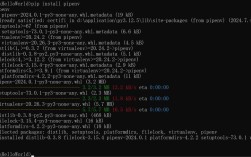
pip install redis
Redis: The In-Memory Data Store
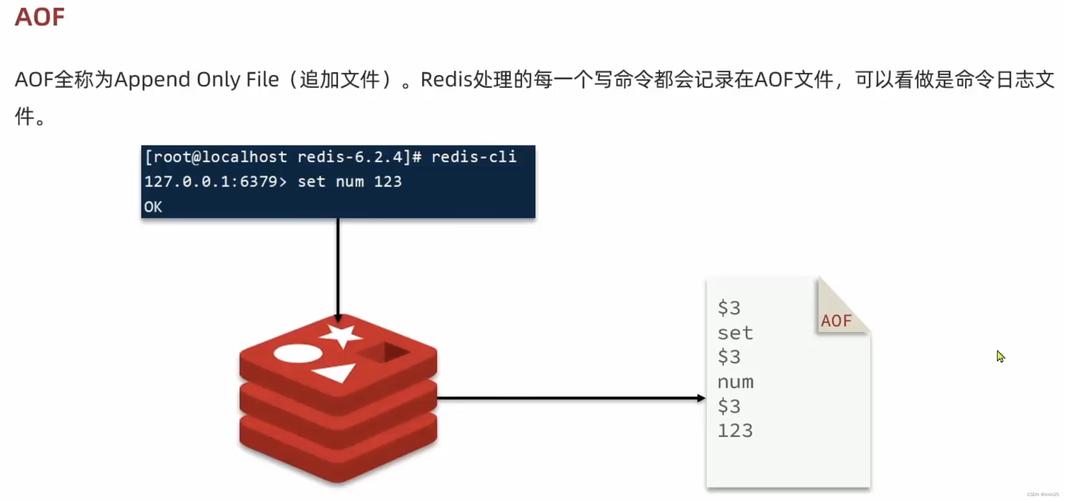
Redis (REmote DIctionary Server) is an open-source (BSD-licensed), in-memory data structure store. It's used as a database, cache, message broker, and more.
Key Features and Use Cases:
- Caching: This is the most common use case. Store the results of expensive database queries or complex computations in Redis. The next time you need that data, you get it in milliseconds from Redis instead of seconds from the database.
- Session Management: Store user session data in Redis. This allows your application to be stateless and scale across multiple servers, as any server can access the user's session.
- Message Queues: Use Redis Lists as a simple message queue. One process can "push" a job to a list, and another worker process can "pop" it off to perform a task (e.g., sending an email, processing an image).
- Real-time Features: Pub/Sub (Publish/Subscribe) allows you to build real-time features like live notifications or chat.
- Counters & Leaderboards: Redis has built-in atomic operations, making it perfect for counting likes, views, or maintaining a high-score leaderboard.
Basic Redis Commands (used via the Python client):
SET key value: Store a value.GET key: Retrieve a value.HSET key field value: Store a field in a Hash.HGET key field: Get a field from a Hash.LPUSH list item: Add an item to the beginning of a List.RPOP list: Remove and get the last item from a List.
Putting It All Together: A Practical Example
Let's build a simple application that uses Redis to cache the results of a "heavy" calculation.
Step 1: Start Redis
Make sure your Redis server is running on your Linux machine.
sudo systemctl start redis-server
Step 2: Write the Python Script
Create a file named app.py.
import time
import redis
import random
# --- 1. Connect to Redis ---
# The default host is 'localhost' and port is 6379
try:
    r = redis.Redis(host='localhost', port=6379, decode_responses=True)
    # Test the connection
    r.ping()
    print("Successfully connected to Redis!")
except redis.ConnectionError as e:
    print(f"Could not connect to Redis: {e}")
    exit(1)
# --- 2. The "Heavy" Function to Cache ---
def get_expensive_data(user_id):
    """
    Simulates a function that takes a long time to execute.
    e.g., a complex database query or an API call.
    """
    print(f"[INFO] Performing heavy calculation for user {user_id}...")
    time.sleep(2) # Simulate 2 seconds of work
    data = f"UserData-{user_id}-is-{random.randint(1000, 9999)}"
    return data
# --- 3. The Cached Function ---
def get_user_data_cached(user_id):
    """
    Gets user data, using Redis as a cache.
    """
    cache_key = f"user_data:{user_id}"
    # Try to get the data from Redis cache first
    cached_data = r.get(cache_key)
    if cached_data:
        print(f"[CACHE] HIT! Found data for user {user_id} in cache.")
        return cached_data
    else:
        print(f"[CACHE] MISS! Data for user {user_id} not in cache.")
        # If not in cache, call the heavy function
        fresh_data = get_expensive_data(user_id)
        # Store the result in Redis with a 10-second expiration (TTL)
        # This prevents the cache from growing forever.
        r.setex(cache_key, 10, fresh_data)
        print(f"[CACHE] Stored new data for user {user_id} in Redis.")
        return fresh_data
# --- 4. Run the Application ---
if __name__ == "__main__":
    user_id = "alice"
    # First call - will be slow (cache miss)
    start_time = time.time()
    data1 = get_user_data_cached(user_id)
    duration1 = time.time() - start_time
    print(f"Result 1: {data1} (took {duration1:.2f} seconds)\n")
    # Second call - will be fast (cache hit)
    start_time = time.time()
    data2 = get_user_data_cached(user_id)
    duration2 = time.time() - start_time
    print(f"Result 2: {data2} (took {duration2:.2f} seconds)\n")
    # Third call, after 10 seconds - will be slow again (cache expired)
    print("Waiting for cache to expire (10 seconds)...")
    time.sleep(10)
    start_time = time.time()
    data3 = get_user_data_cached(user_id)
    duration3 = time.time() - start_time
    print(f"Result 3: {data3} (took {duration3:.2f} seconds)")
Step 3: Run the Script
python3 app.py
Expected Output:
Successfully connected to Redis!
[CACHE] MISS! Data for user alice not in cache.
[INFO] Performing heavy calculation for user alice...
[CACHE] Stored new data for user alice in Redis.
Result 1: UserData-alice-is-4581 (took 2.02 seconds)
[CACHE] HIT! Found data for user alice in cache.
Result 2: UserData-alice-is-4581 (took 0.00 seconds)
Waiting for cache to expire (10 seconds)...
[CACHE] MISS! Data for user alice not in cache.
[INFO] Performing heavy calculation for user alice...
[CACHE] Stored new data for user alice in Redis.
Result 3: UserData-alice-is-8231 (took 2.01 seconds)
As you can see, the second call was nearly instantaneous because the data was retrieved from the Redis cache. This demonstrates the core power of the stack.