Of course! In Python, "getting an attribute" refers to accessing a value or method associated with an object. Python provides several ways to do this, each with its own use case.

Here’s a comprehensive guide, starting with the basics and moving to more advanced and specialized methods.
The Standard Dot Notation (.attribute)
This is the most common and Pythonic way to access an attribute. You simply use the object's name, followed by a dot (), and then the attribute's name.
When to use it: For direct, straightforward access to attributes you know exist at the time you're writing the code.
Example:

class Car:
    def __init__(self, make, model, year):
        self.make = make      # 'make' is an attribute
        self.model = model    # 'model' is an attribute
        self.year = year      # 'year' is an attribute
        self.is_running = False # 'is_running' is an attribute
    def start_engine(self):
        print(f"The {self.make} {self.model}'s engine is starting...")
        self.is_running = True
# Create an instance (an object) of the Car class
my_car = Car("Toyota", "Corolla", 2025)
# --- Getting attributes using dot notation ---
car_make = my_car.make
car_model = my_car.model
is_on = my_car.is_running
print(f"Make: {car_make}")      # Output: Make: Toyota
print(f"Model: {car_model}")    # Output: Model: Corolla
print(f"Is running: {is_on}")   # Output: Is running: False
# You can also access methods (which are just callable attributes)
my_car.start_engine()
print(f"Is running: {my_car.is_running}") # Output: Is running: True
The getattr() Built-in Function
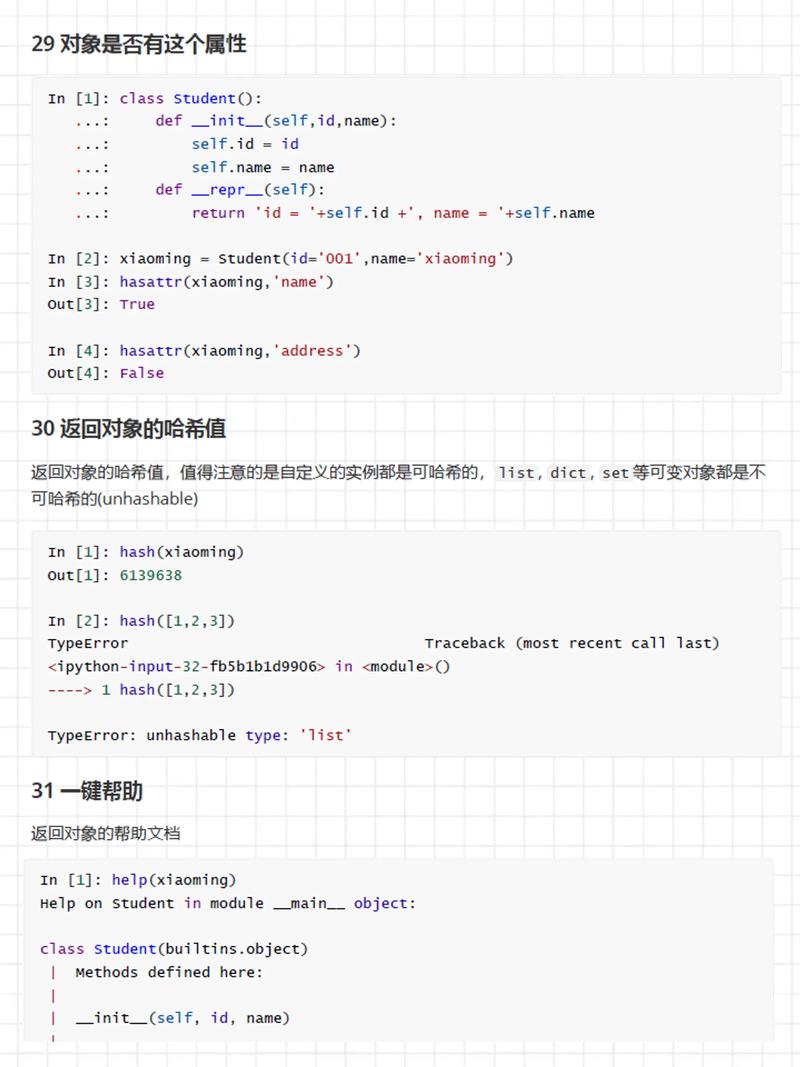
This is a more dynamic way to get an attribute. It's useful when the attribute's name is stored in a variable or when you want to provide a default value if the attribute doesn't exist.
Syntax: getattr(object, attribute_name[, default])
When to use it:
- When the attribute name is determined at runtime (e.g., from user input or a configuration file).
- To gracefully handle cases where an attribute might not exist, avoiding an
AttributeError.
Example:
class Car:
    def __init__(self, make, model, year):
        self.make = make
        self.model = model
        self.year = year
my_car = Car("Ford", "Mustang", 1969)
# --- Using getattr() ---
# Case 1: Attribute exists
model = getattr(my_car, 'model')
print(f"Model: {model}") # Output: Model: Mustang
# Case 2: Attribute does NOT exist (without a default)
# This would raise an AttributeError:
# color = getattr(my_car, 'color')
# Case 3: Attribute does NOT exist (with a default value)
# The third argument is the default value to return if the attribute is not found.
color = getattr(my_car, 'color', 'Unknown')
print(f"Color: {color}") # Output: Color: Unknown
# Case 4: Using a variable for the attribute name
attr_to_get = 'year'
year = getattr(my_car, attr_to_get)
print(f"Year: {year}") # Output: Year: 1969
The vars() Built-in Function
This function returns the __dict__ attribute of an object, which is a dictionary containing the object's writable attributes.
When to use it: When you want to inspect all of an object's attributes at once, for debugging, or for dynamic manipulation.
Example:
class Car:
    def __init__(self, make, model):
        self.make = make
        self.model = model
        self._internal_id = 12345 # Note the underscore, a convention for "internal" use
my_car = Car("Honda", "Civic")
# --- Using vars() ---
attributes_dict = vars(my_car)
print(attributes_dict)
# Output:
# {'make': 'Honda', 'model': 'Civic', '_internal_id': 12345}
# You can then access attributes like a dictionary
print(f"Make from dict: {attributes_dict['make']}") # Output: Make from dict: Honda
The dir() Built-in Function
This function returns a list of all the names (attributes and methods) associated with an object, including inherited ones.
When to use it: For interactive exploration and introspection. It's great for seeing what an object can do.
Example:
my_car = Car("Tesla", "Model S", 2025)
# --- Using dir() ---
all_attributes = dir(my_car)
print(all_attributes)
# Output (will be a long list, including built-in and user-defined attributes):
# ['__class__', '__delattr__', '__dict__', '__dir__', '__doc__', '__eq__',
#  '__format__', '__ge__', '__getattribute__', '__gt__', '__hash__', '__init__',
#  '__init_subclass__', '__le__', '__lt__', '__module__', '__ne__', '__new__',
#  '__reduce__', '__reduce_ex__', '__repr__', '__setattr__', '__sizeof__',
#  '__str__', '__subclasshook__', '_internal_id', 'make', 'model', 'start_engine',
#  'year']
# Note that 'dir' includes everything, including 'dunder' (double underscore) methods
# and methods inherited from the base 'object' class.
The object.__getattribute__() Special Method
This is the low-level method that the dot notation () actually calls behind the scenes. You should almost never call this directly in your own code, as it's part of Python's internal machinery.
When to use it: Almost never. It's primarily for advanced metaprogramming or understanding how Python works under the hood.
Handling Missing Attributes with __getattr__
This is a special "magic" method you can define in your own classes. It acts as a fallback. If you try to access an attribute that doesn't exist, Python will look for a __getattr__ method and call it with the name of the missing attribute.
When to use it: To create dynamic attributes, provide helpful error messages, or implement proxy objects.
Example:
class User:
    def __init__(self, name, email):
        self.name = name
        self.email = email
        # Note: 'age' is not defined here
    def __getattr__(self, name):
        # This method is only called for attributes that DON'T exist
        if name == 'age':
            return 25  # Provide a default dynamic value
        else:
            # For any other missing attribute, raise the standard error
            raise AttributeError(f"'{self.__class__.__name__}' object has no attribute '{name}'")
user = User("Alice", "alice@example.com")
# --- Using __getattr__ ---
# 'age' doesn't exist in __init__, so __getattr__ is called
print(f"User age: {user.age}") # Output: User age: 25
# Trying to access a non-existent attribute without a handler
try:
    print(user.address)
except AttributeError as e:
    print(e) # Output: 'User' object has no attribute 'address'
Summary: Which Method to Use?
| Method | Use Case | Example |
|---|---|---|
| Dot Notation () | Standard, direct access. Use 99% of the time. | my_object.name |
getattr() |
Dynamic access or safe access with a default. | getattr(my_obj, 'attr', 'default') |
vars() |
Inspect all writable attributes as a dictionary. | vars(my_object) |
dir() |
Explore all attributes and methods (including built-ins). | dir(my_object) |
__getattr__ |
Define custom behavior for accessing non-existent attributes in your class. | def __getattr__(self, name): ... |