Of course! The statement import common in Python is a fundamental way to bring code from one module into your current script.
Let's break it down in detail, from the simple concept to more advanced usage.
The Core Concept: What is a Module?
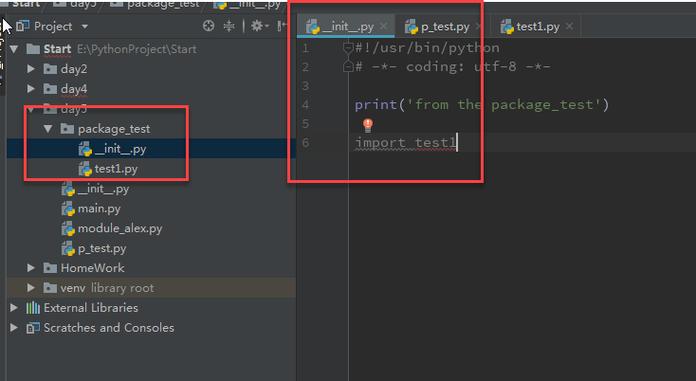
In Python, a module is simply a Python file (a file with a .py extension) that contains Python code. This code can be functions, classes, variables, or runnable code.
When you create a file named common.py, you are creating a module named common.
What import common Does
When you write import common at the top of your script, you are telling Python to:
- Find the module: Python searches for a file named
common.pyin a list of standard directories (known as thesys.path). This includes the directory of the current script and any directories listed in yourPYTHONPATHenvironment variable. - Execute the module: If found, Python runs the entire
common.pyfile from top to bottom. This means any code at the global level insidecommon.py(like variable assignments, function definitions, or even print statements) will be executed. - Create a namespace: Python creates a new "namespace" (a container for names) for the
commonmodule. This namespace acts as a prefix to access anything defined insidecommon.py.
A Practical Example
Let's imagine you have two files in the same directory.
File 1: common.py
This file will contain our shared, reusable code.
# common.py
# A variable shared across files
shared_variable = "This is a shared variable"
# A simple function
def greet(name):
    """Prints a greeting to the console."""
    print(f"Hello, {name}! Welcome to the program.")
# A more complex function
def calculate_average(numbers):
    """Calculates the average of a list of numbers."""
    if not numbers:
        return 0
    return sum(numbers) / len(numbers)
# This code will run ONLY when common.py is executed directly
if __name__ == "__main__":
    print("This block runs only if you execute common.py directly.")
    greet("World")
File 2: main.py
This is our main script that wants to use the code from common.py.
# main.py
# Import the entire 'common' module
import common
# --- How to use the imported code ---
# 1. Access a variable from the module
print(f"Accessing a variable from the 'common' module: {common.shared_variable}")
# 2. Call a function from the module
print("\nCalling a function from the 'common' module:")
common.greet("Alice")
# 3. Use another function
data = [10, 20, 30, 40, 50]
average = common.calculate_average(data)
print(f"\nThe average of {data} is: {average}")
# 4. What happens if we try to access something without the prefix?
# This would cause a NameError:
# print(shared_variable)  # ERROR!
# print(greet("Bob"))      # ERROR!
How to Run It
- Save both files (
common.pyandmain.py) in the same folder. - Open your terminal or command prompt.
- Navigate to that folder.
- Run the main script:
python main.py
Expected Output
Accessing a variable from the 'common' module: This is a shared variable
Calling a function from the 'common' module:
Hello, Alice! Welcome to the program.
The average of [10, 20, 30, 40, 50] is: 30.0
Notice: The if __name__ == "__main__": block in common.py did not run. This is a crucial Python idiom. That code only executes when the file is run directly, not when it's imported as a module.
Common Variations of the import Statement
There are several other ways to import modules, each with its own use case.
from common import greet
This imports a specific function (or variable/class) directly into your current script's namespace.
# main_v2.py
from common import greet, shared_variable
# Now you can use 'greet' and 'shared_variable' directly
# without the 'common.' prefix.
greet("Charlie")
print(f"Directly accessed variable: {shared_variable}")
# But you CANNOT use other things from common without the prefix
# calculate_average([1, 2, 3]) # This would cause a NameError
Pros:
- More convenient; shorter code.
- Useful when you only need one or two specific things from a large module.
Cons:
- Can clutter your current namespace.
- If you import two things with the same name from different modules, you'll get a conflict.
from common import *
This imports everything from the module into your current namespace.
# main_v3.py
from common import *
# Now you can use everything directly
greet("David")
print(f"Variable: {shared_variable}")
avg = calculate_average([5, 10, 15])
print(f"Average: {avg}")
Pros:
- Very concise.
Cons:
- Strongly discouraged. It makes your code unclear and prone to naming conflicts. You can't easily tell where a function or variable came from just by reading the code.
import common as cm
This gives the imported module a shorter, more convenient alias.
# main_v4.py
import common as cm
# Use the alias instead of the full module name
cm.greet("Eve")
print(f"Variable: {cm.shared_variable}")
Pros:
- Saves typing, especially for long module names.
- Very common practice for libraries like
import pandas as pdorimport numpy as np. - Prevents naming conflicts if you want to import two modules with the same name (e.g.,
import module1 as m1andimport module2 as m2).
Summary Table
| Statement | What it Does | When to Use It |
|---|---|---|
import common |
Imports the whole module common. You access its contents with the common. prefix. |
Standard and recommended. Best for clarity and avoiding name clashes. |
from common import greet |
Imports only the greet function into your current script. You can call it directly with greet(). |
When you need only a few specific items from a module and are sure of the names. |
from common import * |
Imports all public names from common into your current script. |
Generally avoid. Can lead to unreadable and buggy code. |
import common as cm |
Imports the whole module but lets you refer to it with the shorter alias cm. |
Very common and useful for long module names or to avoid conflicts. |