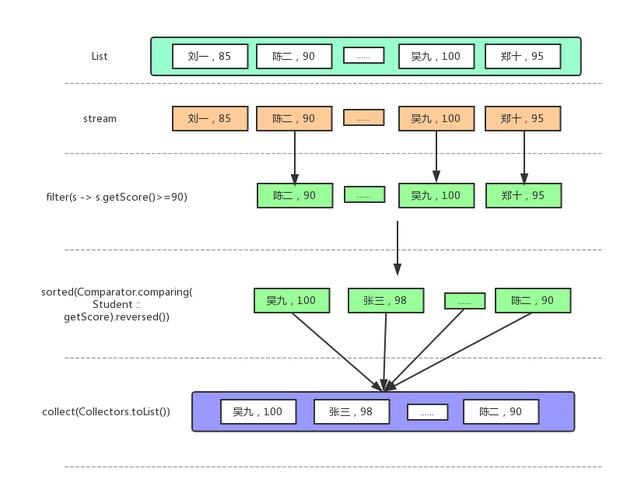
Of course! In Java, "stream byte" most commonly refers to handling streams of raw binary data, which is a fundamental concept for I/O (Input/Output) operations. This is different from the java.util.stream API used for processing collections of objects.
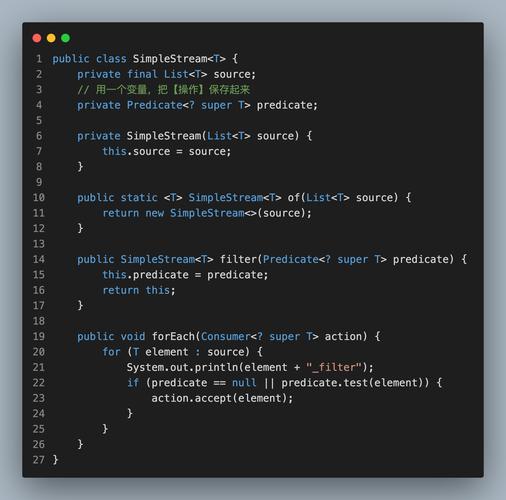
Let's break down the main ways to work with byte streams in Java.
The Classic I/O Streams (java.io)
These are the traditional, foundational classes for handling byte streams. They are used for reading from and writing to files, network connections, and other sources/sinks of raw data.
Key Concepts:
- Stream: A sequence of data.
- Input Stream (
InputStream): Reads data from a source. - Output Stream (
OutputStream): Writes data to a destination. - Buffering: Wrapping a stream in a buffered stream (
BufferedInputStream,BufferedOutputStream) significantly improves performance by reducing the number of direct I/O operations.
Common Byte Stream Classes:
| Category | Abstract Class | Concrete Implementations (Examples) | Purpose |
|---|---|---|---|
| Input | InputStream |
FileInputStream, ByteArrayInputStream, BufferedInputStream |
Reading raw bytes. |
| Output | OutputStream |
FileOutputStream, ByteArrayOutputStream, BufferedOutputStream |
Writing raw bytes. |
Example 1: Reading and Writing a File with FileInputStream and FileOutputStream
This is the most common use case: copying a binary file (like an image or a PDF).
import java.io.FileInputStream;
import java.io.FileOutputStream;
import java.io.IOException;
public class ByteStreamFileCopy {
    public static void main(String[] args) {
        // The source file to read from
        String sourcePath = "path/to/your/source-image.jpg";
        // The destination file to write to
        String destinationPath = "path/to/your/destination-image-copy.jpg";
        // Using try-with-resources to ensure streams are closed automatically
        try (FileInputStream fis = new FileInputStream(sourcePath);
             FileOutputStream fos = new FileOutputStream(destinationPath)) {
            // Read one byte at a time
            int byteData;
            while ((byteData = fis.read()) != -1) {
                fos.write(byteData);
            }
            System.out.println("File copied successfully!");
        } catch (IOException e) {
            System.err.println("An error occurred during file copy: " + e.getMessage());
            e.printStackTrace();
        }
    }
}
Explanation:
try (FileInputStream fis = ...): We use atry-with-resourcesblock. This is the modern, recommended way as it automatically closes theFileInputStreamwhen the block is exited, even if an exception occurs.fis.read(): Reads one byte of data from the input stream and returns it as anint(in the range0to255). It returns-1when the end of the stream is reached.fos.write(byteData): Writes the specified byte to the output stream.
Example 2: Using BufferedInputStream for Better Performance
Reading/writing one byte at a time is inefficient. Buffering reads a large chunk of data into memory at once, reducing the number of system calls.
import java.io.*;
public class BufferedByteStreamCopy {
    public static void main(String[] args) {
        String sourcePath = "path/to/your/large-file.zip";
        String destinationPath = "path/to/your/large-file-copy.zip";
        // Using try-with-resources with multiple resources
        try (BufferedInputStream bis = new BufferedInputStream(new FileInputStream(sourcePath));
             BufferedOutputStream bos = new BufferedOutputStream(new FileOutputStream(destinationPath))) {
            // Create a buffer to hold chunks of data
            byte[] buffer = new byte[8192]; // 8KB buffer
            int bytesRead;
            // Read from the input stream into the buffer
            while ((bytesRead = bis.read(buffer)) != -1) {
                // Write the bytes from the buffer to the output stream
                bos.write(buffer, 0, bytesRead);
            }
            System.out.println("Large file copied successfully with buffering!");
        } catch (IOException e) {
            System.err.println("An error occurred: " + e.getMessage());
            e.printStackTrace();
        }
    }
}
Explanation:
new BufferedInputStream(new FileInputStream(...)): We wrap theFileInputStreamin aBufferedInputStream. The same is done for the output stream.byte[] buffer = new byte[8192]: We create a byte array to act as our buffer. A size of 8KB is a common and good starting point.bis.read(buffer): This method attempts to readbuffer.lengthbytes from the stream into thebufferarray. It returns the actual number of bytes read, or-1if the end of the stream is reached.bos.write(buffer, 0, bytesRead): We write the portion of the buffer that was actually filled.bytesReadtells us how many bytes to write.
The New I/O (NIO) API (java.nio)
Since Java 1.4, java.nio (New I/O) has provided an alternative, often more powerful, way to handle I/O. The java.nio.file package is particularly important for file operations.
Key Concepts:
Path: Represents a path to a file or directory in a platform-independent way. It's more modern and flexible thanFile.Files: A utility class with static methods for common file operations (reading, writing, copying, deleting, etc.).InputStream/OutputStream: You can still get traditional streams fromFiles, but NIO also offers Channels and Buffers, which are more efficient for certain types of operations.
Example 3: Reading/Writing Files with NIO (java.nio.file)
This is the modern, preferred way to handle file I/O in Java. It's more concise and often more performant.
import java.io.IOException;
import java.nio.file.Files;
import java.nio.file.Path;
import java.nio.file.Paths;
public class NioFileCopy {
    public static void main(String[] args) {
        Path sourcePath = Paths.get("path/to/your/source-image.jpg");
        Path destinationPath = Paths.get("path/to/your/destination-image-nio-copy.jpg");
        try {
            // Files.copy() is a simple, high-level method for copying files.
            // It automatically handles opening, reading, writing, and closing the streams.
            Files.copy(sourcePath, destinationPath);
            System.out.println("File copied successfully using NIO!");
        } catch (IOException e) {
            System.err.println("An error occurred during NIO file copy: " + e.getMessage());
            e.printStackTrace();
        }
    }
}
Explanation:
Paths.get(...): A convenient factory method to create aPathobject from a string.Files.copy(Path source, Path target): This is the magic. It's a single method call that performs the entire copy operation efficiently. It's much simpler than the manual stream operations.
Summary: Which One to Use?
| Feature | java.io Streams |
java.nio.file |
|---|---|---|
| Simplicity | Good for simple, direct operations. | Excellent. High-level methods like Files.copy() are very easy to use. |
| Performance | Buffered streams are good for general use. |
Generally better, especially for large files and concurrent operations, due to its channel-based architecture. |
| Flexibility | Good for basic network and memory streams. | Excellent. Offers advanced features like asynchronous I/O, file system watching, and symbolic links. |
| Modern Standard | The classic, foundational API. | The current standard for all new file I/O code in Java. |
Recommendation:
- For simple file operations (copy, read, write), always prefer
java.nio.file.Files. It's simpler, safer, and often faster. - For networking or in-memory byte streams, the classic
java.iostreams (ByteArrayInputStream,SocketInputStream, etc.) are still perfectly valid and widely used. - If you need maximum performance for a specific high-throughput task (e.g., a file server), you might explore the more advanced NIO concepts like Channels and Buffers, but for most applications,
Files.copy()is sufficient.