Of course! Let's break down how to use Python, OpenCV, and iDepth for 3D reconstruction. This is a powerful combination for computer vision.
What is iDepth?
First, it's crucial to clarify what "iDepth" refers to. It's not a single, official library like OpenCV. Instead, "iDepth" is a conceptual term or a project name that typically refers to a Deep Learning-based method for estimating depth from a single image.
The core idea is to train a neural network (usually a Convolutional Neural Network, CNN) to predict a depth map from just a single 2D RGB image. This is a massive breakthrough because traditional methods (like stereo vision or structured light) require multiple images or special hardware.
The most famous and foundational work in this area is the paper "Depth Prediction from a Single Image using a Multi-Scale Deep Network" by Eigen, Fergus, and others. This is what most people mean when they talk about "iDepth" in the context of single-image depth estimation.
The Core Concept: Single-Image Depth Estimation
Instead of using two cameras (like the human eyes or a stereo camera) to calculate depth, a deep learning model learns the relationship between pixels in a 2D image and their corresponding distance from the camera.
- Input: A single RGB image (e.g., 640x480 pixels).
- Output: A depth map, where each pixel's value represents its depth (distance from the camera). This is often a grayscale image where brighter pixels are closer and darker pixels are farther away.
How to Implement iDepth with Python and OpenCV
We'll use a pre-trained model from the TensorFlow Hub, as training these models from scratch requires massive datasets (like NYU Depth V2 or KITTI) and significant computational resources (GPUs).
Prerequisites
You need to install several libraries:
pip install opencv-python tensorflow tensorflow-hub numpy matplotlib
Step-by-Step Implementation
Here is a complete Python script that loads a pre-trained depth estimation model and processes an image.
import cv2
import numpy as np
import tensorflow as tf
import tensorflow_hub as hub
import matplotlib.pyplot as plt
# --- 1. Load the Pre-trained Model from TensorFlow Hub ---
# We'll use a popular and relatively lightweight model.
# The 'handle' is the unique identifier for the model on TF Hub.
MODEL_HANDLE = "https://tfhub.dev/intel/depth-hisptnet/1"
print("Loading model from TensorFlow Hub...")
model = hub.load(MODEL_HANDLE)
print("Model loaded successfully.")
# --- 2. Preprocess the Input Image ---
# The model expects a specific input size and format.
INPUT_IMAGE_SIZE = (640, 480) # The model was trained on this size
def preprocess_image(image_path):
    """Loads an image, resizes it, and converts it to the model's expected format."""
    # Read the image using OpenCV
    img = cv2.imread(image_path)
    if img is None:
        raise ValueError(f"Could not load image from {image_path}")
    # Convert from BGR (OpenCV default) to RGB (TensorFlow/Model default)
    img_rgb = cv2.cvtColor(img, cv2.COLOR_BGR2RGB)
    # Resize the image to the model's input size
    img_resized = cv2.resize(img_rgb, INPUT_IMAGE_SIZE)
    # Add a batch dimension (the model expects a batch of images)
    img_batch = np.expand_dims(img_resized, axis=0)
    # Normalize the pixel values to the range [0, 1]
    img_normalized = img_batch / 255.0
    return img_normalized, img_rgb
# --- 3. Predict the Depth Map ---
def predict_depth(model, processed_image):
    """Feeds the preprocessed image to the model and returns the predicted depth map."""
    # The model returns a dictionary. We are interested in the 'prediction' key.
    predictions = model.signatures['serving_default'](tf.constant(processed_image))
    # The output is a tensor. We convert it to a NumPy array.
    depth_map = predictions['prediction'].numpy()
    # Remove the batch dimension
    depth_map = np.squeeze(depth_map, axis=0)
    return depth_map
# --- 4. Visualize the Results ---
def visualize_results(original_image, depth_map):
    """Displays the original image and the predicted depth map."""
    plt.figure(figsize=(12, 6))
    # Display Original Image
    plt.subplot(1, 2, 1)
    plt.imshow(original_image)
    plt.title("Original RGB Image")
    plt.axis('off')
    # Display Depth Map
    # The depth map values are small, so we scale them for better visualization.
    # We also apply a colormap to make it easier to interpret.
    plt.subplot(1, 2, 2)
    # Using a colormap like 'viridis' or 'plasma' helps visualize depth
    plt.imshow(depth_map, cmap='viridis')
    plt.colorbar(label='Predicted Depth (Normalized)')
    plt.title("Predicted Depth Map")
    plt.axis('off')
    plt.tight_layout()
    plt.show()
# --- Main Execution ---
if __name__ == "__main__":
    # Path to your input image
    image_path = "path/to/your/image.jpg" # <-- CHANGE THIS
    try:
        # Preprocess the image
        processed_img, original_img = preprocess_image(image_path)
        # Predict the depth
        print("Predicting depth...")
        depth_map = predict_depth(model, processed_img)
        print("Prediction complete.")
        # Visualize the results
        visualize_results(original_img, depth_map)
    except Exception as e:
        print(f"An error occurred: {e}")
How to Run the Code
- Save the code: Save the script above as a Python file (e.g.,
idepth_demo.py). - Get an image: Find a JPG or PNG image and save it in the same directory as your script. Update the
image_pathvariable in the script to point to your image. - Run from terminal:
python idepth_demo.py
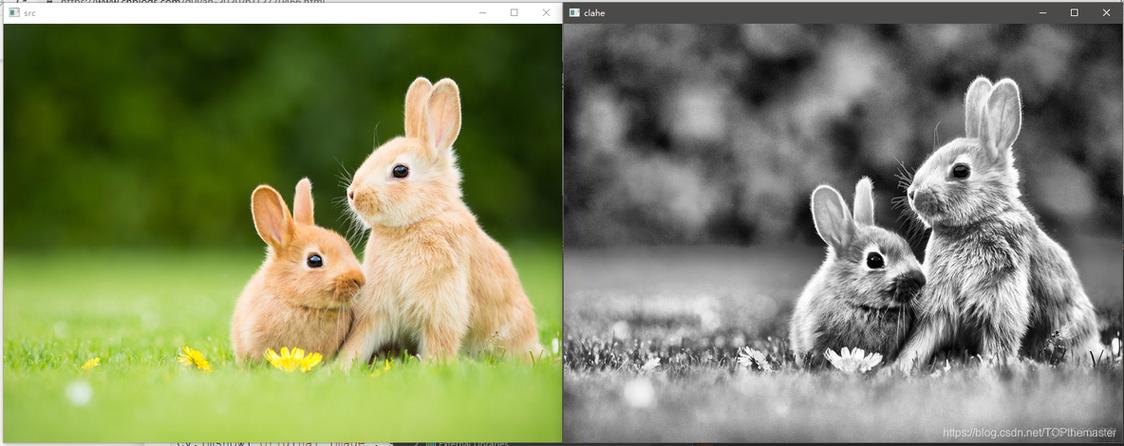
You should see two images pop up: your original image and a corresponding depth map.
Explanation of the Code
hub.load(MODEL_HANDLE): This is the magic line. It downloads the pre-trained model from TensorFlow Hub and loads it into memory. This saves you from having to train it yourself.preprocess_image():cv2.imread(): Reads the image from disk.cv2.cvtColor(): Converts the color format from BGR (OpenCV's default) to RGB (which the model was trained on).cv2.resize(): Resizes the image to the dimensions the model expects (640x480).np.expand_dims(): Adds a "batch" dimension. Neural networks are typically trained on batches of images, so even a single image must be provided as a batch of size 1./ 255.0: Normalizes pixel values from the range[0, 255]to[0, 1], which is standard practice for neural networks.
predict_depth():model.signatures['serving_default'](...): This is the standard way to run inference on a TF Hub model. It's like calling a function on the model.- The model returns a dictionary, and we extract the
predictionkey, which holds our depth map tensor. .numpy(): Converts the TensorFlow tensor into a NumPy array, which is easier to work with in Python.
visualize_results():matplotlib.pyplot: A standard library for plotting in Python.plt.imshow(..., cmap='viridis'): Displays the depth map. Using a colormap (cmap) is essential because the raw depth values are just numbers, and the colormap maps them to colors, making the depth variations visually obvious.viridisis a perceptually uniform colormap, which is great for data visualization.
Important Considerations and Caveats
- Scale Ambiguity: The model predicts depth up to an unknown scale. This means the depth map is correct in terms of relative distances (object A is closer than object B), but the absolute values are not in meters or feet. You cannot use this for tasks requiring precise physical measurements without additional calibration.
- Artifacts: Deep learning models can produce artifacts or errors, especially in regions with textureless surfaces, repetitive patterns, or very complex geometries.
- Performance: Loading the model can take a few seconds. Once loaded, inference is quite fast on a modern CPU or GPU.
- Model Choice: The model used in the example is a good starting point. There are more advanced and accurate models available on TensorFlow Hub and other repositories (like MiDaS from Intel), which might offer better results but could be larger and slower. You can find other models by searching the TensorFlow Hub website.