
- Excel 解析: Apache POI - 这是 Java 处理 Office 文件(如 .xlsx, .xls)的事实标准。
- 数据库操作: JDBC - Java 官方提供的数据库连接标准。
- 数据库: MySQL - 作为示例数据库,但此方法同样适用于 Oracle, SQL Server, PostgreSQL 等。
- 构建工具: Maven - 用于管理项目依赖。
目录
- 环境准备
- 数据库与表准备
- Maven 项目配置 (pom.xml)
- Java 代码实现
- 1 创建数据库连接工具类
- 2 创建实体类 (Model)
- 3 创建 Excel 数据读取与导入服务类
- 4 创建主程序入口
- 代码解析与关键点
- 进阶优化
- 1 使用
PreparedStatement防止 SQL 注入 - 2 事务管理
- 3 性能优化 (批量插入)
- 4 错误处理与日志
- 1 使用
环境准备
确保你的开发环境已经安装:
(图片来源网络,侵删)
- JDK 8 或更高版本
- Maven
- MySQL 数据库 并已创建好数据库。
数据库与表准备
假设我们要导入一份员工信息表,首先在 MySQL 中创建数据库和对应的表。
-- 创建数据库
CREATE DATABASE IF NOT EXISTS `demo_db` DEFAULT CHARACTER SET utf8mb4 COLLATE utf8mb4_unicode_ci;
-- 使用数据库
USE `demo_db`;
-- 创建员工表
CREATE TABLE `employee` (
  `id` INT NOT NULL AUTO_INCREMENT COMMENT '主键ID',
  `name` VARCHAR(50) NOT NULL COMMENT '姓名',
  `age` INT NOT NULL COMMENT '年龄',
  `email` VARCHAR(100) DEFAULT NULL COMMENT '邮箱',
  `department` VARCHAR(50) DEFAULT NULL COMMENT '部门',
  `create_time` DATETIME DEFAULT CURRENT_TIMESTAMP COMMENT '创建时间',
  PRIMARY KEY (`id`)
) ENGINE=InnoDB DEFAULT CHARSET=utf8mb4 COMMENT='员工信息表';
Excel 文件准备 (employees.xlsx)
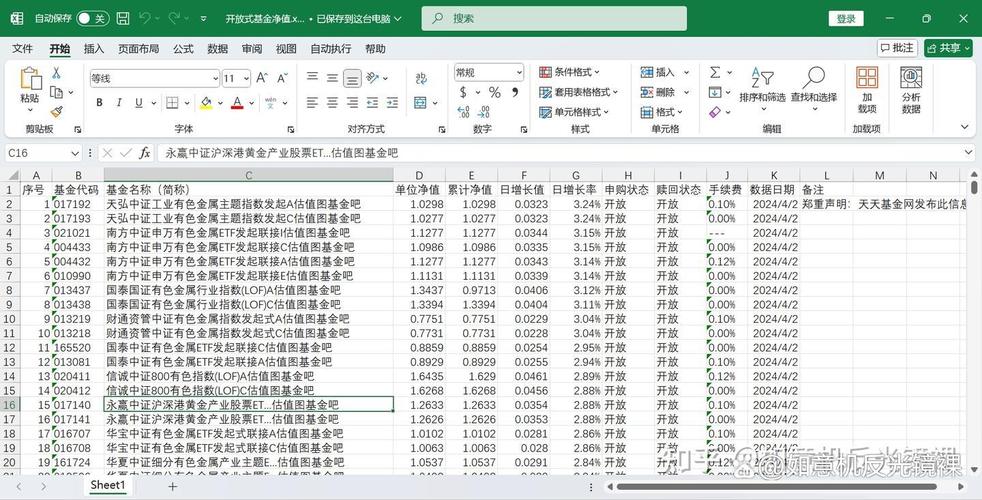
创建一个 Excel 文件,内容如下,并确保第一行是列名,与数据库表的列名对应。
| name | age | department | |
|---|---|---|---|
| 张三 | 28 | zhangsan@example.com | 技术部 |
| 李四 | 32 | lisi@example.com | 市场部 |
| 王五 | 25 | wangwu@example.com | 人事部 |
| 赵六 | 45 | zhaoliu@example.com | 财务部 |
| 钱七 | 29 | qianqi@example.com | 技术部 |
注意: Excel 文件最好保存为 .xlsx 格式(即 Office 2007 及以后版本),因为 .xls 格式处理起来更复杂且存在行数限制,如果使用 .xls,代码中需要使用 HSSFWorkbook 而不是 XSSFWorkbook。
(图片来源网络,侵删)
Maven 项目配置 (pom.xml)
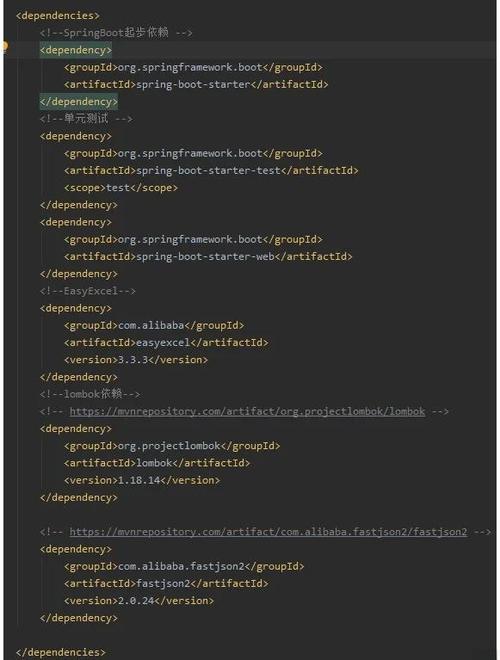
在你的 Maven 项目的 pom.xml 文件中添加以下依赖:
<project xmlns="http://maven.apache.org/POM/4.0.0"
         xmlns:xsi="http://www.w3.org/2001/XMLSchema-instance"
         xsi:schemaLocation="http://maven.apache.org/POM/4.0.0 http://maven.apache.org/xsd/maven-4.0.0.xsd">
    <modelVersion>4.0.0</modelVersion>
    <groupId>com.example</groupId>
    <artifactId>excel-import-demo</artifactId>
    <version>1.0-SNAPSHOT</version>
    <properties>
        <maven.compiler.source>8</maven.compiler.source>
        <maven.compiler.target>8</maven.compiler.target>
        <project.build.sourceEncoding>UTF-8</project.build.sourceEncoding>
    </properties>
    <dependencies>
        <!-- Apache POI for Excel (.xlsx) -->
        <dependency>
            <groupId>org.apache.poi</groupId>
            <artifactId>poi-ooxml</artifactId>
            <version>5.2.3</version>
        </dependency>
        <!-- MySQL Connector/J -->
        <dependency>
            <groupId>mysql</groupId>
            <artifactId>mysql-connector-java</artifactId>
            <version>8.0.28</version>
        </dependency>
        <!-- SLF4J and Logback for logging (optional but recommended) -->
        <dependency>
            <groupId>ch.qos.logback</groupId>
            <artifactId>logback-classic</artifactId>
            <version>1.2.11</version>
        </dependency>
    </dependencies>
</project>
Java 代码实现
1 创建数据库连接工具类 (DBUtil.java)
这个类负责获取和关闭数据库连接。
package com.example.util;
import java.sql.Connection;
import java.sql.DriverManager;
import java.sql.SQLException;
public class DBUtil {
    // 数据库连接信息 (请根据你的实际情况修改)
    private static final String URL = "jdbc:mysql://localhost:3306/demo_db?useSSL=false&serverTimezone=UTC&characterEncoding=UTF-8";
    private static final String USER = "root"; // 你的数据库用户名
    private static final String PASSWORD = "your_password"; // 你的数据库密码
    static {
        try {
            // 加载驱动
            Class.forName("com.mysql.cj.jdbc.Driver");
        } catch (ClassNotFoundException e) {
            e.printStackTrace();
            throw new RuntimeException("Failed to load MySQL driver!");
        }
    }
    public static Connection getConnection() throws SQLException {
        return DriverManager.getConnection(URL, USER, PASSWORD);
    }
    public static void closeConnection(Connection conn) {
        if (conn != null) {
            try {
                conn.close();
            } catch (SQLException e) {
                e.printStackTrace();
            }
        }
    }
}
2 创建实体类 (Employee.java)
用于映射 Excel 中的一行数据。
package com.example.model;
public class Employee {
    private String name;
    private int age;
    private String email;
    private String department;
    // Getters and Setters
    public String getName() { return name; }
    public void setName(String name) { this.name = name; }
    public int getAge() { return age; }
    public void setAge(int age) { this.age = age; }
    public String getEmail() { return email; }
    public void setEmail(String email) { this.email = email; }
    public String getDepartment() { return department; }
    public void setDepartment(String department) { this.department = department; }
    @Override
    public String toString() {
        return "Employee{" +
                "name='" + name + '\'' +
                ", age=" + age +
                ", email='" + email + '\'' +
                ", department='" + department + '\'' +
                '}';
    }
}
3 创建 Excel 数据读取与导入服务类 (ExcelImportService.java)
这是核心逻辑所在。
(图片来源网络,侵删)
package com.example.service;
import com.example.model.Employee;
import com.example.util.DBUtil;
import org.apache.poi.ss.usermodel.*;
import org.apache.poi.xssf.usermodel.XSSFWorkbook;
import java.io.File;
import java.io.FileInputStream;
import java.io.IOException;
import java.sql.Connection;
import java.sql.PreparedStatement;
import java.sql.SQLException;
import java.util.ArrayList;
import java.util.List;
public class ExcelImportService {
    public void importDataFromExcel(String excelFilePath) {
        List<Employee> employeeList = parseExcel(excelFilePath);
        if (employeeList == null || employeeList.isEmpty()) {
            System.out.println("Excel file is empty or could not be parsed.");
            return;
        }
        Connection conn = null;
        try {
            conn = DBUtil.getConnection();
            // 关闭自动提交,开启事务
            conn.setAutoCommit(false);
            // 使用PreparedStatement进行批量插入,性能更高且安全
            String sql = "INSERT INTO employee (name, age, email, department) VALUES (?, ?, ?, ?)";
            PreparedStatement pstmt = conn.prepareStatement(sql);
            for (Employee employee : employeeList) {
                pstmt.setString(1, employee.getName());
                pstmt.setInt(2, employee.getAge());
                pstmt.setString(3, employee.getEmail());
                pstmt.setString(4, employee.getDepartment());
                pstmt.addBatch(); // 将此语句添加到批处理命令中
            }
            int[] results = pstmt.executeBatch(); // 执行批处理
            conn.commit(); // 提交事务
            System.out.println("成功导入 " + results.length + " 条数据到数据库。");
        } catch (IOException | SQLException e) {
            e.printStackTrace();
            if (conn != null) {
                try {
                    conn.rollback(); // 发生异常时回滚事务
                } catch (SQLException ex) {
                    ex.printStackTrace();
                }
            }
            System.out.println("数据导入失败,已回滚。");
        } finally {
            if (conn != null) {
                try {
                    // 恢复自动提交
                    conn.setAutoCommit(true);
                    DBUtil.closeConnection(conn);
                } catch (SQLException e) {
                    e.printStackTrace();
                }
            }
        }
    }
    private List<Employee> parseExcel(String excelFilePath) throws IOException {
        List<Employee> employeeList = new ArrayList<>();
        File excelFile = new File(excelFilePath);
        if (!excelFile.exists()) {
            System.out.println("Excel file not found: " + excelFilePath);
            return null;
        }
        try (FileInputStream fis = new FileInputStream(excelFile);
             Workbook workbook = new XSSFWorkbook(fis)) { // .xlsx 格式使用 XSSFWorkbook
            Sheet sheet = workbook.getSheetAt(0); // 获取第一个工作表
            // 跳过表头,从第二行开始读取
            for (int i = 1; i <= sheet.getLastRowNum(); i++) {
                Row row = sheet.getRow(i);
                if (row == null) {
                    continue; // 跳过空行
                }
                Cell nameCell = row.getCell(0);
                Cell ageCell = row.getCell(1);
                Cell emailCell = row.getCell(2);
                Cell departmentCell = row.getCell(3);
                Employee employee = new Employee();
                employee.setName(getCellValueAsString(nameCell));
                employee.setAge((int) getCellValueAsNumber(ageCell));
                employee.setEmail(getCellValueAsString(emailCell));
                employee.setDepartment(getCellValueAsString(departmentCell));
                employeeList.add(employee);
            }
        }
        return employeeList;
    }
    private String getCellValueAsString(Cell cell) {
        if (cell == null) {
            return "";
        }
        switch (cell.getCellType()) {
            case STRING:
                return cell.getStringCellValue();
            case NUMERIC:
                // 处理数字类型,如年龄
                if (DateUtil.isCellDateFormatted(cell)) {
                    return cell.getDateCellValue().toString();
                } else {
                    return String.valueOf((int) cell.getNumericCellValue());
                }
            case BOOLEAN:
                return String.valueOf(cell.getBooleanCellValue());
            case FORMULA:
                return cell.getCellFormula();
            default:
                return "";
        }
    }
    private double getCellValueAsNumber(Cell cell) {
        if (cell == null) {
            return 0;
        }
        return cell.getNumericCellValue();
    }
}
4 创建主程序入口 (Main.java)
package com.example;
import com.example.service.ExcelImportService;
public class Main {
    public static void main(String[] args) {
        // 请确保你的 employees.xlsx 文件路径正确
        String excelPath = "path/to/your/employees.xlsx"; // 修改为你的文件路径
        ExcelImportService importService = new ExcelImportService();
        importService.importDataFromExcel(excelPath);
    }
}
代码解析与关键点
XSSFWorkbook: 用于处理.xlsx格式,如果是.xls,需要使用HSSFWorkbook。Sheet和Row:Workbook代表整个 Excel 文件,Sheet代表其中的一个工作表,Row代表一行。Cell: 代表一个单元格。cell.getCellType()判断单元格的数据类型(字符串、数字、布尔值等),然后使用对应的getXXXCellValue()方法获取值。- 跳过表头:
for (int i = 1; ...)直接从第二行开始遍历。 PreparedStatement: 这是防止 SQL 注入的最佳实践,我们使用 作为占位符,然后通过setXXX()方法设置参数。addBatch()和executeBatch(): 这是批量插入的核心。addBatch()将 SQL 语句加入批处理队列,executeBatch()一次性执行所有队列中的语句,大大减少了与数据库的交互次数,性能提升显著。
进阶优化
1 使用 PreparedStatement 防止 SQL 注入
(已在核心代码中实现)PreparedStatement 会对输入参数进行转义,从根本上杜绝了 SQL 注入的风险。
2 事务管理
(已在核心代码中实现)
conn.setAutoCommit(false);: 关闭 JDBC 的自动提交模式。conn.commit();: 在所有数据成功插入后,手动提交事务。conn.rollback();: 如果过程中发生任何异常,回滚事务,确保数据一致性。
3 性能优化 (批量插入)
(已在核心代码中实现)使用 addBatch() 和 executeBatch() 是最有效的性能优化手段,对于十万甚至百万级别的数据导入,这是必须的。
4 错误处理与日志
- 日志: 使用 SLF4J + Logback (已在 pom.xml 中添加依赖) 来替代
System.out.println,可以更好地管理日志级别(DEBUG, INFO, WARN, ERROR)和输出位置(控制台、文件)。 - 错误处理: 当前代码在解析 Excel 时如果某一行格式错误,会跳过该行,你可以根据需求,将这些错误行记录下来,生成一个错误报告文件。
通过以上步骤,你已经成功搭建了一个完整的 Java Excel 导入数据库的系统,这个方案具有良好的健壮性和可扩展性。
核心流程回顾:
- 读取 Excel: 使用 Apache POI 逐行读取数据,并封装到 Java 对象(List)中。
- 连接数据库: 使用 JDBC 获取数据库连接。
- 开启事务: 确保数据导入的原子性。
- 批量写入: 使用
PreparedStatement的批处理功能高效地将数据插入数据库。 - 提交/回滚: 成功则提交,失败则回滚,保证数据一致性。
- 关闭资源: 释放数据库连接等资源。
你可以基于这个框架,轻松扩展以支持更复杂的场景,例如数据验证、读取多个 Sheet、处理更复杂的 Excel 格式等。











