Of course! In Java, converting a java.util.Date object to a long value is a very common task. The long value represents the number of milliseconds that have elapsed since the Unix epoch (January 1, 1970, 00:00:00 UTC).
Here’s a complete guide covering the standard method, important considerations, and a modern alternative.
The Short and Simple Answer
The java.util.Date class has a built-in method to get its value as a long.
import java.util.Date;
public class DateToLongExample {
    public static void main(String[] args) {
        // Create a Date object, which represents the current moment
        Date now = new Date();
        // Use the getTime() method to get the milliseconds since epoch
        long millisecondsSinceEpoch = now.getTime();
        System.out.println("Current Date: " + now);
        System.out.println("Milliseconds since epoch: " + millisecondsSinceEpoch);
    }
}
Output will be similar to:
Current Date: Wed Oct 26 10:30:55 CEST 2025
Milliseconds since epoch: 1698286255985
Detailed Explanation
The Core Method: Date.getTime()
The java.util.Date class is essentially a wrapper around a long value. Its primary purpose is to represent a specific instant in time. The getTime() method simply exposes this underlying long value.
- Method Signature:
public long getTime() - Return Value: A
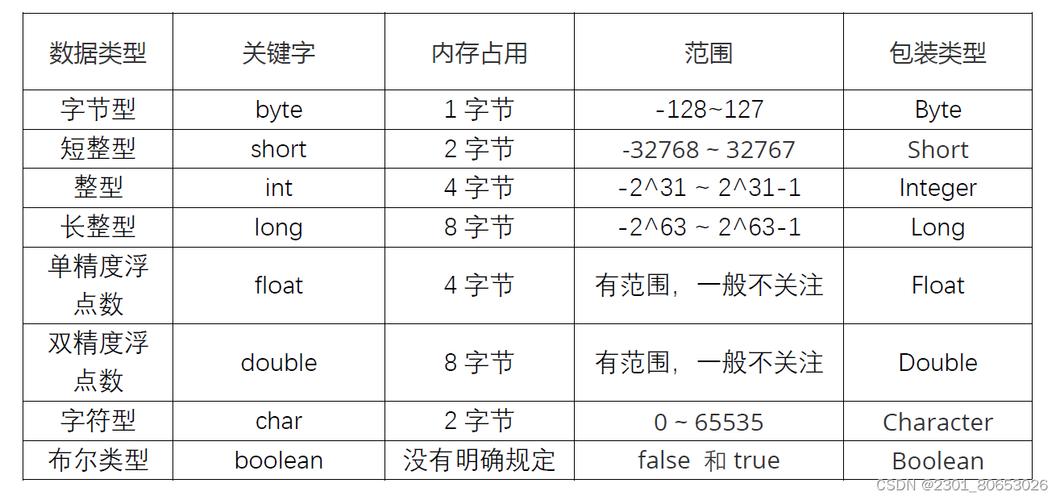
longrepresenting the number of milliseconds since January 1, 1970, 00:00:00 GMT (Greenwich Mean Time).
This is the most direct and widely used way to perform the conversion.
The Reverse: long to Date
It's just as easy to go the other way. The Date class has a constructor that takes a long.
import java.util.Date;
public class LongToDateExample {
    public static void main(String[] args) {
        // A specific moment in time represented as milliseconds since epoch
        long someTimestamp = 1672531200000L; // January 1, 2025, 00:00:00 UTC
        // Create a Date object from the long value
        Date specificDate = new Date(someTimestamp);
        System.out.println("Timestamp: " + someTimestamp);
        System.out.println("Corresponding Date: " + specificDate);
    }
}
Output:
Timestamp: 1672531200000
Corresponding Date: Sun Jan 01 01:00:00 CET 2025
(Note the time zone offset in the output, as Date.toString() uses the local time zone).
Important Considerations
Time Zones
The getTime() method gives you an absolute, time-zone-independent point in time (milliseconds since epoch). However, when you create a Date object from a long or print a Date object, its string representation is affected by the system's default time zone.
import java.util.Date;
import java.util.TimeZone;
public class TimeZoneExample {
    public static void main(String[] args) {
        long timestamp = 1672531200000L; // Jan 1, 2025, 00:00:00 UTC
        // Create a date
        Date date = new Date(timestamp);
        // Print with default timezone (e.g., Europe/Paris)
        System.out.println("Default Timezone (CEST): " + date);
        // Change the default timezone temporarily for printing
        TimeZone.setDefault(TimeZone.getTimeZone("America/New_York"));
        System.out.println("New York Timezone (EST): " + date);
        // Reset to UTC for absolute clarity
        TimeZone.setDefault(TimeZone.getTimeZone("UTC"));
        System.out.println("UTC Timezone: " + date);
    }
}
Output:
Default Timezone (CEST): Sun Jan 01 01:00:00 CET 2025
New York Timezone (EST): Sat Dec 31 19:00:00 EST 2025
UTC Timezone: Sun Jan 01 00:00:00 UTC 2025
This shows that while the underlying long value is the same, the human-readable representation changes based on the time zone.
The Modern Java 8 java.time API (Recommended)
Since Java 8, the java.util.Date and java.util.Calendar APIs are considered legacy. Oracle and the Java community strongly recommend using the new java.time package for all new code. It's more intuitive, immutable, and less error-prone.
The equivalent class to java.util.Date in the new API is java.time.Instant.
Conversion using java.time:
import java.time.Instant;
import java.util.Date;
public class ModernDateToLong {
    public static void main(String[] args) {
        // Get the current instant
        Instant now = Instant.now();
        // Convert Instant to long (milliseconds since epoch)
        long millisecondsSinceEpoch = now.toEpochMilli();
        System.out.println("Current Instant: " + now);
        System.out.println("Milliseconds since epoch: " + millisecondsSinceEpoch);
        // You can also get seconds since epoch
        long secondsSinceEpoch = now.getEpochSecond();
        System.out.println("Seconds since epoch: " + secondsSinceEpoch);
        // Convert long back to Instant
        long someTimestamp = 1672531200000L;
        Instant specificInstant = Instant.ofEpochMilli(someTimestamp);
        System.out.println("Instant from long: " + specificInstant);
    }
}
Advantages of java.time.Instant:
- Immutable:
Instantobjects cannot be changed, making them inherently thread-safe. - Clearer API: The methods
toEpochMilli()andofEpochMilli()are very explicit. - Precision: It can handle nanoseconds, whereas
java.util.Dateonly has millisecond precision. - No Ambiguity:
Instantis always in UTC, eliminating time zone confusion for its core representation.
Summary
| Task | Legacy API (java.util.Date) |
Modern API (java.time.Instant) |
|---|---|---|
Get current time as long |
new Date().getTime() |
Instant.now().toEpochMilli() |
Create Date/Instant from long |
new Date(longValue) |
Instant.ofEpochMilli(longValue) |
Get long from Date/Instant |
date.getTime() |
instant.toEpochMilli() |
| Recommendation | Avoid for new code. | Highly Recommended for all new projects. |