Of course! Here’s a comprehensive guide on how to calculate an MD5 hash and then encode it in Base64 using Java.
This is a common requirement for tasks like generating a unique fingerprint for a piece of data or creating a short, non-reversible identifier.
Important Note: Security Warning
MD5 is a cryptographic hash function that is now considered cryptographically broken and unsuitable for further use. It is vulnerable to collision attacks, meaning different inputs can produce the same hash.
- Do NOT use MD5 for password hashing, digital signatures, or any security-critical application. Use modern, secure algorithms like SHA-256 or SHA-3 instead.
- You can use MD5 for non-security purposes, like checksumming data to detect accidental corruption (e.g., verifying a file download) or for creating a short, unique ID from a string.
Method 1: Using Java's Built-in java.security and java.util Packages
This approach uses standard Java libraries and is the most common way to achieve this without any external dependencies.
Step-by-Step Code
Here is a complete, runnable Java class that demonstrates the process.

import java.io.UnsupportedEncodingException;
import java.math.BigInteger;
import java.nio.charset.StandardCharsets;
import java.security.MessageDigest;
import java.security.NoSuchAlgorithmException;
import java.util.Base64;
public class Md5Base64Example {
    public static void main(String[] args) {
        String originalString = "Hello, world!";
        try {
            // 1. Get an instance of the MD5 message digest algorithm
            MessageDigest md = MessageDigest.getInstance("MD5");
            // 2. Calculate the MD5 hash of the input string
            //    - The input string is converted to bytes using UTF-8 encoding.
            //    - The digest() method processes the byte array and returns the hash as a byte array.
            byte[] messageDigest = md.digest(originalString.getBytes(StandardCharsets.UTF_8));
            // --- Option A: Hexadecimal Representation (Common for Checksums) ---
            // This is often what people mean by "MD5 hash". It's a 32-character hex string.
            // BigInteger is used to easily convert the byte array to a hex string.
            BigInteger no = new BigInteger(1, messageDigest);
            String hashtext = no.toString(16);
            while (hashtext.length() < 32) {
                hashtext = "0" + hashtext;
            }
            System.out.println("Original String: " + originalString);
            System.out.println("MD5 (Hex):       " + hashtext);
            System.out.println("-------------------------------------");
            // --- Option B: Base64 Representation (What you asked for) ---
            // This uses the java.util.Base64 class to encode the raw MD5 byte array.
            // It produces a shorter, URL-safe string.
            String base64Hash = Base64.getEncoder().encodeToString(messageDigest);
            System.out.println("MD5 (Base64):    " + base64Hash);
        } catch (NoSuchAlgorithmException e) {
            // This exception is thrown if the MD5 algorithm is not available.
            // It's extremely unlikely to happen in a standard Java runtime.
            throw new RuntimeException("MD5 algorithm not found", e);
        }
    }
}
How to Run the Code
- Save the code as
Md5Base64Example.java. - Compile it:
javac Md5Base64Example.java - Run it:
java Md5Base64Example
Expected Output
Original String: Hello, world!
MD5 (Hex):       6cd3556deb0da54bca060b4c39479839
-------------------------------------
MD5 (Base64):    XrY7u+Ae7tCTyyK7j1rNww==
Detailed Explanation
MessageDigest.getInstance("MD5")
This line gets a MessageDigest object that implements the MD5 algorithm. The getInstance method is a factory method that locates and instantiates the specified algorithm. If the algorithm isn't available, it throws a NoSuchAlgorithmException.
md.digest(originalString.getBytes(StandardCharsets.UTF_8))
This is the core of the hashing process.
originalString.getBytes(StandardCharsets.UTF_8): First, the input string is converted into a sequence of bytes. It's crucial to specify a character encoding (like UTF-8) to ensure consistent results across different systems. UsingStandardCharsets.UTF_8is the modern, recommended way.md.digest(...): Thedigestmethod takes the byte array as input and processes it according to the MD5 algorithm. The result is a 16-byte (128-bit) array. This is the raw hash value.
Base64.getEncoder().encodeToString(messageDigest)
This line encodes the raw 16-byte hash into a Base64 string.
Base64.getEncoder(): Gets a Base64 encoder..encodeToString(byte[] bytes): A convenient method that takes a byte array and returns aStringcontaining the Base64 encoded data. The result is a 24-character string (since 16 bytes * 4/3 ≈ 21.33, padded to 24 with characters).
Method 2: Using the Apache Commons Codec Library
For many developers, using a library like Apache Commons Codec is preferred because it simplifies the process and reduces boilerplate code.
Step 1: Add the Dependency
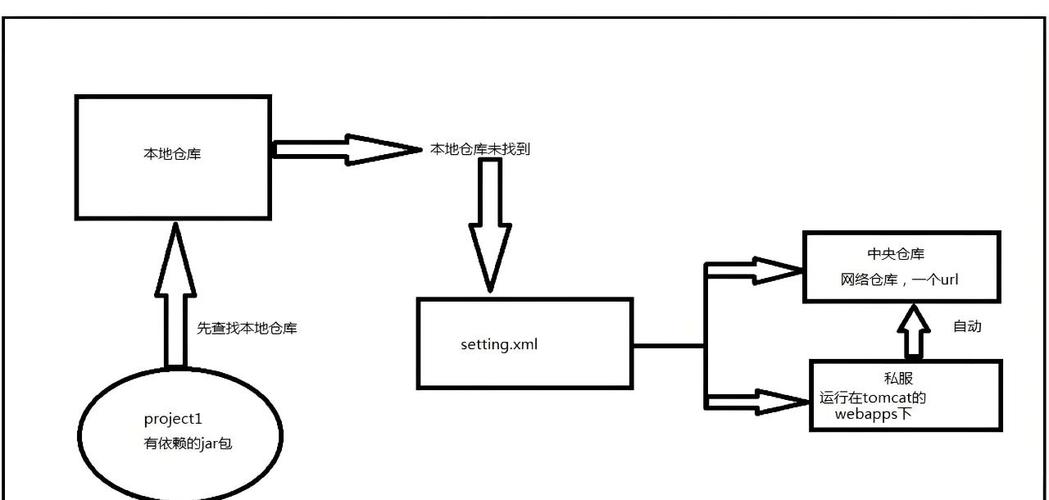
If you are using a build tool like Maven, add this to your pom.xml:
<dependency>
    <groupId>commons-codec</groupId>
    <artifactId>commons-codec</artifactId>
    <version>1.16.0</version> <!-- Use the latest version -->
</dependency>
If you are using Gradle, add this to your build.gradle:
implementation 'commons-codec:commons-codec:1.16.0' // Use the latest version
Step 2: Write the Java Code
The code becomes much more concise.
import org.apache.commons.codec.binary.Base64;
import org.apache.commons.codec.digest.DigestUtils;
public class ApacheCodecExample {
    public static void main(String[] args) {
        String originalString = "Hello, world!";
        // DigestUtils.md5() returns the raw 16-byte hash
        byte[] md5Bytes = DigestUtils.md5(originalString);
        // Base64.encodeBase64String() converts the byte array to a Base64 string
        String base64Hash = Base64.encodeBase64String(md5Bytes);
        System.out.println("Original String: " + originalString);
        System.out.println("MD5 (Base64) using Apache Commons Codec: " + base64Hash);
    }
}
Why Use a Library?
- Simplicity:
DigestUtils.md5()is much cleaner than the manualMessageDigestprocess. - Readability: The intent of the code is clearer.
- Convenience: The library provides methods for many other common encodings and digests (e.g.,
sha256Hex,base64UrlEncode).
Summary
| Feature | Method 1 (Java Standard Library) | Method 2 (Apache Commons Codec) |
|---|---|---|
| Dependencies | None (built-in) | Requires commons-codec library |
| Code Conciseness | More verbose | Very concise and readable |
| MD5 Hash | md.digest(bytes) |
DigestUtils.md5(string) |
| Base64 Encoding | Base64.getEncoder().encodeToString(bytes) |
Base64.encodeBase64String(bytes) |
| Recommendation | Good for simple scripts or avoiding external dependencies. | Recommended for most applications for cleaner and more maintainable code. |