Of course! Let's break down what Anaconda is for Python, why it's so popular, and how it works.
The Short Answer: What is Anaconda?
Anaconda is a free, open-source Python and R distribution.
Think of it as a massive, pre-packaged "starter kit" for data science and scientific computing. Instead of installing Python and then dozens of individual packages one by one, you install Anaconda, and it gives you everything you need in one go.
The Problem Anaconda Solves
When you start with Python, you quickly realize that "Python" is just the core language. To do anything useful—like data analysis, machine learning, or plotting—you need to install specialized packages.
- For data analysis:
pandas,numpy - For plotting:
matplotlib,seaborn - For machine learning:
scikit-learn,tensorflow,pytorch - For Jupyter Notebooks:
jupyter
This process can be a headache:
- Dependency Hell: Package A might need version 1.2 of Package B, but Package C needs version 2.0 of Package B. Getting them all to work together is a nightmare.
- Version Conflicts: You might have one project that needs an old version of a library and another that needs a new one. They can't coexist on the same system.
- Complex Installs: Some packages (like those with C code) require you to have a C compiler installed, which can be tricky on Windows.
Anaconda solves all of these problems.
Key Components of Anaconda
Anaconda isn't just one thing; it's a suite of tools that work together.
The Anaconda Distribution
This is the core package. It includes:
- Python: The Python interpreter itself.
- Conda: The powerful package and environment manager (more on this below).
- Hundreds of Pre-installed Packages: It comes with
numpy,pandas,jupyter,matplotlib,scikit-learn, and many others, all pre-configured to work together. - Anaconda Navigator: A graphical desktop application (a GUI) that makes it easy to launch applications (like JupyterLab or Spyder), manage packages, and manage environments without using the command line.
Conda: The Superhero of Anaconda
This is arguably the most important part. Conda is a package manager and an environment manager.

a) As a Package Manager:
Conda installs, updates, and removes packages. It's similar to pip (Python's default package manager), but it's more powerful because it understands not just Python packages, but also binary dependencies (like C libraries). This is why it avoids the "dependency hell" mentioned earlier.
b) As an Environment Manager: This is the killer feature. Conda allows you to create isolated, self-contained environments.
- What is an environment? It's like a separate, clean workspace for a specific project. You can have an environment with Python 3.8 and old versions of
pandasandscikit-learnfor your legacy project, and another environment with Python 3.11 and the latest versions for your new project. They don't interfere with each other at all. - Why is this important? It guarantees that your code runs the same way on your computer as it does on your colleague's computer, and the same way on your production server as it does on your laptop. This is a fundamental concept in professional software development.
Anaconda Navigator
This is the user-friendly GUI for Conda. If you're not comfortable with the command line, you can use Navigator to:
- Search for and install new packages.
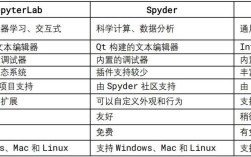
- Launch applications like JupyterLab, Spyder (an IDE), or Glue (a data visualization tool).
- Create and switch between Conda environments.
Jupyter Notebook / JupyterLab
While not exclusive to Anaconda, Anaconda comes with Jupyter pre-installed and configured. Jupyter is an interactive web-based environment where you can combine live code, equations, visualizations, and narrative text. It's the standard tool for data exploration, analysis, and sharing results.
Who Should Use Anaconda?
Anaconda is an excellent choice for:
- Beginners: It simplifies the setup process immensely. You get a working data science environment in minutes, not hours.
- Data Scientists and Machine Learning Engineers: They rely on a specific stack of packages (NumPy, Pandas, Scikit-learn, etc.), and Anaconda provides them all in a stable, conflict-free way.
- Researchers: It provides a reproducible environment, which is critical for scientific work.
- Teams: Using Conda environments ensures that every team member is working with the exact same package versions, preventing "it works on my machine" problems.
When Might You Not Want to Use Anaconda?
- Web Developers: If you're building a web application with a framework like Django or Flask, you might not need all the heavy data science packages. A simple
python -m venvmight be a lighter, more appropriate choice. - Embedded Systems or Microcontrollers: These systems have very limited resources and can't run the large Anaconda distribution.
- Creating Minimal Docker Images: Docker images need to be small. The large footprint of Anaconda can be a drawback. In these cases, starting with a base Python image and using
pipis often preferred.
Simple Workflow Example
Let's say you have two projects:
Project A: An old analysis that requires pandas=1.2.0.
Project B: A new machine learning project that requires the latest pandas.
-
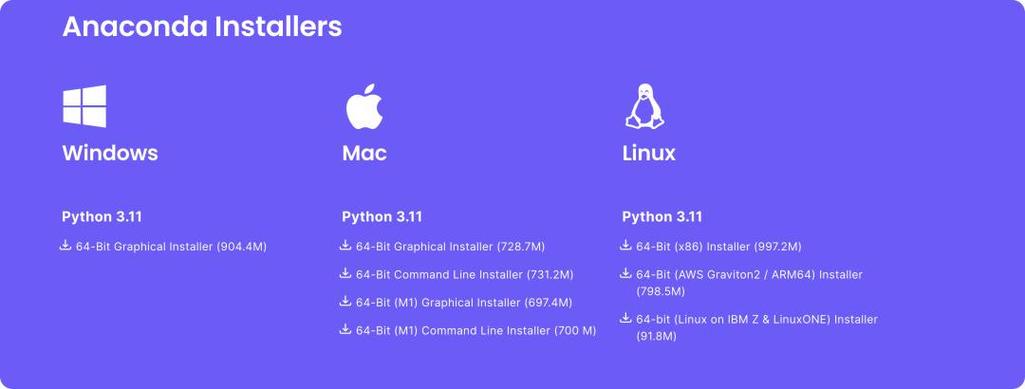
Install Anaconda: You do this once on your system.
-
Create Environments (using the command line):
# Create an environment for Project A with Python 3.8
conda create --name project_a_env python=3.8 pandas=1.2.0
# Create an environment for Project B with Python 3.11
conda create --name project_b_env python=3.11
-
Work on Project A:
# Activate the environment for Project A
conda activate project_a_env
# Now, if you run `import pandas`, you'll get version 1.2.0
# You can run your Jupyter Notebook or script here.
-
Switch to Project B:
# Deactivate the current environment
conda deactivate
# Activate the environment for Project B
conda activate project_b_env
# Now, if you run `import pandas`, you'll get the latest version.
# The two environments are completely separate.
Summary: Anaconda vs. Python's venv and pip
| Feature | Anaconda (with Conda) | Python's venv + pip |
|---|---|---|
| Package Management | Conda. Manages Python, R, and non-Python packages (e.g., C libraries). | pip. Manages Python packages only. |
| Environment Mgmt | Conda. Built-in, robust environment management. | venv. Good for creating isolated Python environments. |
| Dependencies | Excellent at resolving complex binary dependencies. | Can struggle with non-Python dependencies. |
| Ease of Use | Very easy for beginners. Graphical interface (Navigator) available. | Requires more command-line knowledge. |
| Scope | Designed for data science, scientific computing, and large ecosystems. | General-purpose, suitable for any Python project. |
| Footprint | Large installation (several GBs). | Minimal installation (just Python). |
Conclusion: For anyone getting into Python for data science, machine learning, or scientific computing, Anaconda is the recommended starting point. It saves you countless headaches and provides a robust, scalable foundation for your projects.