Of course! This is an excellent question because it highlights two powerful but very different Python tools used in the cybersecurity and networking space. People often mix them up because they both start with "sc" and deal with network data.
Let's break them down clearly.
The Short Answer (TL;DR)
- Scapy: A packet manipulation library. It's like a "Swiss Army knife" for networking. You use it to create, send, sniff, and dissect your own network packets from scratch. It gives you ultimate, low-level control.
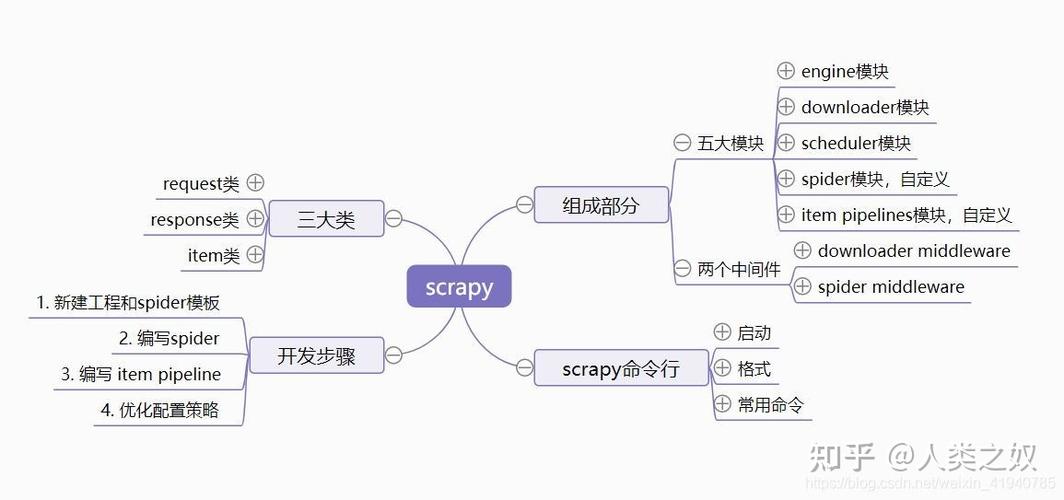
- Scrapy: A web scraping framework. It's like a dedicated "spider" for the web. You use it to crawl websites, extract structured data (like product prices, article titles, links), and save it in a usable format (JSON, CSV, database).
Analogy: Imagine you want to explore a city.
- Scapy is like having a car and a full set of tools. You can build a new vehicle, take it apart, drive it anywhere, and analyze every single component of the road and traffic.
- Scrapy is like hiring a specialized tour guide. You tell the guide, "I want to visit all the museums and tell me the opening hours for each." The guide handles the planning, navigation, and data collection for you.
Detailed Comparison
| Feature | Scapy | Scrapy |
|---|---|---|
| Primary Purpose | Network packet crafting, sending, sniffing, and analysis. | Web scraping and crawling. |
| Data Source | The network (local network, internet). | The World Wide Web (HTTP/HTTPS websites). |
| Core Functionality | - Create custom packets (TCP, UDP, ICMP, ARP, etc.) - Send packets and receive responses. - Sniff live network traffic. - Dissect packets to understand their structure. |
- Define "Spiders" to crawl websites. - Follow links from page to page. - Extract data using CSS selectors or XPath. - Handle data pipelines (clean, store, export). |
| Abstraction Level | Low-Level. You work directly with packet fields (IP(src=...), TCP(dport=...)). | High-Level. You work with web pages, URLs, and HTML elements. |
| Dependencies | scapy (the main library). Relies on libpcap/WinPcap for sniffing. |
Built on twisted, an asynchronous networking framework. Many other optional libraries. |
| Typical Use Cases | - Network scanning (like Nmap, but more customizable). - Security testing (e.g., crafting malicious-looking packets for a test). - Building custom network tools. |
- E-commerce price monitoring. - News aggregation (collecting headlines from many sites). - Lead generation (scraping contact info from websites). - Content migration. |
| Learning Curve | Steeper. Requires knowledge of networking protocols (TCP/IP, OSI model). | Easier for web scraping. The concepts are more straightforward if you know basic HTML/CSS. |
Code Examples
This is the best way to see the difference in action.
Scapy Example: Ping a Host
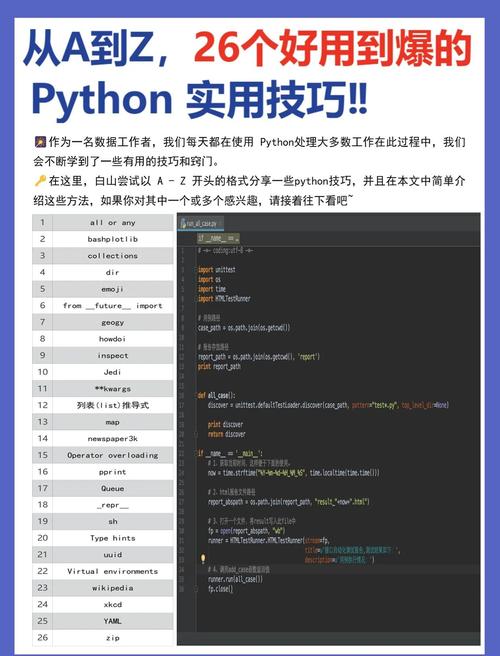
This code creates a custom ICMP Echo Request packet (the basis of a "ping") and sends it. It then waits for a response and prints a summary.
# pip install scapy
from scapy.all import sr, IP, ICMP
# The target IP address to ping
target_ip = "8.8.8.8"
print(f"Pinging {target_ip}...")
# sr() sends packets and receives answers.
# IP(dst=target_ip) creates the IP layer.
# ICMP() creates the ICMP layer.
# The timeout=2 means we'll wait for 2 seconds for a response.
answered, unanswered = sr(IP(dst=target_ip)/ICMP(), timeout=2)
# Print the summary of the answers
for sent_packet, received_packet in answered:
    # The sent packet is what we sent.
    # The received packet is the response.
    print(f"Received reply from {received_packet[IP].src}:")
    print(f"  - Original TTL: {sent_packet[IP].ttl}")
    print(f"  - Reply TTL:   {received_packet[IP].ttl}")
    print("-" * 20)
print("\nDone.")
What it does:
- It builds an IP packet destined for
8.8.8. - It adds an ICMP layer on top of it, making it an "Echo Request".
- It sends this packet and waits for up to 2 seconds.
- If it gets a response, it prints the source IP and the Time-To-Live (TTL) values from both the request and reply.
Scrapy Example: Scrape Quotes from a Website
This example uses Scrapy to scrape quotes from http://quotes.toscrape.com/. It will extract the text of each quote and its author.
First, you need to install Scrapy and create a project:
pip install scrapy
scrapy startproject quote_scraper
cd quote_scraper
scrapy genspider quotes quotes.toscrape.com
Now, edit the quotes/quotes/spider/quotes_spider.py file:
# quote_scraper/quotes/spiders/quotes_spider.py
import scrapy
class QuotesSpider(scrapy.Spider):
    name = 'quotes'
    # The starting URL for the spider
    start_urls = ['http://quotes.toscrape.com/']
    def parse(self, response):
        # This method is called for each page the spider crawls.
        # We use CSS selectors to extract data.
        # Select all quote containers on the page
        for quote in response.css('div.quote'):
            # Extract the text and author from each quote
            yield {
                'text': quote.css('span.text::text').get(),
                'author': quote.css('small.author::text').get(),
            }
        # Follow the "Next" button to the next page, if it exists
        next_page = response.css('li.next a::attr(href)').get()
        if next_page is not None:
            # response.follow will create a new request for the next page
            yield response.follow(next_page, callback=self.parse)
To run the spider and save the output to a JSON file:
scrapy crawl quotes -o quotes.json
What it does:
- The spider starts at
http://quotes.toscrape.com/. - The
parsemethod looks for all<div class="quote">elements. - For each quote, it extracts the text (
span.text) and the author (small.author). - It yields a dictionary with this data.
- It then looks for a "Next" link (
li.next a). If found, it tells Scrapy to follow that link and run theparsemethod again on the new page. - The
-o quotes.jsonflag saves all the extracted data into aquotes.jsonfile.
Can They Be Used Together?
Yes, but it's rare and very specific.
You could use Scrapy to navigate a website and find a specific page or link, and then use Scapy to send a packet to the server behind that page for some kind of low-level testing. This is a highly advanced and niche use case.
Example Workflow:
- Use Scrapy to crawl a company's website and find the IP address of their main server.
- Use Scapy to perform a SYN scan on that IP address to see which ports are open.
For 99% of use cases, you will be using Scrapy for web data and Scapy for network data. They are not interchangeable; they are specialized tools for different domains.