
Of course. The term "CTP Python AuthCode" refers to the process of using Python to programmatically log in to a China futures trading platform (like CTP - Comprehensive Transaction Platform) and obtain an authentication code (AuthCode).

This AuthCode is crucial because it's the key that allows your trading program to connect to the broker's front-end and send subsequent orders, queries, and receive market data.
Here's a complete guide covering the concepts, necessary components, and a Python code example.
Core Concepts
- CTP (Comprehensive Transaction Platform): A standard API developed by the Shanghai Futures Exchange (SHFE) and widely adopted by Chinese futures brokers for programmatic trading.
- Python AuthCode: This isn't a single function but a two-step process:
- User Login: Your Python script sends the user's credentials (Broker ID, User ID, Password, etc.) to the CTP trading system.
- Authentication: The system verifies the credentials and, if successful, returns a special string called the
AuthCode.
- Why is the
AuthCodeNeeded? TheAuthCodeacts as a temporary, session-specific password. Once you have it, you use it to initialize the market data and trader front-ends. This ensures that only your authenticated session can perform trading operations, enhancing security.
Prerequisites
Before you can write the code, you need to set up your environment.
A. Get Broker Information
You must get this information from your futures broker.
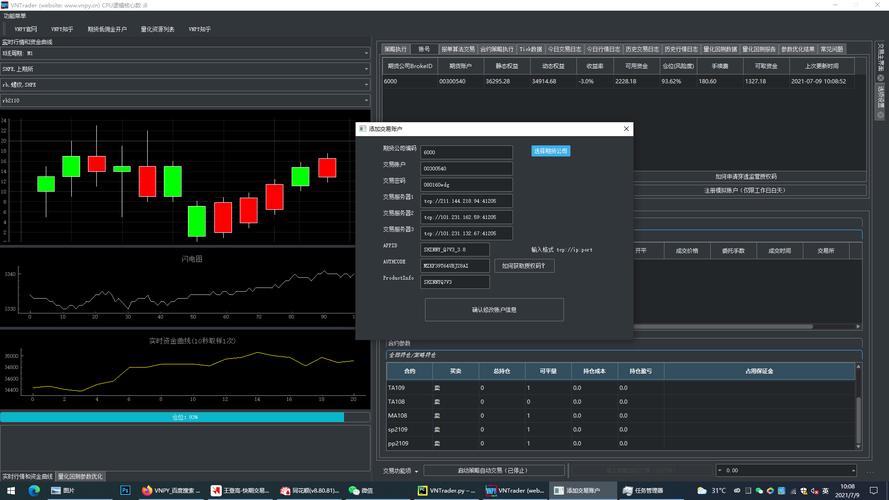
- Broker ID: The unique identifier for your broker (e.g., "9999").
- UserID: Your trading account username.
- Password: Your trading account password.
- Front Address: The IP address and port of the broker's trading front-end server (e.g.,
tcp://180.168.146.187:10201). - Broker Data Path: The local path on your computer where the CTP system files are stored. This path must contain:
tdapi.dll(Trader API DLL)mdapi.dll(Market Data API DLL)*.soor*.dylibfiles if on Linux/macOS.flow.xml(configuration file for data flow).*.txtfiles (likeinstrument.txt).
B. Install Python Dependencies
You'll need a Python library that acts as a wrapper for the official CTP C++ API. The most popular and well-maintained one is python-ctp.
pip install python-ctp
C. Download CTP API Files
Download the latest CTP API package from your broker or an official source like the SHFE website. Unzip it and place it in a known location on your machine (e.g., C:/ctp/).
The Python Code Example
This script demonstrates how to log in and retrieve the AuthCode. It uses the python-ctp library, which provides event-driven callbacks.
The key is to listen for the onFrontConnected (connection established) and onRspUserLogin (login response) events.
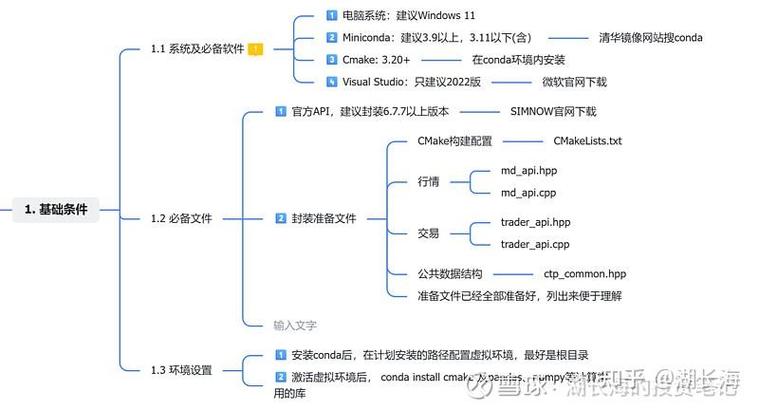
import os
import time
import json
from ctp import CtpGateway, CtpBase
# --- 1. Configuration ---
# !!! IMPORTANT: Replace these values with your own broker information !!!
BROKER_ID = '9999'           # Your Broker ID
USER_ID = 'your_username'    # Your trading account username
PASSWORD = 'your_password'  # Your trading account password
FRONT_ADDRESS = 'tcp://180.168.146.187:10201' # Your broker's front address
# Path to the directory containing tdapi.dll, mdapi.dll, etc.
# Use an absolute path for reliability.
BROKER_DATA_PATH = r'C:\ctp\x64\'
# --- 2. Create a Custom CTP Class ---
# We inherit from CtpBase to handle the callbacks.
class MyCtpTrader(CtpBase):
    def __init__(self):
        # Initialize the base class with the path to the CTP API files
        super().__init__(td_path=BROKER_DATA_PATH)
        self.auth_code = None
        self.logged_in = False
        self.login_request_id = 0
    def onFrontConnected(self):
        """
        Callback when the connection to the trading front server is established.
        """
        print("✅ Connected to the trading front server.")
        # Now that we are connected, we can send the login request.
        self.login_request_id = self.reqUserLogin(
            BrokerID=BROKER_ID,
            UserID=USER_ID,
            Password=PASSWORD
        )
        print(f"📤 Sent login request (RequestID: {self.login_request_id})...")
    def onRspUserLogin(self, data, error, n, last):
        """
        Callback for the user login response.
        'data' contains the login result, including the AuthCode.
        'error' contains error information if the login failed.
        """
        print("\n--- Received Login Response ---")
        if error:
            print(f"❌ Login Failed! Error: {error}")
            self.logged_in = False
        else:
            print(f"✅ Login Successful!")
            # The AuthCode is inside the 'data' dictionary
            self.auth_code = data.get('AuthCode')
            self.logged_in = True
            print(f"🔑 AuthCode: {self.auth_code}")
            print(f"📋 Trading Account: {data.get('UserID')}")
            print(f"🏦 Broker: {data.get('BrokerID')}")
        # The 'last' parameter indicates if this is the last response packet.
        if last:
            print("--- End of Login Response ---")
            # Since we got the response, we can stop the event loop.
            self.stop()
    def onRspError(self, error, n, last):
        """
        Callback for any general error response.
        """
        print(f"\n⚠️ Received Error Response: {error}")
        if last:
            self.stop()
# --- 3. Main Execution Logic ---
if __name__ == '__main__':
    print("Starting CTP Trader Login Process...")
    # Create an instance of our custom trader
    trader = MyCtpTrader()
    # Start the CTP gateway, which handles the network communication
    trader.start()
    # Wait for the login process to complete
    # The onRspUserLogin callback will call trader.stop()
    # So this loop will exit automatically.
    try:
        while trader.is_alive():
            time.sleep(0.1)
    except KeyboardInterrupt:
        print("\n🛑 User interrupted. Shutting down.")
        trader.stop()
    # --- 4. Use the AuthCode ---
    if trader.logged_in and trader.auth_code:
        print("\n🎉 You can now use the AuthCode to initialize the Market Data and Trader front-ends.")
        print(f"AuthCode to use: {trader.auth_code}")
        # Example of what you would do next (pseudo-code):
        # market_data_gateway = CtpMdGateway(auth_code=trader.auth_code, ...)
        # trader_gateway = CtdTdGateway(auth_code=trader.auth_code, ...)
    else:
        print("\n❌ Could not retrieve AuthCode. Login failed.")
How to Run the Script
- Fill in your details: Replace
'your_username','your_password','9999', and theFRONT_ADDRESSwith your actual broker information. - Set the correct path: Ensure
BROKER_DATA_PATHpoints to the directory where you unzipped the CTP API files and wheretdapi.dllis located. - Run from terminal:
python your_script_name.py
Expected Output
If successful, you will see output similar to this:
Starting CTP Trader Login Process...
✅ Connected to the trading front server.
📤 Sent login request (RequestID: 1)...
--- Received Login Response ---
✅ Login Successful!
🔑 AuthCode: A1B2C3D4E5F6G7H8...
📋 Trading Account: your_username
🏦 Broker: 9999
--- End of Login Response ---
🎉 You can now use the AuthCode to initialize the Market Data and Trader front-ends.
AuthCode to use: A1B2C3D4E5F6G7H8...
If the login fails (e.g., wrong password), you will see an error message:
Starting CTP Trader Login Process...
✅ Connected to the trading front server.
📤 Sent login request (RequestID: 1)...
--- Received Login Response ---
❌ Login Failed! Error: {'ErrorID': 2009, 'ErrorMsg': 'user or password is incorrect'}
--- End of Login Response ---
❌ Could not retrieve AuthCode. Login failed.
Next Steps: Using the AuthCode
Once you have the AuthCode, your next step is to initialize the two main parts of the CTP system:
- Market Data Front-end (MdApi): Connects to the broker's market data server to receive real-time price updates, depth of market (L2) data, and trade information.
- Trader Front-end (TdApi): Connects to the broker's trading server to place orders, cancel orders, query account information, and get trade reports.
Both of these front-ends require the AuthCode in their initialization process. The python-ctp library handles this for you once you have a logged-in CtpBase instance. Typically, you would create separate instances or classes for handling market data and trading logic, reusing the authentication session.











