Of course! Let's break down how while loops and return statements work together in Python. This is a fundamental concept for writing functions that need to search for something or perform an action until a specific condition is met.
The Core Idea
A return statement does two things:
- It immediately exits the function it is in.
- It sends a value back to the code that called the function.
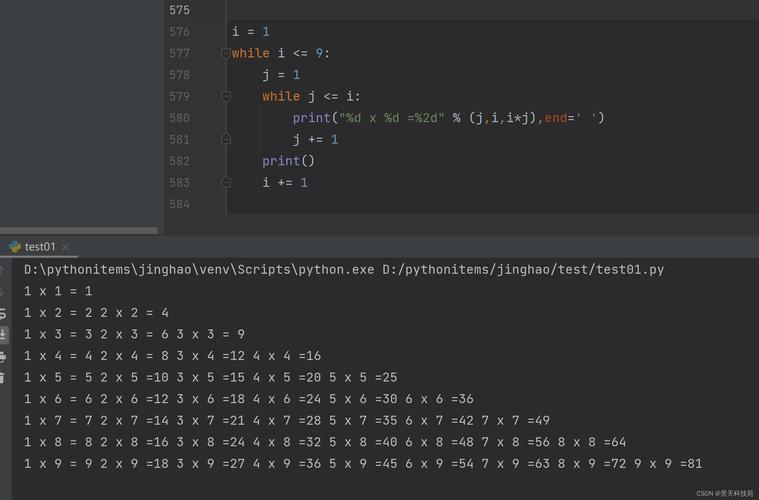
When you use return inside a while loop, the loop acts as a mechanism to keep searching or processing until the function's goal is achieved. Once the return statement is executed, the loop and the function terminate at the same time.
Basic Syntax and Flow
Here's the general structure:
def function_name(parameters):
    # 1. Initialization (e.g., set a starting index or value)
    # 2. while loop condition:
    #     3. Perform some action inside the loop
    #     4. Check if a condition for returning is met
    #         5. If met, return a value and exit the function
    #     6. Update the loop's state (e.g., increment a counter)
    # 7. (Optional) Return a default value if the loop finishes without finding what it was looking for
The key is that the return statement is usually placed inside an if statement that is checked during each iteration of the while loop.
Example 1: Finding an Item in a List
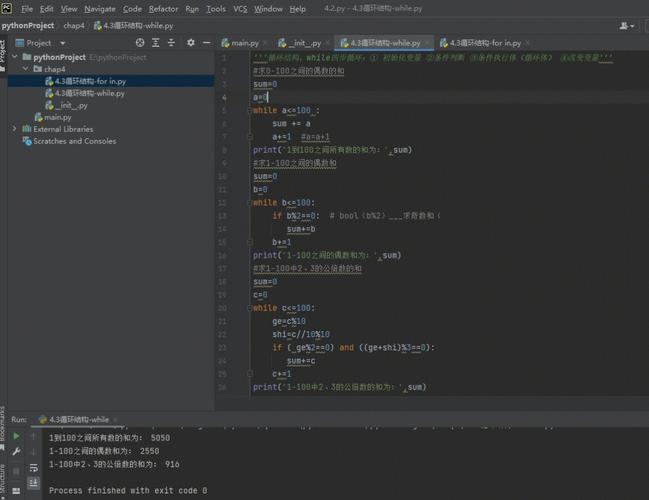
This is a classic use case. Let's create a function that searches for a number in a list and returns its index. If the number isn't found, it returns -1.
def find_item(data_list, target):
    """
    Searches for a target in a list and returns its index.
    Returns -1 if the target is not found.
    """
    index = 0  # 1. Initialization
    # Loop as long as the index is within the bounds of the list
    while index < len(data_list):
        current_item = data_list[index]
        # 2. Check if the current item is the target
        if current_item == target:
            # 3. If found, return the index and exit the function immediately
            return index
        # 4. If not found, prepare for the next iteration
        index += 1
    # 5. If the loop finishes, the target was not in the list
    return -1
# --- Let's test it ---
my_numbers = [10, 20, 30, 40, 50, 60]
# Case 1: Item is found
print(f"Searching for 30... Found at index: {find_item(my_numbers, 30)}")
# Output: Searching for 30... Found at index: 2
# Case 2: Item is not found
print(f"Searching for 99... Found at index: {find_item(my_numbers, 99)}")
# Output: Searching for 99... Found at index: -1
How it works:
- The
while index < len(data_list):loop runs as long as we haven't gone past the end of the list. - In each iteration, it checks
if current_item == target:. - If the condition is true,
return indexexecutes. The function stops, and the value ofindexis sent back. Thewhileloop never gets to run again. - If the condition is false,
indexis incremented, and the loop continues to the next item. - If the loop completes without ever finding the target, the code after the loop (
return -1) is executed.
Example 2: Processing User Input
Imagine you want a function to keep asking the user for a password until they enter the correct one.
def get_password():
    """
    Prompts the user for a password until the correct one is entered.
    Returns the correct password.
    """
    correct_password = "secret123"
    while True:  # An infinite loop that we will break out of
        user_input = input("Please enter the password: ")
        if user_input == correct_password:
            # Once the correct password is entered, return it and exit
            return correct_password
        else:
            print("Incorrect password. Please try again.")
# --- Let's test it ---
# (In a real terminal, this would prompt you for input)
# For this example, let's simulate it.
# If you were to run this and type "secret123", it would print:
# "Please enter the password: secret123"
# And then the function would return.
print("Attempting to get password...")
# The function will run until "secret123" is typed.
# returned_password = get_password()
# print(f"Access granted! Password was: {returned_password}")
How it works:
while True:creates a loop that would normally run forever.- Inside the loop, it gets input from the user.
- The
ifstatement checks if the input is correct. - If it is,
return correct_passwordexecutes, the function ends, and the loop is broken. - If not, it prints an error message, and the
while Trueloop starts over again.
Important Considerations
return vs. break
This is a very common point of confusion.
return: Exits the entire function.break: Exits only the current loop (like awhileorforloop). Execution continues with the code immediately after the loop.
Example with break:
def find_with_break(data_list, target):
    index = 0
    found = False # A flag variable
    while index < len(data_list):
        if data_list[index] == target:
            found = True
            break  # Exits the while loop ONLY
        index += 1
    # The function continues after the loop
    if found:
        return f"Found {target} at index {index}."
    else:
        return f"{target} not found in the list."
print(find_with_break([1, 2, 3, 4], 3))
# Output: Found 3 at index 2.
print(find_with_break([1, 2, 3, 4], 5))
# Output: 5 not found in the list.
In this break example, the function doesn't stop when the item is found; it just stops the loop and then continues to the next line of the function.
What if the Loop Never Returns?
If a while loop runs to completion without hitting a return statement, the function will end and implicitly return None.
def always_loop_forever():
    count = 0
    while count < 10:
        print(count)
        count += 1
    # No return statement here
result = always_loop_forever()
print(f"The function returned: {result}")
# Output:
# 0
# 1
# ...
# 9
# The function returned: None
Summary
| Feature | Description |
|---|---|
return in while |
A common pattern to exit a function as soon as a specific condition is met inside a loop. |
return |
Exits the function entirely. The loop stops. |
break |
Exits only the loop. Function execution continues after the loop. |
No return |
If a function finishes without a return, it implicitly returns None. |