Of course! The phrase "string string java" likely refers to the String class in Java, which is fundamental to the language. Let's break it down comprehensively.
The Core Idea: What is a String in Java?
In Java, a String is a sequence of characters. However, it's more than just a simple array of characters. It's a final class, meaning it cannot be extended (you can't create a subclass of String). This is a key part of its design.
The most important things to know about Java Strings are:
- Immutability:
Stringobjects are immutable. Once aStringobject is created, its value cannot be changed. - String Pool: Java uses a special memory area called the String Pool to optimize memory usage and performance.
Immutability (The Most Important Concept)
Immutability means that once a String object is created, its contents cannot be modified.
Let's see this in action:
String greeting = "Hello";
greeting = greeting + " World";
At first glance, it looks like we changed the value of greeting. But here's what really happens:
-
String greeting = "Hello";- Java looks in the String Pool for the literal
"Hello". If it doesn't exist, it creates a newStringobject containing"Hello"and places it in the pool. - The reference variable
greetingnow points to this object.
- Java looks in the String Pool for the literal
-
greeting = greeting + " World";- The operator creates a new
Stringobject that contains the combined text:"Hello World". - The reference variable
greetingis then updated to point to this new object. - The original
"Hello"object still exists in the pool, but it's now "orphaned" (no variable points to it), and it will be cleaned up by the garbage collector later.
- The operator creates a new
Why is immutability important?
- Security: Strings are often used to handle sensitive data like usernames, passwords, and network connections. Since they can't be changed after creation, they are inherently secure from being maliciously altered.
- Thread Safety: Because
Stringobjects are immutable, they are inherently thread-safe. Multiple threads can access a singleStringobject without worrying about it being changed by another thread, eliminating the need for synchronization. - Performance: Immutability allows Java to optimize the creation and storage of strings (see the String Pool below).
The String Pool
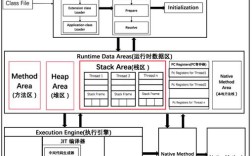
The String Pool (or String Constant Pool) is a special memory area within the Java Heap. It's a cache for String literals.
When you create a String using a literal (e.g., String s = "hello";), Java checks the pool first. If the string already exists, it simply returns a reference to the existing object. If it doesn't exist, it creates a new one in the pool.
Example:
String s1 = "hello";
String s2 = "hello";
// s1 and s2 point to the SAME object in the String Pool
System.out.println(s1 == s2);      // Output: true (they are the same object)
System.out.println(s1.equals(s2)); // Output: true (their content is the same)
Contrast with new String():
If you use the new keyword, you force Java to create a brand new String object in the regular heap memory, regardless of whether an identical string already exists in the pool.
String s3 = new String("hello");
String s4 = new String("hello");
// s3 and s4 are DIFFERENT objects in the regular heap
System.out.println(s3 == s4);      // Output: false (they are different objects)
System.out.println(s3.equals(s4)); // Output: true (their content is the same)
Common String Methods
Here are some of the most frequently used methods in the String class.
| Method | Description | Example |
|---|---|---|
length() |
Returns the length of the string. | "hello".length() returns 5 |
charAt(int index) |
Returns the character at the specified index. | "hello".charAt(1) returns 'e' |
substring(int beginIndex) |
Returns a substring from the beginning index to the end. | "hello".substring(1) returns "ello" |
substring(int begin, int end) |
Returns a substring from the begin index to the end index (exclusive). | "hello".substring(1, 3) returns "el" |
toUpperCase() |
Converts all characters to uppercase. | "hello".toUpperCase() returns "HELLO" |
toLowerCase() |
Converts all characters to lowercase. | "HELLO".toLowerCase() returns "hello" |
trim() |
Removes leading and trailing whitespace. | " hello ".trim() returns "hello" |
replace(char old, char new) |
Replaces all occurrences of a character. | "hello".replace('l', 'p') returns "heppo" |
split(String regex) |
Splits the string into an array of substrings based on a delimiter. | "a,b,c".split(",") returns ["a", "b", "c"] |
indexOf(String str) |
Returns the index of the first occurrence of a substring. | "hello world".indexOf("world") returns 6 |
equals(Object obj) |
Compares the content of two strings for equality. | "hello".equals("hello") returns true |
equalsIgnoreCase(String another) |
Compares content, ignoring case differences. | "Hello".equalsIgnoreCase("hello") returns true |
String vs. StringBuilder vs. StringBuffer
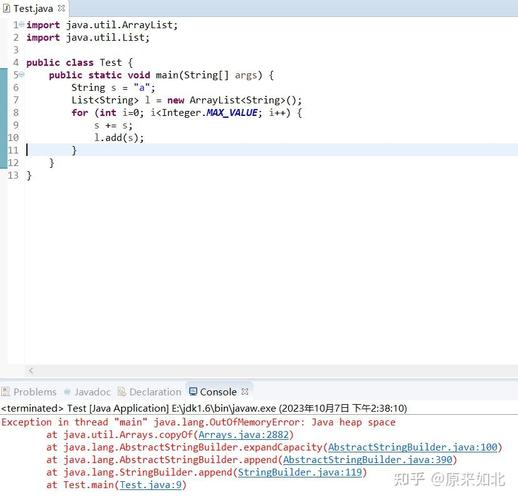
Because String is immutable, it's not efficient for situations where you need to modify a string many times (e.g., in a loop). For that, Java provides StringBuilder and StringBuffer.
| Feature | String |
StringBuilder |
StringBuffer |
|---|---|---|---|
| Mutability | Immutable | Mutable | Mutable |
| Performance | Slower for concatenation | Fastest | Slower than StringBuilder |
| Thread Safety | Thread-safe (immutable) | Not thread-safe | Thread-safe |
| When to Use | - Storing fixed text (e.g., constants, file paths) - When thread safety is a concern (due to immutability) |
- Building strings dynamically (e.g., in loops) - When performance is critical and thread safety is not needed |
- Building strings dynamically in a multi-threaded environment |
Example with StringBuilder:
// Inefficient with String
String text = "";
for (int i = 0; i < 1000; i++) {
    text = text + "a"; // Creates a new String object in every iteration!
}
// Efficient with StringBuilder
StringBuilder sb = new StringBuilder();
for (int i = 0; i < 1000; i++) {
    sb.append("a"); // Modifies the same object in memory
}
String finalText = sb.toString();
Summary
| Topic | Key Takeaway |
|---|---|
What is a String? |
A sequence of characters, implemented as a final class in Java. |
| Immutability | The most important feature. A String object's value cannot be changed after creation. |
| String Pool | A special memory area that stores String literals for reusability and performance. |
vs .equals() |
checks if two references point to the same object. .equals() checks if the content of two objects is the same. |
StringBuilder/StringBuffer |
Use these for building strings dynamically when performance is a concern. Use String for fixed, unchanging text. |