Of course! BeautifulSoup is a fantastic and essential Python library for web scraping. It's designed to make parsing HTML and XML documents easy and intuitive.
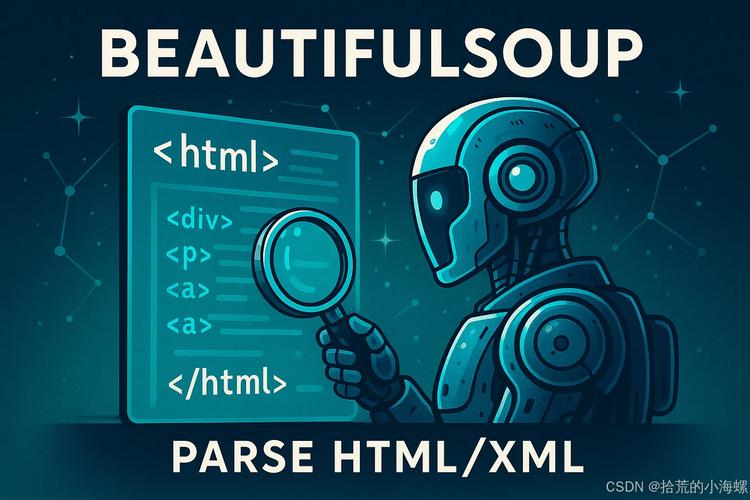
Let's break down everything you need to know about BeautifulSoup, from the basics to more advanced topics.
What is BeautifulSoup?
At its core, BeautifulSoup is a parser. It takes a messy, real-world HTML document (the kind you get from a website) and turns it into a structured Python object that you can easily navigate and search.
Think of it like this:
- HTML from a website: A messy, unorganized closet full of clothes (tags, attributes, text, etc.).
- BeautifulSoup: A professional organizer that comes in, sorts everything, and folds your shirts neatly into labeled drawers.
It doesn't fetch the web pages for you. For that, you'll need a library like requests.

Installation
First, you need to install the library. It's best practice to install it alongside a parser like lxml, which is very fast.
# Install beautifulsoup4 and the lxml parser
pip install beautifulsoup4 lxml
# You might also want to install requests to get web pages
pip install requests
Core Concepts: The Soup Object
The main object in BeautifulSoup is the Soup object. You create it by passing a string of HTML or XML and a parser name to the BeautifulSoup() constructor.
from bs4 import BeautifulSoup
# Some sample HTML
html_doc = """
<html>
<head>The Dormouse's story</title>
</head>
<body>
    <p class="title"><b>The Dormouse's story</b></p>
    <p class="story">Once upon a time there were three sisters; and their names were
    <a href="http://example.com/elsie" class="sister" id="link1">Elsie</a>,
    <a href="http://example.com/lacie" class="sister" id="link2">Lacie</a> and
    <a href="http://example.com/tillie" class="sister" id="link3">Tillie</a>;
    and they lived at the bottom of a well.</p>
    <p class="story">...</p>
</body>
</html>
"""
# Create a BeautifulSoup object
soup = BeautifulSoup(html_doc, 'lxml')
# You can prettify the output to see the structure
print(soup.prettify())
Navigating the Parse Tree
Once you have the soup object, you can navigate it in several ways.
A. Using Tag Names
You can access HTML tags directly as if they were attributes of the soup object. This will give you the first tag it finds with that name.
# Get the title tag
print(soup.title)The Dormouse's story</title>
# Get the name of the tag
print(soup.title.name)
# Get the text inside the tag
print(soup.title.string)
# The Dormouse's story
# Get the first paragraph
print(soup.p)
# <p class="title"><b>The Dormouse's story</b></p>
B. The .find() and .find_all() Methods
These are the most commonly used methods.
.find(): Finds the first tag that matches your criteria..find_all(): Finds all tags that match your criteria and returns them as a list.
# Find the first <a> tag
first_link = soup.find('a')
print(first_link)
# <a class="sister" href="http://example.com/elsie" id="link1">Elsie</a>
# Find all <a> tags
all_links = soup.find_all('a')
print(all_links)
# [<a class="sister" href="http://example.com/elsie" id="link1">Elsie</a>,
#  <a class="sister" href="http://example.com/lacie" id="link2">Lacie</a>,
#  <a class="sister" href="http://example.com/tillie" id="link3">Tillie</a>]
# Loop through all links
for link in all_links:
    print(link.get('href')) # Get the href attribute
    # http://example.com/elsie
    # http://example.com/lacie
    # http://example.com/tillie
Searching with CSS Selectors
For many developers, using CSS Selectors is more intuitive. BeautifulSoup has a .select() method for this, which uses the SoupSieve library.
soup.select('p'): Find all<p>tags.soup.select('.sister'): Find all tags withclass="sister".soup.select('#link1'): Find the tag withid="link1".soup.select('p a'): Find all<a>tags inside a<p>tag.soup.select('p > a'): Find all<a>tags that are direct children of a<p>tag.
# Find all tags with the class 'sister'
sisters = soup.select('.sister')
for sister in sisters:
    print(sister.string)
    # Elsie
    # Lacie
    # Tillie
# Find the tag with the id 'link2'
specific_link = soup.select('#link2')
print(specific_link[0].string)
# Lacie
Working with Attributes and Text
Getting Attributes
Use .get() or treat the attribute like a dictionary.
link = soup.find('a')
# Get the 'href' attribute
print(link.get('href'))
# http://example.com/elsie
# Get the 'id' attribute
print(link['id'])
# link1
Getting Text
Use .string for a single string inside a tag, or .get_text() to get all the text from a tag and its children.
# Get the direct string content of a tag
print(soup.title.string)
# The Dormouse's story
# Get all the text within a tag, including its children
print(soup.p.get_text())
# The Dormouse's story
You can also strip whitespace from the text:
print(soup.p.get_text(strip=True))
# The Dormouse's storyOnce upon a time there were three sisters; and their names wereElsie,Lacie andTillie;and they lived at the bottom of a well.
A Complete, Practical Example
Let's scrape a list of quotes from http://quotes.toscrape.com/. Our goal is to get the quote text, the author, and the tags.
import requests
from bs4 import BeautifulSoup
# 1. Fetch the web page
url = 'http://quotes.toscrape.com/'
try:
    response = requests.get(url)
    response.raise_for_status()  # Raise an exception for bad status codes (4xx or 5xx)
except requests.exceptions.RequestException as e:
    print(f"Error fetching URL: {e}")
    exit()
# 2. Parse the HTML with BeautifulSoup
soup = BeautifulSoup(response.text, 'lxml')
# 3. Find all quote containers
quotes = soup.find_all('div', class_='quote')
# 4. Loop through each quote and extract the data
for quote in quotes:
    # Extract the text
    text = quote.find('span', class_='text').get_text(strip=True)
    # Extract the author
    author = quote.find('small', class_='author').get_text(strip=True)
    # Extract the tags
    tags = [tag.get_text(strip=True) for tag in quote.find_all('a', class_='tag')]
    print(f"Quote: {text}")
    print(f"Author: {author}")
    print(f"Tags: {', '.join(tags)}")
    print("-" * 20)
Alternatives and Comparison
| Feature | BeautifulSoup | lxml |
|---|---|---|
| Primary Use | Parsing and navigating HTML/XML. | A powerful and fast XML/HTML parser and toolkit. |
| Ease of Use | Excellent. Very Pythonic and easy to learn. | Good, but can be more complex for simple tasks. |
| Performance | Slower than lxml (but still very fast for most tasks). |
Very Fast. One of the fastest parsers available. |
| Dependency | None (but requires a parser like lxml or html.parser). |
Depends on external C libraries (libxml2, libxslt). |
| Best For | Beginners, simple to medium scraping tasks, readability. | High-performance applications, complex XML processing. |
Recommendation: For most web scraping tasks, start with BeautifulSoup and the lxml parser. You get the best of both worlds: the ease of BeautifulSoup and the speed of lxml.