Of course! This is a very common and powerful combination. Here is a comprehensive guide covering everything you need to know about using Python with MySQL on Windows.
We'll break this down into four main parts:
- Prerequisites: What you need to have installed first.
- Installation: How to install the necessary Python library.
- Usage: How to connect to a database, execute queries, and work with the results.
- Best Practices & Advanced Topics: Tips for writing robust and secure code.
Part 1: Prerequisites (The "Must-Haves")
Before you can write any Python code to talk to MySQL, you need two things on your Windows machine:
Python
If you don't have Python installed, go to the official Python website: python.org
- Download the latest stable version.
- Crucial Step: During installation, make sure to check the box that says "Add Python to PATH". This makes it much easier to run Python from the command line.
MySQL Server
Your Python code needs a MySQL server to connect to. You have two main options:
Option A: Install MySQL Server Full Installation (Recommended for beginners) This installs the database server itself on your machine.
- Go to the official MySQL downloads page: dev.mysql.com/downloads/installer
- Download the "MySQL Installer for Windows".
- Run the installer. It's recommended to choose the "Full" installation type, which includes the MySQL Server, a management tool (MySQL Workbench), and other useful utilities.
- During setup, you will be asked to set a root password. Remember this password! You'll need it in your Python script.
Option B: Use a Cloud Database (Easiest, no installation on your PC) Services like PlanetScale, Aiven, or even a free tier on AWS RDS or Google Cloud SQL provide a live MySQL database you can access over the internet. This is great because you don't have to manage a server locally.
For this guide, we'll assume you installed MySQL Server locally (Option A).
Part 2: Installation (The Python Library)
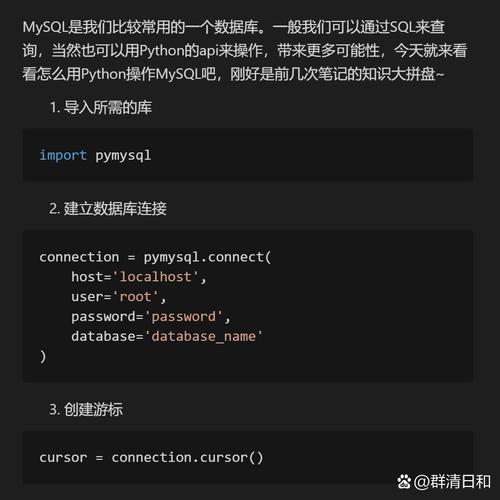
The standard and most recommended library for connecting Python to MySQL is mysql-connector-python. It's maintained by Oracle and is pure Python (no external C libraries needed).
-
Open Command Prompt or PowerShell.
-
Install the library using
pip(Python's package installer):pip install mysql-connector-python
You can also install a more feature-rich version called mysql-connector-python-rf which includes additional features like support for MySQL's X DevAPI, but for standard SQL, the first one is perfect.
Part 3: Usage (Writing the Python Code)
Let's write a Python script to perform common database operations.
Step 1: Connect to the MySQL Server
First, you need to establish a connection. You'll need the host, user, and password.
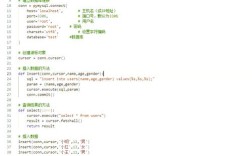
import mysql.connector
from mysql.connector import Error
try:
    # Establish the connection
    connection = mysql.connector.connect(
        host='localhost',          # Your MySQL server host (usually 'localhost')
        user='root',               # Your MySQL username
        password='YOUR_PASSWORD'   # Your MySQL password
    )
    if connection.is_connected():
        db_info = connection.get_server_info()
        print(f"Successfully connected to MySQL Server version {db_info}")
        cursor = connection.cursor()
        cursor.execute("SELECT database();")
        record = cursor.fetchone()
        print(f"You're connected to database: {record[0]}")
except Error as e:
    print(f"Error while connecting to MySQL: {e}")
finally:
    # Closing the connection
    if 'connection' in locals() and connection.is_connected():
        cursor.close()
        connection.close()
        print("MySQL connection is closed.")
To run this script:
- Save the code as a file, e.g.,
connect.py. - Open a terminal in the same directory.
- Run
python connect.py.
If you see the success messages, you're ready to go!
Step 2: Create a Database and a Table
Now, let's create a database and a table to store some data.
import mysql.connector
from mysql.connector import Error
# Use the connection details from before
db_connection = None
cursor = None
try:
    connection = mysql.connector.connect(
        host='localhost',
        user='root',
        password='YOUR_PASSWORD'
    )
    if connection.is_connected():
        cursor = connection.cursor()
        # 1. Create a database (if it doesn't exist)
        cursor.execute("CREATE DATABASE IF NOT EXISTS python_db")
        print("Database 'python_db' created or already exists.")
        # 2. Switch to the new database
        cursor.execute("USE python_db")
        # 3. Create a table
        create_table_query = """
        CREATE TABLE IF NOT EXISTS employees (
            id INT AUTO_INCREMENT PRIMARY KEY,
            name VARCHAR(255) NOT NULL,
            department VARCHAR(100),
            salary DECIMAL(10, 2)
        )
        """
        cursor.execute(create_table_query)
        print("Table 'employees' created or already exists.")
except Error as e:
    print(f"Error: {e}")
finally:
    if cursor:
        cursor.close()
    if connection and connection.is_connected():
        connection.close()
    print("MySQL connection is closed.")
Step 3: Insert, Select, Update, and Delete (CRUD Operations)
This is the core of what you'll do. Let's perform all four basic operations.
import mysql.connector
from mysql.connector import Error
# --- Connection Details ---
DB_NAME = 'python_db'
DB_USER = 'root'
DB_PASSWORD = 'YOUR_PASSWORD'
DB_HOST = 'localhost'
def get_connection():
    """Establishes and returns a database connection."""
    try:
        connection = mysql.connector.connect(
            host=DB_HOST,
            user=DB_USER,
            password=DB_PASSWORD,
            database=DB_NAME
        )
        return connection
    except Error as e:
        print(f"Error connecting to MySQL: {e}")
        return None
def insert_employee(name, department, salary):
    """Inserts a new employee into the employees table."""
    connection = get_connection()
    cursor = None
    try:
        cursor = connection.cursor()
        sql_query = "INSERT INTO employees (name, department, salary) VALUES (%s, %s, %s)"
        employee_data = (name, department, salary)
        cursor.execute(sql_query, employee_data)
        connection.commit() # Commit the transaction
        print(f"{cursor.rowcount} record inserted. ID: {cursor.lastrowid}")
    except Error as e:
        print(f"Failed to insert record into table: {e}")
    finally:
        if cursor:
            cursor.close()
        if connection and connection.is_connected():
            connection.close()
def get_all_employees():
    """Retrieves and prints all employees from the table."""
    connection = get_connection()
    cursor = None
    try:
        cursor = connection.cursor(dictionary=True) # dictionary=True gives column names
        cursor.execute("SELECT * FROM employees")
        records = cursor.fetchall()
        print("\n--- All Employees ---")
        for row in records:
            print(row)
    except Error as e:
        print(f"Failed to get records: {e}")
    finally:
        if cursor:
            cursor.close()
        if connection and connection.is_connected():
            connection.close()
def update_employee_salary(employee_id, new_salary):
    """Updates the salary of a specific employee."""
    connection = get_connection()
    cursor = None
    try:
        cursor = connection.cursor()
        sql_query = "UPDATE employees SET salary = %s WHERE id = %s"
        data = (new_salary, employee_id)
        cursor.execute(sql_query, data)
        connection.commit()
        print(f"{cursor.rowcount} record(s) updated.")
    except Error as e:
        print(f"Failed to update record: {e}")
    finally:
        if cursor:
            cursor.close()
        if connection and connection.is_connected():
            connection.close()
def delete_employee(employee_id):
    """Deletes an employee from the table."""
    connection = get_connection()
    cursor = None
    try:
        cursor = connection.cursor()
        sql_query = "DELETE FROM employees WHERE id = %s"
        data = (employee_id,)
        cursor.execute(sql_query, data)
        connection.commit()
        print(f"{cursor.rowcount} record(s) deleted.")
    except Error as e:
        print(f"Failed to delete record: {e}")
    finally:
        if cursor:
            cursor.close()
        if connection and connection.is_connected():
            connection.close()
# --- Main execution ---
if __name__ == "__main__":
    # Perform CRUD operations
    insert_employee("Alice", "Engineering", 90000.00)
    insert_employee("Bob", "Marketing", 65000.00)
    insert_employee("Charlie", "Sales", 75000.50)
    get_all_employees()
    update_employee_salary(2, 68000.00) # Give Bob a raise
    get_all_employees()
    delete_employee(3) # Charlie is leaving
    get_all_employees()
Part 4: Best Practices & Advanced Topics
Using Environment Variables for Credentials
Never hard-code passwords or usernames in your code! Use environment variables to keep them secure.
- In your Python script, import the
osmodule. - Use
os.getenv()to get the credentials.
import os
import mysql.connector
# Get credentials from environment variables
db_host = os.getenv('DB_HOST', 'localhost') # 'localhost' is a default
db_user = os.getenv('DB_USER')
db_password = os.getenv('DB_PASSWORD')
if not all([db_user, db_password]):
    print("Error: DB_USER and DB_PASSWORD environment variables not set.")
    exit()
# Use them in your connection
connection = mysql.connector.connect(
    host=db_host,
    user=db_user,
    password=db_password,
    database='python_db'
)
To set environment variables on Windows:
- Temporarily (for the current terminal session):
set DB_USER=root
set DB_PASSWORD=YOUR_SECRET_PASSWORD
- Permanently (recommended): Search for "Edit the system environment variables" in the Start Menu, click "Environment Variables...", and add them under "User variables".
Using Context Managers (with statement)
The with statement ensures that your database resources (like cursors and connections) are automatically closed, even if errors occur. This is the modern, preferred way to handle connections.
import mysql.connector
from mysql.connector import Error
# ... (get_connection function from above) ...
try:
    with get_connection() as connection:
        with connection.cursor(dictionary=True) as cursor:
            cursor.execute("SELECT * FROM employees WHERE department = %s", ("Engineering",))
            engineers = cursor.fetchall()
            print("\n--- Engineering Team ---")
            for engineer in engineers:
                print(engineer)
except Error as e:
    print(f"An error occurred: {e}")
Notice how you don't need to manually call cursor.close() or connection.close().
Using an ORM (Object-Relational Mapper)
For larger applications, writing raw SQL can be tedious and error-prone. ORMs like SQLAlchemy or Django ORM (if you use Django) allow you to interact with your database using Python objects and methods instead of SQL queries.
Example with SQLAlchemy:
- Install it:
pip install SQLAlchemy - Use it in your code:
from sqlalchemy import create_engine, Column, Integer, String, Float
from sqlalchemy.orm import sessionmaker
from sqlalchemy.ext.declarative import declarative_base
# Define the table structure as a Python class
Base = declarative_base()
class Employee(Base):
    __tablename__ = 'employees'
    id = Column(Integer, primary_key=True)
    name = Column(String(255))
    department = Column(String(100))
    salary = Column(Float)
# Create an engine
# 'mysql+mysqlconnector://' is the driver prefix
engine = create_engine('mysql+mysqlconnector://root:YOUR_PASSWORD@localhost/python_db')
# Create the table if it doesn't exist
Base.metadata.create_all(engine)
# Create a session to interact with the database
Session = sessionmaker(bind=engine)
session = Session()
# --- Now you can work with objects! ---
# Create a new employee
new_employee = Employee(name="David", department="HR", salary=60000.00)
session.add(new_employee)
# Query for employees
hr_employees = session.query(Employee).filter_by(department="HR").all()
print("\n--- HR Employees (SQLAlchemy) ---")
for emp in hr_employees:
    print(f"Name: {emp.name}, Salary: {emp.salary}")
# Commit the changes
session.commit()
# Close the session
session.close()