Of course! Converting a String to a byte (or a byte[]) in Java is a common task, but it's important to understand the nuances because a String is text and a byte is a number. The conversion involves specifying a character encoding.
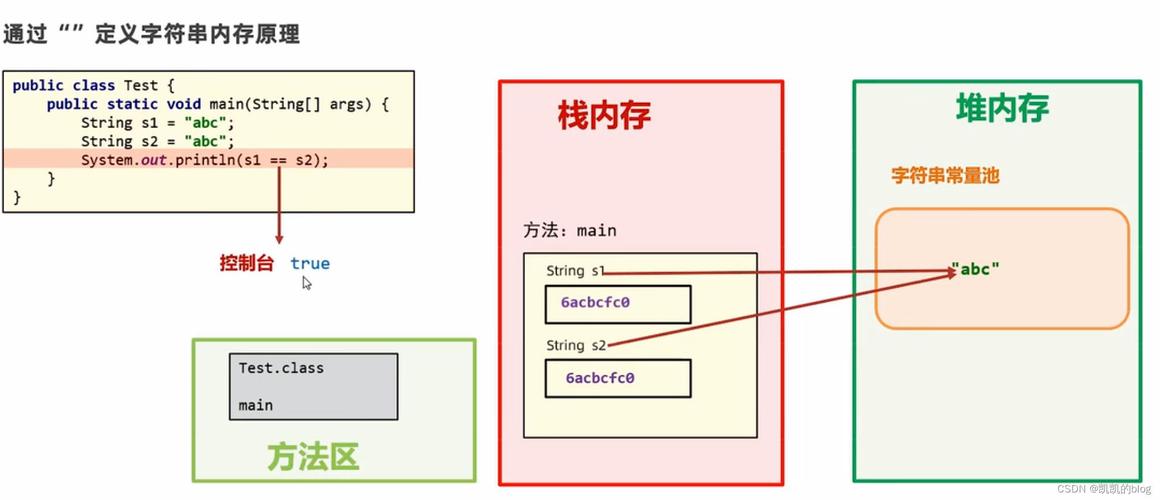
Here’s a complete guide covering the most common scenarios, from the best practice to common pitfalls.
The Best Practice: Convert String to byte[] (Recommended)
You should almost always convert a String to a byte array (byte[]), not a single byte. A string like "hello" cannot be represented by a single byte; it requires multiple bytes.
The correct way to do this is by using the String.getBytes() method and always specifying a character encoding.
Why Specify an Encoding?
Computers store text as numbers using a character set (like ASCII, UTF-8, etc.). If you don't specify the encoding, Java uses the platform's default charset, which can lead to bugs. For example, a program running on a Windows machine with a US locale might use CP1252, while a Linux server might use UTF-8. If your string contains special characters (like or ), the default encoding might corrupt the data.

The Solution: Always use StandardCharsets.UTF_8. It's the modern, universal standard for the web and most applications.
Example: Correct Conversion with UTF-8
import java.nio.charset.StandardCharsets;
public class StringToByteExample {
    public static void main(String[] args) {
        String myString = "Hello, 世界!"; // A string with ASCII and non-ASCII characters
        // --- The Recommended Way ---
        // Convert the String to a byte array using UTF-8 encoding
        byte[] byteArray = myString.getBytes(StandardCharsets.UTF_8);
        // Print the byte array
        System.out.println("Original String: " + myString);
        System.out.println("Byte Array (UTF-8): " + java.util.Arrays.toString(byteArray));
        // --- You can also convert it back to verify ---
        String decodedString = new String(byteArray, StandardCharsets.UTF_8);
        System.out.println("Decoded String: " + decodedString);
    }
}
Output:
Original String: Hello, 世界!
Byte Array (UTF-8): [72, 101, 108, 108, 111, 44, 32, -28, -72, -83, -26, -107, -116, 33]
Decoded String: Hello, 世界!
Notice how the non-ASCII characters "世" and "界" are represented by multiple bytes in the array.
Common Pitfalls and How to Avoid Them
Pitfall 1: Not Specifying an Encoding (Using the Default Charset)
This is the most common mistake. It works for simple ASCII strings but fails for others.
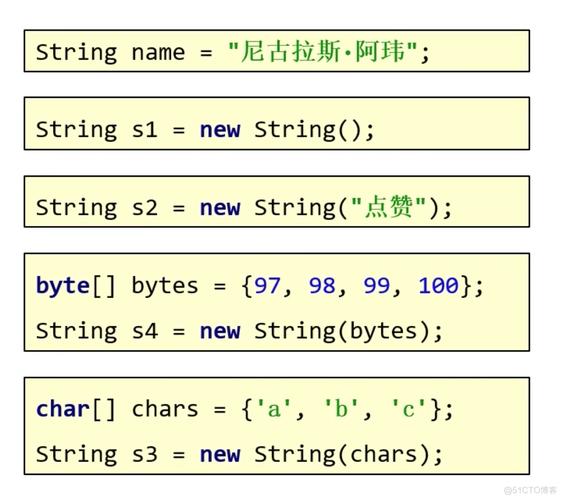
// --- DANGEROUS: DO NOT DO THIS ---
// Uses the platform's default encoding, which is unreliable.
byte[] badByteArray = myString.getBytes();
When is it okay? Only in very specific, controlled environments where you are 100% certain the default encoding is what you need and will always be. For general-purpose code, this is a bug waiting to happen.
Pitfall 2: Using the Wrong Encoding
If you encode a string with one encoding and try to decode it with another, you'll get garbled text (often called "mojibake").
import java.nio.charset.StandardCharsets;
import java.nio.charset.Charset;
import java.nio.charset.UnsupportedCharsetException;
public class WrongEncodingExample {
    public static void main(String[] args) {
        String myString = "café";
        // Encode the string using ISO-8859-1 (Latin-1)
        // This encoding cannot represent 'é', so it will be replaced with a '?'
        Charset latin1Charset = Charset.forName("ISO-8859-1");
        byte[] latin1Bytes = myString.getBytes(latin1Charset);
        System.out.println("Encoded with ISO-8859-1: " + java.util.Arrays.toString(latin1Bytes));
        // Output: [99, 97, 102, 63]  The 'é' became a '?'
        // Now, try to decode those bytes back using UTF-8
        String wrongDecodedString = new String(latin1Bytes, StandardCharsets.UTF_8);
        System.out.println("Decoded from ISO-8859-1 bytes using UTF-8: " + wrongDecodedString);
        // Output: caf� (or similar garbled characters)
    }
}
How to Convert a String to a Single byte
This is a much less common requirement. It's only possible if the string represents a single, numeric character (like 'A' or '7').
You can use the Byte.parseByte() method, which parses a String argument as a signed decimal byte.
Example: Parsing a Numeric String
public class StringToSingleByte {
    public static void main(String[] args) {
        String numberString = "A"; // This represents the number 10 in hexadecimal
        try {
            // Parse the string as a byte. We must specify the radix (base).
            // For decimal, use 10. For hex, use 16.
            byte myByte = Byte.parseByte(numberString, 16);
            System.out.println("The string '" + numberString + "' (hex) is the byte: " + myByte);
            System.out.println("In decimal, that's: " + (int)myByte); // Cast to int to see the decimal value
        } catch (NumberFormatException e) {
            System.out.println("Error: The string '" + numberString + "' is not a valid byte representation.");
        }
    }
}
Output:
The string 'A' (hex) is the byte: 10
In decimal, that's: 10
What if the string is not a number?
If you try to parse a non-numeric string like "hello", Byte.parseByte() will throw a NumberFormatException.
String textString = "hello";
try {
    byte myByte = Byte.parseByte(textString); // Defaults to base 10
    System.out.println(myByte);
} catch (NumberFormatException e) {
    System.out.println("Cannot convert '" + textString + "' to a byte.");
}
// Output: Cannot convert 'hello' to a byte.
Summary
| Your Goal | The Right Method | Why? |
|---|---|---|
| Convert text to bytes (e.g., for storage, network transfer) | byte[] bytes = myString.getBytes(StandardCharsets.UTF_8); |
Best Practice. Handles all characters reliably and is the universal standard. Avoids platform-specific bugs. |
| Convert a number-in-text to a single byte (e.g., "65" -> 65) | byte myByte = Byte.parseByte("65", 10); |
Parses a specific numeric format. You must handle NumberFormatException. Only works for strings that represent numbers. |
| Convert a single character to its ASCII/byte value | byte asciiValue = (byte) myChar; or byte asciiValue = (byte) "A".charAt(0); |
This gets the raw numeric value of a char. Note that a char in Java is 2 bytes, so casting to byte will truncate it, which is often what you want for ASCII. |