Of course! Moving from MySQL to Redis is a common architectural decision to improve performance, scalability, and reduce database load. It's not a direct replacement but rather a caching layer placed in front of your primary database.
Here’s a comprehensive guide covering the "why," "how," and practical code examples.
Why Move from MySQL to Redis? (The "Why")
First, understand that you're likely not replacing MySQL with Redis, but rather using Redis to accelerate MySQL.
| Feature | MySQL (Relational Database) | Redis (In-Memory Data Store) |
|---|---|---|
| Primary Use Case | Persistent, transactional, structured data (ACID compliance). | Caching, real-time analytics, session management, queues, pub/sub. |
| Data Storage | On-disk (disk I/O is the bottleneck). | In-memory (extremely fast, RAM is the limit). |
| Performance | Slower for read/write operations (milliseconds). | Blazingly fast (microseconds). |
| Data Model | Relational (tables, rows, columns). | Key-Value (and several advanced data structures). |
| Durability | High (data is saved to disk). | Configurable (can be configured to sync to disk). |
| Scalability | Vertical (scale-up) and Horizontal (scale-out with sharding). | Primarily horizontal (sharding, clustering). |
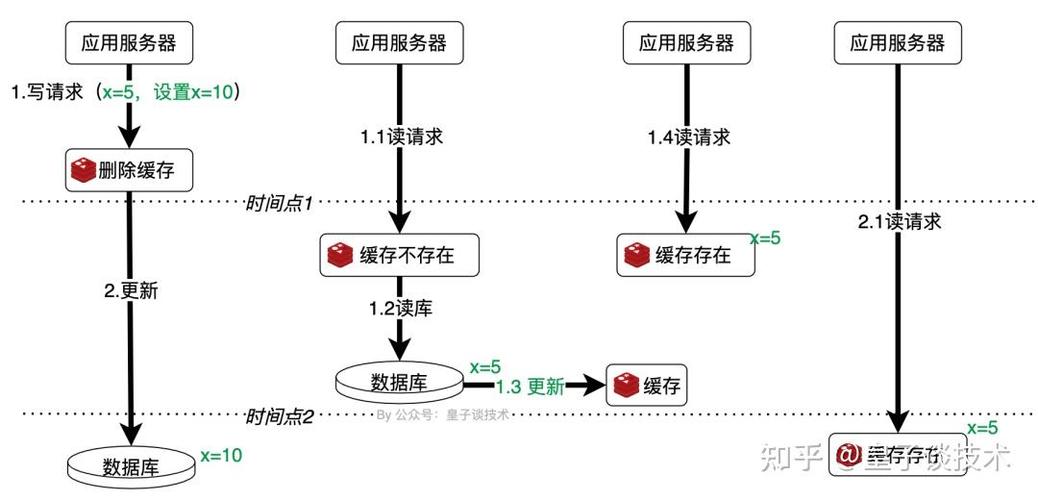
The Core Idea: Use Redis as a cache to store frequently accessed data from MySQL. When an application requests data, it first checks Redis. If the data is there (a "cache hit"), it's returned instantly. If not (a "cache miss"), the application fetches the data from MySQL, stores it in Redis for future requests, and then returns it.
How to Integrate: The Caching Strategy
There are two main patterns for implementing this cache-aside strategy.
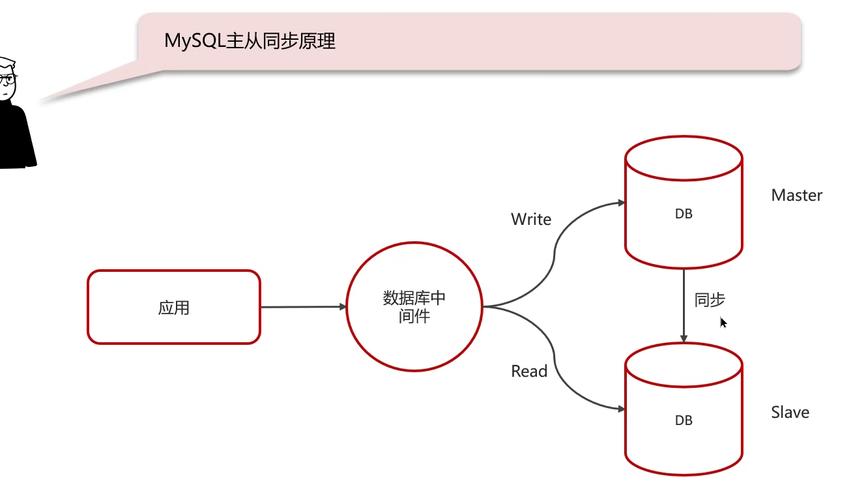
Pattern 1: Cache-Aside (Lazy Loading)
This is the most common and recommended pattern.
How it works:
- Read: Application first tries to read from Redis.
- Cache Hit: Data is in Redis. Return it to the user.
- Cache Miss: Data is not in Redis.
- Query the MySQL database.
- Store the data in Redis (with an expiration time, e.g., 5 minutes).
- Return the data to the user.
- Write: When data is written/updated/deleted in MySQL, you must invalidate the corresponding data in Redis.
Pros:
- Simple to implement.
- You only load data that is actually requested.
- Avoids "cache stampedes" (multiple requests for the same missing data hitting the DB at once) if you use a "get-if-miss" atomic operation.
Cons:
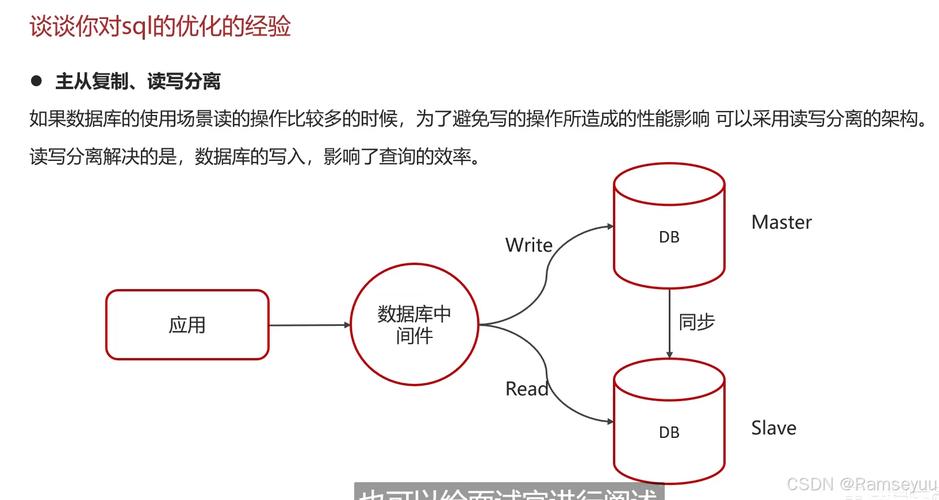
- The first request for any piece of data will be slow (cache miss).
- Stale data can be served if the cache isn't invalidated correctly after a database write.
Pattern 2: Write-Through
How it works:
- Write: When the application writes data, it writes it to both Redis and MySQL at the same time. Redis acts as the primary data store, and MySQL is updated asynchronously or synchronously.
- Read: Reads are always served from Redis.
Pros:
- Data in the cache is always consistent with the database.
- No need for a separate cache invalidation step.
Cons:
- More complex write logic.
- Write operations are slower because they have to update two systems.
- Not suitable for all use cases (e.g., analytics where you don't need real-time consistency).
For most web applications, Cache-Aside is the way to go.
Practical Java Implementation (using Jedis & JDBC)
Let's implement the Cache-Aside pattern. We'll use:
- Jedis: A popular, lightweight Java client for Redis.
- JDBC: For standard MySQL connectivity.
- Maven: For dependency management.
Step 1: Add Dependencies (pom.xml)
<dependencies>
    <!-- MySQL Driver -->
    <dependency>
        <groupId>mysql</groupId>
        <artifactId>mysql-connector-java</artifactId>
        <version>8.0.28</version>
    </dependency>
    <!-- Jedis Redis Client -->
    <dependency>
        <groupId>redis.clients</groupId>
        <artifactId>jedis</artifactId>
        <version>4.3.1</version>
    </dependency>
    <!-- For connection pooling (Highly Recommended) -->
    <dependency>
        <groupId>com.zaxxer</groupId>
        <artifactId>HikariCP</artifactId>
        <version>5.0.1</version>
    </dependency>
</dependencies>
Step 2: Configuration
Create a simple configuration class to manage connections.
import redis.clients.jedis.JedisPool;
import redis.clients.jedis.JedisPoolConfig;
import com.zaxxer.hikari.HikariConfig;
import com.zaxxer.hikari.HikariDataSource;
public class AppConfig {
    // Redis Configuration
    private static final String REDIS_HOST = "localhost";
    private static final int REDIS_PORT = 6379;
    public static final int CACHE_EXPIRATION_SECONDS = 60; // Cache for 1 minute
    // MySQL Configuration
    private static final String MYSQL_URL = "jdbc:mysql://localhost:3306/your_database";
    private static final String MYSQL_USER = "your_user";
    private static final String MYSQL_PASSWORD = "your_password";
    public static JedisPool getRedisPool() {
        JedisPoolConfig poolConfig = new JedisPoolConfig();
        poolConfig.setMaxTotal(10);
        poolConfig.setMaxIdle(5);
        return new JedisPool(poolConfig, REDIS_HOST, REDIS_PORT);
    }
    public static HikariDataSource getMySQLDataSource() {
        HikariConfig config = new HikariConfig();
        config.setJdbcUrl(MYSQL_URL);
        config.setUsername(MYSQL_USER);
        config.setPassword(MYSQL_PASSWORD);
        return new HikariDataSource(config);
    }
}
Step 3: The Data Access Service
This class will contain the core logic for the Cache-Aside pattern.
import redis.clients.jedis.Jedis;
import redis.clients.jedis.JedisPool;
import java.sql.Connection;
import java.sql.PreparedStatement;
import java.sql.ResultSet;
import java.sql.SQLException;
public class UserService {
    private final JedisPool jedisPool;
    private final HikariDataSource dataSource;
    public UserService(JedisPool jedisPool, HikariDataSource dataSource) {
        this.jedisPool = jedisPool;
        this.dataSource = dataSource;
    }
    public User getUserById(Long userId) {
        // 1. Try to get user from Redis (Cache Hit)
        String userKey = "user::" + userId;
        try (Jedis jedis = jedisPool.getResource()) {
            String userJson = jedis.get(userKey);
            if (userJson != null) {
                System.out.println("Cache HIT for user ID: " + userId);
                return User.fromJson(userJson); // Assume a fromJson method exists
            }
        }
        // 2. If not in Redis, get from MySQL (Cache Miss)
        System.out.println("Cache MISS for user ID: " + userId + ". Fetching from DB.");
        String sql = "SELECT id, username, email FROM users WHERE id = ?";
        try (Connection conn = dataSource.getConnection();
             PreparedStatement pstmt = conn.prepareStatement(sql)) {
            pstmt.setLong(1, userId);
            ResultSet rs = pstmt.executeQuery();
            if (rs.next()) {
                User user = new User(rs.getLong("id"), rs.getString("username"), rs.getString("email"));
                // 3. Store the user in Redis for future requests
                try (Jedis jedis = jedisPool.getResource()) {
                    jedis.setex(userKey, AppConfig.CACHE_EXPIRATION_SECONDS, user.toJson()); // Assume a toJson method exists
                }
                return user;
            }
        } catch (SQLException e) {
            e.printStackTrace();
            return null;
        }
        return null;
    }
    public void updateUser(User user) {
        // 1. Update the user in MySQL
        String sql = "UPDATE users SET username = ?, email = ? WHERE id = ?";
        try (Connection conn = dataSource.getConnection();
             PreparedStatement pstmt = conn.prepareStatement(sql)) {
            pstmt.setString(1, user.getUsername());
            pstmt.setString(2, user.getEmail());
            pstmt.setLong(3, user.getId());
            pstmt.executeUpdate();
            // 2. Invalidate the cache for this user
            String userKey = "user::" + user.getId();
            try (Jedis jedis = jedisPool.getResource()) {
                jedis.del(userKey);
                System.out.println("Cache invalidated for user ID: " + user.getId());
            }
        } catch (SQLException e) {
            e.printStackTrace();
        }
    }
}
// Simple POJO for User
class User {
    private Long id;
    private String username;
    private String email;
    // Constructor, Getters, Setters...
    public String toJson() {
        // Simple serialization for demo. Use Jackson/Gson in production.
return "{\"id\":" + id + ",\"username\":\"