Of course! The term "Linux Java file" can mean a few different things. I'll cover the most common interpretations, from running a Java program on Linux to managing Java files within a project.
Let's break it down into sections:
- Running a Java File (
.java) on Linux: The basic, step-by-step process. - Managing Java Projects on Linux: Using modern tools like Maven and Gradle.
- Java Environment Variables on Linux: How Linux finds your Java installation (
JAVA_HOME). - Common File Types in a Java Project: What the different file extensions mean.
Running a Java File (.java) on Linux
This is the most straightforward interpretation. You have a source code file (e.g., MyProgram.java) and you want to compile and run it on a Linux machine.
Prerequisites: Install the JDK (Java Development Kit)
First, you need a JDK. The OpenJDK is the most popular open-source version.
On Debian/Ubuntu-based systems (using apt):
# Update your package list
sudo apt update
# Install the default JDK (often OpenJDK 11 or 17)
sudo apt install default-jdk
# Or install a specific version, e.g., OpenJDK 17
sudo apt install openjdk-17-jdk
On Fedora/CentOS/RHEL-based systems (using dnf or yum):
# For Fedora / RHEL / CentOS 8+
sudo dnf install java-17-openjdk-devel
# For older systems using yum
sudo yum install java-17-openjdk-devel
Verify Installation:
Check if the java and javac (compiler) commands are available.
java -version
javac -version
You should see output similar to this:
openjdk version "17.0.8" 2025-07-18
OpenJDK Runtime Environment (build 17.0.8+7-Ubuntu-122.04)
OpenJDK 64-Bit Server VM (build 17.0.8+7-Ubuntu-122.04, mixed mode, sharing)
Step-by-Step: Compile and Run
Let's say you have a simple Java file named HelloWorld.java.
Create the Java file:
Open a text editor (like nano, vim, or gedit) and create the file.
nano HelloWorld.java
Paste this code into the file and save it (Ctrl+X, then Y, then Enter in nano).
// HelloWorld.java
public class HelloWorld {
    public static void main(String[] args) {
        System.out.println("Hello, Linux!");
    }
}
Compile the file:
Use the javac command to compile the .java source file into a .class bytecode file.
javac HelloWorld.java
If successful, you will now have a HelloWorld.class file in the same directory.
Run the compiled code:
Use the java command to run the compiled bytecode. Notice you do not include the .class extension.
java HelloWorld
Expected Output:
Hello, Linux!Managing Java Projects on Linux
Real-world applications are more complex than a single file. Developers use build tools to manage dependencies, compile code, and package applications.
Using Maven (The Classic)
Maven uses a central file called pom.xml (Project Object Model) to define the project.
Install Maven:
# On Debian/Ubuntu
sudo apt install maven
# On Fedora/CentOS
sudo dnf install maven
Create a new Maven project:
mvn archetype:generate -DgroupId=com.mycompany.app -DartifactId=my-app -DarchetypeArtifactId=maven-archetype-quickstart -DinteractiveMode=false
This creates a new directory called my-app with a standard project structure.
Navigate to the project and compile it:
cd my-app
mvn compile
This will download dependencies, compile your code, and place the output in the target directory.
Run the application: Maven has a built-in "exec" plugin to run the main class.
mvn exec:java -Dexec.mainClass="com.mycompany.app.App"
Using Gradle (The Modern & Flexible)
Gradle is known for its speed and flexibility. It uses a build.gradle or build.gradle.kts file.
Install Gradle: It's often recommended to use a version manager like SDKMAN! to manage Gradle versions.
# Install SDKMAN! first (if you don't have it)
curl -s "https://get.sdkman.io" | bash
# Restart your shell
source "$HOME/.sdkman/bin/sdkman-init.sh"
# Install Gradle
sdk install gradle
Create a new Gradle project:
gradle init --type java-application
This will create a project with a build.gradle file and a src directory.
Navigate to the project and build it:
cd build
./gradlew build
This will compile your code, run tests, and create a distributable JAR file in the build/libs directory.
Run the application:
./gradlew run
Java Environment Variables on Linux
For many tools (like webservers, IDEs, and build tools) to work correctly, they need to know where your Java installation is located. This is controlled by environment variables.
JAVA_HOME: The most important variable. It points to the root directory of your JDK installation.PATH: This system variable already contains thebindirectory of your JDK, which is why you can runjavaandjavacfrom anywhere.
How to Set JAVA_HOME (Temporarily for the current session):
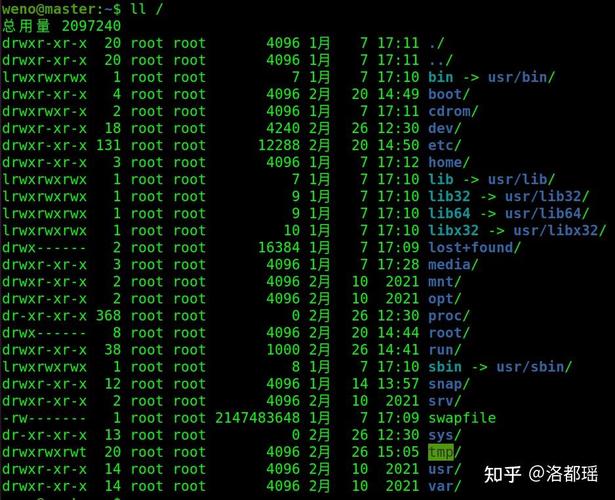
First, find where your JDK is installed. A common location is /usr/lib/jvm/.
# List installed JDKs
ls /usr/lib/jvm/
You might see something like java-17-openjdk-amd64. Now, set the variable:
export JAVA_HOME=/usr/lib/jvm/java-17-openjdk-amd64
You can verify it:
echo $JAVA_HOME
How to Set JAVA_HOME (Permanently):
Edit your shell's profile file. For Bash (the most common shell), this is ~/.bashrc or ~/.profile.
nano ~/.bashrc
Add the following line to the end of the file:
export JAVA_HOME=/usr/lib/jvm/java-17-openjdk-amd64
export PATH=$JAVA_HOME/bin:$PATH
Save the file and then either restart your terminal or run source ~/.bashrc to apply the changes.
Common File Types in a Java Project
| Extension | Name | Description |
|---|---|---|
.java |
Source File | The human-readable source code for your classes and interfaces. This is what you edit. |
.class |
Bytecode File | The compiled Java source code, which the Java Virtual Machine (JVM) can execute. |
.jar |
Java Archive | A package file containing compiled .class files, resources (images, properties), and metadata (a META-INF/MANIFEST.MF file). Used for distributing libraries and applications. |
.war |
Web Application Archive | A special type of JAR file used to deploy web applications on servers like Tomcat or Jetty. |
pom.xml |
Maven Project Object Model | The XML file that defines a Maven project's configuration, dependencies, and build plugins. |
build.gradle |
Gradle Build Script | The Groovy (or Kotlin) file that defines a Gradle project's configuration, dependencies, and tasks. |
.properties |
Properties File | A simple text file for storing configuration data (e.g., database connection strings, application settings). |
.xml |
XML File | Used for various configurations, such as Spring Framework configurations, web deployment descriptors (web.xml), and logging (log4j2.xml). |