Of course! Here is a comprehensive manual for using Python's socket module, designed to take you from the basics to more advanced concepts.
Python Socket Programming Manual
Table of Contents
- Introduction to Sockets
- The Core
socketModule - Step-by-Step: Your First Socket Program (Echo Server & Client)
- Deep Dive into Socket Methods
- Making it Robust:
try...exceptandwithStatements - Advanced Concepts
- High-Level Libraries: When to Not Use Raw Sockets
- Full Example: A Simple Chat Server
- Best Practices and Security
Introduction to Sockets
Think of a socket as an endpoint for sending or receiving data across a computer network. It's like a phone jack in your wall. To have a conversation, you need:
- Two phones (a client and a server).
- Both phones need to be plugged into the jack (sockets).
- They need to know each other's phone number (IP address) and the line to use (port).
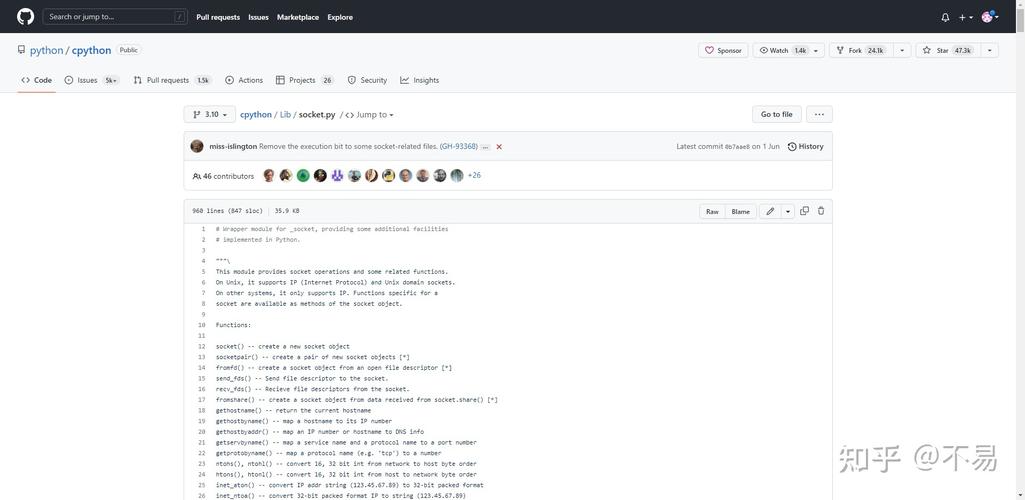
In Python, the socket module is the standard way to work with these network endpoints. It provides access to the BSD socket interface, which is the foundation of most network communication.
Key Concepts:
- IP Address: A unique numerical label for a device on a network (e.g.,
168.1.10or2001:0db8:85a3:0000:0000:8a2e:0370:7334). - Port: A 16-bit number (0-65535) that helps identify a specific process or service on a machine. Ports 0-1023 are well-known ports (e.g., 80 for HTTP, 443 for HTTPS). It's best to use ports above 49151 for your own applications.
- Host: The hostname or IP address of the machine you want to connect to (e.g.,
'localhost','127.0.0.1', or'www.google.com').
The Core socket Module
First, you need to import the module:
import socket
The most common way to create a socket is:
# socket(family, type)
# AF_INET is for IPv4 addresses.
# SOCK_STREAM is for TCP (reliable, connection-oriented).
s = socket.socket(socket.AF_INET, socket.SOCK_STREAM)
Step-by-Step: Your First Socket Program (Echo Server & Client)
An "echo server" is the "Hello, World!" of network programming. It listens for a message from a client and sends the exact same message back.
Part 1: The Server
The server's job is to:
- Create a socket.
- Bind the socket to an IP address and port.
- Listen for incoming connections.
- Accept a connection when a client tries to connect.
- Receive data from the client.
- Send the data back to the client.
- Close the connection.
# server.py
import socket
# 1. Create a socket object
# AF_INET for IPv4, SOCK_STREAM for TCP
server_socket = socket.socket(socket.AF_INET, socket.SOCK_STREAM)
# 2. Bind the socket to a specific address and port
# '' means listen on all available network interfaces
# 12345 is the port number
host = ''
port = 12345
server_socket.bind((host, port))
# 3. Start listening for incoming connections
# The 5 is the backlog, the number of connections to queue
server_socket.listen(5)
print(f"[*] Server listening on {host}:{port}")
# 4. Accept a connection
# accept() returns a new socket object for the connection and the address of the client
client_socket, addr = server_socket.accept()
print(f"[+] Accepted connection from {addr}")
# 5. Receive data from the client
# 1024 is the buffer size in bytes
data = client_socket.recv(1024)
print(f"[*] Received data: {data.decode('utf-8')}")
# 6. Send the data back to the client
client_socket.sendall(data)
print(f"[*] Sent data back to {addr}")
# 7. Close the sockets
client_socket.close()
server_socket.close()
print("[*] Server shut down.")
Part 2: The Client
The client's job is to:

- Create a socket.
- Connect to the server's IP address and port.
- Send data to the server.
- Receive the echoed data back.
- Close the connection.
# client.py
import socket
# 1. Create a socket object
client_socket = socket.socket(socket.AF_INET, socket.SOCK_STREAM)
# 2. Define the server's address and port
# '127.0.0.1' is the loopback address (this machine)
# 12345 must match the port the server is listening on
host = '127.0.0.1'
port = 12345
# 3. Connect to the server
client_socket.connect((host, port))
print(f"[*] Connected to server at {host}:{port}")
# 4. Send data to the server
message = b"Hello, Server!"
client_socket.sendall(message)
print(f"[*] Sent data: {message.decode('utf-8')}")
# 5. Receive the echoed data back
data = client_socket.recv(1024)
print(f"[*] Received echoed data: {data.decode('utf-8')}")
# 6. Close the socket
client_socket.close()
print("[*] Client disconnected.")
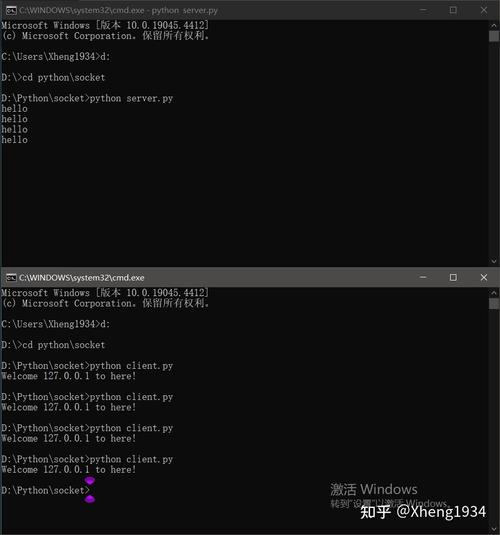
How to Run It
- Save the server code as
server.py. - Save the client code as
client.py. - Open two terminal windows.
- In the first terminal, run the server:
python server.py
# Output: [*] Server listening on :12345
- In the second terminal, run the client:
python client.py
# Output: [*] Connected to server at 127.0.0.1:12345
#         [*] Sent data: Hello, Server!
#         [*] Received echoed data: Hello, Server!
- You will see the server's terminal print its logs as well.
Deep Dive into Socket Methods
| Method | Description | Server/Client |
|---|---|---|
socket() |
Creates a new socket. | Both |
bind(address) |
Binds the socket to an address (IP, port). | Server |
listen(backlog) |
Enables a server to accept connections. | Server |
accept() |
Blocks and waits for an incoming connection. Returns a new socket and client address. | Server |
connect(address) |
Connects to a remote socket. | Client |
connect_ex(address) |
Like connect(), but returns an error code instead of raising an exception. |
Client |
sendall(data) |
Sends all data in the buffer. It keeps sending until all data is sent or an error occurs. | Both |
send(data) |
Sends data. May not send all of it. Returns the number of bytes sent. | Both |
recv(bufsize) |
Receives data up to bufsize bytes. Blocks until data is available. |
Both |
close() |
Marks the socket as closed. | Both |
gethostname() |
Returns the current hostname of the machine. | Both |
gethostbyname(hostname) |
Returns the IP address for a given hostname. | Both |
Making it Robust: try...except and with Statements
Networks are unreliable. Connections can drop, data can be corrupted. You must handle errors gracefully.
Using try...except
A common error is ConnectionRefusedError when a client tries to connect to a server that isn't running.
try:
    client_socket.connect(('127.0.0.1', 12345))
except ConnectionRefusedError:
print