Excellent question. SAS, MATLAB, and Python are three of the most powerful and popular tools in the world of data analysis, statistics, and numerical computing. However, they are designed with different philosophies, strengths, and target audiences.
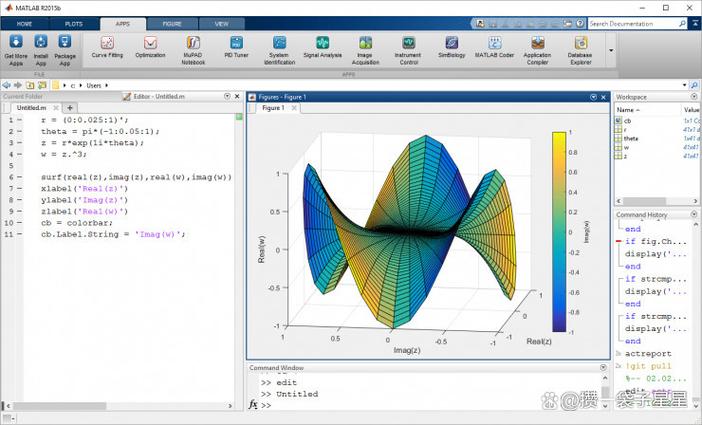
Here’s a detailed comparison to help you understand their differences and choose the right one for your needs.
At a Glance: The Core Identity
| Feature | SAS | MATLAB | Python |
|---|---|---|---|
| Primary Domain | Statistical Analysis & Business Intelligence. The gold standard in regulated industries like pharmaceuticals, finance, and healthcare. | Numerical Computing & Engineering. The undisputed king for technical computing, algorithm development, and simulation. | General-Purpose Programming. A versatile "Swiss Army knife" for data science, web development, automation, and more. |
| Core Philosophy | An integrated, menu-driven system. A "product" you buy. | An interactive environment for matrix manipulation and algorithm development. A "product" you license. | A programming language with a vast ecosystem of open-source libraries. A "philosophy" you adopt. |
| Learning Curve | Moderate for PROC steps, but can be rigid. The GUI (Enterprise Guide) is easy to start. |
Moderate, especially if you're comfortable with linear algebra. The interactive nature helps. | Low to Moderate. The basic syntax is easy, but mastering its data science libraries (Pandas, Scikit-learn) takes time. |
| Cost | Very Expensive. Per-user, per-module licensing. | Expensive. Commercial licenses, though cheaper than SAS. Free licenses are available for use in education and research. | Completely Free and Open Source. The language and its core libraries are free. |
| Best For... | • Clinical Trials • Large-scale data warehousing • Regulatory compliance & reporting • Established BI workflows |
• Engineering & Scientific modeling • Signal & Image Processing • Control systems • Algorithm prototyping |
• General-purpose data science • Machine Learning & AI • Web applications & APIs • Data automation & ETL |
| Key Strength | Unmatched stability, support, and validation in regulated industries. | Unmatched power and speed in matrix-based numerical calculations. | Unmatched flexibility, ecosystem, and community support. |
Detailed Breakdown
SAS (Statistical Analysis System)
SAS is a software suite developed for advanced analytics, multivariate analysis, business intelligence, and data management. It's less of a programming language and more of a complete, integrated ecosystem.
- How it Works: You write
PROC(procedure) andDATAstep code in a specific syntax. It's highly structured and designed for batch processing of large datasets stored in its own format. - Strengths:
- Data Handling: Extremely robust for managing massive datasets on servers.
- Validation & Support: Has a strong reputation for being validated and audited, which is critical in FDA-regulated industries (pharma, clinical trials).
- Stability: Rock-solid and stable. Once a script is validated, it will produce the same result every time.
- Enterprise Integration: Excellent for pulling data from various enterprise databases and data warehouses.
- Support: Top-tier, paid enterprise support.
- Weaknesses:
- Cost: Prohibitively expensive for individuals, startups, and small businesses.
- Rigidity: The syntax is not intuitive and can be very verbose. It's not a general-purpose programming language.
- Steep Learning Curve: The non-standard syntax can be difficult for programmers coming from other languages.
- GUI vs. Code: While you can write code, many users rely on the point-and-click GUI (Enterprise Guide), which can hinder reproducibility and learning the underlying code.
Use SAS when: You work in a highly regulated industry (like pharmaceuticals), need to validate your processes, and your company has already invested in the SAS infrastructure.
MATLAB (Matrix Laboratory)
MATLAB is a high-performance language for technical computing. Its core data element is the matrix, making it incredibly efficient for solving mathematical and engineering problems.
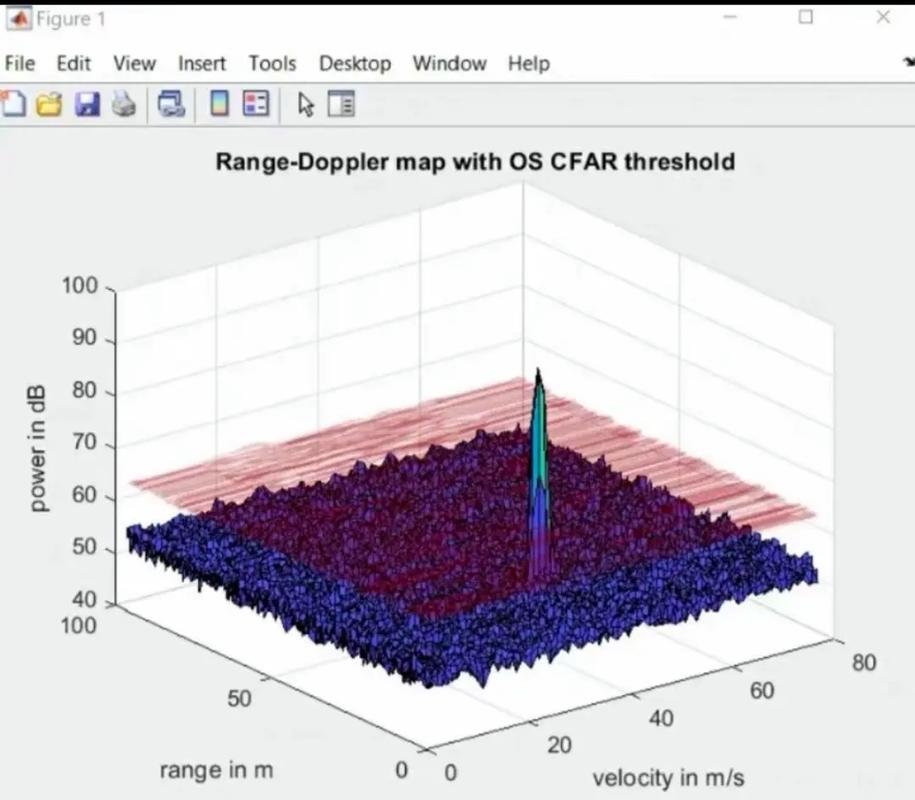
- How it Works: You work interactively in a command window, executing commands and scripts (
.mfiles). It's designed for rapid prototyping and visualization. - Strengths:
- Numerical Power: Blazing fast for matrix operations, linear algebra, and solving complex differential equations.
- Toolboxes: A rich collection of domain-specific toolboxes (Signal Processing, Image Processing, Control Systems, etc.) that provide pre-built, highly optimized functions.
- Visualization: Excellent built-in plotting and data visualization capabilities.
- Interactive Development: The interactive nature makes it perfect for exploring data and algorithms.
- Weaknesses:
- Cost: Like SAS, it's a commercial product with expensive licensing.
- General-Purpose Limitations: Not designed for general-purpose programming. It's weak at web development, database interaction, and large-scale data processing compared to Python.
- Syntax: While cleaner than SAS, its syntax is still proprietary and not as widely used outside of engineering and science.
Use MATLAB when: You are an engineer, scientist, or researcher who needs to perform complex numerical computations, simulations, or algorithm development, especially in fields like control systems or signal processing.
Python
Python is a general-purpose, high-level, interpreted programming language. Its rise to dominance in data science is due to its simple syntax and an incredible ecosystem of open-source libraries.
- How it Works: You write Python scripts using an Integrated Development Environment (IDE) like VS Code, PyCharm, or Jupyter Notebooks. It's a true, flexible programming language.
- Strengths:
- Ecosystem: The killer feature. Libraries like Pandas (data manipulation), NumPy (numerical computing), Matplotlib/Seaborn (visualization), Scikit-learn (machine learning), and TensorFlow/PyTorch (deep learning) provide immense power for free.
- Cost: Completely free. No licensing fees.
- Flexibility & Versatility: You can use it for data analysis, build a web app with Flask/Django, automate tasks, or create a game. It's a one-stop-shop for many tasks.
- Community & Learning: Massive global community. Tons of tutorials, courses, and Stack Overflow answers. It's one of the easiest languages to learn.
- Integration: Excellent at integrating with other technologies (databases, APIs, big data tools like Spark).
- Weaknesses:
- Not Natively Optimized for Big Data: While Pandas is great, it loads data into RAM. For datasets larger than memory, you need more advanced tools (like Dask or Spark).
- Version Management: Managing complex library dependencies can sometimes be challenging (though tools like Conda/venv solve this).
- Not a Single Product: The "Python for data science" experience is actually a collection of different libraries. You have to assemble your own toolkit.
Use Python when: You want to learn a versatile, in-demand skill for data science, machine learning, or general software development. It's the best choice for individuals, startups, and any project where cost and flexibility are important.
Comparison Table: SAS vs. MATLAB vs. Python
| Feature | SAS | MATLAB | Python |
|---|---|---|---|
| Cost | Very High | High | Free |
| Ease of Learning | Moderate (rigid syntax) | Moderate (matrix focus) | Easy (intuitive syntax) |
| Data Handling | Excellent for enterprise data | Good for in-memory data | Excellent (Pandas), but needs tools for >RAM data |
| Statistical Analysis | Excellent (built-in, validated) | Good (via Statistics Toolbox) | Excellent (SciPy, Statsmodels) |
| Machine Learning | Limited | Good (Statistics & ML Toolboxes) | Excellent (Scikit-learn, TensorFlow, PyTorch) |
| Numerical Computing | Good | Excellent | Excellent (NumPy) |
| Visualization | Good | Excellent | Excellent (Matplotlib, Seaborn) |
| Job Market | Niche, but strong in regulated industries | Strong in engineering & research | Huge and rapidly growing in all tech fields |
| Community | Controlled, enterprise-focused | Strong in academia/engineering | Massive, open-source, global |
| Licensing Model | Per-user, per-module commercial license | Commercial license | Open-source (MIT, etc.) |
Which One Should You Learn?
- Choose SAS if: You are aiming for a specific job in the pharmaceutical, biotech, or financial services sectors where SAS is the mandated standard. It's a career choice, not just a skill to learn.
- Choose MATLAB if: You are an engineer, physicist, or mathematician working on problems involving complex math, simulations, or signal/image processing. It's the right tool for a specific technical domain.
- Choose Python if: You want a versatile, future-proof skill for the broadest range of data science, AI, and software development roles. It's the most popular choice for beginners and has the largest and most active community. If you could only learn one, this is the most recommended for general-purpose data work.