让我们来详细分解一下。
核心原因:调用了 toString() 方法的默认实现
当你执行 System.out.println(myObject); 时,Java编译器会自动将其转换为 System.out.println(myObject.toString());。
这个 toString() 方法是 Object 类(所有Java类的最终父类)中的一个方法,它的默认实现是:
/**
 * Returns a string representation of the object. In general, the
 * {@code toString} method returns a string that
 * "textually represents" this object. The result should
 * be a concise but informative representation that is easy for a
 * person to read.
 * <p>
 * It is recommended that all subclasses override this method.
 *
 * @return  a string representation of the object.
 */
public String toString() {
    return getClass().getName() + "@" + Integer.toHexString(hashCode());
}
这个默认的 toString() 方法会返回一个由三部分组成的字符串:
- 类的全限定名 (
getClass().getName()):com.example.MyClass或java.lang.Object。 - 一个 符号: 作为分隔符。
- 对象的哈希码的十六进制表示 (
Integer.toHexString(hashCode())): 这是一个看起来像地址的唯一标识符,15db9742。
输出 "object object"
你看到 "object object" 这种情况,通常发生在你有一个包含多个 Object 的数组,并且你打印了这个数组。
示例代码:
public class Main {
    public static void main(String[] args) {
        // 创建一个 Object 数组
        Object[] myArray = new Object[2];
        myArray[0] = "Hello";
        myArray[1] = 123;
        // 直接打印数组
        System.out.println(myArray);
    }
}
输出结果:
[Ljava.lang.Object;@15db9742为什么是这个结果?
- 数组本身也是一个对象,它的类型是
Ljava.lang.Object;(L表示一个类, 。 - 当你打印
myArray时,你实际上是在打印这个数组对象的toString()方法的结果。 - 数组的
toString()方法继承自Object,所以它返回的是[Ljava.lang.Object;@15db9742。[表示这是一个数组。L表示它是一个对象类型(而不是基本类型,如int)。java.lang.Object是数组元素的类型。@15db9742是这个数组对象的哈希码。
你为什么会看到 "object object"?
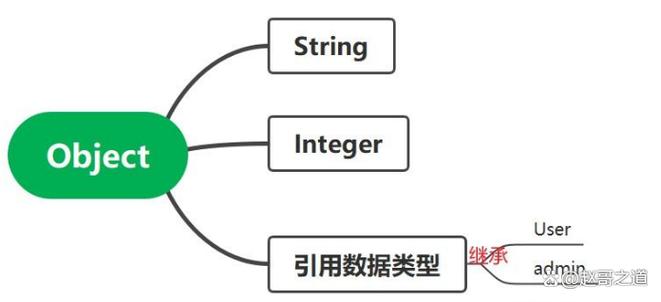
这可能是一种简化的解释,或者在某些特定环境下(比如某些IDE的调试器中显示)的简化输出,但最直接的理解是:你打印的是一个对象,而这个对象恰好是一个对象数组,所以它的类型信息包含了 Object。
输出 [Lcom.example.MyClass;@...
这是更常见的情况,当你有一个自定义类的数组时。
示例代码:
class Person {
    private String name;
    private int age;
    public Person(String name, int age) {
        this.name = name;
        this.age = age;
    }
}
public class Main {
    public static void main(String[] args) {
        Person[] people = new Person[2];
        people[0] = new Person("Alice", 30);
        people[1] = new Person("Bob", 25);
        System.out.println(people);
    }
}
输出结果:
[Lcom.example.Person;@15db9742分析:
[表示这是一个数组。Lcom.example.Person;表示数组中的元素是com.example.Person这个类的实例。@15db9742是这个people数组对象的哈希码。
注意,即使 Person 类里有 name 和 age,直接打印数组本身并不会显示这些内容,因为数组的 toString() 方法就是这么设计的。
如何解决这个问题:重写 toString() 方法
要获得有意义的输出,你需要在你自己的类中重写 (Override) toString() 方法。
对于自定义类
示例代码:
class Person {
    private String name;
    private int age;
    public Person(String name, int age) {
        this.name = name;
        this.age = age;
    }
    // 重写 toString() 方法
    @Override
    public String toString() {
        return "Person{name='" + name + "', age=" + age + "}";
    }
}
public class Main {
    public static void main(String[] args) {
        Person person = new Person("Charlie", 40);
        System.out.println(person); // 现在会调用我们重写的 toString() 方法
    }
}
输出结果:
Person{name='Charlie', age=40}这样就清晰多了!现代IDE(如IntelliJ IDEA和Eclipse)可以一键生成这个方法。
对于数组
数组本身不能重写 toString(),但Java提供了工具类来帮你格式化输出。
使用 Arrays.toString()
这适用于一维数组。
import java.util.Arrays;
public class Main {
    public static void main(String[] args) {
        Person[] people = new Person[2];
        people[0] = new Person("Alice", 30);
        people[1] = new Person("Bob", 25);
        // 使用 Arrays.toString() 来打印数组内容
        System.out.println(Arrays.toString(people));
    }
}
输出结果:
[Person{name='Alice', age=30}, Person{name='Bob', age=25}]使用 Arrays.deepToString()
这适用于多维数组。
import java.util.Arrays;
public class Main {
    public static void main(String[] args) {
        int[][] matrix = {{1, 2, 3}, {4, 5, 6}};
        System.out.println(matrix); // 打印对象引用
        System.out.println(Arrays.toString(matrix)); // 只打印第一层
        System.out.println(Arrays.deepToString(matrix)); // 递归打印所有层
    }
}
输出结果:
[[I@15db9742
[[I@6d06d69c, [I@7852e922
[[1, 2, 3], [4, 5, 6]]| 情景 | 原因 | 解决方案 |
|---|---|---|
| 打印一个对象 | 调用了 Object 类的默认 toString() 方法,返回 类名@哈希码。 |
在你的自定义类中重写 toString() 方法。 |
| 打印一个对象数组 | 打印的是数组对象的 toString() 结果,而不是数组内容。 |
使用 Arrays.toString(数组)。 |
| 打印一个多维数组 | Arrays.toString() 只会打印第一层。 |
使用 Arrays.deepToString(多维数组)。 |
记住这个核心思想:System.out.println(对象) 默认只会告诉你“这是什么类型的对象”以及“它在内存中的大致位置”,而不会告诉你“这个对象里有什么”,要让它输出内容,你必须通过重写 toString()(对于类)或使用工具类(对于数组)来告诉Java如何格式化输出。