Of course! Using Python with Open CASCADE is a powerful combination for creating 3D modeling and CAD applications. Here’s a comprehensive guide covering the key concepts, popular libraries, installation, and a step-by-step example.
What is Open CASCADE?
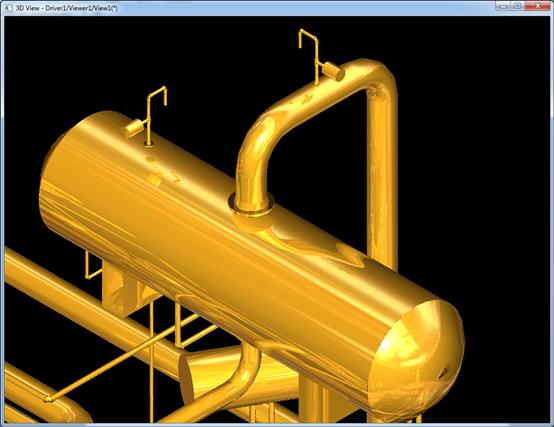
Open CASCADE Technology (OCCT) is a powerful, open-source C++ software development platform for 3D CAD, CAM, CAE, and Visualization. It provides a complete suite of tools for:
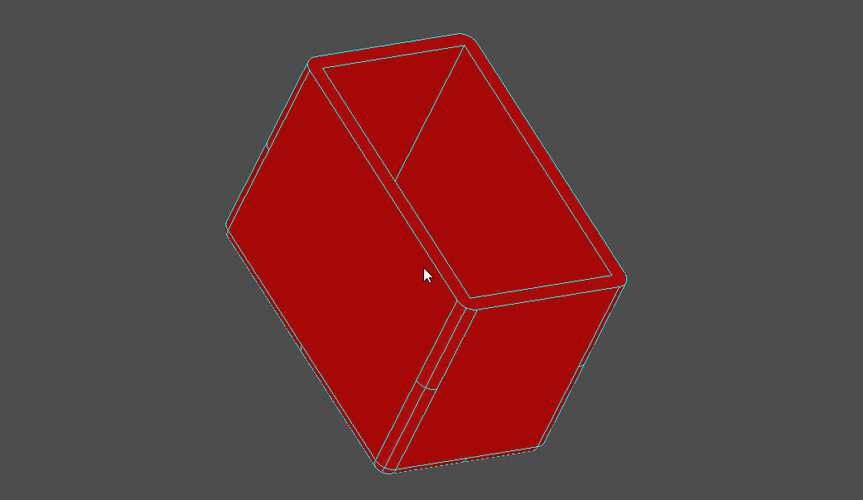
- 3D Geometry: Creating and manipulating curves, surfaces, and solids (BRep - Boundary Representation).
- Modeling: Boolean operations (fusion, cut, common), filleting, shelling, etc.
- Visualization: Rendering 3D models.
- Data Exchange: Reading and writing standard CAD file formats (STEP, IGES, STL, etc.).
The challenge is that it's a C++ library. To use it from Python, we need a "wrapper" or a "binding."
Key Libraries for Python + Open CASCADE
There are two main approaches to use Open CASCADE from Python:
pythonocc-core (The De-facto Standard)
This is the most popular and mature library. It's a Python wrapper generated using the pyside2-tools (pyside2-uic and pyside2-rcc) and the shiboken2 binding generator. It provides a direct, 1-to-1 mapping of the OCCT C++ API to Python.
- Pros:
- Mature and Stable: Has been around for a long time and is widely used.
- Comprehensive: Wraps a large portion of the OCCT kernel.
- Direct Mapping: If you know the C++ OCCT API, the Python version is very easy to learn.
- Cons:
- Steep Learning Curve: The API is very C++-like, which can be verbose and not very "Pythonic."
- Manual Installation: The installation process can be tricky as it requires pre-compiled binaries or building from source, which needs a C++ compiler.
cadquery (A Higher-Level, Pythonic API)
CadQuery is a 3D scripting library for Python built on top of pythonocc-core. It provides a fluent, chainable, and more "Pythonic" API for creating 3D models. It's inspired by jQuery.
- Pros:
- Easy to Learn: The API is intuitive and much easier to get started with than raw OCCT.
- "Pythonic": Uses method chaining and other Python idioms effectively.
- Great for Parametric Design: Excellent for creating models programmatically with parameters.
- Cons:
- Abstraction Layer: You are not working directly with OCCT. If you need a very specific, low-level OCCT feature that isn't exposed by CadQuery, you can't use it easily (though you can access the underlying
pythonocc-coreobjects if needed). - Subset of Features: It doesn't expose the entire power of the OCCT kernel.
- Abstraction Layer: You are not working directly with OCCT. If you need a very specific, low-level OCCT feature that isn't exposed by CadQuery, you can't use it easily (though you can access the underlying
Installation
The easiest way to install these libraries is using conda, as it handles the complex binary dependencies for you.
Option A: Using Conda (Recommended)
This is the most straightforward method.
# Create a new conda environment (optional but good practice)
conda create -n pythonocc python=3.10
# Activate the environment
conda activate pythonocc
# Install pythonocc-core and its GUI dependencies
conda install -c conda-forge pythonocc-core
conda install -c conda-forge pythonocc-systems  # For visualization
conda install -c conda-forge pythonocc-occ  # A newer, more complete package
For CadQuery:
conda install -c conda-forge cadquery
Option B: Using Pip (Can be tricky)
Pip installation relies on pre-compiled wheels, which may not be available for your platform or Python version. If they are, it's simple:
pip install pythonocc-core
pip install cadquery
If pip fails, you will likely need to build from source, which requires a C++ compiler (like MSVC on Windows or GCC on Linux) and CMake. This is an advanced topic and is not recommended for beginners.
A Simple Example with pythonocc-core
This script creates a simple box, cuts a hole in it, and displays it in a 3D viewer.
# 1. Import necessary modules from pythonocc-core
from OCC.Core import BRepPrimAPI_MakeBox, BRepPrimAPI_MakeCylinder, gp_Ax2, gp_Pnt
from OCC.Core import BRepAlgoAPI_Fuse, BRepAlgoAPI_Cut
from OCC.Display.SimpleGui import init_display
# 2. Create 3D Shapes (Primitives)
# Create a box with dimensions 100x50x30
# The box is created with its corner at (0,0,0)
box_shape = BRepPrimAPI_MakeBox(100, 50, 30).Shape()
# Create a cylinder to be used as the cutting tool
# It has a radius of 15 and a height of 60.
# Position it at (50, 25, 15) so it's centered on the box face.
cylinder_axis = gp_Ax2(gp_Pnt(50, 25, 15), gp_Dir(0, 0, 1))
cylinder_shape = BRepPrimAPI_MakeCylinder(cylinder_axis, 15, 60).Shape()
# 3. Perform a Boolean Operation
# Cut the cylinder from the box
# The result is a new shape
final_shape = BRepAlgoAPI_Cut(box_shape, cylinder_shape).Shape()
# 4. Display the result
# This creates a simple GUI window to show the 3D model
display, start_display, add_menu, add_function_to_menu = init_display()
display.DisplayShape(final_shape, update=True)
start_display()
To run this, save it as box_with_hole.py and execute it from your terminal:
python box_with_hole.py
You should see a window appear with the 3D model. You can use your mouse to rotate, pan, and zoom.
A Simple Example with cadquery
As you can see, the raw pythonocc-core code is quite verbose. CadQuery makes this much cleaner.
# 1. Import CadQuery
import cadquery as cq
# 2. Create the model using a fluent API
# The 'result' variable holds the final 3D shape
result = (
    cq.Workplane("XY")
    .box(100, 50, 30)  # Create a box
    .faces(">Z")       # Select the top face
    .workplane(center=(50, 25)) # Center the workplane on that face
    .circle(15)        # Draw a circle
    .cutThruAll()      # Extrude the circle to cut through the entire box
)
# 3. Display the result
# CadQuery uses the same viewer as pythonocc-core
show_object(result)
To run this, save it as cq_box_with_hole.py and execute:
python cq_box_with_hole.py
The result is identical, but the code is far more readable and easier to write, especially for complex, parametric models.
Comparison: pythonocc-core vs. cadquery
| Feature | pythonocc-core |
cadquery |
|---|---|---|
| API Style | Low-level, direct C++ mapping. Verbose. | High-level, fluent, Pythonic. Chainable. |
| Learning Curve | Steep. Requires understanding of OCCT concepts. | Gentle. Easy for Python programmers. |
| Flexibility | Maximum. You can call any part of the OCCT kernel. | High, but limited to what the CadQuery API exposes. |
| Use Case | Complex CAD operations, custom algorithms, direct file format manipulation. | Parametric modeling, scriptable part design, generative design. |
| Performance | Excellent. Minimal overhead. | Excellent. The overhead is negligible for most tasks. |
Which One Should You Choose?
-
Choose
cadqueryif:- You are new to 3D modeling APIs.
- Your primary goal is to create 3D models programmatically in a clean, readable way.
- You are building a custom design tool or generating parts based on parameters.
-
Choose
pythonocc-coreif:- You need to perform a specific, complex operation that is not easily expressed in CadQuery's high-level API.
- You are working directly with CAD file formats and need fine-grained control over the geometry.
- You are extending or building a new CAD application from the ground up and need the full power of the OCCT kernel.
Important Concepts to Understand
When working with Open CASCADE (either directly or via a wrapper), you'll encounter these key terms:
- TopoDS_Shape: This is the base class for all geometric shapes in OCCT. It's a "smart pointer" that contains the actual geometric and topological data. Common subclasses are
TopoDS_Solid,TopoDS_Face,TopoDS_Edge, andTopoDS_Vertex. - BRep (Boundary Representation): This is how OCCT stores 3D models. A shape is defined by its boundaries: vertices, edges, and faces. This is different from mesh-based modeling (like in 3D printing software).
- Geometry vs. Topology:
- Geometry: The actual mathematical description (e.g., a line, a circle, a sphere, a NURBS surface).
- Topology: The connectivity of the shape's components (e.g., this edge connects vertex A to vertex B, this face is bounded by these edges).
- gp (geometric processor): This is the package for simple, non-parametric geometric primitives like points (
gp_Pnt), vectors (gp_Vec), axes (gp_Ax2), and directions (gp_Dir). You use these to define locations and orientations for more complex shapes.