Of course! This is an excellent question that gets to the heart of a common point of confusion for developers. "Eclipse C" and "Java" are not competing technologies; they are related in a specific way.
Let's break it down.
The Short Answer (TL;DR)
- Java is a programming language. It's the code you write to create applications.
- Eclipse is an Integrated Development Environment (IDE). It's a software application that helps you write code, regardless of the language.
- Eclipse C/C++ Development Tools (CDT) is a plugin for the Eclipse IDE. It adds special features for writing C and C++ code.
Analogy: Think of it like this:
- Java is a specific brand of car (e.g., a Toyota).
- Eclipse is a garage (a place to work on cars).
- Eclipse CDT is a special wrench set you buy for the garage to work on specific types of cars (like Toyotas, but also Hondas, Fords, etc.).
You can use the Eclipse garage to work on a Java car, but you need the CDT wrench set to easily work on a C/C++ car.
Detailed Breakdown
Let's look at each component in more detail.

Java
- What it is: A high-level, class-based, object-oriented programming language.
- What it's for: Building a wide variety of applications, including:
- Enterprise-level backend systems (using frameworks like Spring)
- Android mobile apps (though Kotlin is now the official language)
- Desktop applications
- Big data processing (using frameworks like Hadoop and Spark)
- Web applications
- Key Characteristics:
- "Write Once, Run Anywhere" (WORA): Java code is compiled into an intermediate form called "bytecode," which can run on any device with a Java Virtual Machine (JVM).
- Platform Independent: You don't need to recompile your code for Windows, macOS, or Linux.
- Object-Oriented: Encourages organizing code around objects and data.
- Automatic Memory Management: Uses a garbage collector to automatically handle memory deallocation.
Eclipse IDE
- What it is: A free, open-source, and extensible Integrated Development Environment. It was originally developed for Java but is now a generic platform for many tools.
- What it is for: Providing a comprehensive environment for software development. It bundles together essential tools to make coding easier and more efficient.
- Core Features (out of the box):
- Code Editor: A smart editor with syntax highlighting, code completion, and error checking.
- Compiler/Builder: Integrates with tools to compile your code into an executable program.
- Debugger: A tool to step through your code line-by-line, inspect variables, and find bugs.
- File Management: A project explorer to organize your files and folders.
- Version Control Integration: Built-in support for Git, SVN, etc.
Eclipse CDT (C/C++ Development Tools)
- What it is: A collection of plugins that transform the standard Eclipse IDE into a powerful C/C++ development environment.
- What it is for: Enabling Eclipse to understand, edit, build, and debug C and C++ code.
- Key Features it Adds:
- C/C++ Editor: Enhanced editor specifically for C/C++ syntax, including support for C++11/14/17/20 features.
- Code Analysis & Indexing: It builds an index of your code, allowing for features like "Go to Definition," "Find References," and powerful code navigation.
- Makefile Integration: It can parse and work with
makefiles, which are used to control the build process for C/C++ projects. - Visual Studio Project Support: Can import projects created in Visual Studio.
- C/C++ Debugger: A graphical front-end for popular debuggers like GDB (on Linux/macOS) and MSVC (on Windows).
Comparison Table: Java vs. Eclipse vs. Eclipse CDT
| Feature | Java | Eclipse IDE | Eclipse CDT |
|---|---|---|---|
| Type | Programming Language | Integrated Development Environment (IDE) | A Plugin for Eclipse |
| Purpose | To write applications. | To provide a workspace for writing, building, and debugging code. | To add C/C++ specific features to the Eclipse IDE. |
| Can it run code? | Yes, via the java command. |
No, it's a tool that helps you run code. | No, it's a tool that helps you run C/C++ code. |
| Can it create files? | No, it's a language specification. | Yes, it can create project files, source code files, etc. | Yes, it can create C/C++ source files, header files, and project configurations. |
| Core Dependency | The Java Development Kit (JDK) | The Java Runtime Environment (JRE) is needed to run Eclipse itself. | Requires a base installation of the Eclipse IDE and a C/C++ compiler (like GCC or MinGW). |
How They Work Together: A Practical Example
Let's say you want to develop a C++ application.
-
Step 1: Install the Base Tool
- You download and install the Eclipse IDE for Java Developers. This gives you the core Eclipse platform and Java-specific tools.
-
Step 2: Add the C++ Capability
- You launch Eclipse and go to
Help -> Install New Software.... - You add the Eclipse CDT update site and install the "C/C++ Development Tools" feature.
- You launch Eclipse and go to
-
Step 3: Create a C++ Project
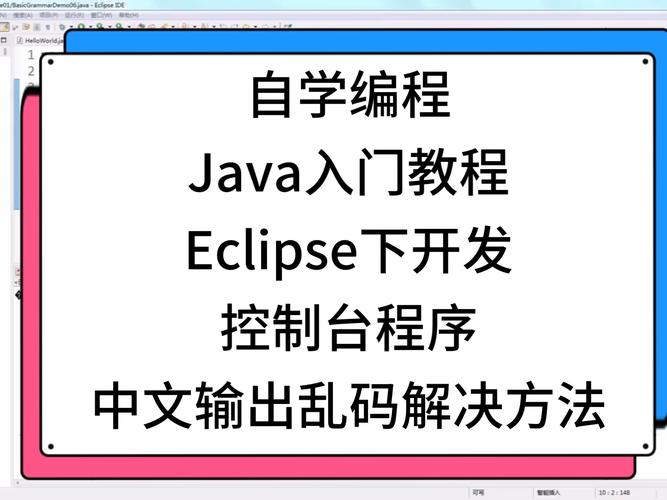 (图片来源网络,侵删)
- You go to
File -> New -> C++ Project. - You give your project a name, select a "Hello World" template, and choose a C++ compiler (e.g., GCC).
- You go to
-
Step 4: Write and Run Code
- Eclipse, now powered by CDT, provides you with a
main.cppfile. You can write C++ code in it. - You can use the CDT features: right-click on a function to "Open Declaration," use the built-in indexer to find all usages, and run the debugger to step through your code.
- Eclipse, now powered by CDT, provides you with a
Summary
| Concept | Analogy |
|---|---|
| Java | The English language. |
| Eclipse IDE | A word processor (like Microsoft Word). |
| Eclipse CDT | A spell checker and grammar plugin for the word processor that specifically checks for English grammar rules. |
You can use the word processor (Eclipse) to write a novel in English (Java). You can also install the English grammar plugin (CDT) to help you write a technical manual in English (C++). The plugin doesn't replace the word processor; it enhances it for a specific task.