
Of course! A "JSON template" in Python isn't a single, built-in concept like string.Template. Instead, it refers to several common patterns and techniques for generating, manipulating, or formatting JSON data.

Here are the most popular methods, ranging from simple string formatting to advanced templating engines.
Method 1: Using f-strings (Python 3.6+)
This is the most common and Pythonic way to embed Python variables directly into a JSON string. It's fast, readable, and perfect for simple cases.
How it works: You define a JSON string and use {variable} syntax to insert your Python variables directly.
Example:
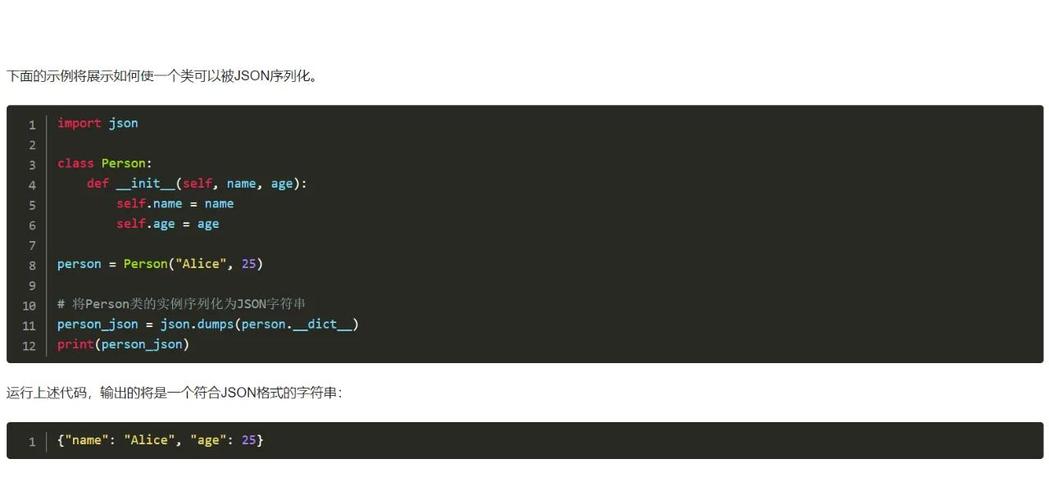
import json
# Your data
user_name = "Alice"
user_id = 123
is_active = True
roles = ["editor", "viewer"]
# Create a dictionary (the "template")
data_template = {
    "username": user_name,
    "user_id": user_id,
    "status": "active" if is_active else "inactive",
    "permissions": roles,
    "metadata": {
        "signup_date": "2025-10-27",
        "last_login": "2025-11-15T10:00:00Z"
    }
}
# Convert the dictionary to a nicely formatted JSON string
json_output = json.dumps(data_template, indent=4)
print(json_output)
Output:
{
    "username": "Alice",
    "user_id": 123,
    "status": "active",
    "permissions": [
        "editor",
        "viewer"
    ],
    "metadata": {
        "signup_date": "2025-10-27",
        "last_login": "2025-11-15T10:00:00Z"
    }
}
Pros:
- Very readable and concise.
- Leverages Python's powerful string formatting.
- No external libraries needed.
Cons:
- Can become messy for very large or deeply nested structures.
- Mixing Python logic and JSON structure can sometimes be less clear.
Method 2: Using the string.Template Class
This is Python's built-in, safer alternative to f-strings for cases where the template string comes from an untrusted source (e.g., a user or a configuration file). It prevents arbitrary code execution.

How it works: You define placeholders like $variable or ${variable} in your template string and use the substitute() method to replace them.
Example:
import json
from string import Template
# The template string with placeholders
template_str = """
{
    "username": "$name",
    "user_id": $id,
    "status": "${status}",
    "roles": $roles_list
}
"""
# Your data
data = {
    "name": "Bob",
    "id": 456,
    "status": "active",
    "roles_list": ["admin", "auditor"]
}
# Create a Template object and substitute the values
t = Template(template_str)
json_str = t.substitute(data)
# The result is a string, which you can then parse or use directly
print(json_str)
# If you need it as a Python dictionary/list
data_from_template = json.loads(json_str)
print(data_from_template)
Output:
{
    "username": "Bob",
    "user_id": 456,
    "status": "active",
    "roles": ['admin', 'auditor']
}
{'username': 'Bob', 'user_id': 456, 'status': 'active', 'roles': ['admin', 'auditor']}
Pros:
- Safe for untrusted input. It doesn't execute code, only replaces placeholders.
- Built-in, no extra dependencies.
Cons:
- Less powerful than f-strings (no expressions, just variable substitution).
- Requires an extra step (
json.loads) if you need a Python object from the result.
Method 3: Using a Dedicated Templating Engine (e.g., Jinja2)
For complex templates with loops, conditionals, and includes, a dedicated templating engine like Jinja2 is the best choice. It's the same engine used to generate HTML for websites and is excellent for JSON.
How it works: You write a template file (.json.j2) with Jinja2 syntax ({{ variable }}, {% for ... %}, {% if ... %}). You then load the template and "render" it with your context data.
Step 1: Install Jinja2
pip install Jinja2
Step 2: Create a template file (user_template.json.j2)
{
    "user_profile": {
        "username": "{{ user.name | lower }}",
        "user_id": {{ user.id }},
        "is_active": {{ user.is_active | lower }},
        "created_at": "{{ user.created_at }}"
    },
    "permissions": [
        {% for role in user.roles %}
            "{{ role }}"{% if not loop.last %},{% endif %}
        {% endfor %}
    ],
    "message": "{% if user.is_active %}User is active.{% else %}User is inactive.{% endif %}"
}
Step 3: Use Python to render the template
import json
from jinja2 import Environment, FileSystemLoader
# Your data
context_data = {
    "user": {
        "name": "Charlie",
        "id": 789,
        "is_active": True,
        "created_at": "2025-11-01T12:00:00Z",
        "roles": ["editor", "admin"]
    }
}
# Set up Jinja2 environment
# This tells Jinja2 to look for templates in the current directory ('.')
env = Environment(loader=FileSystemLoader('.'))
template = env.get_template('user_template.json.j2')
# Render the template with the data
rendered_json_str = template.render(context_data)
# The output is a JSON string
print(rendered_json_str)
# You can load it into a Python object if needed
final_data = json.loads(rendered_json_str)
print(final_data)
Output:
{
    "user_profile": {
        "username": "charlie",
        "user_id": 789,
        "is_active": true,
        "created_at": "2025-11-01T12:00:00Z"
    },
    "permissions": [
        "editor",
        "admin"
    ],
    "message": "User is active."
}
{'user_profile': {'username': 'charlie', 'user_id': 789, 'is_active': True, 'created_at': '2025-11-01T12:00:00Z'}, 'permissions': ['editor', 'admin'], 'message': 'User is active.'}
Pros:
- Extremely powerful for complex logic (loops, conditionals, filters).
- Separates data from the template structure (great for maintainability).
- Can handle complex formatting and transformations.
Cons:
- Requires an external library (
Jinja2). - Might be overkill for very simple, static JSON structures.
Summary: Which Method Should You Use?
| Method | Best For | Pros | Cons |
|---|---|---|---|
| f-strings | Simple, dynamic JSON generation. Readability is key. | Pythonic, fast, no extra libs. | Can get messy with complex logic. |
string.Template |
Safety. When templates come from untrusted sources. | Built-in, safe from code injection. | Less powerful, requires json.loads. |
| Jinja2 | Complexity. Large templates with loops, conditionals, includes. | Very powerful, maintainable, great for logic. | Requires an external library. |
For most day-to-day Python scripting, f-strings are the go-to solution. If you're building a system where users might define the JSON structure, use string.Template for safety. If you're working with large, complex configuration files or need to generate JSON from templates with lots of logic, Jinja2 is the professional choice.











