Of course! Here is a comprehensive guide to using pymysqlpool, a popular library for managing a pool of database connections in Python with PyMySQL.
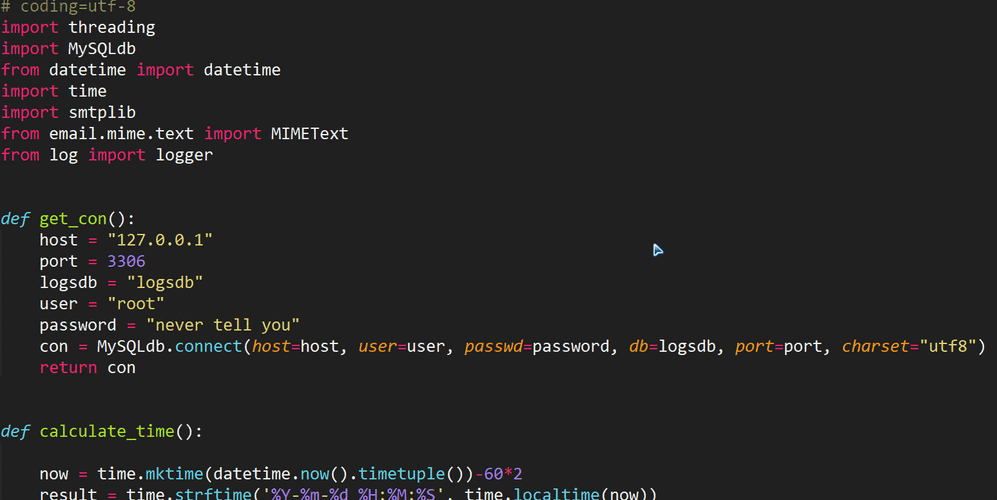
What is pymysqlpool?
pymysqlpool is a connection pool library specifically designed for PyMySQL. In a typical web application or any service that interacts with a database frequently, establishing a new database connection for every single query is highly inefficient. The process of creating a connection involves a network handshake and authentication, which can be slow.
A connection pool solves this by:
- Creating a set of connections when the application starts.
- Reusing these connections for incoming requests.
- Returning connections to the pool after they are used, making them available for the next request.
This approach dramatically improves performance and reduces the load on the database server.
Why Use a Connection Pool?
- Performance: Avoids the overhead of creating and tearing down connections for every query.
- Resource Management: Limits the number of concurrent connections to your database, preventing it from being overwhelmed.
- Simplicity: Provides a simple, consistent API to get a connection, regardless of whether you're in a single-threaded or multi-threaded environment.
Installation
First, you need to install the library. It's recommended to install both pymysqlpool and PyMySQL.

pip install pymysqlpool PyMySQL
Basic Usage Example
Let's walk through a simple, complete example.
Setup a Test Database (Optional)
If you want to run this code, you'll need a MySQL database. Here's a quick setup using the MySQL command line:
-- Create a new database
CREATE DATABASE my_test_db;
-- Use the new database
USE my_test_db;
-- Create a simple table
CREATE TABLE users (
    id INT AUTO_INCREMENT PRIMARY KEY,
    name VARCHAR(100) NOT NULL,
    email VARCHAR(100) NOT NULL UNIQUE
);
-- Insert some sample data
INSERT INTO users (name, email) VALUES ('Alice', 'alice@example.com');
INSERT INTO users (name, email) VALUES ('Bob', 'bob@example.com');
Python Code
This script demonstrates how to initialize the pool, get a connection, execute a query, and return the connection to the pool.
import pymysqlpool
import pymysql
import time
# --- 1. Configuration ---
# Replace with your actual database credentials
DB_CONFIG = {
    'host': '127.0.0.1',
    'port': 3306,
    'user': 'your_mysql_user',
    'password': 'your_mysql_password',
    'database': 'my_test_db',
    'charset': 'utf8mb4'
}
# --- 2. Initialize the Connection Pool ---
# We create a pool with a minimum of 2 and a maximum of 5 connections.
try:
    pool = pymysqlpool.ConnectionPool(
        name='my_pool',
        host=DB_CONFIG['host'],
        port=DB_CONFIG['port'],
        user=DB_CONFIG['user'],
        password=DB_CONFIG['password'],
        database=DB_CONFIG['database'],
        charset=DB_CONFIG['charset'],
        mincached=2,  # Minimum number of connections to keep open
        maxcached=5,  # Maximum number of connections to keep open
        maxshared=3,  # Maximum number of connections that can be shared
        maxconnections=5, # Total maximum connections (shared + non-shared)
    )
    print("Connection pool created successfully.")
except Exception as e:
    print(f"Failed to create connection pool: {e}")
    exit()
# --- 3. Using the Pool ---
def get_user_by_id(user_id):
    """
    Gets a user from the database using a connection from the pool.
    """
    connection = None
    cursor = None
    try:
        # Get a connection from the pool
        # This will block until a connection is available if the pool is full
        # and all connections are in use.
        connection = pool.get_connection()
        print(f"Got connection: {connection.connection_id}")
        cursor = connection.cursor(pymysql.cursors.DictCursor) # Use DictCursor for easy access to results
        # Execute a query
        sql = "SELECT id, name, email FROM users WHERE id = %s"
        cursor.execute(sql, (user_id,))
        # Fetch the result
        user = cursor.fetchone()
        return user
    except Exception as e:
        print(f"An error occurred: {e}")
        # In a real app, you might want to log the error
        return None
    finally:
        # VERY IMPORTANT: Always return the connection to the pool
        if connection:
            connection.close()
            print(f"Returned connection: {connection.connection_id} to the pool.")
# --- 4. Demonstration ---
if __name__ == "__main__":
    # Get user with ID 1
    user1 = get_user_by_id(1)
    if user1:
        print(f"\nFound user: {user1}")
    # Get user with ID 2
    user2 = get_user_by_id(2)
    if user2:
        print(f"Found user: {user2}")
    # Get a non-existent user
    user3 = get_user_by_id(99)
    if not user3:
        print("\nUser with ID 99 not found.")
    # --- 5. Clean Up ---
    # When your application is shutting down, close the pool.
    pool.close()
    print("\nConnection pool closed.")
Expected Output:
Connection pool created successfully.
Got connection: 12
Returned connection: 12 to the pool.
Found user: {'id': 1, 'name': 'Alice', 'email': 'alice@example.com'}
Got connection: 13
Returned connection: 13 to the pool.
Found user: {'id': 2, 'name': 'Bob', 'email': 'bob@example.com'}
Got connection: 12
Returned connection: 12 to the pool.
User with ID 99 not found.
Connection pool closed.
(Note: The connection IDs 12 and 13 will vary.)
Key Methods and Concepts
| Method/Attribute | Description |
|---|---|
pool.get_connection() |
Retrieves a connection from the pool. If no connections are available, it will wait (block) until one is returned, unless a timeout is set. |
connection.close() |
Crucial! This does not close the underlying database connection. It returns the connection object to the pool for reuse. |
pool.close() |
Closes all connections in the pool and marks the pool as closed. Call this when your application is shutting down. |
pool.dispose() |
Similar to close(), but it forcefully disposes of connections without waiting for them to be returned. Use this for a more abrupt shutdown. |
mincached |
The number of connections to keep open and ready for use. The pool will try to maintain this number. |
maxcached |
The maximum number of idle connections the pool will keep. If connections exceed this, some will be closed. |
maxconnections |
The absolute maximum number of connections the pool can manage. |
Handling Connection Errors and Timeouts
What happens if all connections in the pool are in use and a new request comes in? By default, get_connection() will block indefinitely. This is usually not desired in a web server context.
You can use the timeout parameter to specify how long to wait for a connection before raising an exception.
def get_user_with_timeout(user_id):
    connection = None
    try:
        # Wait for a connection for a maximum of 5 seconds
        connection = pool.get_connection(timeout=5)
        # ... execute query ...
        return connection.fetchone()
    except pymysqlpool.PoolError as e:
        print(f"Could not get a connection from the pool within 5 seconds: {e}")
        return None
    finally:
        if connection:
            connection.close()
Best Practices
-
Always Return Connections: The
finallyblock is your best friend. Always ensure thatconnection.close()is called, even if an error occurs. A "leaked" connection will eventually drain your pool. -
Use Context Managers for Advanced Scenarios: For more complex logic, you can use the pool as a context manager. This automatically handles getting and returning the connection.
with pool.connection() as connection: with connection.cursor() as cursor: cursor.execute("SELECT * FROM users") results = cursor.fetchall() print(results) # Connection is automatically returned to the pool here -
Configure Pool Sizes Wisely: The optimal
mincachedandmaxconnectionsvalues depend on your application's load and your database server's capacity. Start with a small number (e.g.,mincached=2,maxconnections=10) and monitor your application's performance and database load to find the sweet spot. -
Handle Disconnections: Network issues can cause connections in the pool to become stale.
pymysqlpoolwill automatically try to ping the database (connection.ping()) when you get a connection from the pool. If the ping fails, it will discard the bad connection and try to get a new one. This is a robust feature that helps maintain healthy connections.