
Of course! This is a very important topic in Python when dealing with financial or numerical data where precision is critical. Here’s a comprehensive guide to using Python's decimal module with SQL.
The Core Problem: Floating-Point Inaccuracy
Standard Python floats and SQL FLOAT/REAL types are binary floating-point numbers. They are fast and efficient but cannot precisely represent many decimal fractions (like 1 or 01).
Example of the problem:
# Python float
price = 19.99
total = price * 100
print(f"Calculated total: {total}") # Might print 1998.9999999999998
# SQL FLOAT
# If you stored 19.99 in a FLOAT column, it might actually be stored as 19.990000000000000213...
This inaccuracy is unacceptable for financial calculations, currency conversions, or any scientific application requiring exact decimal representation.
The Solution: Python's decimal Module and SQL DECIMAL/NUMERIC
The solution is to use a high-precision decimal type in both Python and your database.
- Python: Use the built-in
decimal.Decimaltype. - SQL: Use the
DECIMALorNUMERICdata type (they are functionally identical in most databases like PostgreSQL, MySQL, and SQL Server).
Python's decimal Module
First, you need to import the module and create Decimal objects from strings. Never create a Decimal from a float, as you'll just import the float's inaccuracy.
import decimal
# Correct: Create from a string
price_str = "19.99"
price = decimal.Decimal(price_str)
print(f"Price as Decimal: {price}")
# Incorrect: This brings the float's error into the Decimal
# price_bad = decimal.Decimal(19.99)
# print(f"Bad Price: {price_bad}") # Will show 19.9900000000000008180305391403130954586029052734375
# Perform arithmetic
quantity = decimal.Decimal("5")
total = price * quantity
print(f"Total: {total}") # Correctly prints 99.95
# You can control precision and rounding
# For currency, you almost always want rounding to two decimal places
rounded_total = total.quantize(decimal.Decimal('0.01'))
print(f"Rounded Total: {rounded_total}")
Key decimal Module Features:
- Precision:
Decimalobjects have a fixed precision and context for arithmetic. - Context: You can set global or local contexts for things like precision, rounding mode, and flags for errors (like division by zero).
- Rounding:
quantize()is the standard way to round a number to a specific decimal place.
Using decimal.Decimal with SQL (The Practical Guide)
The challenge is ensuring that data flows correctly between your Python application and your SQL database. The key is to use parameterized queries and ensure the database driver can handle the Decimal type.
Scenario: Using psycopg2 (PostgreSQL)
psycopg2 is very good with decimal.Decimal. It automatically converts Python Decimal types to the SQL NUMERIC type.
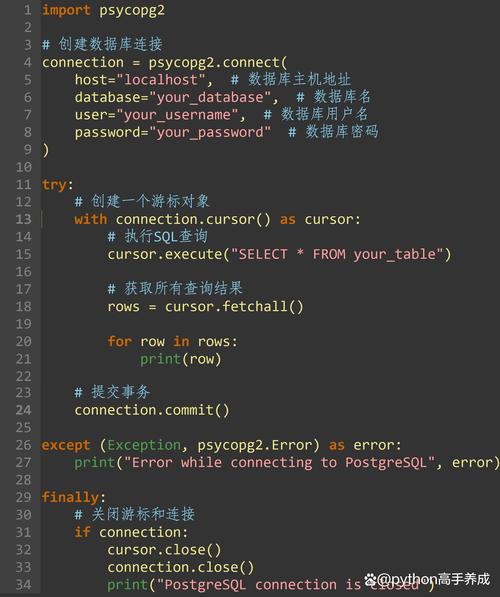
import psycopg2
from psycopg2 import sql, extras
import decimal
# --- Database Setup (for demonstration) ---
# CREATE TABLE products (
#     id SERIAL PRIMARY KEY,
#     name VARCHAR(100),
#     price NUMERIC(10, 2) -- 10 total digits, 2 after the decimal
# );
# --- Connection and Data Insertion ---
try:
    conn = psycopg2.connect(
        dbname="your_db",
        user="your_user",
        password="your_password",
        host="localhost"
    )
    cursor = conn.cursor()
    # 1. Inserting a Decimal value
    product_name = "Super Widget"
    product_price = decimal.Decimal("49.95") # Create a Decimal object
    # Use a parameterized query. psycopg2 handles the conversion.
    insert_query = sql.SQL("INSERT INTO products (name, price) VALUES (%s, %s);")
    cursor.execute(insert_query, (product_name, product_price))
    conn.commit()
    print("Inserted product successfully.")
    # 2. Retrieving a Decimal value
    cursor.execute("SELECT name, price FROM products WHERE name = %s;", (product_name,))
    record = cursor.fetchone()
    if record:
        name, price = record
        print(f"\nRetrieved: {name}, {price}")
        print(f"Type of retrieved price: {type(price)}") # <class 'decimal.Decimal'>
        # You can perform arithmetic safely
        tax_rate = decimal.Decimal("0.08")
        price_with_tax = price * (decimal.Decimal('1') + tax_rate)
        print(f"Price with tax (8%): {price_with_tax.quantize(decimal.Decimal('0.01'))}")
except (Exception, psycopg2.Error) as error:
    print(f"Error: {error}")
finally:
    if conn:
        cursor.close()
        conn.close()
Scenario: Using mysql-connector-python (MySQL)
The mysql-connector-python library also handles decimal.Decimal gracefully when used with parameterized queries.
import mysql.connector
from mysql.connector import Error
import decimal
# --- Database Setup (for demonstration) ---
# CREATE TABLE products (
#     id INT AUTO_INCREMENT PRIMARY KEY,
#     name VARCHAR(100),
#     price DECIMAL(10, 2)
# );
try:
    conn = mysql.connector.connect(
        host='localhost',
        database='your_db',
        user='your_user',
        password='your_password'
    )
    if conn.is_connected():
        cursor = conn.cursor()
        product_name = "Mega Gadget"
        product_price = decimal.Decimal("125.50")
        # Parameterized query
        insert_query = "INSERT INTO products (name, price) VALUES (%s, %s);"
        cursor.execute(insert_query, (product_name, product_price))
        conn.commit()
        print("Inserted product into MySQL.")
        # Retrieve
        cursor.execute("SELECT name, price FROM products WHERE name = %s;", (product_name,))
        record = cursor.fetchone()
        if record:
            name, price = record
            print(f"\nRetrieved: {name}, {price}")
            print(f"Type of retrieved price: {type(price)}") # <class 'decimal.Decimal'>
except Error as e:
    print(f"Error while connecting to MySQL: {e}")
finally:
    if conn and conn.is_connected():
        cursor.close()
        conn.close()
Scenario: Using sqlite3 (SQLite)
SQLite has a flexible type system. By default, it might store a Decimal as a text or float. You must tell it explicitly to store it as a REAL (which is a floating-point type) or, even better, as an INTEGER representing cents to avoid floating-point issues altogether.
Method A: Storing as INTEGER (cents) - Recommended for SQLite
This is the most robust method for financial data in SQLite.
import sqlite3
import decimal
# Create or connect to the database
conn = sqlite3.connect('financial_data.db')
cursor = conn.cursor()
# Create table to store price in cents
cursor.execute('''
CREATE TABLE IF NOT EXISTS items (
    id INTEGER PRIMARY KEY,
    name TEXT,
    price_cents INTEGER
)''')
# --- Insertion ---
item_name = "Premium Service"
price_dollars = decimal.Decimal("99.99")
price_cents = int(price_dollars * 100) # Convert to cents
cursor.execute("INSERT INTO items (name, price_cents) VALUES (?, ?);", (item_name, price_cents))
conn.commit()
# --- Retrieval ---
cursor.execute("SELECT name, price_cents FROM items WHERE name = ?;", (item_name,))
name, price_cents = cursor.fetchone()
# Convert back to dollars for display
price_dollars_retrieved = decimal.Decimal(price_cents) / 100
print(f"Retrieved: {name}, ${price_dollars_retrieved:.2f}")
Method B: Using detect_types and DECIMAL
You can configure SQLite to recognize DECIMAL types, but it's less common and might have edge cases.
# Register the adapter and converter
def adapt_decimal(dec):
    return str(dec)
def convert_decimal(s):
    return decimal.Decimal(s.decode('utf-8'))
sqlite3.register_adapter(decimal.Decimal, adapt_decimal)
sqlite3.register_converter("DECIMAL", convert_decimal)
# Connect with detect_types
conn = sqlite3.connect('financial_data.db', detect_types=sqlite3.PARSE_DECLTYPES)
cursor = conn.cursor()
# Create table with DECIMAL type
cursor.execute('''
CREATE TABLE IF NOT EXISTS items_decimal (
    id INTEGER PRIMARY KEY,
    name TEXT,
    price DECIMAL(10, 2)
)''')
# --- Insertion ---
item_name = "Another Item"
price = decimal.Decimal("149.95")
cursor.execute("INSERT INTO items_decimal (name, price) VALUES (?, ?);", (item_name, price))
conn.commit()
# --- Retrieval ---
cursor.execute("SELECT name, price FROM items_decimal WHERE name = ?;", (item_name,))
name, price = cursor.fetchone()
print(f"Retrieved (DECIMAL method): {name}, {price}")
print(f"Type: {type(price)}")
conn.close()
Best Practices Summary
-
Always Use
DECIMAL/NUMERICin SQL: For columns representing money, rates, or any precise decimal value, avoidFLOATandREAL. UseDECIMAL(precision, scale). -
Always Use
decimal.Decimalin Python: For the same reasons, usedecimal.Decimalfor all your calculations involving these values. Instantiate from strings, not floats. -
Always Use Parameterized Queries: This is the golden rule for security and data integrity. It prevents SQL injection and allows the database driver to correctly handle type conversions between Python
Decimaland SQLDECIMAL. Use%s(psycopg2, mysql) or (sqlite3) as placeholders. -
Be Explicit with Types: When creating tables, specify the exact precision and scale (e.g.,
DECIMAL(10, 2)for a price up to 99,999,999.99). -
Consider Integer Cents for SQLite: If you are using SQLite for financial data, storing values as integers in cents is often the simplest and most reliable way to avoid any floating-point quirks in the database engine itself.











