Of course! Sorting a dictionary in Python is a very common task. Since Python 3.7, dictionaries maintain insertion order, which makes sorting them meaningful and useful.
Here’s a complete guide on how to sort a dictionary in Python, from the most common methods to more advanced scenarios.
The Core Concept: sorted() and key
The built-in sorted() function is the key to sorting. It can take any iterable (like a dictionary's keys, values, or items) and returns a new sorted list.
The key argument is what tells sorted() how to sort the elements. For dictionaries, you'll often use a lambda function to specify whether you want to sort by key, value, or a combination.
Method 1: Sorting by Keys (Most Common)
This is the default behavior of sorted() when you pass it a dictionary. It sorts the dictionary's keys and returns a list of them.
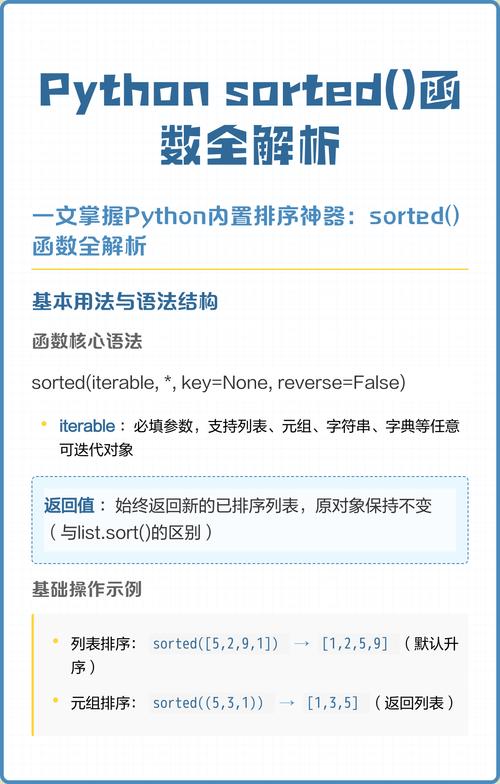
How it works: sorted(my_dict) implicitly sorts the keys.
Example:
my_dict = {'banana': 3, 'apple': 1, 'pear': 2, 'orange': 4}
# Sort the keys alphabetically
sorted_keys = sorted(my_dict)
print(sorted_keys)
# Output: ['apple', 'banana', 'orange', 'pear']
If you want to sort keys in reverse (descending) order:
sorted_keys_desc = sorted(my_dict, reverse=True)
print(sorted_keys_desc)
# Output: ['pear', 'orange', 'banana', 'apple']
Method 2: Sorting by Values
To sort by the dictionary's values, you need to tell sorted() to use the value for comparison. You do this with a lambda function that, given a key, returns its corresponding value.
How it works: sorted(my_dict, key=lambda k: my_dict[k])
Example:
my_dict = {'banana': 3, 'apple': 1, 'pear': 2, 'orange': 4}
# Sort the dictionary by its values in ascending order
sorted_by_value = sorted(my_dict, key=lambda k: my_dict[k])
print(sorted_by_value)
# Output: ['apple', 'pear', 'banana', 'orange']
Alternative (more readable for beginners):
You can use itemgetter from the operator module, which is slightly faster.
from operator import itemgetter
my_dict = {'banana': 3, 'apple': 1, 'pear': 2, 'orange': 4}
# itemgetter(0) sorts by key, itemgetter(1) sorts by value
sorted_by_value_itemgetter = sorted(my_dict.items(), key=itemgetter(1))
print(sorted_by_value_itemgetter)
# Output: [('apple', 1), ('pear', 2), ('banana', 3), ('orange', 4)]
Method 3: Creating a New Sorted Dictionary
Often, you don't just want a list of sorted keys or items; you want a new dictionary that is sorted. The most Pythonic way to do this is with a dictionary comprehension.
This method works for sorting by keys or values.
Example: Sorting by Keys and Creating a New Dict
my_dict = {'banana': 3, 'apple': 1, 'pear': 2, 'orange': 4}
# 1. Get the sorted keys
sorted_keys = sorted(my_dict.keys())
# 2. Create a new dictionary using a comprehension
sorted_dict_by_key = {k: my_dict[k] for k in sorted_keys}
print(sorted_dict_by_key)
# Output: {'apple': 1, 'banana': 3, 'orange': 4, 'pear': 2}
Example: Sorting by Values and Creating a New Dict
This is a bit more complex. You first sort the items (key, value) pairs, then use the sorted pairs to build the new dictionary.
my_dict = {'banana': 3, 'apple': 1, 'pear': 2, 'orange': 4}
# 1. Sort the items (key-value pairs) by value
sorted_items = sorted(my_dict.items(), key=lambda item: item[1])
# 2. Create a new dictionary from the sorted items
sorted_dict_by_value = dict(sorted_items)
print(sorted_dict_by_value)
# Output: {'apple': 1, 'pear': 2, 'banana': 3, 'orange': 4}
Method 4: Advanced Sorting (e.g., by Tuple of Key and Value)
What if you want to sort primarily by value, but secondarily by key if values are equal? You can return a tuple from your lambda function. Python sorts tuples element by element.
Example:
# A dictionary where some values are the same
my_dict = {'cat': 2, 'apple': 1, 'dog': 2, 'banana': 1}
# Sort by value first, then by key if values are the same
# The lambda returns a tuple: (value, key)
sorted_items_complex = sorted(my_dict.items(), key=lambda item: (item[1], item[0]))
print(sorted_items_complex)
# Output: [('apple', 1), ('banana', 1), ('cat', 2), ('dog', 2)]
# Create the final sorted dictionary
sorted_dict_complex = dict(sorted_items_complex)
print(sorted_dict_complex)
# Output: {'apple': 1, 'banana': 1, 'cat': 2, 'dog': 2}
Summary Table
| Goal | Method | Example Code |
|---|---|---|
| Get sorted keys | sorted(my_dict) |
sorted_keys = sorted(my_dict) |
| Get sorted values | sorted(my_dict, key=lambda k: my_dict[k]) |
sorted_vals = sorted(my_dict, key=lambda k: my_dict[k]) |
| Sort items (key-value pairs) by value | sorted(my_dict.items(), key=lambda item: item[1]) |
sorted_items = sorted(my_dict.items(), key=lambda item: item[1]) |
| Create a new sorted dict by keys | dict comprehension with sorted(my_dict.keys()) |
sorted_dict = {k: my_dict[k] for k in sorted(my_dict)} |
| Create a new sorted dict by values | dict() constructor with sorted(my_dict.items(), key=...) |
sorted_dict = dict(sorted(my_dict.items(), key=lambda item: item[1])) |
| Sort by multiple criteria | Return a tuple from the lambda key function |
sorted(..., key=lambda item: (item[1], item[0])) (sorts by value, then key) |
Important Note on Python Versions
- Python 3.7+: Dictionaries are guaranteed to maintain insertion order. This is why you can create a "sorted dictionary" and have it remember that order.
- Python 3.6 and below: Dictionaries were unordered. While you could still use
sorted(), the resulting dictionary would not maintain the sorted order. If you need ordered dictionaries on older versions, you should usecollections.OrderedDict.