Of course! "Heard first Python" is a great way to start. It sounds like you're ready to dive into the world of programming.
Let's break down what Python is, why it's so popular, and how you can take your first steps.
What is Python? (The Big Picture)
Imagine you want to tell a robot how to make a sandwich. You could use a very specific, step-by-step language like Assembly. Or, you could use a more human-like language where you just say, "make_sandwich('ham', 'cheese')".
Python is that human-like language for computers.
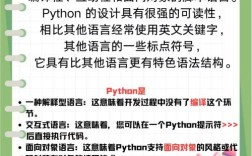
It's a high-level, general-purpose programming language known for its simple, readable syntax. The name "Python" comes from the British comedy group Monty Python, not the snake, which reflects its fun and beginner-friendly philosophy.
Why is Python so Popular? (The "Heard First" Reasons)
You've probably "heard first" about it for a reason. Here's why it's a superstar:
- Beginner-Friendly: Its syntax is clean and looks almost like plain English. This makes it the #1 choice for people learning to code.
- Versatile: It's not just for one thing. You can use Python for:
- Web Development: Building websites (like Instagram or Spotify).
- Data Science & AI: Analyzing data, creating charts, and building machine learning models.
- Automation: Writing scripts to automate boring tasks (e.g., renaming 1,000 files at once).
- Game Development & More: Creating simple games, desktop apps, and much more.
- Huge Community & Support: If you get stuck (and everyone does!), there are millions of developers, tutorials, forums (like Stack Overflow), and free resources online to help you.
- Powerful Libraries: Python has a collection of pre-written code (libraries) for almost anything you can imagine. Want to analyze data? Use Pandas. Want to do AI? Use TensorFlow. Want to build a website? Use Django.
Your First Taste of Python: "Hello, World!"
The tradition in programming is to start by making the computer display the text "Hello, World!". Let's see what that looks like in Python.
In Python, it's incredibly simple:
print("Hello, World!")
That's it! Just one line.
Let's break it down:
print()is a function. It's a built-in command that tells Python to display something on the screen."Hello, World!"is a string. It's just text data, which we put in quotes.- The parentheses hold the information we want to give to the
printfunction.
What You'll See When You Write Code
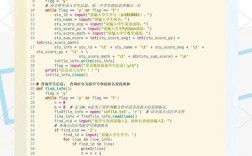
Python files usually end with .py. Here's a slightly more advanced example to show you what a simple script looks like.
# This is a comment. Python ignores it. It's for humans to read.
# A variable is like a labeled box to store information.
# Here, we store the text "Python is awesome!" in a box called message.
message = "Python is awesome!"
# We can also store numbers.
year = 2025
# Now, let's use the print function to display our variables.
print(message)
print(f"Welcome to the world of programming in {year}!")
# Let's do a simple calculation.
sum_result = 10 + 5
print(f"The sum of 10 and 5 is: {sum_result}")
Key things to notice:
- Comments: Start with a to explain your code.
- Variables:
messageandyearare variables holding data. - Indentation: Notice how the lines inside a block are indented (spaced in). Python uses this instead of curly braces like other languages. This is a key feature that keeps code clean.
How to Take Your First Steps (The Action Plan)
Okay, you've heard about it, you've seen what it looks like. Now what?
Step 1: Install Python
- Go to the official Python website: python.org
- Download the latest stable version (it will be something like 3.11 or 3.12).
- Run the installer. On Windows, make sure to check the box that says "Add Python to PATH". This is very important!
Step 2: Choose a Code Editor You don't write code in Notepad. You use a code editor, which is like a supercharged word processor for programmers.
- For Absolute Beginners: Thonny. It comes bundled with Python installers and is designed for learning. It shows you exactly what your code is doing.
- For the Future (and what most pros use): Visual Studio Code (VS Code). It's free, powerful, and has a massive library of extensions to help you with everything.
Step 3: Write and Run Your First Program
- Open your chosen editor (Thonny or VS Code).
- Create a new file and save it as
hello.py. - Type
print("Hello, World!")into the file. - Hit the "Run" button (it looks like a "play" ▶️ icon).
- You should see "Hello, World!" appear in a special output window at the bottom.
Congratulations! You've just written and executed your first Python program.
Next Steps: Where to Go From Here
Now that you've taken the first step, here's a great learning path:
- Learn the Basics: Focus on core concepts like variables, data types (strings, numbers), lists, dictionaries, and loops (
forandwhile). - Practice with Mini-Projects: Don't just read tutorials. Try to build small things.
- A number guessing game.
- A simple calculator.
- A program that tells you a random joke from a list.
- Follow a Structured Course: Websites like freeCodeCamp, Codecademy, or Coursera offer excellent free and paid Python courses.
Welcome to the exciting journey of programming! Python is a fantastic language to start with. Good luck