下面我将为你详细解释在 原生 Servlet、Spring (Servlet API) 和 Spring Boot 这三种最主流的场景下如何获取 Session 的值。
核心概念
要明确几个关键点:
-
Session 是什么?
Session 是一种服务器端的会话机制,当用户访问一个网站时,服务器会为该用户创建一个唯一的 Session ID,并将其存储在客户端的 Cookie 中,当用户再次请求时,浏览器会带上这个 Session ID,服务器通过 ID 找到对应的 Session 对象,从而识别出是哪个用户。
-
Session 对象是什么?
 (图片来源网络,侵删)
- Session 对象(通常是
HttpSession接口)是一个类似Map的结构,可以用来存储和读取与当前用户相关的数据,它的生命周期通常与用户会话绑定,直到用户关闭浏览器或会话超时。
- Session 对象(通常是
原生 Servlet (Java Web)
在原生 Servlet 环境中,我们通过 HttpServletRequest 对象来获取和操作 Session。
获取 Session 对象
使用 request.getSession() 方法,这个方法非常重要:
- 如果当前请求没有关联的 Session,它会创建一个新的 Session 并返回。
- 如果当前请求已经有关联的 Session,它会直接返回那个已存在的 Session。
import javax.servlet.http.HttpServletRequest;
import javax.servlet.http.HttpSession;
// 在 Servlet 的 doGet 或 doPost 方法中
public void doGet(HttpServletRequest request, HttpServletResponse response) {
    // 1. 获取 Session 对象(如果不存在,则创建一个新的)
    HttpSession session = request.getSession();
    // 后续操作...
}
存值到 Session
使用 session.setAttribute(String name, Object value) 方法,就像往 Map 里存值一样。
// 在某个地方,比如用户登录成功后
HttpSession session = request.getSession();
// 存储用户信息
User user = new User("zhangsan", "zhangsan@example.com");
session.setAttribute("currentUser", user);
// 存储一个简单的字符串
session.setAttribute("loginTime", new Date().toString());
从 Session 中取值
使用 session.getAttribute(String name) 方法,它会返回一个 Object 类型,所以你需要进行强制类型转换。
public void doGet(HttpServletRequest request, HttpServletResponse response) {
    HttpSession session = request.getSession();
    // 3. 从 Session 中获取值
    // 获取用户对象
    Object userObj = session.getAttribute("currentUser");
    if (userObj != null) {
        User currentUser = (User) userObj; // 强制类型转换
        System.out.println("当前登录用户: " + currentUser.getUsername());
    }
    // 获取登录时间
    String loginTime = (String) session.getAttribute("loginTime");
    System.out.println("登录时间: " + loginTime);
    // 如果获取一个不存在的属性,会返回 null
    Object nonExistentObj = session.getAttribute("nonExistentKey");
    System.out.println("不存在的键对应的值: " + nonExistentObj); // 输出 null
}
移除 Session 中的值
使用 session.removeAttribute(String name) 方法。
HttpSession session = request.getSession();
session.removeAttribute("loginTime"); // 移除 loginTime 这个属性
销毁整个 Session
使用 session.invalidate() 方法,这会清除 Session 中的所有数据,并使 Session 失效,通常用于用户退出登录时。
HttpSession session = request.getSession();
session.invalidate(); // 销毁当前会话
// 之后再次调用 request.getSession() 会得到一个全新的 Session
Spring Framework (使用 Servlet API)
在传统的 Spring MVC 项目中,你可以通过将 HttpSession 作为方法参数来直接注入和使用,非常方便。
在 Controller 方法中获取 Session
只需在 Controller 的方法参数列表中添加 HttpSession 参数,Spring 会自动为你注入。
import org.springframework.stereotype.Controller;
import org.springframework.web.bind.annotation.GetMapping;
import org.springframework.web.bind.annotation.RequestParam;
import javax.servlet.http.HttpSession;
@Controller
public class LoginController {
    @GetMapping("/login")
    public String login(@RequestParam String username, HttpSession session) {
        // 1. 存值到 Session
        session.setAttribute("username", username);
        System.out.println("用户 " + username + " 已登录,信息存入 Session。");
        return "home"; // 跳转到首页
    }
    @GetMapping("/profile")
    public String profile(HttpSession session) {
        // 2. 从 Session 中取值
        String username = (String) session.getAttribute("username");
        if (username == null) {
            // Session 中没有用户名,说明未登录,重定向到登录页
            return "redirect:/login";
        }
        System.out.println("欢迎, " + username + "!");
        return "profile"; // 跳转到个人资料页
    }
    @GetMapping("/logout")
    public String logout(HttpSession session) {
        // 3. 销毁 Session
        session.invalidate();
        System.out.println("用户已退出登录,Session 已销毁。");
        return "redirect:/login";
    }
}
Spring Boot
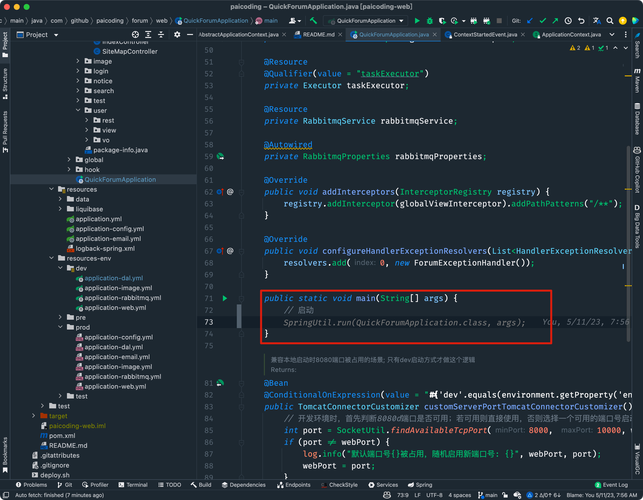
Spring Boot 对 Spring MVC 进行了进一步的简化,获取 Session 的方式与 Spring MVC 几乎完全一样,因为它底层依然是基于 Servlet API 的。
代码示例
代码和上面的 Spring MVC 示例几乎完全相同。
import org.springframework.stereotype.Controller;
import org.springframework.web.bind.annotation.GetMapping;
import org.springframework.web.bind.annotation.RequestParam;
import javax.servlet.http.HttpSession;
@Controller
public class LoginController {
    @GetMapping("/login")
    public String login(@RequestParam String username, HttpSession session) {
        session.setAttribute("username", username);
        return "home";
    }
    @GetMapping("/profile")
    public String profile(HttpSession session) {
        String username = (String) session.getAttribute("username");
        if (username == null) {
            return "redirect:/login";
        }
        return "profile";
    }
    @GetMapping("/logout")
    public String logout(HttpSession session) {
        session.invalidate();
        return "redirect:/login";
    }
}
注意:在 Spring Boot 中,你不需要做任何额外的配置来启用 Session 支持,只要你的项目依赖中包含了 spring-boot-starter-web(它默认包含了 spring-boot-starter-tomcat),Tomcat 容器就会自动管理 Session。
总结与最佳实践
| 场景 | 获取 Session 对象 | 存值 | 取值 | 销毁 Session |
|---|---|---|---|---|
| 原生 Servlet | request.getSession() |
session.setAttribute(name, value) |
(Type) session.getAttribute(name) |
session.invalidate() |
| Spring MVC | 将 HttpSession 作为 Controller 方法参数 |
session.setAttribute(name, value) |
(Type) session.getAttribute(name) |
session.invalidate() |
| Spring Boot | 将 HttpSession 作为 Controller 方法参数 |
session.setAttribute(name, value) |
(Type) session.getAttribute(name) |
session.invalidate() |
最佳实践建议
-
存储什么?
- 适合存储:少量、重要的、需要跨多个请求保持状态的数据,登录用户的 ID、用户角色、购物车信息(小型)、临时验证码等。
- 不适合存储:大量数据、敏感信息(如密码)、频繁变动的临时数据,这些应该放在数据库或缓存(如 Redis)中。
-
命名规范:为 Session 属性起一个清晰、唯一的名字,避免冲突,使用
user.id、cart.items等。 -
处理空值:从 Session 中取值时,一定要检查返回值是否为
null,否则可能会抛出NullPointerException。 -
考虑 Session 超时:服务器会为 Session 设置一个默认的超时时间(30 分钟),如果用户长时间不活动,Session 会自动失效,在代码中应考虑到这种情况,例如在检查用户登录状态时,Session 为空,就应引导用户重新登录。