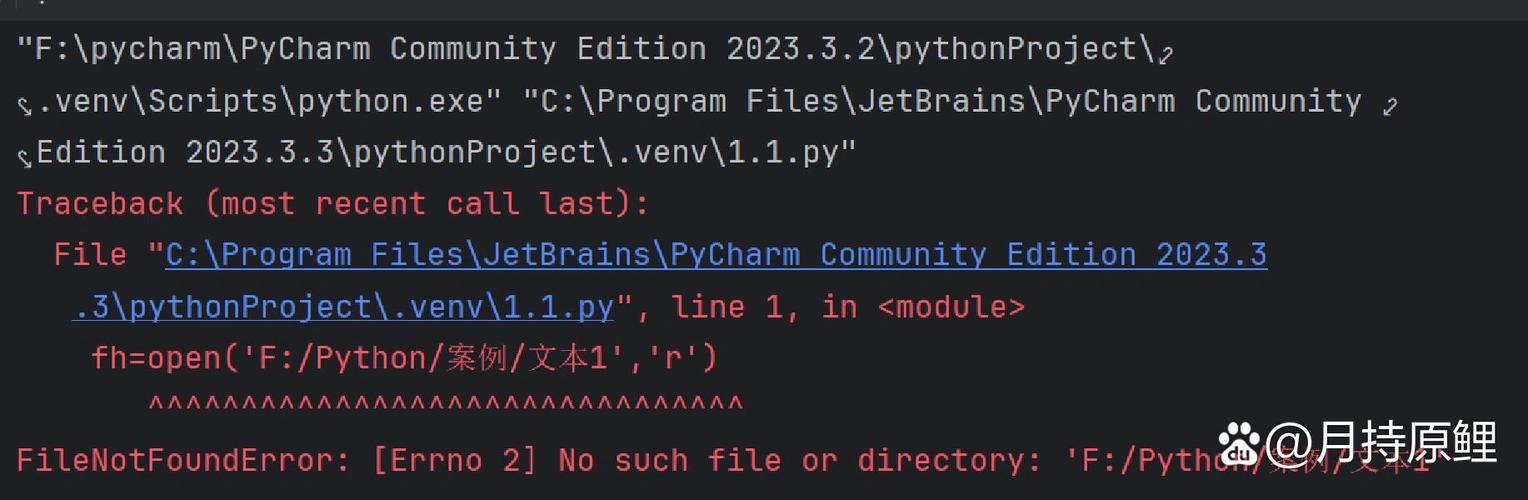
Of course! In Python, there isn't a single, direct command like if not exist that you might find in a shell script (e.g., bash). Instead, you achieve this by using the os module to check for the existence of a file or directory before you try to use it.
The core idea is always the same:
- Check: Use a function from the
osorpathlibmodule to see if the path exists. - Act: Based on the result (
TrueorFalse), execute youriforelseblock.
Here are the best ways to do this, from the older os module to the modern, recommended pathlib module.
Using the os Module (The Classic Way)
The os module provides a straightforward way to interact with the operating system.
Checking for a File
Use os.path.isfile() to check if a path exists and is a regular file.
import os
file_path = 'my_document.txt'
# The check
if not os.path.isfile(file_path):
    print(f"File '{file_path}' does not exist. Creating it now.")
    # Create the file by opening it in write mode
    with open(file_path, 'w') as f:
        f.write("This is a new file.")
else:
    print(f"File '{file_path}' already exists.")
Checking for a Directory
Use os.path.isdir() to check if a path exists and is a directory.
import os
dir_path = 'my_new_folder'
# The check
if not os.path.isdir(dir_path):
    print(f"Directory '{dir_path}' does not exist. Creating it now.")
    # Create the directory
    os.mkdir(dir_path)
else:
    print(f"Directory '{dir_path}' already exists.")
A More General Check (For Both Files and Directories)
If you just want to know if a path exists, regardless of whether it's a file or a directory, use os.path.exists().
import os
path = 'some_unknown_path'
if not os.path.exists(path):
    print(f"The path '{path}' does not exist at all.")
else:
    print(f"The path '{path}' exists.")
Using the pathlib Module (The Modern & Recommended Way)
The pathlib module, introduced in Python 3.4, provides an object-oriented way to handle filesystem paths. It's generally considered more readable and powerful.
First, you import the Path class and create a Path object.
Checking for a File
from pathlib import Path
file_path = Path('my_document.txt')
# The check
if not file_path.is_file():
    print(f"File '{file_path}' does not exist. Creating it now.")
    # The write_text() method is a convenient shortcut
    file_path.write_text("This is a new file created with pathlib.")
else:
    print(f"File '{file_path}' already exists.")
Checking for a Directory
from pathlib import Path
dir_path = Path('my_new_folder')
# The check
if not dir_path.is_dir():
    print(f"Directory '{dir_path}' does not exist. Creating it now.")
    # Use mkdir() to create the directory
    dir_path.mkdir()
else:
    print(f"Directory '{dir_path}' already exists.")
A More General Check
The Path object has a boolean value that is True if the path exists and False otherwise. This makes the check very clean.
from pathlib import Path
path = Path('some_unknown_path')
# The check
if not path.exists():
    print(f"The path '{path}' does not exist at all.")
else:
    print(f"The path '{path}' exists.")
Handling Race Conditions (The Robust Way)
What if another process creates the file or directory after you check for its existence but before you try to create it? This is a classic "race condition."
To solve this, you should try to perform the action and handle the error if it fails. This is the most robust approach.
Robust File Creation
import os
file_path = 'my_robust_file.txt'
try:
    # Try to open the file in 'x' mode (exclusive creation).
    # This will fail if the file already exists.
    with open(file_path, 'x') as f:
        f.write("This file was created safely.")
except FileExistsError:
    print(f"File '{file_path}' already exists. No action taken.")
Robust Directory Creation
The os.makedirs() function has an exist_ok=True argument that does exactly what you need: it creates the directory, but does nothing (and raises no error) if the directory already exists.
import os
dir_path = 'my_robust_folder'
# os.makedirs with exist_ok=True is the safest way to create a directory.
# It will create all parent directories if they don't exist as well.
os.makedirs(dir_path, exist_ok=True)
print(f"Directory '{dir_path}' is now guaranteed to exist.")
The pathlib equivalent is even cleaner:
from pathlib import Path
dir_path = Path('my_robust_folder_pathlib')
# The mkdir(exist_ok=True) method handles the race condition gracefully.
dir_path.mkdir(exist_ok=True)
print(f"Directory '{dir_path}' is now guaranteed to exist.")
Summary: Which one should you use?
| Method | Use Case | Pros | Cons |
|---|---|---|---|
os.path.exists() |
General check for file or directory. | Simple, works in all Python versions. | Less readable than pathlib. |
pathlib.Path.exists() |
Recommended. General check for file or directory. | Very readable, object-oriented. | Requires Python 3.4+. |
os.path.isfile() / is_dir() |
When you need to specifically check for a file or directory type. | Clear intent. | More verbose than pathlib methods. |
pathlib.Path.is_file() / is_dir() |
Recommended. When you need to specifically check for a file or directory type. | Clean, readable, and explicit. | Requires Python 3.4+. |
try...except FileExistsError |
Most robust. For creating files safely. | Eliminates race conditions. | More code for a simple check. |
os.makedirs(exist_ok=True) |
Most robust. For creating directories safely. | The standard, safe way to create dirs. | pathlib version is slightly cleaner. |
Final Recommendation:
- For new code, always prefer the
pathlibmodule. It's more intuitive and powerful. - For creating a directory, always use
pathlib.Path.mkdir(exist_ok=True)oros.makedirs(exist_ok=True)to avoid race conditions. - For creating a file, use the
try...except FileExistsErrorblock withopen(file, 'x')for maximum safety.