Of course! Handling time in Python's logging module is a fundamental and highly customizable task. Here’s a comprehensive guide covering everything from the default behavior to advanced formatting.
The Default Log Format (What you get out of the box)
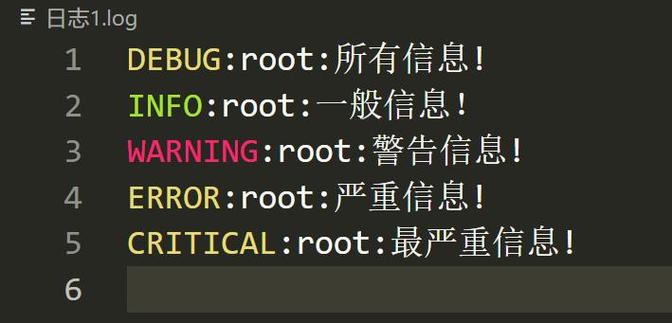
If you just start using logging without any configuration, you'll see logs like this:
import logging
logging.warning("This is a warning message.")
Output:
WARNING:root:This is a warning message.Notice there is no timestamp. This is because the default Formatter only includes the levelname, name, and message.
Adding a Simple Timestamp
To add a timestamp, you need to configure a Formatter and attach it to a Handler.
The most common format specifiers for time are:
asctime: Human-readable time, e.g.,2025-10-27 10:30:00,123.%(message)s: The log message itself.
Here's the most basic way to add a timestamp:
import logging
# 1. Get a logger instance
logger = logging.getLogger()
logger.setLevel(logging.DEBUG) # Set the minimum level of messages to handle
# 2. Create a handler (e.g., to print to console)
handler = logging.StreamHandler()
# 3. Create a formatter and add it to the handler
formatter = logging.Formatter('%(asctime)s - %(levelname)s - %(message)s')
handler.setFormatter(formatter)
# 4. Add the handler to the logger
logger.addHandler(handler)
# Now log some messages
logger.debug("This is a debug message.")
logger.info("This is an info message.")
logger.warning("This is a warning message.")
logger.error("This is an error message.")
Output:
2025-10-27 10:30:00,123 - DEBUG - This is a debug message.
2025-10-27 10:30:00,124 - INFO - This is an info message.
2025-10-27 10:30:00,124 - WARNING - This is a warning message.
2025-10-27 10:30:00,124 - ERROR - This is an error message.
Customizing the Time Format
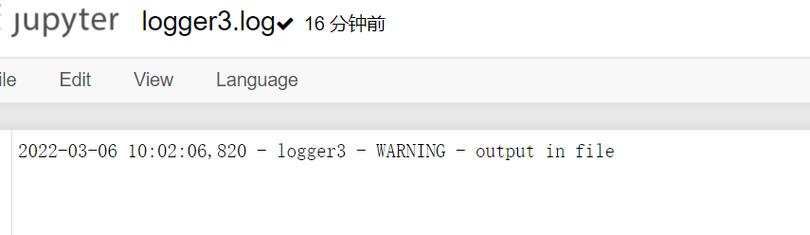
The %(asctime)s field is highly customizable. You can control its format using the datefmt argument in the Formatter.
The formatting codes follow the standard strftime and strptime behavior.
| Code | Meaning | Example |
|---|---|---|
%Y |
Year with century | 2025 |
%y |
Year without century | 23 |
%m |
Month as a zero-padded decimal | 10 |
%B |
Month as full name | October |
%d |
Day of the month as a zero-padded decimal | 27 |
%H |
Hour (24-hour clock) as a zero-padded decimal | 14 |
%I |
Hour (12-hour clock) as a zero-padded decimal | 02 |
%M |
Minute as a zero-padded decimal | 30 |
%S |
Second as a zero-padded decimal | 05 |
%f |
Microsecond as a decimal number | 123456 |
%p |
Locale’s equivalent of either AM or PM | PM |
%z |
UTC offset in the form ±HHMM[SS[.ffffff]] (empty if naive) | +0200 |
| A literal '%' character |
Example: Custom datefmt
Let's create a more compact, ISO 8601-like format.
import logging
logger = logging.getLogger()
logger.setLevel(logging.INFO)
# Create a handler
handler = logging.StreamHandler()
# Create a formatter with a custom date format
# This format is: YYYY-MM-DD HH:MM:SS.microsecond
formatter = logging.Formatter('%(asctime)s - %(levelname)s - %(message)s', datefmt='%Y-%m-%d %H:%M:%S.%f')
handler.setFormatter(formatter)
logger.addHandler(handler)
logger.info("Application started.")
Output:
2025-10-27 14:30:05.123456 - INFO - Application started.Log Time vs. Record Creation Time vs. Record Handling Time
This is a crucial distinction for advanced logging, especially when using asynchronous handlers or queues.
-
Log Time (
%(asctime)s): This is the time the log record was created. It's set once whenlogger.info(...)is called and is stored as an attribute on theLogRecordobject. This is the most common and generally what you want. -
Record Creation Time (
%(created)f): This is the time theLogRecordobject was created, expressed as a Unix timestamp (seconds since the epoch). It's essentially the same asasctimebut in a different format.%(msecs)s(milliseconds since the epoch) is also related to this. -
Record Handling Time (
%(relativeCreated)d): This is the time in milliseconds that the record was created after the logging module was loaded. This is useful for debugging the performance of your logging pipeline itself.
Example showing the difference:
import logging
import time
logger = logging.getLogger()
logger.setLevel(logging.DEBUG)
handler = logging.StreamHandler()
formatter = logging.Formatter('%(asctime)s [%(relativeCreated)d ms] - %(message)s')
handler.setFormatter(formatter)
logger.addHandler(handler)
# Simulate some work happening
time.sleep(0.5) # Sleep for half a second
logger.info("This message was created after a delay.")
Output:
2025-10-27 14:35:10,512 [501 ms] - This message was created after a delay.The [501 ms] shows that the log record was created ~501 milliseconds after the logging module was initialized.
Best Practice: Using logging.basicConfig
For simple scripts, the logging.basicConfig() function is the easiest way to configure logging with a custom time format.
import logging
# Configure logging for the entire application in one line
logging.basicConfig(
    level=logging.INFO,
    format='%(asctime)s - %(name)s - %(levelname)s - %(message)s',
    datefmt='%Y/%m/%d %H:%M:%S'
)
# Now you can just use the root logger or named loggers
logging.info("This is an info message from the root logger.")
logger = logging.getLogger('my_app')
logger.error("This is an error message from a named logger.")
Output:
2025/10/27 14:40:01 - root - INFO - This is an info message from the root logger.
2025/10/27 14:40:01 - my_app - ERROR - This is an error message from a named logger.
Advanced: Time Zone Handling
By default, %(asctime)s uses the local time of the machine where the code is running. For distributed systems, this can be a problem. It's often better to use UTC.
The logging module doesn't have a built-in timezone-aware asctime. You have to create a custom Formatter subclass to achieve this.
Here's how to create a formatter that logs all times in UTC.
import logging
import time
from datetime import datetime, timezone
class UTCFormatter(logging.Formatter):
    """Custom formatter that logs time in UTC."""
    converter = time.gmtime # Use gmtime to convert seconds to UTC
# --- Usage ---
logger = logging.getLogger()
logger.setLevel(logging.INFO)
handler = logging.StreamHandler()
# Use our custom UTCFormatter
formatter = UTCFormatter(
    fmt='%(asctime)s - %(levelname)s - %(message)s',
    datefmt='%Y-%m-%d %H:%M:%S %Z' # %Z will show the timezone (UTC)
)
handler.setFormatter(formatter)
logger.addHandler(handler)
logger.info("This log message is in UTC.")
Output:
2025-10-27 18:45:00 UTC - INFO - This log message is in UTC.The key is setting the converter attribute to time.gmtime, which makes the formatTime method use UTC instead of the local time.
Summary
| Task | Method | Example |
|---|---|---|
| Add a basic timestamp | Use %(asctime)s in the format string. |
'%(asctime)s - %(message)s' |
| Customize time format | Use the datefmt argument. |
datefmt='%Y-%m-%d %H:%M:%S' |
| Simple setup | Use logging.basicConfig(). |
logging.basicConfig(...) |
| Get log creation time | Use %(asctime)s (default). |
'%(asctime)s' |
| Get handling time | Use %(relativeCreated)d. |
'%(relativeCreated)d ms' |
| Use UTC time | Create a custom Formatter with converter=time.gmtime. |
See class example above. |