Of course. The phrase "Java long to long" can mean a few different things, ranging from a simple assignment to a complex conversion. Let's break down the most common scenarios.
Simple Assignment (Same Type)
This is the most straightforward case. If you have a long variable and you want to assign its value to another long variable, you just do it directly. This is called a "widening primitive conversion" (from long to long), which is always safe and requires no special syntax.
public class LongAssignment {
    public static void main(String[] args) {
        long sourceLong = 123456789L;
        // Assign the value of sourceLong to destinationLong
        long destinationLong = sourceLong;
        System.out.println("Source: " + sourceLong);
        System.out.println("Destination: " + destinationLong);
    }
}
Output:
Source: 123456789
Destination: 123456789
Conversion from a Long Object to a long Primitive (Unboxing)
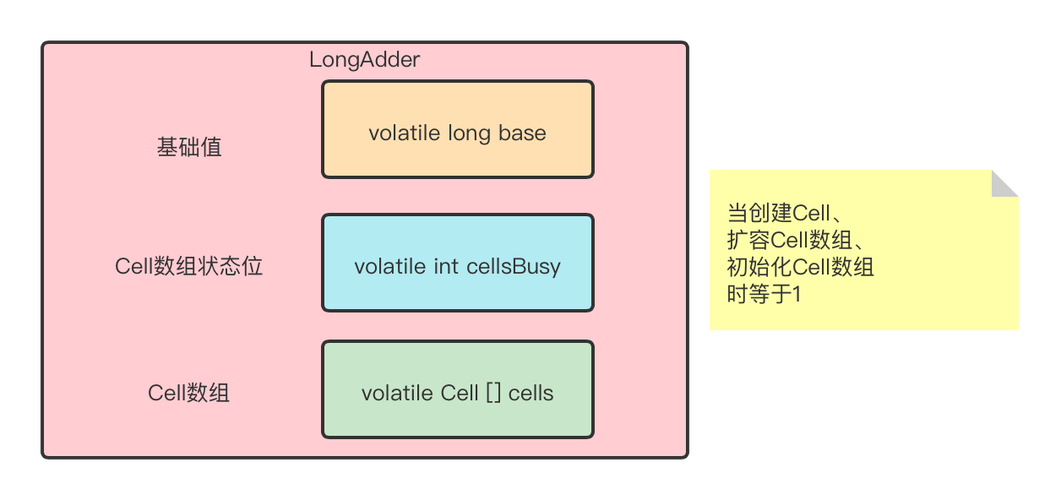
This is a very common scenario. You have a Long object (the wrapper class) and you need its primitive long value. This process is called unboxing.
There are two main ways to do this:
a) Using the .longValue() method (Explicit)
This is the clearest and most explicit way to perform the conversion.
public class LongUnboxingMethod {
    public static void main(String[] args) {
        Long longObject = 987654321L; // This is a Long object
        // Use the .longValue() method to get the primitive long
        long primitiveLong = longObject.longValue();
        System.out.println("Long Object: " + longObject);
        System.out.println("Primitive long: " + primitiveLong);
    }
}
b) Automatic Unboxing (Implicit)
Java can automatically convert a Long object to a long primitive when it's needed in a context that requires a primitive. This happens behind the scenes.
public class LongUnboxingImplicit {
    public static void main(String[] args) {
        Long longObject = 555555555L;
        // Java automatically unboxes the Long object to a long primitive
        // for the assignment.
        long primitiveLong = longObject;
        System.out.println("Long Object: " + longObject);
        System.out.println("Primitive long: " + primitiveLong);
    }
}
Important Note on NullPointerException:
Automatic unboxing will throw a NullPointerException if the Long object is null.
public class NullUnboxingProblem {
    public static void main(String[] args) {
        Long longObject = null;
        // This line will throw a NullPointerException
        long primitiveLong = longObject;
        System.out.println("This line will not be reached.");
    }
}
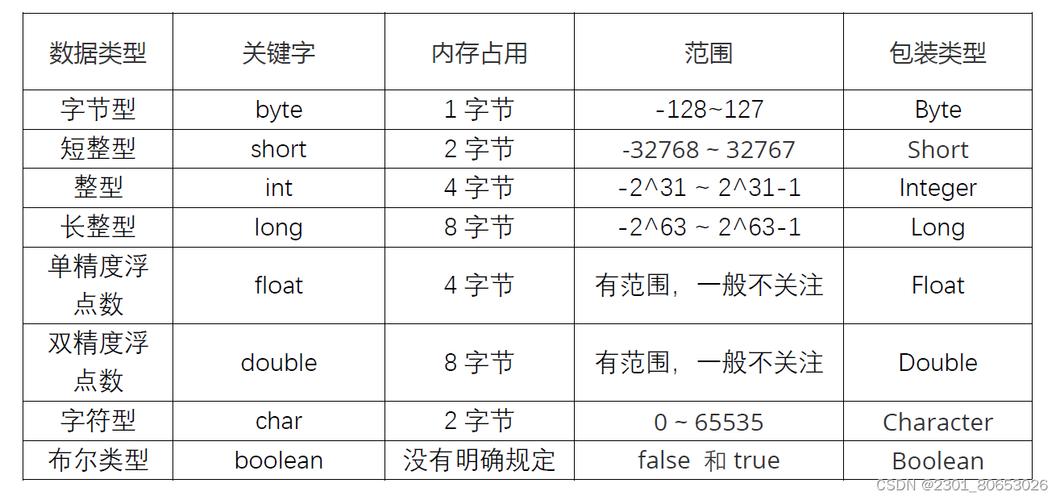
Conversion from a Different Numeric Type to long
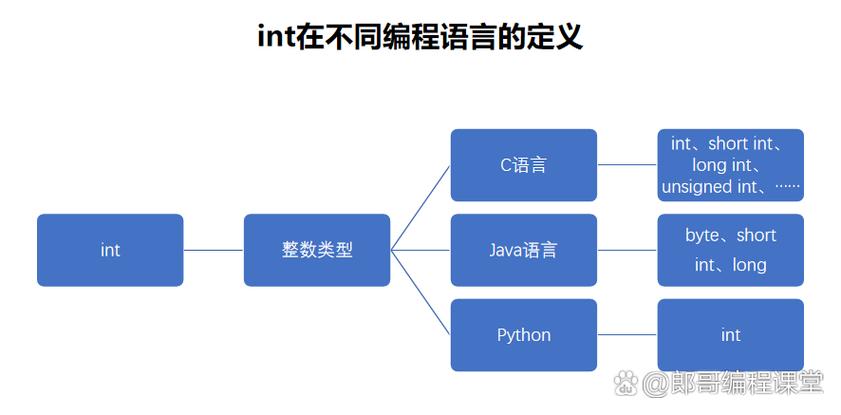
Sometimes you need to convert a number of a different type (like int, double, or String) into a long.
a) From int to long
An int is 32 bits, and a long is 64 bits. This is a widening primitive conversion and is done automatically. You don't need to cast.
int myInt = 100;
long myLong = myInt; // Automatic widening conversion
System.out.println(myLong); // Output: 100
b) From double to long
A double is a floating-point number, while long is an integer. This conversion is not automatic because it involves potential loss of precision (the decimal part). You must use an explicit cast (long). The cast will truncate the decimal part (it does not round).
double myDouble = 99.99;
long myLong = (long) myDouble; // Explicit cast required
System.out.println(myLong); // Output: 99 (the .99 is truncated)
c) From String to long
You cannot directly cast a String to a long. You must use the Long.parseLong() static method. This method will throw a NumberFormatException if the string is not a valid representation of a long.
String myString = "1234567890";
// Use Long.parseLong() for conversion
long myLong = Long.parseLong(myString);
System.out.println(myLong); // Output: 1234567890
// Example of invalid input
try {
    Long.parseLong("hello");
} catch (NumberFormatException e) {
    System.out.println("Error: Cannot parse 'hello' to a long.");
}
Summary Table
| From (Source) | To (Destination) | Method | Notes |
|---|---|---|---|
long (primitive) |
long (primitive) |
long dest = source; |
Simple, direct assignment. Always safe. |
Long (object) |
long (primitive) |
long dest = source.longValue(); or implicit |
Implicit unboxing can cause NullPointerException if source is null. |
int (primitive) |
long (primitive) |
long dest = source; |
Automatic widening conversion. Safe. |
double (primitive) |
long (primitive) |
long dest = (long) source; |
Explicit cast required. Truncates decimal part. |
String |
long (primitive) |
long dest = Long.parseLong(source); |
Throws NumberFormatException on invalid input. |
Best Practices
- Be explicit with
null: If aLongobject can benull, prefer using.longValue()over implicit unboxing to avoid aNullPointerExceptionand make your code's intent clearer. - Handle exceptions: When converting from
String, always wrapLong.parseLong()in atry-catchblock if the input string's format is not guaranteed. - Be aware of precision loss: When casting from
doubletolong, remember that the decimal part is discarded, not rounded.