
Of course. Let's dive into the world of Java 6 Web Services.
First, it's crucial to understand the context: Java 6 is ancient by modern software standards. It reached its official End of Life (EOL) in 2025 and receives no security updates. Using it in a production environment today is extremely risky and strongly discouraged.
However, understanding how it was done is valuable for:
- Maintaining legacy systems.
- Understanding the evolution of Java web technologies.
- Preparing for certification exams that cover older versions (like the Oracle Java 6 certification).
In Java 6, there were two primary, competing standards for creating web services:
- JAX-WS (Java API for XML Web Services): The modern, standard, and recommended approach in Java 6. It was the successor to the older JAX-RPC.
- JAX-RS (Java API for RESTful Web Services): Primarily for creating REST services. It was introduced as a separate standard (JSR 311) and was not part of the core Java 6 SE or EE. You had to add a separate library, like Jersey or RESTEasy.
We will focus on the most common and "correct" way for Java 6: JAX-WS.
Part 1: Creating a SOAP Web Service with JAX-WS (Java 6)
JAX-WS makes creating a web service relatively simple using annotations. We'll create a "Hello World" service.
Step 1: Set up your Project
You need the JAX-WS API, which was included with the Java EE SDK or application servers like GlassFish or JBoss. If you're using a plain JDK, you might need to find the JAX-WS jars (like jaxws-api.jar).
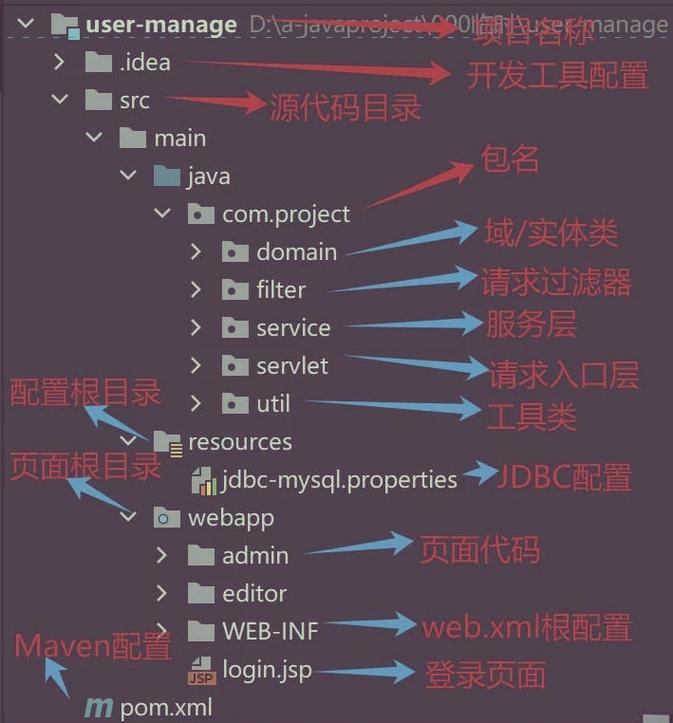
A simple project structure:
jaxws-demo/
├── src/
│   └── com/
│       └── example/
│           └── webservice/
│               └── HelloWorld.java
│               └── HelloWorldImpl.java
└── ws/
    └── (for generated files)
Step 2: Create the Service Endpoint Interface (SEI)
This is a Java interface that defines the methods that will be exposed as web service operations. It's annotated with @WebService.
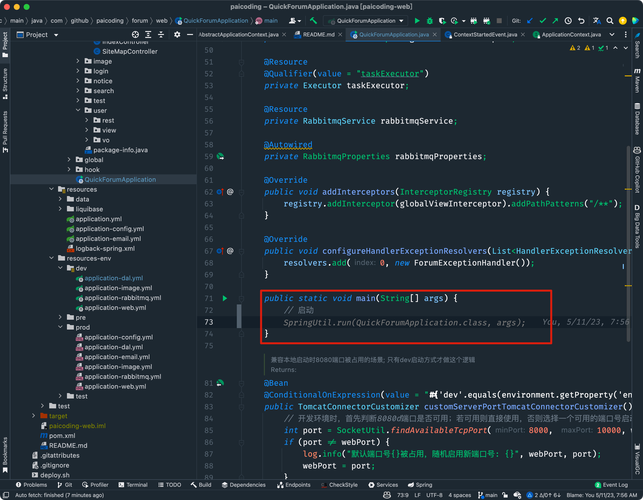
src/com/example/webservice/HelloWorld.java
package com.example.webservice;
import javax.jws.WebService;
import javax.jws.WebMethod;
// This annotation marks this interface as a Web Service Interface.
@WebService
public interface HelloWorld {
    // This annotation marks the method as a web service operation.
    // Without it, the method won't be exposed.
    @WebMethod
    String sayHello(String name);
}
Step 3: Create the Service Implementation Bean (SIB)
This is the concrete class that implements the SEI. It contains the actual business logic.
src/com/example/webservice/HelloWorldImpl.java
package com.example.webservice;
import javax.jws.WebService;
// This annotation links this implementation class to the SEI.
// The endpointInterface attribute specifies the fully qualified name of the interface.
@WebService(endpointInterface = "com.example.webservice.HelloWorld")
public class HelloWorldImpl implements HelloWorld {
    @Override
    public String sayHello(String name) {
        System.out.println("Server: sayHello('" + name + "') called.");
        return "Hello, " + name + "!";
    }
}
Step 4: Publish the Web Service
You need a main class to start a simple HTTP server and publish your service. The javax.xml.ws.Endpoint class is used for this.
src/com/example/webservice/Publisher.java
package com.example.webservice;
import javax.xml.ws.Endpoint;
public class Publisher {
    public static void main(String[] args) {
        // The URL where the service will be published.
        // This uses the JVM's built-in HTTP server (com.sun.net.httpserver.HttpServer).
        String url = "http://localhost:9876/hello";
        // Create an instance of our service implementation.
        HelloWorldImpl helloService = new HelloWorldImpl();
        // Publish the service.
        System.out.println("Publishing SOAP service at: " + url);
        Endpoint.publish(url, helloService);
        System.out.println("Service is published. Press Enter to stop.");
        try {
            System.in.read();
        } catch (Exception e) {
            e.printStackTrace();
        }
        System.out.println("Service stopped.");
    }
}
Step 5: Compile and Run
-
Compile:
# Make sure you have the JAX-WS API jars in your classpath
# For simplicity, assuming they are in a 'lib' folder
javac -cp ".:lib/*" src/com/example/webservice/*.java
(Note: Use instead of on Windows)
-
Run:
java -cp ".:lib/*" com.example.webservice.Publisher
You should see the output: Publishing SOAP service at: http://localhost:9876/hello.
Step 6: Test the Service
-
WSDL Access: Open your web browser and go to
http://localhost:9876/hello?wsdl. You should see the XML Web Services Description Language (WSDL) file, which describes your service to clients. -
Client-Side Testing: You can use a tool like SoapUI to create a new project from the WSDL URL and test the
sayHellooperation.
Part 2: Creating a RESTful Web Service with JAX-RS (Java 6)
JAX-RS was not part of the standard Java 6 distribution. You had to add a third-party library. Jersey (from Oracle) was the reference implementation and very popular.
Step 1: Add Jersey Library
You need to download Jersey and add its JARs to your project classpath. The core ones are:
jersey-core.jarjersey-server.jarjsr311-api.jar(the JAX-RS API itself)
Step 2: Create a Resource Class
This class is similar to the SIB in JAX-WS but uses JAX-RS annotations like @Path, @GET, @POST, @Produces, etc.
src/com/example/rest/HelloResource.java
package com.example.rest;
import javax.ws.rs.GET;
import javax.ws.rs.Path;
import javax.ws.rs.PathParam;
import javax.ws.rs.Produces;
import javax.ws.rs.core.MediaType;
// This annotation defines the base URI path for this resource.
@Path("/hello")
public class HelloResource {
    // This method handles HTTP GET requests.
    // @Path can be used to add more specific paths.
    @GET
    @Path("/{name}")
    // This annotation specifies the MIME media type that the method can produce.
    @Produces(MediaType.TEXT_PLAIN)
    public String sayHello(@PathParam("name") String name) {
        System.out.println("Server: GET /hello/" + name + " called.");
        return "Hello, " + name + "!";
    }
}
Step 3: Create a Publisher (Application Class)
Unlike JAX-WS, JAX-RS doesn't have a simple Endpoint.publish() for its own embedded server. You typically use the Grizzly server that comes with Jersey.
src/com/example/rest/Publisher.java
package com.example.rest;
import com.sun.jersey.api.container.grizzly2.GrizzlyWebContainerFactory;
import java.io.IOException;
import java.net.URI;
import java.util.HashMap;
import java.util.Map;
import java.util.logging.Logger;
public class Publisher {
    private static final String BASE_URI = "http://localhost:8080/myrestapp/";
    private static final Logger LOGGER = Logger.getLogger(Publisher.class.getName());
    public static void main(String[] args) {
        final Map<String, String> initParams = new HashMap<String, String>();
        // This is the package where your resource classes are located.
        // Jersey will scan this package for classes annotated with @Path.
        initParams.put("com.sun.jersey.config.property.packages", "com.example.rest");
        LOGGER.info("Starting Jersey Grizzly HTTP server...");
        try {
            // Create and start the Grizzly server.
            GrizzlyWebContainerFactory.create(BASE_URI, initParams);
            LOGGER.info("Server started at " + BASE_URI);
            LOGGER.info("Press Enter to stop the server.");
            System.in.read();
        } catch (IOException e) {
            LOGGER.severe("Failed to start server: " + e.getMessage());
        }
    }
}
Step 4: Compile and Run
-
Compile: Make sure the Jersey JARs are in your classpath.
javac -cp ".:lib/*" src/com/example/rest/*.java
-
Run:
java -cp ".:lib/*" com.example.rest.Publisher
Step 5: Test the Service
-
Access the Resource: Open your web browser and go to
http://localhost:8080/myrestapp/hello/World. You should see the response:Hello, World! -
Client-Side Testing: You can use a tool like Postman or simply
curlfrom the command line:curl http://localhost:8080/myrestapp/hello/Java
Key Differences and Summary (Java 6)
| Feature | JAX-WS (SOAP) | JAX-RS (REST) |
|---|---|---|
| Primary Use Case | Enterprise-level, contract-first, stateful, WS-*, transactions. | Lightweight, resource-oriented, stateless, public APIs, mobile apps. |
| Protocol | SOAP (XML over HTTP, SMTP, etc.) | HTTP (GET, POST, PUT, DELETE, etc.) |
| Data Format | XML (strictly defined by WSDL/XSD) | XML, JSON, HTML, plain text (flexible, defined by @Produces/@Consumes). |
| Java 6 Status | Standard part of Java EE 6. Built-in. | Not standard. Required a separate library (Jersey, RESTEasy, etc.). |
| Key Annotation | @WebService, @WebMethod |
@Path, @GET, @POST, @Produces, @Consumes, @PathParam |
| Discovery | WSDL file (?wsdl endpoint) |
API documentation (often generated by tools like Swagger, not automatic). |
| Complexity | More complex, heavier due to SOAP protocol. | Simpler, lighter, uses standard HTTP verbs. |
Final and Most Important Advice
While this guide shows you how to work with Java 6 web services, you should strongly consider migrating to a modern Java version (Java 11 or newer).
Modern Alternatives:
- JAX-WS: Still available in modern Java EE / Jakarta EE (e.g., on Payara, WildFly). The API is largely the same.
- JAX-RS: The standard for REST in modern Jakarta EE. It's much more mature and feature-rich.
- Spring Framework: The de facto standard for modern Java applications. Spring Boot with
@RestControlleris the most popular way to create REST services today. It's simpler, more powerful, and has a massive ecosystem.
If you are starting a new project, do not use Java 6. If you are maintaining a legacy system, understand its limitations and have a clear plan for modernization.


