Of course! The requests library is the de facto standard for making HTTP requests in Python. Handling JSON data is one of its most common and powerful features.

Here’s a comprehensive guide on how to use requests to work with JSON, from the basics to more advanced scenarios.
The Core Concept: response.json()
When you make a request to a web API, it often responds with data formatted as JSON. The requests library has a built-in method, .json(), that automatically:
- Checks if the response headers indicate the content is JSON (
Content-Type: application/json). - Parses the raw JSON text into a native Python data structure (usually a dictionary or a list).
- Returns that Python object.
Making a GET Request and Parsing JSON
This is the most common scenario: requesting data from an API.
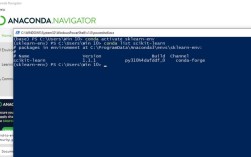
Step 1: Install the requests library
If you don't have it installed, open your terminal or command prompt and run:

pip install requests
Step 2: Write the Python code
Let's use the free JSONPlaceholder API, which is perfect for testing.
import requests
import json # The built-in json module is also useful for printing
# The URL of the API endpoint we want to get data from
url = "https://jsonplaceholder.typicode.com/posts/1"
try:
    # Make a GET request to the URL
    response = requests.get(url)
    # This will raise an exception for bad status codes (4xx or 5xx)
    response.raise_for_status()
    # --- The key step: Parse the JSON response ---
    # response.json() converts the JSON response into a Python dictionary
    data_dict = response.json()
    # Now you can work with the data as a standard Python dictionary
    print(f"Successfully fetched data for post ID: {data_dict['id']}")
    print(f"Title: {data_dict['title']}")
    print(f"Body: {data_dict['body']}")
    print("\nFull data as a Python dictionary:")
    print(data_dict)
    # To pretty-print the JSON, you can use the json module
    print("\nPretty-printed JSON:")
    print(json.dumps(data_dict, indent=4))
except requests.exceptions.HTTPError as errh:
    print(f"Http Error: {errh}")
except requests.exceptions.ConnectionError as errc:
    print(f"Error Connecting: {errc}")
except requests.exceptions.Timeout as errt:
    print(f"Timeout Error: {errt}")
except requests.exceptions.RequestException as err:
    print(f"Oops: Something Else: {err}")
Output:
Successfully fetched data for post ID: 1 sunt aut facere repellat provident occaecati excepturi optio reprehenderit
Body:quia et suscipit
suscipit recusandae consequuntur expedita et cum
reprehenderit molestiae ut ut quas totam
nostrum rerum est autem sunt rem eveniet architecto
Full data as a Python dictionary:
{'userId': 1, 'id': 1, 'title': 'sunt aut facere repellat provident occaecati excepturi optio reprehenderit', 'body': 'quia et suscipit\nsuscipit recusandae consequuntur expedita et cum\nreprehenderit molestiae ut ut quas totam\nnostrum rerum est autem sunt rem eveniet architecto'}
Pretty-printed JSON:
{
    "userId": 1,
    "id": 1,: "sunt aut facere repellat provident occaecati excepturi optio reprehenderit",
    "body": "quia et suscipit\nsuscipit recusandae consequuntur expedita et cum\nreprehenderit molestiae ut ut quas totam\nnostrum rerum est autem sunt rem eveniet architecto"
}
Making a POST Request with JSON Data
Often, you need to send data to an API. This is typically done with a POST or PUT request, and the data is sent as a JSON payload.

The requests library makes this easy with the json parameter.
import requests
import json
# The URL for creating a new resource
url = "https://jsonplaceholder.typicode.com/posts"
# The data we want to send, in a Python dictionary
payload = {: 'My Awesome New Post',
    'body': 'This is the content of my post.',
    'userId': 10
}
# The headers tell the server we are sending JSON
headers = {
    'Content-Type': 'application/json'
}
try:
    # Make a POST request
    # The `json` parameter automatically converts the dict to a JSON string
    # and sets the 'Content-Type' header to 'application/json'
    response = requests.post(url, json=payload, headers=headers)
    # Check for errors
    response.raise_for_status()
    # Parse the JSON response from the server
    # The server usually returns the created object with an ID
    created_post = response.json()
    print("Successfully created a new post!")
    print("Server's response:")
    print(json.dumps(created_post, indent=4))
except requests.exceptions.RequestException as e:
    print(f"An error occurred: {e}")
Output:
Successfully created a new post!
Server's response:
{: "My Awesome New Post",
    "body": "This is the content of my post.",
    "userId": 10,
    "id": 101
}
Note: You could also use the data parameter and manually convert the dictionary to a JSON string, but using json=payload is much cleaner and recommended:
# Alternative (less common) way:
# response = requests.post(url, data=json.dumps(payload), headers=headers)
Important Error Handling
You should always check if your request was successful before trying to parse the JSON.
Checking the Status Code
The response object has a status_code attribute.
response = requests.get("https://api.example.com/data")
if response.status_code == 200:
    print("Success!")
    data = response.json()
elif response.status_code == 404:
    print("Resource not found.")
else:
    print(f"Error: Received status code {response.status_code}")
Using response.raise_for_status()
This is the most robust way to handle HTTP errors. It will raise an HTTPError exception if the request returned an unsuccessful status code (4xx or 5xx).
try:
    response = requests.get("https://httpbin.org/status/404")
    response.raise_for_status()  # This will raise an exception for 404
    # This line will only run if the status code was < 400
    data = response.json()
except requests.exceptions.HTTPError as e:
    print(f"HTTP Error occurred: {e}")
What if the response isn't valid JSON?
If the server returns a 200 OK but the body is not valid JSON (e.g., HTML error page), calling response.json() will raise a requests.exceptions.JSONDecodeError.
try:
    # This URL returns HTML, not JSON
    response = requests.get("https://www.google.com")
    response.raise_for_status()
    data = response.json() # This will raise JSONDecodeError
except requests.exceptions.JSONDecodeError:
    print("Failed to decode JSON. The response was not valid JSON.")
except requests.exceptions.RequestException as e:
    print(f"An error occurred: {e}")
Other Useful Parameters
-
Headers: Pass custom headers using the
headersdictionary.headers = {'User-Agent': 'MyCoolApp/1.0'} response = requests.get(url, headers=headers) -
Query Parameters: Add URL parameters using the
paramsdictionary.params = {'userId': 1, '_limit': 5} response = requests.get("https://jsonplaceholder.typicode.com/posts", params=params) print(response.url) # Will show the URL with ?userId=1&_limit=5 -
Timeout: Prevent your script from hanging indefinitely.
# Timeout after 2.5 seconds
response = requests.get(url, timeout=2.5)
Summary
| Task | Code Snippet |
|---|---|
| Install | pip install requests |
| GET Request & Parse JSON | response = requests.get(url)data = response.json() |
| POST Request with JSON | response = requests.post(url, json=payload_dict) |
| Check for Errors | response.raise_for_status() (inside a try...except block) |
| Handle Non-JSON Errors | try: ... response.json() ... except requests.exceptions.JSONDecodeError: |
| Add Query Parameters | `response = requests.get(url, params={'key': |