| 方法 | 描述 | 示例 (double d = 3.7;) |
特点 |
|---|---|---|---|
强制类型转换 (int) |
直接截断小数部分,只保留整数部分。 | int i = (int) d; // i 的值为 3 |
简单、直接、不进行四舍五入,性能最好。 |
Math.round() |
四舍五入到最接近的整数,返回 long。 |
long l = Math.round(d); // l 的值为 4 |
进行四舍五入,注意返回值是 long,需要再次转换。 |
Math.floor() |
向下取整,返回不大于该数的最大整数,返回 double。 |
double f = Math.floor(d); // f 的值为 0 |
向下取整,返回 double,需要再次转换。 |
Math.ceil() |
向上取整,返回不小于该数的最小整数,返回 double。 |
double c = Math.ceil(d); // c 的值为 0 |
向上取整,返回 double,需要再次转换。 |
强制类型转换 (int)
这是最直接、最常用、性能也最高的方法。

(图片来源网络,侵删)
工作原理
它会直接丢弃 double 值的小数部分,只保留整数部分,这个过程也称为“截断”(Truncation),它不进行四舍五入。
示例代码
public class DoubleToIntCast {
    public static void main(String[] args) {
        double positiveNumber = 3.7;
        double negativeNumber = -3.7;
        double wholeNumber = 5.0;
        // 正数:直接截断小数部分
        int positiveInt = (int) positiveNumber;
        System.out.println("(int) 3.7 = " + positiveInt); // 输出: (int) 3.7 = 3
        // 负数:同样截断小数部分,注意是向零取整
        int negativeInt = (int) negativeNumber;
        System.out.println("(int) -3.7 = " + negativeInt); // 输出: (int) -3.7 = -3
        // 整数:没有变化
        int wholeInt = (int) wholeNumber;
        System.out.println("(int) 5.0 = " + wholeInt);   // 输出: (int) 5.0 = 5
    }
}
注意事项
- 不进行四舍五入:这是最大的特点,如果你需要四舍五入,请使用
Math.round()。 - 大数溢出:
double值超出了int的表示范围(-2,147,483,648到2,147,483,647),强制转换会导致不可预期的结果(通常是截断为int的最大或最小值),而不会抛出异常。double hugeDouble = 1.0e20; int outOfRangeInt = (int) hugeDouble; System.out.println(outOfRangeInt); // 输出: 2147483647 (int的最大值)
Math.round()
当你需要将 double 四舍五入到最接近的整数时,应该使用这个方法。
工作原理
Math.round() 会将参数加上 0.5,然后进行向下取整(floor)操作。
- 如果小数部分 >= 0.5,结果会向正无穷方向取整。
- 如果小数部分 < 0.5,结果会向负无穷方向取整。
重要提示
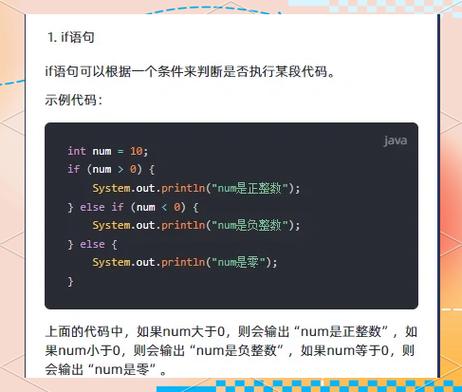
Math.round(double) 的返回值类型是 long,而不是 int,这是因为一个 double 四舍五入后可能会超出 int 的范围,你必须再次将其强制转换为 int。
(图片来源网络,侵删)
示例代码
public class DoubleToIntRound {
    public static void main(String[] args) {
        double d1 = 3.49;
        double d2 = 3.5;
        double d3 = -3.49;
        double d4 = -3.5;
        // Math.round 返回 long,需要再转换为 int
        int i1 = (int) Math.round(d1);
        int i2 = (int) Math.round(d2);
        int i3 = (int) Math.round(d3);
        int i4 = (int) Math.round(d4);
        System.out.println("Math.round(3.49) = " + i1); // 输出: Math.round(3.49) = 3
        System.out.println("Math.round(3.5) = " + i2);   // 输出: Math.round(3.5) = 4
        System.out.println("Math.round(-3.49) = " + i3); // 输出: Math.round(-3.49) = -3
        System.out.println("Math.round(-3.5) = " + i4);  // 输出: Math.round(-3.5) = -4 (注意这里)
    }
}
注意:Math.round(-3.5) 的结果是 -4,因为它先加 0.5 变成 -3.0,floor(-3.0) 是 -3,但更准确的解释是,-3.5 离 -4 更近,所以四舍五入到 -4。
方法三和四:Math.floor() 和 Math.ceil()
这两个方法主要用于需要明确向下或向上取整的场景。
工作原理
Math.floor(x):返回不大于x的最大整数(double 类型)。Math.ceil(x):返回不小于x的最小整数(double 类型)。
示例代码
public class DoubleToIntFloorCeil {
    public static void main(String[] args) {
        double d = 3.7;
        // floor 向下取整
        double floorResult = Math.floor(d); // 返回 3.0
        int intFromFloor = (int) floorResult;
        System.out.println("Math.floor(3.7) = " + intFromFloor); // 输出: 3
        // ceil 向上取整
        double ceilResult = Math.ceil(d);   // 返回 4.0
        int intFromCeil = (int) ceilResult;
        System.out.println("Math.ceil(3.7) = " + intFromCeil);   // 输出: 4
    }
}
注意:这两个方法返回的是 double,所以通常需要再进行一次 (int) 转换才能得到 int 类型。
最佳实践与选择建议
| 你的需求 | 推荐方法 | 理由 |
|---|---|---|
| 简单丢弃小数部分,不要四舍五入 | (int) value |
最直接,性能最高。 |
| 四舍五入到最接近的整数 | (int) Math.round(value) |
Math.round 专门为此设计,符合数学上的四舍五入规则。 |
| 总是向下取整(天花板) | (int) Math.ceil(value) |
逻辑清晰,明确表示向下取整。 |
| 总是向上取整(地板) | (int) Math.floor(value) |
逻辑清晰,明确表示向上取整。 |
完整示例:处理用户输入
假设你有一个从文本框获取的、代表金额的字符串,你想将其转换为“分”(整数)。
(图片来源网络,侵删)
public class ConvertMoney {
    public static void main(String[] args) {
        String priceText = "99.95"; // 商品价格,单位是元
        try {
            // 1. 将字符串转换为 double
            double priceInYuan = Double.parseDouble(priceText);
            // 2. 将元转换为“分”,并进行四舍五入
            // 因为 99.95元 应该是 1000分,所以需要四舍五入
            int priceInFen = (int) Math.round(priceInYuan * 100);
            System.out.println("原始价格 (元): " + priceInYuan);
            System.out.println("转换后价格 (分): " + priceInFen); // 输出: 1000
        } catch (NumberFormatException e) {
            System.err.println("输入的格式不正确,请输入有效的数字。");
        }
    }
}
在这个例子中,如果使用 (int) (priceInYuan * 100),95 * 100 可能由于浮点数精度问题变成 999999...,截断后会得到 9994,这是错误的,使用 Math.round() 可以确保结果的正确性。