
Of course! Let's dive deep into Python dictionaries, one of the most powerful and frequently used data structures.
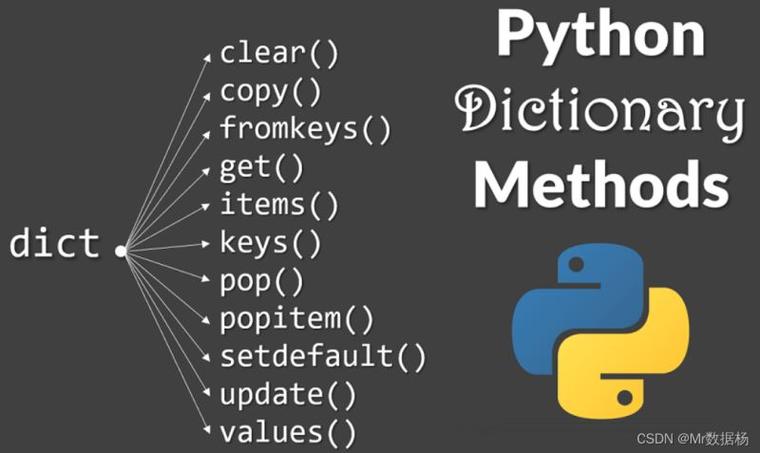
What is a Dictionary?
Think of a real-world dictionary. You look up a word (the key) to find its definition (the value). A Python dictionary works the same way.
It's a collection of key-value pairs, where:
- Key: A unique identifier for a value. It must be an immutable data type (like a string, number, or tuple).
- Value: The data associated with that key. It can be any data type, including lists, other dictionaries, or even functions.
Dictionaries are also known as hash maps or associative arrays in other programming languages.
Creating a Dictionary
You can create a dictionary using curly braces with key-value pairs separated by colons .

# 1. Creating an empty dictionary
empty_dict = {}
print(empty_dict)  # Output: {}
# 2. Creating a dictionary with initial data
student = {
    "name": "Alice",
    "age": 25,
    "courses": ["History", "Math", "Physics"]
}
print(student)
# Output: {'name': 'Alice', 'age': 25, 'courses': ['History', 'Math', 'Physics']}
# 3. Using the dict() constructor
# Useful for creating dictionaries from other sequences or with simple keys
person = dict(name="Bob", city="New York", age=30)
print(person)
# Output: {'name': 'Bob', 'city': 'New York', 'age': 30}
Accessing, Adding, and Modifying Elements
Accessing Values
You access values by using their key inside square brackets [].
student = {"name": "Alice", "age": 25, "courses": ["History", "Math"]}
# Access a value
print(student["name"])  # Output: Alice
# What if the key doesn't exist? This will cause a KeyError!
# print(student["grade"])  # KeyError: 'grade'
Safe Access with .get()
To avoid a KeyError, use the .get() method. It returns None (or a default value you specify) if the key is not found.
student = {"name": "Alice", "age": 25}
# Safe access with .get()
print(student.get("name"))      # Output: Alice
print(student.get("grade"))     # Output: None (no error!)
print(student.get("grade", "N/A")) # Output: N/A (provides a default value)
Adding New Key-Value Pairs
You can add a new pair by assigning a value to a new key.
student = {"name": "Alice", "age": 25}
student["grade"] = "A"  # Adds a new key-value pair
print(student)
# Output: {'name': 'Alice', 'age': 25, 'grade': 'A'}
Modifying Existing Values
You can change the value of an existing key by reassigning it.
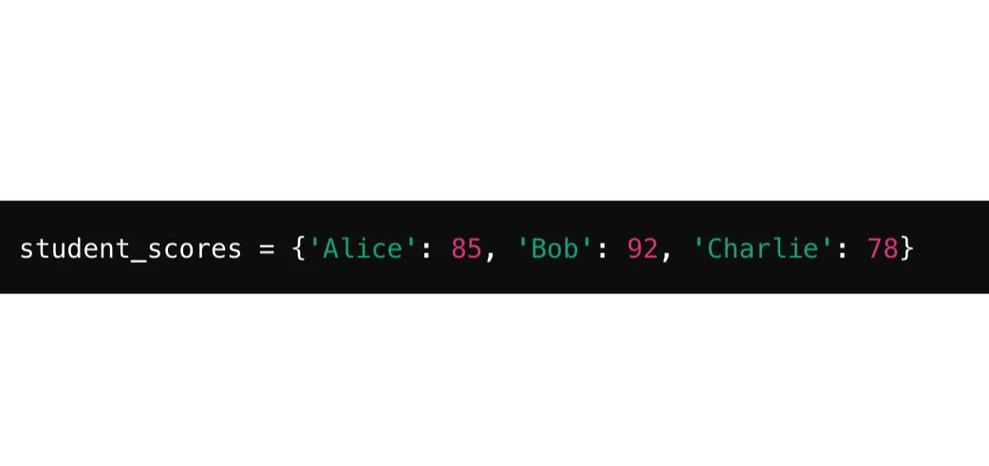
student = {"name": "Alice", "age": 25}
print(f"Original age: {student['age']}")
student["age"] = 26  # Modifies the value for the key 'age'
print(f"Updated age: {student['age']}")
# Output:
# Original age: 25
# Updated age: 26
Common Dictionary Methods
Here are the most useful methods you'll use with dictionaries.
| Method | Description | Example |
|---|---|---|
.keys() |
Returns a view object of all keys. | list(student.keys()) -> ['name', 'age'] |
.values() |
Returns a view object of all values. | list(student.values()) -> ['Alice', 25] |
.items() |
Returns a view object of key-value pairs as tuples. | list(student.items()) -> [('name', 'Alice'), ('age', 25)] |
.pop(key) |
Removes a key and returns its value. Raises KeyError if key not found. |
student.pop('grade') |
.popitem() |
Removes and returns the last key-value pair added (Python 3.7+). | student.popitem() |
.clear() |
Removes all items from the dictionary. | student.clear() |
.copy() |
Returns a shallow copy of the dictionary. | new_student = student.copy() |
student = {"name": "Alice", "age": 25, "grade": "A"}
# .keys(), .values(), .items()
print("Keys:", student.keys())
print("Values:", student.values())
print("Items:", student.items())
# Using items() to loop (see more below)
for key, value in student.items():
    print(f"{key}: {value}")
# .pop()
removed_grade = student.pop('grade')
print(f"Removed grade: {removed_grade}")
print(student) # 'grade' is now gone
# .clear()
student.clear()
print("Cleared dictionary:", student) # Output: Cleared dictionary: {}
Looping Through Dictionaries
There are several ways to iterate over a dictionary.
Looping Through Keys (Default)
When you loop through a dictionary directly, you get the keys.
student = {"name": "Alice", "age": 25, "grade": "A"}
for key in student:
    print(key)
# Output:
# name
# age
# grade
Looping Through Values
Use the .values() method.
for value in student.values():
    print(value)
# Output:
# Alice
# 25
# A
Looping Through Key-Value Pairs (Most Common)
Use the .items() method. This is the most useful and "Pythonic" way.
for key, value in student.items():
    print(f"The key is '{key}' and the value is '{value}'")
# Output:
# The key is 'name' and the value is 'Alice'
# The key is 'age' and the value is '25'
# The key is 'grade' and the value is 'A'
Dictionary Comprehensions
Just like list comprehensions, you can create dictionaries concisely using dictionary comprehensions. The syntax is {key_expression: value_expression for item in iterable}.
Example: Create a dictionary where keys are numbers and values are their squares.
# Using a for loop
squares_loop = {}
for i in range(1, 6):
    squares_loop[i] = i * i
print(squares_loop) # Output: {1: 1, 2: 4, 3: 9, 4: 16, 5: 25}
# Using a dictionary comprehension
squares_comp = {i: i * i for i in range(1, 6)}
print(squares_comp) # Output: {1: 1, 2: 4, 3: 9, 4: 16, 5: 25}
Example: Create a dictionary from two lists.
keys = ['a', 'b', 'c']
values = [1, 2, 3]
my_dict = {k: v for k, v in zip(keys, values)}
print(my_dict) # Output: {'a': 1, 'b': 2, 'c': 3}
Key Characteristics and Important Notes
-
Unordered (in older Python) / Insertion-Ordered (Python 3.7+): In Python versions before 3.7, dictionaries did not preserve the order of insertion. From Python 3.7 onwards, the order is guaranteed to be the insertion order. This is a language feature since Python 3.10.
-
Keys Must Be Immutable: You cannot use a list or another dictionary as a key because they are mutable.
# This will raise a TypeError
# my_list = [1, 2, 3]
# bad_dict = {my_list: "value"} # TypeError: unhashable type: 'list'
Immutable types like strings, numbers, and tuples are fine.
good_dict = { "name": "Alice", # String key 123: "ID number", # Integer key ("city", "zip"): "NY, 10001" # Tuple key } -
Keys Must Be Unique: If you provide a duplicate key, the last value assigned to that key will be the one that remains.
student = {"name": "Alice", "name": "Bob"}
print(student) # Output: {'name': 'Bob'}
Nested Dictionaries
Dictionaries can be nested inside other dictionaries. This is how you can represent complex data structures, like JSON.
# A dictionary of students, where each value is another dictionary
students = {
    "student1": {
        "name": "Alice",
        "age": 25,
        "grades": [88, 92, 95]
    },
    "student2": {
        "name": "Bob",
        "age": 24,
        "grades": [75, 80, 82]
    }
}
# Accessing nested data
print(students["student1"]["name"])       # Output: Alice
print(students["student2"]["grades"][1])  # Output: 80
# Modifying nested data
students["student1"]["age"] = 26
print(students["student1"]["age"])       # Output: 26
When to Use a Dictionary
Use a dictionary when you need to:
- Store data in a
key: valueformat. - Quickly look up a value by its key (very fast, average O(1) time complexity).
- Associate descriptive labels with your data (e.g.,
"username"instead ofdata[0]). - Represent structured data like JSON or configuration files.



