Of course! Let's dive deep into xreadlines() in Python.

The Short Answer
xreadlines() is a method on file objects in Python 2 that returns an iterator, allowing you to read a file line by line in a memory-efficient way. It is not available in Python 3.
In modern Python (Python 3), the standard and preferred way to achieve the same result is to simply iterate over the file object directly.
Detailed Explanation
What is xreadlines()?
In Python 2, when you read a file, you often want to process it line by line. The most common method for this was the .readlines() method.
The Problem with .readlines():
The .readlines() method reads the entire file into memory at once and returns a list of all the lines. This is fine for small files, but if you're working with a very large file (e.g., a multi-gigabyte log file), you can easily run out of memory.

# Python 2
f = open('very_large_file.txt', 'r')
all_lines = f.readlines() # Reads everything into memory!
f.close()
# Now, 'all_lines' is a HUGE list in memory.
for line in all_lines:
    # process line
    pass
The Solution: xreadlines()
xreadlines() was introduced to solve this memory problem. It returns an iterator that yields one line at a time. The file is only read a small chunk at a time as you loop over it, making it extremely memory-efficient.
# Python 2
f = open('very_large_file.txt', 'r')
for line in f.xreadlines(): # Memory efficient!
    # process line
    pass
f.close()
xreadlines() vs. The for Loop (The Pythonic Way)
While xreadlines() was a great improvement, Python developers realized there was an even more elegant and Pythonic way to get the same memory-efficient behavior: iterating directly over the file object.
In Python 2.2 and later, file objects became their own iterators. This means you can write a for loop that reads from a file without loading it all into memory.
# Python 2 (The recommended, Pythonic way)
f = open('very_large_file.txt', 'r')
for line in f: # This is just as memory-efficient as xreadlines()
    # process line
    pass
f.close()
This syntax is cleaner and more readable. It clearly expresses the intent: "for each line in this file...". Because of this, the use of xreadlines() became discouraged in favor of the direct for loop.

The Python 3 Situation
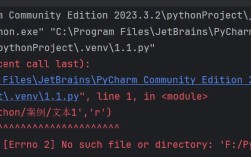
When Python 3 was designed, the xreadlines() method was completely removed. The designers decided that the direct for loop was the superior and only necessary syntax.
In Python 3, you always iterate over the file object directly. It is, by default, memory-efficient.
# Python 3 (The only way)
f = open('very_large_file.txt', 'r')
for line in f: # The standard, memory-efficient way
    # process line
    pass
f.close()
A best practice in Python 3 is to use a with statement, which automatically handles closing the file for you, even if errors occur.
# Python 3 (The best practice)
with open('very_large_file.txt', 'r') as f:
    for line in f:
        # process line
        pass
# The file 'f' is automatically closed here.
Summary Table
| Feature | f.readlines() (Python 2/3) |
for line in f: (Python 2/3) |
f.xreadlines() (Python 2 only) |
|---|---|---|---|
| Availability | Python 2 & 3 | Python 2 & 3 | Python 2 only |
| Memory Usage | High: Reads entire file into a list. | Low: Reads line-by-line (iterator). | Low: Reads line-by-line (iterator). |
| Return Type | list of strings |
iterator (implicitly) |
iterator |
| Readability | Clear, but can be inefficient. | Most Pythonic and clear. | Slightly less common than the for loop. |
| Recommendation | Avoid for large files. Use for small files or when you need random access to lines by index. | The standard, recommended approach in all modern Python code. | Do not use. It's a legacy of Python 2. |
How to Handle xreadlines() in Python 3
If you are migrating code from Python 2 to Python 3, you will likely encounter xreadlines(). The fix is simple:
Python 2 Code:
with open('file.txt') as f:
    for line in f.xreadlines():
        print(line)
Python 3 Equivalent:
Simply remove .xreadlines().
with open('file.txt') as f:
    for line in f: # Just iterate over the file object
        print(line)
Conclusion
While xreadlines() was an important step towards memory-efficient file handling in Python 2, it has been entirely superseded by the more elegant and direct for loop syntax. In any modern Python code (Python 2.2+), you should always prefer for line in f:. If you see xreadlines() in old code, you can safely remove it when updating to Python 3.