Of course! Reading Parquet files in Python is a common task, and there are several excellent libraries to do it. The most popular and recommended one is Pandas, often using the engine provided by PyArrow.

Here’s a comprehensive guide covering the best methods, from the most common to more specialized use cases.
Summary: Which Method Should I Use?
| Method | Best For | Key Advantage | Key Dependency |
|---|---|---|---|
| Pandas with PyArrow | Most users. Data analysis, exploration, and manipulation. | The standard for data analysis in Python. Easy to use. | pandas, pyarrow |
| Dask with PyArrow | Very large files that don't fit in RAM. Out-of-core processing. | Processes data in parallel and chunks, without loading everything at once. | dask, pyarrow |
| PyArrow Directly | Maximum performance or interoperability. Low-level access. | Extremely fast and can be used as a standalone library without Pandas. | pyarrow |
| Fastparquet | Alternative to PyArrow. Can be faster in some specific cases. | A good alternative if PyArrow has issues with a particular file. | fastparquet |
Method 1: The Standard Way (Pandas with PyArrow) 🥇
This is the most common and straightforward approach. The pyarrow engine is generally faster and more feature-rich than the default pandas engine.
Step 1: Install the Libraries
If you don't have them installed, open your terminal or command prompt and run:
pip install pandas pyarrow
Step 2: Read the Parquet File
The pd.read_parquet() function is your main tool. You just need to specify the file path.
import pandas as pd
# Specify the path to your Parquet file
file_path = 'your_data.parquet'
# Read the Parquet file into a Pandas DataFrame
try:
    df = pd.read_parquet(file_path, engine='pyarrow')
    # Display the first 5 rows of the DataFrame
    print("DataFrame Head:")
    print(df.head())
    # Get information about the DataFrame
    print("\nDataFrame Info:")
    df.info()
except FileNotFoundError:
    print(f"Error: The file '{file_path}' was not found.")
except Exception as e:
    print(f"An error occurred: {e}")
Key Parameters for pd.read_parquet()
engine: The engine to use.'pyarrow'is recommended.'fastparquet'is another option.columns: A list of column names to read. This is useful for loading only the data you need, saving memory and time.# Read only specific columns df_subset = pd.read_parquet(file_path, columns=['column_a', 'column_b'])
filters: To read only a subset of rows based on column values. This is very powerful for partitioned datasets.# Read rows where 'column_a' is greater than 100 df_filtered = pd.read_parquet(file_path, filters=[('column_a', '>', 100)])storage_options: For reading from cloud storage (S3, GCS, Azure Blob Storage). You'll need to installfsspecand a cloud-specific library likes3fs.# Example for reading from an S3 bucket # pip install s3fs # df_s3 = pd.read_parquet('s3://your-bucket-name/your_data.parquet')
Method 2: For Very Large Files (Dask) 🚀
If your Parquet file is too large to fit into your computer's RAM, Dask is the perfect solution. It creates a "lazy" representation of your data and only processes it when you ask for a result (e.g., when you call .compute()).
Step 1: Install Dask and PyArrow
pip install "dask[complete]" pyarrow
Step 2: Read the Parquet File with Dask
Dask's API is very similar to Pandas'.
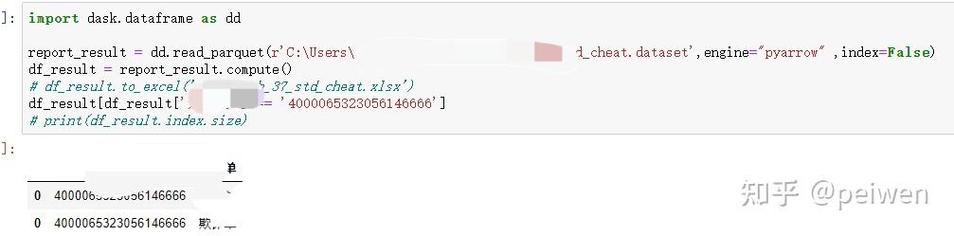
import dask.dataframe as dd
# Dask can read a single file or a directory of many partitioned files
# It automatically handles the chunking.
ddf = dd.read_parquet('path/to/your/large_data.parquet')
# --- Operations are lazy ---
# Dask builds a task graph but doesn't compute anything yet.
print(ddf.head()) # This will trigger a computation for the first 5 rows
# To get the full result (e.g., the mean of a column), you call .compute()
# This will read the necessary chunks from disk and compute the result.
mean_value = ddf['your_column_name'].mean().compute()
print(f"\nThe mean of 'your_column_name' is: {mean_value}")
# You can perform any Pandas-like operation
# For example, to get the count of rows:
row_count = len(ddf)
print(f"\nThe total number of rows is: {row_count}")
Method 3: For Maximum Performance (PyArrow Directly) ⚡
PyArrow is a powerful, low-level library for columnar data. It can be used directly without Pandas and is often the fastest for reading operations.
Step 1: Install PyArrow
pip install pyarrow
Step 2: Read the Parquet File with PyArrow
The result of reading with PyArrow is a pyarrow.Table, which is a table-like data structure. You can easily convert it to a Pandas DataFrame.
import pyarrow.parquet as pq
# Open the Parquet file
parquet_file = pq.ParquetFile('your_data.parquet')
# Read the entire table into memory
table = parquet_file.read()
# Convert the PyArrow Table to a Pandas DataFrame
df = table.to_pandas()
print(df.head())
df.info()
# You can also read specific columns or row groups for better performance
# Read specific columns
table_subset = parquet_file.read(columns=['column_a', 'column_b'])
df_subset = table_subset.to_pandas()
# Read only the first row group (useful for huge files)
first_row_group = parquet_file.read_row_group(0)
df_first_rg = first_row_group.to_pandas()
How to Write Parquet Files (Bonus!)
It's just as important to know how to save your data in the efficient Parquet format.
Using Pandas
import pandas as pd
# Create a sample DataFrame
data = {'col1': [1, 2, 3], 'col2': ['a', 'b', 'c']}
df_to_save = pd.DataFrame(data)
# Save the DataFrame to a Parquet file
# The 'pyarrow' engine is recommended for writing as well
df_to_save.to_parquet('my_new_data.parquet', engine='pyarrow', index=False)
print("DataFrame saved to my_new_data.parquet")
index=False: This is important! It prevents Pandas from writing the DataFrame's row index as a column in the Parquet file, saving space.
Troubleshooting Common Issues
-
ModuleNotFoundError: No module named 'pyarrow'or 'fastparquet'- Solution: You haven't installed the required engine. Install it using
pip install pyarroworpip install fastparquet.
- Solution: You haven't installed the required engine. Install it using
-
Parquet file is corrupted or unreadable
- Solution: This can happen if the file was written with a very new version of a library or has an unusual structure. Try using a different engine.
# Try using the 'fastparquet' engine if 'pyarrow' fails
df = pd.read_parquet('problem_file.parquet', engine='fastparquet')
- Solution: This can happen if the file was written with a very new version of a library or has an unusual structure. Try using a different engine.
-
ArrowInvalid: Parquet file is corrupted or from an unsupported version- Solution: This is a strong indicator of a problem with the file itself. Try re-downloading the file or regenerating it. If you have control over the writing process, ensure you are using a standard Parquet writer.