Of course! Here is a comprehensive guide on how to perform UPDATE operations in MySQL using Java, covering the best practices with JDBC, from basic to more advanced scenarios.

We'll use the PreparedStatement, which is the strongly recommended way to execute SQL statements. It's more secure, efficient, and prevents SQL injection attacks.
Prerequisites
-
MySQL Server: You need a running MySQL server.
-
Database and Table: Let's assume you have a database named
mydband a table namedemployees.CREATE DATABASE IF NOT EXISTS mydb; USE mydb; CREATE TABLE IF NOT EXISTS employees ( id INT PRIMARY KEY AUTO_INCREMENT, first_name VARCHAR(50) NOT NULL, last_name VARCHAR(50) NOT NULL, email VARCHAR(100) UNIQUE, salary DECIMAL(10, 2), department VARCHAR(50) ); -- Insert some sample data INSERT INTO employees (first_name, last_name, email, salary, department) VALUES ('John', 'Doe', 'john.doe@example.com', 70000.00, 'Engineering'), ('Jane', 'Smith', 'jane.smith@example.com', 80000.00, 'Marketing'), ('Peter', 'Jones', 'peter.jones@example.com', 65000.00, 'Engineering'); -
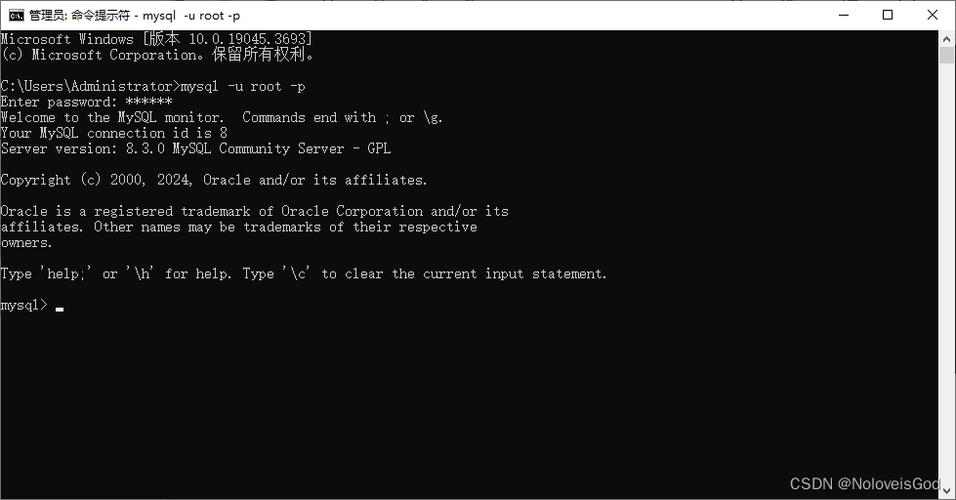
MySQL JDBC Driver: You need the JDBC driver JAR file. You can get it from the MySQL Connector/J download page or add it via Maven/Gradle.
 (图片来源网络,侵删)
Maven (
pom.xml):<dependency> <groupId>com.mysql</groupId> <artifactId>mysql-connector-j</artifactId> <version>8.0.33</version> <!-- Use the latest version --> </dependency>
The Core JDBC Update Process
The steps to update data are very similar to inserting data:
- Load the Driver: (Optional in modern JDBC drivers, but good practice).
- Establish a Connection: Get a connection to the database using
DriverManager.getConnection(). - Create a
PreparedStatement: Write your SQLUPDATEquery with placeholders for the values you want to set. - Set Parameters: Use
setXxx()methods to bind your Java variables to the placeholders. - Execute the Update: Call
executeUpdate(). This method returns anintrepresenting the number of rows affected. - Close Resources: Crucially, close the
PreparedStatementandConnectionin afinallyblock or using atry-with-resourcesstatement to prevent resource leaks.
Example 1: Simple Update
Let's update the salary of the employee with id = 1.
import java.sql.Connection;
import java.sql.DriverManager;
import java.sql.PreparedStatement;
import java.sql.SQLException;
public class SimpleUpdateExample {
    // Database connection details
    private static final String DB_URL = "jdbc:mysql://localhost:3306/mydb";
    private static final String USER = "root"; // Your DB username
    private static final String PASS = "your_password"; // Your DB password
    public static void main(String[] args) {
        // The SQL update statement with placeholders (?)
        String sql = "UPDATE employees SET salary = ? WHERE id = ?";
        // Using try-with-resources to ensure connection is closed automatically
        try (Connection conn = DriverManager.getConnection(DB_URL, USER, PASS);
             PreparedStatement pstmt = conn.prepareStatement(sql)) {
            // Set the parameters for the prepared statement
            // 1st parameter is for salary (a double)
            pstmt.setDouble(1, 75000.00);
            // 2nd parameter is for id (an int)
            pstmt.setInt(2, 1);
            // Execute the update
            int rowsAffected = pstmt.executeUpdate();
            // Check the result
            if (rowsAffected > 0) {
                System.out.println(rowsAffected + " row(s) updated successfully.");
            } else {
                System.out.println("No rows were updated. Employee with ID 1 might not exist.");
            }
        } catch (SQLException e) {
            System.err.println("Database update failed!");
            e.printStackTrace();
        }
    }
}
Output:

1 row(s) updated successfully.After running this, the salary for John Doe (id=1) will be updated to 75000.00.
Example 2: Update Multiple Columns
Let's update the email and department for the employee with id = 3.
import java.sql.Connection;
import java.sql.DriverManager;
import java.sql.PreparedStatement;
import java.sql.SQLException;
public class UpdateMultipleColumnsExample {
    private static final String DB_URL = "jdbc:mysql://localhost:3306/mydb";
    private static final String USER = "root";
    private static final String PASS = "your_password";
    public static void main(String[] args) {
        String sql = "UPDATE employees SET email = ?, department = ? WHERE id = ?";
        try (Connection conn = DriverManager.getConnection(DB_URL, USER, PASS);
             PreparedStatement pstmt = conn.prepareStatement(sql)) {
            // Set parameters in the order they appear in the SQL statement
            pstmt.setString(1, "peter.jones.new@example.com"); // email
            pstmt.setString(2, "Product Management");          // department
            pstmt.setInt(3, 3);                                // id
            int rowsAffected = pstmt.executeUpdate();
            System.out.println(rowsAffected + " row(s) updated.");
        } catch (SQLException e) {
            e.printStackTrace();
        }
    }
}
Example 3: Dynamic Update Based on User Input
This is a very common scenario. Let's create a method that takes an employee's ID and a new salary and performs the update.
import java.sql.Connection;
import java.sql.DriverManager;
import java.sql.PreparedStatement;
import java.sql.SQLException;
public class EmployeeUpdater {
    private static final String DB_URL = "jdbc:mysql://localhost:3306/mydb";
    private static final String USER = "root";
    private static final String PASS = "your_password";
    /**
     * Updates the salary of an employee.
     * @param employeeId The ID of the employee to update.
     * @param newSalary The new salary for the employee.
     * @return The number of rows affected.
     */
    public int updateEmployeeSalary(int employeeId, double newSalary) {
        String sql = "UPDATE employees SET salary = ? WHERE id = ?";
        int rowsAffected = 0;
        // Using try-with-resources for the connection and statement
        try (Connection conn = DriverManager.getConnection(DB_URL, USER, PASS);
             PreparedStatement pstmt = conn.prepareStatement(sql)) {
            pstmt.setDouble(1, newSalary);
            pstmt.setInt(2, employeeId);
            rowsAffected = pstmt.executeUpdate();
        } catch (SQLException e) {
            System.err.println("Error updating employee salary: " + e.getMessage());
            // In a real application, you might want to throw a custom exception
        }
        return rowsAffected;
    }
    public static void main(String[] args) {
        EmployeeUpdater updater = new EmployeeUpdater();
        // Update Jane Smith's salary (id=2)
        int updated = updater.updateEmployeeSalary(2, 85000.50);
        if (updated > 0) {
            System.out.println("Successfully updated salary for employee ID 2.");
        } else {
            System.out.println("Could not find employee with ID 2 or no changes were made.");
        }
    }
}
Best Practices and Important Considerations
Transactions
If you need to perform multiple updates that must all succeed or all fail (atomicity), use a transaction.
// Assume conn is already established
try {
    conn.setAutoCommit(false); // Start transaction
    // Update 1
    pstmt1.executeUpdate();
    // Update 2
    pstmt2.executeUpdate();
    conn.commit(); // Commit transaction if all is well
    System.out.println("Transaction committed successfully.");
} catch (SQLException e) {
    try {
        conn.rollback(); // Roll back all changes if an error occurs
        System.out.println("Transaction rolled back.");
    } catch (SQLException ex) {
        ex.printStackTrace();
    }
    e.printStackTrace();
} finally {
    conn.setAutoCommit(true); // Restore default behavior
}
try-with-resources
This is the modern, recommended way to handle resources like Connection, PreparedStatement, and ResultSet. It ensures they are closed automatically, even if an exception occurs.
// The resources declared in the try() parenthesis will be closed automatically
try (Connection conn = DriverManager.getConnection(...);
     PreparedStatement pstmt = conn.prepareStatement(...)) {
    // ... your code ...
} // conn and pstmt are closed here
SQL Injection Prevention
Always use PreparedStatement with placeholders. Never concatenate user input directly into the SQL string.
WRONG (Vulnerable to SQL Injection):
String userId = "1 OR 1=1";
String sql = "UPDATE employees SET salary = 99999 WHERE id = " + userId; // DANGEROUS!
RIGHT (Secure):
String userId = "1 OR 1=1"; // Even malicious input is harmless
String sql = "UPDATE employees SET salary = ? WHERE id = ?";
try (PreparedStatement pstmt = conn.prepareStatement(sql)) {
    pstmt.setInt(1, 99999);
    // The driver will correctly handle the malicious string, treating it as a literal ID, not part of the SQL syntax.
    pstmt.setString(2, userId);
    pstmt.executeUpdate();
}
Getting the Generated ID (for INSERT only)
It's worth noting that executeUpdate() for an INSERT statement can also retrieve the auto-generated primary key.
String sql = "INSERT INTO employees (first_name, last_name, email) VALUES (?, ?, ?)";
try (Connection conn = DriverManager.getConnection(...);
     PreparedStatement pstmt = conn.prepareStatement(sql, Statement.RETURN_GENERATED_KEYS)) {
    pstmt.setString(1, "New");
    pstmt.setString(2", "Employee");
    pstmt.setString(3, "new.emp@example.com");
    pstmt.executeUpdate();
    // Get the generated ID
    try (ResultSet generatedKeys = pstmt.getGeneratedKeys()) {
        if (generatedKeys.next()) {
            int newId = generatedKeys.getInt(1);
            System.out.println("New employee created with ID: " + newId);
        }
    }
}