Of course! The term "Python CLR download" can mean a few different things, so I'll break it down into the most common scenarios.
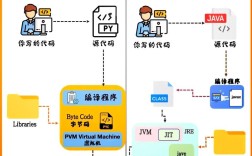
The acronym CLR stands for Common Language Runtime. It's the virtual machine component of the .NET Framework that manages the execution of .NET programs.
Here are the three primary ways you might interact with the CLR from Python:
Scenario 1: Using Python to Run .NET Code (The Most Common Use Case)
This is what most people mean when they search for "Python CLR". They want to use Python to call into .NET libraries (like those for a specific hardware device, a financial API, etc.) or to run existing .NET code.
The most popular library for this is Python.NET. It acts as a bridge, allowing you to import and use .NET assemblies (.dll files) directly in your Python script.
How it works: Python.NET does not require you to download a separate "Python CLR". Instead, it uses the standard .NET runtime (CLR) that is already installed on your machine. It simply provides the Python bindings to access it.
Step-by-Step Guide:
-
Install the .NET Runtime (If you don't have it): Python.NET needs a CLR to connect to. You can get it by installing the .NET Runtime.
- Go to the official .NET download page: https://dotnet.microsoft.com/download/dotnet
- Download and install the .NET Runtime. You don't need the full SDK unless you plan to build .NET applications. The "Runtime" is sufficient.
-
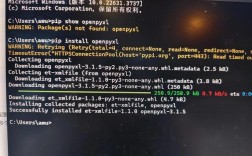
Install the Python.NET library: Use
pipto install thepythonnetpackage from PyPI. (图片来源网络,侵删)
pip install pythonnet
-
Write Python Code to Use .NET: Now you can import and use .NET libraries in your Python script.
Example: Using a .NET
System.IO.Fileimport clr # --- This part is only needed if the .NET DLL is not in the GAC --- # Add the reference to the specific .NET assembly you want to use. # For core .NET libraries, this is often not needed. # clr.AddReference("System.Windows.Forms") # Example for a different library # You can now import namespaces from the .NET Framework from System import DateTime from System.IO import File, Path # --- Use the .NET classes directly --- # Create a .NET DateTime object now = DateTime.Now print(f"Current .NET DateTime: {now}") print(f"Day of the week: {now.DayOfWeek}") # Use a .NET static method desktop_path = Environment.GetFolderPath(Environment.SpecialFolder.Desktop) print(f"Your Desktop path is: {desktop_path}") # Example with a custom .NET DLL (e.g., 'MyLibrary.dll') # clr.AddReference("MyLibrary") # Assumes MyLibrary.dll is in the same folder or GAC # from MyLibrary import MyClass # obj = MyClass() # obj.DoSomething()
Scenario 2: Downloading the .NET SDK/CLR for Development
If you are a .NET developer and need to build or run .NET applications, you need to download the .NET SDK, which includes the CLR.
- What to Download: The .NET SDK (Software Development Kit).
- What it Includes: The SDK contains the CLR, compilers (to turn your code into assemblies), and command-line tools.
- Official Download Page: https://dotnet.microsoft.com/download/dotnet
- Choose a Version: You'll see options for different .NET versions (e.g., .NET 8.0, .NET 6.0 LTS). For new projects, the latest stable version is recommended.
Scenario 3: Downloading the IronPython Interpreter
IronPython is a completely different implementation of the Python language that runs on top of the .NET CLR. It's not a library that adds .NET support to CPython; it's a Python interpreter itself.
-
What it is: A Python-compatible language that is tightly integrated with the .NET Framework.
-
When to use it: When you want to write Python scripts that have deep, first-class access to the .NET Framework, or when you want to embed a Python scripting engine inside a .NET application.
-
How to get it:
- Go to the IronPython GitHub Releases page: https://github.com/IronPython/IronPython/releases
- Download the latest release (e.g.,
ipython-3.4.0-cp312-win-x64.zip). - Unzip it and you can run
ipy.exefrom the command line.
Example IronPython Script:
# This code runs in IronPython, not standard CPython
import clr
# Add a reference to a .NET assembly
clr.AddReference("System.Windows.Forms")
# Import .NET namespaces
from System.Windows.Forms import MessageBox, Application
# Use .NET classes
MessageBox.Show("Hello from IronPython and the .NET CLR!")
Summary: Which One Do You Need?
| Your Goal | What You Need to Download/Install | Key Library/Tool |
|---|---|---|
| I want to use Python to call .NET libraries. | The .NET Runtime (if not already installed). The pythonnet library (pip install pythonnet). |
Python.NET |
| I want to build or run .NET applications. | The .NET SDK. | .NET SDK |
| I want to write Python scripts that run on the CLR. | The IronPython interpreter. | IronPython |
For 99% of use cases where people ask "how do I use the CLR in Python?", the answer is Scenario 1: Install the .NET Runtime and then pip install pythonnet.