下面我将为你提供一个全面且易于理解的 POI 读写 Excel 教程,包含环境搭建、核心概念、详细的读写代码示例,以及一些最佳实践。

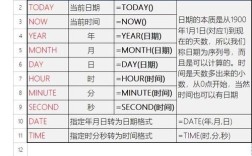
(图片来源网络,侵删)
目录
- 环境搭建
- 核心概念
- 写入 Excel 文件
- 写入
.xlsx(XSSF) 格式 - 写入
.xls(HSSF) 格式 - 设置单元格样式(字体、颜色、边框等)
- 写入
- 读取 Excel 文件
- 读取
.xlsx(XSSF) 格式 - 读取
.xls(HSSF) 格式
- 读取
- 最佳实践与注意事项
环境搭建
你需要在你的 Java 项目中添加 Apache POI 的依赖,如果你使用 Maven,在 pom.xml 文件中添加以下依赖:
<dependencies>
    <!-- POI Core 依赖 -->
    <dependency>
        <groupId>org.apache.poi</groupId>
        <artifactId>poi</artifactId>
        <version>5.2.3</version> <!-- 建议使用最新稳定版 -->
    </dependency>
    <!-- 用于处理 .xlsx 格式的 OOXML (Office Open XML) 依赖 -->
    <dependency>
        <groupId>org.apache.poi</groupId>
        <artifactId>poi-ooxml</artifactId>
        <version>5.2.3</version>
    </dependency>
    <!-- 用于处理 .xlsx 格式的 XMLBeans 依赖 (poi-ooxml 会自动引入,但显式声明更清晰) -->
    <dependency>
        <groupId>org.apache.xmlbeans</groupId>
        <artifactId>xmlbeans</artifactId>
        <version>5.1.1</version>
    </dependency>
    <!-- 为了简化日期处理,可以添加 commons-collections -->
    <dependency>
        <groupId>org.apache.commons</groupId>
        <artifactId>commons-collections4</artifactId>
        <version>4.4</version>
    </dependency>
</dependencies>
注意:.xls 格式使用 HSSF API,而 .xlsx 格式使用 XSSF API。SXSSF 是 XSSF 的一种流式实现,用于处理大数据量,我们稍后会提到。
核心概念
理解 POI 的核心对象模型是关键:
| 对象 (API) | 描述 | 适用格式 |
|---|---|---|
| Workbook | 代表一个 Excel 文件整个工作簿。 | HSSFWorkbook (.xls), XSSFWorkbook (.xlsx), SXSSFWorkbook (.xlsx 大数据) |
| Sheet | 代表工作簿中的一个工作表(Sheet)。 | HSSFSheet, XSSFSheet |
| Row | 代表工作表中的一行。 | HSSFRow, XSSFRow |
| Cell | 代表一行中的一个单元格。 | HSSFCell, XSSFCell |
| CellStyle | 代表单元格的样式(字体、颜色、对齐方式等)。 | HSSFCellStyle, XSSFCellStyle |
简单流程:

(图片来源网络,侵删)
- 写:
Workbook->Sheet->Row->Cell-> 设置值和样式 -> 写入文件。 - 读:
Workbook->Sheet->Row->Cell-> 获取值。
写入 Excel 文件
1 写入 .xlsx (XSSF) 格式
这是目前最推荐的方式,因为它功能更现代,文件更小。
import org.apache.poi.ss.usermodel.*;
import org.apache.poi.xssf.usermodel.XSSFWorkbook;
import java.io.FileOutputStream;
import java.io.IOException;
public class ExcelWriterXSSF {
    public static void main(String[] args) {
        // 1. 创建一个 XSSFWorkbook 对象 (代表一个 .xlsx 工作簿)
        Workbook workbook = new XSSFWorkbook();
        try (FileOutputStream outputStream = new FileOutputStream("output.xlsx")) {
            // 2. 创建一个工作表
            Sheet sheet = workbook.createSheet("员工信息");
            // 3. 创建标题行 (第0行)
            Row headerRow = sheet.createRow(0);
            String[] headers = {"ID", "姓名", "年龄", "入职日期", "薪资"};
            for (int i = 0; i < headers.length; i++) {
                Cell cell = headerRow.createCell(i);
                cell.setCellValue(headers[i]);
            }
            // 4. 创建数据行
            Object[][] data = {
                    {1, "张三", 28, "2025-05-15", 8500.50},
                    {2, "李四", 32, "2025-11-20", 9200.00},
                    {3, "王五", 25, "2025-03-10", 7800.75}
            };
            // 5. 创建样式
            CellStyle dateStyle = workbook.createCellStyle();
            CreationHelper createHelper = workbook.getCreationHelper();
            dateStyle.setDataFormat(createHelper.createDataFormat().getFormat("yyyy-mm-dd"));
            for (int i = 0; i < data.length; i++) {
                Row row = sheet.createRow(i + 1); // 数据从第1行开始
                Object[] rowData = data[i];
                for (int j = 0; j < rowData.length; j++) {
                    Cell cell = row.createCell(j);
                    if (rowData[j] instanceof Integer) {
                        cell.setCellValue((Integer) rowData[j]);
                    } else if (rowData[j] instanceof String) {
                        cell.setCellValue((String) rowData[j]);
                    } else if (rowData[j] instanceof Double) {
                        cell.setCellValue((Double) rowData[j]);
                    } else if (rowData[j] instanceof java.util.Date) {
                        cell.setCellValue((java.util.Date) rowData[j]);
                        cell.setCellStyle(dateStyle); // 应用日期格式
                    }
                }
            }
            // 6. 自动调整列宽
            for (int i = 0; i < headers.length; i++) {
                sheet.autoSizeColumn(i);
            }
            // 7. 将工作簿写入输出流
            workbook.write(outputStream);
            System.out.println("Excel 文件 'output.xlsx' 创建成功!");
        } catch (IOException e) {
            e.printStackTrace();
        } finally {
            // 8. 关闭工作簿,释放资源
            try {
                if (workbook != null) {
                    workbook.close();
                }
            } catch (IOException e) {
                e.printStackTrace();
            }
        }
    }
}
2 设置单元格样式
样式是让 Excel 看起来更美观的关键。
// ... (在写入代码的基础上添加)
// 创建样式
CellStyle headerStyle = workbook.createCellStyle();
// 设置背景色
headerStyle.setFillForegroundColor(IndexedColors.GREY_25_PERCENT.getIndex());
headerStyle.setFillPattern(FillPatternType.SOLID_FOREGROUND);
// 设置字体
Font headerFont = workbook.createFont();
headerFont.setBold(true);
headerFont.setFontHeightInPoints((short) 12);
headerStyle.setFont(headerFont);
// 设置居中对齐
headerStyle.setAlignment(HorizontalAlignment.CENTER);
headerStyle.setVerticalAlignment(VerticalAlignment.CENTER);
行样式
for (int i = 0; i < headers.length; i++) {
    headerRow.getCell(i).setCellStyle(headerStyle);
}
// 创建数字格式样式 (保留两位小数)
CellStyle currencyStyle = workbook.createCellStyle();
DataFormat format = workbook.createDataFormat();
currencyStyle.setDataFormat(format.getFormat("#,##0.00"));
// 应用货币样式
for (int i = 0; i < data.length; i++) {
    Row row = sheet.getRow(i + 1);
    if (row != null) {
        Cell salaryCell = row.getCell(4); // 薪资列
        if (salaryCell != null) {
            salaryCell.setCellStyle(currencyStyle);
        }
    }
}
读取 Excel 文件
读取的逻辑与写入相反,我们从文件中解析出 Workbook 对象,然后逐层获取数据。
1 读取 .xlsx (XSSF) 格式
import org.apache.poi.ss.usermodel.*;
import org.apache.poi.xssf.usermodel.XSSFWorkbook;
import java.io.FileInputStream;
import java.io.IOException;
public class ExcelReaderXSSF {
    public static void main(String[] args) {
        String filePath = "output.xlsx"; // 确保这个文件存在
        try (FileInputStream inputStream = new FileInputStream(filePath);
             Workbook workbook = new XSSFWorkbook(inputStream)) {
            // 1. 获取第一个工作表
            Sheet sheet = workbook.getSheetAt(0); // 或者 getSheet("员工信息")
            // 2. 获取总行数 (注意:行号从0开始)
            int rowCount = sheet.getPhysicalNumberOfRows();
            System.out.println("总行数: " + rowCount);
            // 3. 获取总列数 (以第一行为准)
            Row firstRow = sheet.getRow(0);
            int colCount = firstRow.getPhysicalNumberOfCells();
            System.out.println("总列数: " + colCount);
            // 4. 遍历每一行 (跳过标题行)
            for (int rowIndex = 1; rowIndex < rowCount; rowIndex++) {
                Row row = sheet.getRow(rowIndex);
                if (row == null) {
                    continue;
                }
                // 5. 遍历每一个单元格
                StringBuilder rowData = new StringBuilder();
                for (int colIndex = 0; colIndex < colCount; colIndex++) {
                    Cell cell = row.getCell(colIndex);
                    if (cell == null) {
                        rowData.append("\t");
                        continue;
                    }
                    // 6. 根据单元格类型获取值
                    switch (cell.getCellType()) {
                        case STRING:
                            rowData.append(cell.getStringCellValue()).append("\t");
                            break;
                        case NUMERIC:
                            // 检查是日期还是数字
                            if (DateUtil.isCellDateFormatted(cell)) {
                                rowData.append(cell.getDateCellValue()).append("\t");
                            } else {
                                rowData.append(cell.getNumericCellValue()).append("\t");
                            }
                            break;
                        case BOOLEAN:
                            rowData.append(cell.getBooleanCellValue()).append("\t");
                            break;
                        case FORMULA:
                            rowData.append(cell.getCellFormula()).append("\t");
                            break;
                        default:
                            rowData.append("\t");
                    }
                }
                System.out.println(rowData.toString());
            }
        } catch (IOException e) {
            e.printStackTrace();
        }
    }
}
最佳实践与注意事项
-
大数据量写入 -
SXSSF (图片来源网络,侵删)
- 当需要导出几十万甚至上百万行数据时,
XSSFWorkbook会将所有数据都加载到内存中,导致OutOfMemoryError。 - 解决方案:使用
SXSSFWorkbook(Streaming Usermodel API),它只在内存中保留一定数量的行(例如100行),其余数据会临时写入磁盘,从而极大地降低内存消耗。 - 注意:
SXSSFWorkbook是.xlsx格式,并且不支持读取功能。
// 大数据量写入示例
Workbook workbook = new SXSSFWorkbook(100); // 在内存中保留100行
// ... 后续代码与 XSSFWorkbook 几乎一样 ...
// 写入完成后,需要调用 .dispose() 来清除临时文件
((SXSSFWorkbook)workbook).dispose();
- 当需要导出几十万甚至上百万行数据时,
-
资源管理
- 务必使用
try-with-resources语句来管理Workbook,FileInputStream,FileOutputStream等资源,确保它们在使用后被正确关闭,防止文件句柄泄露。
- 务必使用
-
日期处理
- Excel 中的日期存储为数字(从1900年1月1日开始的天数),读取时,使用
DateUtil.isCellDateFormatted(cell)判断是否为日期格式的单元格,然后用cell.getDateCellValue()获取Date对象。 - 写入时,创建一个
CellStyle并设置数据格式,然后将Date对象写入单元格。
- Excel 中的日期存储为数字(从1900年1月1日开始的天数),读取时,使用
-
.xlsvs.xlsx- 优先选择
.xlsx,它基于 XML 标准,文件更小,功能更丰富(如更大的行数和列数限制)。 .xls格式有行数限制(65536行)和列数限制(256列),而.xlsx的限制要大得多(1048576行,16384列)。
- 优先选择
-
单元格类型
- 读取时,一定要通过
cell.getCellType()判断单元格类型,再调用相应的方法(如getStringCellValue())获取值,否则会抛出IllegalStateException。
- 读取时,一定要通过
| 操作 | 核心步骤 | 关键 API |
|---|---|---|
| 写入 | 创建 Workbook (XSSFWorkbook)创建 Sheet创建 Row创建 Cell 并赋值写入文件流 |
new XSSFWorkbook(), createSheet(), createRow(), createCell(), setCellValue(), write() |
| 读取 | 从文件流创建 Workbook获取 Sheet遍历 Row遍历 Cell根据 CellType 获取值 |
new XSSFWorkbook(inputStream), getSheetAt(), getPhysicalNumberOfRows(), getCell(), getCellType() |
希望这份详细的教程能帮助你熟练掌握 Java POI 读写 Excel 的技能!从简单的读写开始,逐步尝试样式设置和大数据处理,你会很快成为 POI 的高手。