
Of course! Working with JSON datasets is a very common task in Python, especially in data science, web development, and API integration. JSON (JavaScript Object Notation) is a lightweight, text-based format for exchanging data.
Here's a comprehensive guide covering everything from basic loading and parsing to advanced techniques and best practices.
The Core Python JSON Module
Python has a built-in json module that makes it easy to work with JSON data. The module provides two main pairs of functions:
json.dump()andjson.dumps(): For encoding Python objects into JSON strings.json.load()andjson.loads(): For decoding JSON strings into Python objects.
Let's break down the difference:
sat the end (dumps, loads): Stands for string. These functions work with data in memory (strings).- No
s(dump, load): These functions work with file-like objects (e.g., files on your disk).
Loading JSON Data
This is the most common first step: taking a JSON string or file and converting it into a Python data structure.

A. Loading from a JSON String
Use json.loads() (load string).
import json
# A JSON formatted string
json_string = '''
{
    "name": "John Doe",
    "age": 30,
    "isStudent": false,
    "courses": [
        {"title": "History", "credits": 3},
        {"title": "Math", "credits": 4}
    ],
    "address": null
}
'''
# Parse the JSON string into a Python dictionary
data = json.loads(json_string)
# Now you can work with it like a normal Python object
print(f"Name: {data['name']}")
print(f"Age: {data['age']}")
print(f"First course: {data['courses'][0]['title']}")
Output:
Name: John Doe
Age: 30
First course: History
B. Loading from a JSON File
Use json.load() (load from a file object). This is the standard way to handle a JSON dataset file (e.g., dataset.json).
Let's assume you have a file named users.json with the following content:

users.json
[
  {
    "id": 1,
    "name": "Alice",
    "email": "alice@example.com",
    "isActive": true
  },
  {
    "id": 2,
    "name": "Bob",
    "email": "bob@example.com",
    "isActive": false
  },
  {
    "id": 3,
    "name": "Charlie",
    "email": "charlie@example.com",
    "isActive": true
  }
]
Now, let's load it in Python:
import json
# Use a 'with' statement for safe file handling
with open('users.json', 'r') as f:
    # Load the JSON data from the file object
    users_data = json.load(f)
# The data is now a Python list of dictionaries
print(users_data)
print(f"Type of loaded data: {type(users_data)}")
# Access specific elements
first_user = users_data[0]
print(f"\nFirst user's name: {first_user['name']}")
print(f"First user's active status: {first_user['isActive']}")
Output:
[{'id': 1, 'name': 'Alice', 'email': 'alice@example.com', 'isActive': True}, {'id': 2, 'name': 'Bob', 'email': 'bob@example.com', 'isActive': False}, {'id': 3, 'name': 'Charlie', 'email': 'charlie@example.com', 'isActive': True}]
Type of loaded data: <class 'list'>
First user's name: Alice
First user's active status: True
Saving Data to a JSON File
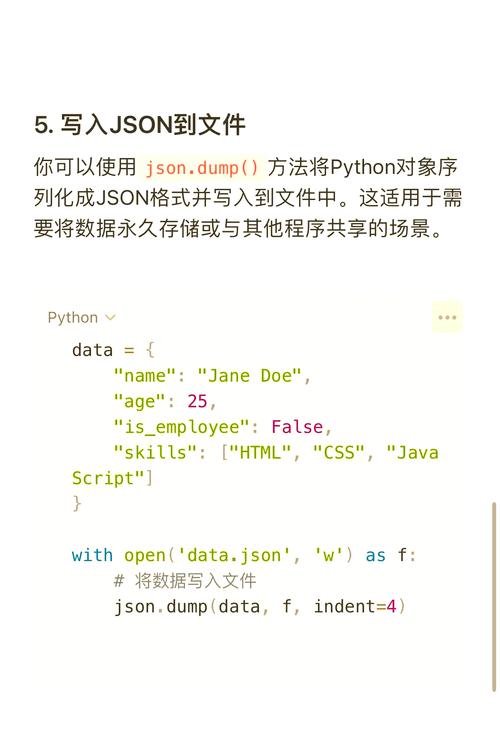
After processing your data, you'll often want to save it back to a JSON file. Use json.dump().
A. Basic Saving
import json
# A Python dictionary to be saved
new_user_data = {
    "id": 4,
    "name": "Diana",
    "email": "diana@example.com",
    "isActive": True
}
# Use 'with' statement to open the file in write mode ('w')
# The indent argument makes the output file human-readable
with open('new_user.json', 'w') as f:
    json.dump(new_user_data, f, indent=4)
print("Data has been saved to new_user.json")
new_user.json (created file):
{
    "id": 4,
    "name": "Diana",
    "email": "diana@example.com",
    "isActive": true
}
B. Saving a List of Objects
If you want to add the new user to our existing list and save the whole list:
import json
# Load the existing data first
with open('users.json', 'r') as f:
    users_list = json.load(f)
# Add the new user
users_list.append(new_user_data)
# Save the updated list back to the file
with open('users.json', 'w') as f:
    json.dump(users_list, f, indent=4)
print("Updated data has been saved to users.json")
users.json (updated file):
[
    {
        "id": 1,
        "name": "Alice",
        "email": "alice@example.com",
        "isActive": true
    },
    {
        "id": 2,
        "name": "Bob",
        "email": "bob@example.com",
        "isActive": false
    },
    {
        "id": 3,
        "name": "Charlie",
        "email": "charlie@example.com",
        "isActive": true
    },
    {
        "id": 4,
        "name": "Diana",
        "email": "diana@example.com",
        "isActive": true
    }
]
Common Pitfalls and Solutions
Pitfall 1: json.decoder.JSONDecodeError
This error occurs when you try to load a string that is not valid JSON.
# INVALID JSON string - note the trailing comma
invalid_json_string = '{"name": "John", "age": 30,}'
try:
    data = json.loads(invalid_json_string)
except json.JSONDecodeError as e:
    print(f"Error decoding JSON: {e}")
Solution: Always validate your JSON source (e.g., using an online JSON formatter/linter) or wrap your json.loads() call in a try...except block.
Pitfall 2: TypeError: Object of type ... is not JSON serializable
The json module can only serialize basic Python types. Custom objects, sets, or datetime objects will cause this error.
import datetime
data_to_save = {
    "user": "Eve",
    "login_time": datetime.datetime.now() # This will cause an error
}
try:
    json.dumps(data_to_save)
except TypeError as e:
    print(f"Error serializing to JSON: {e}")
Solution: Provide a default function to json.dumps() or json.dump() that tells the module how to handle non-standard types.
import datetime
import json
def json_serializer(obj):
    """JSON serializer for objects not serializable by default json code"""
    if isinstance(obj, datetime.datetime):
        return obj.isoformat() # Convert datetime to an ISO format string
    raise TypeError(f"Type {type(obj)} not serializable")
data_to_save = {
    "user": "Eve",
    "login_time": datetime.datetime.now()
}
# Use the default argument
json_string = json.dumps(data_to_save, default=json_serializer)
print(json_string)
Output:
{"user": "Eve", "login_time": "2025-10-27T10:30:00.123456"}
Advanced: Working with Large JSON Files
For very large JSON files (e.g., several gigabytes), loading the entire file into memory with json.load() can crash your program. In this case, you should use a streaming parser.
The ijson library is perfect for this. It parses a JSON file incrementally, allowing you to process it item by item without loading it all into RAM.
First, install the library:
pip install ijson
Example: Streaming a large JSON array
Let's say you have a massive large_dataset.json file that looks like this:
[
  {"id": 1, "value": "data1"},
  {"id": 2, "value": "data2"},
  {"id": 3, "value": "data3"},
  ... # millions of more items
]
import ijson
# The 'prefix' tells ijson which part of the JSON to stream
# Here, 'item' refers to each element in the top-level array
prefix = 'item'
with open('large_dataset.json', 'rb') as f: # Use 'rb' for binary mode
    # ijson.items returns an iterator over the items in the array
    for item in ijson.items(f, prefix):
        # Process each item one by one
        # This code runs for each dictionary in the array
        print(f"Processing item with ID: {item['id']}")
        # Do your processing here...
        # For example, filter, transform, or write to another file
print("Finished processing large file.")
Best Practices
- Always use
with open(...): This ensures your files are automatically closed, even if errors occur. - Specify Encoding: It's good practice to explicitly state the file encoding, almost always
utf-8.with open('data.json', 'r', encoding='utf-8') as f: ... - Use
indentfor Readability: When saving data for humans to read (config files, etc.), useindent=4orindent=2. - Minimize
indentfor Performance: When saving data for machines (APIs, data pipelines), omitindentor set it toNone. The pretty formatting adds overhead and increases file size. - Validate Your JSON: Before trying to parse a JSON string from an untrusted source (like a user or an API), run it through a JSON validator to catch syntax errors early.











